Appeal a YouTube Yellow Dollar Icon in Pakistan: One Review, Up to 7 Days
A yellow icon means limited or no ads on one YouTube video. See which content triggers it, how to request a human review and why you only get one appeal.
Short answer: If YouTube Studio shows a "Limited ad earnings" or "No ad earnings" notice on a video, you can ask for a human review. Open Studio, go to Content, hover over the status notice and press the Action button. YouTube says appeals can take up to 7 days, and you get one appeal per video.
A cooking channel in Rawalpindi uploads a recipe video. An hour later the monetisation column shows a yellow icon instead of a green one. The video has views, but earns almost nothing. The creator wonders if the whole channel is in trouble. It is not. The notice is about one video.
We read YouTube's help pages on monetisation review and advertiser-friendly content on 12 October 2026. The steps and the 7 day figure come from those pages. We did not test an appeal on a live channel, so your Studio screen is the final guide.
A yellow icon limits ads on one video, not the whole channel
YouTube gives a video a limited or no ad earnings notice when its automated systems or human reviewers decide the content does not fit its advertiser-friendly guidelines. The notice applies to that video. Your channel stays in the Partner Program, and other videos keep earning.
The automatic check can get things wrong. A video about a news event, a history lesson or a health topic may be flagged because of one word in the title or one scene. That is exactly the case a human review is for.
YouTube also tells creators that context is very important. Its example is that artistic content such as music videos may contain strong language and still be suitable for advertising.
Know which content categories trigger the notice
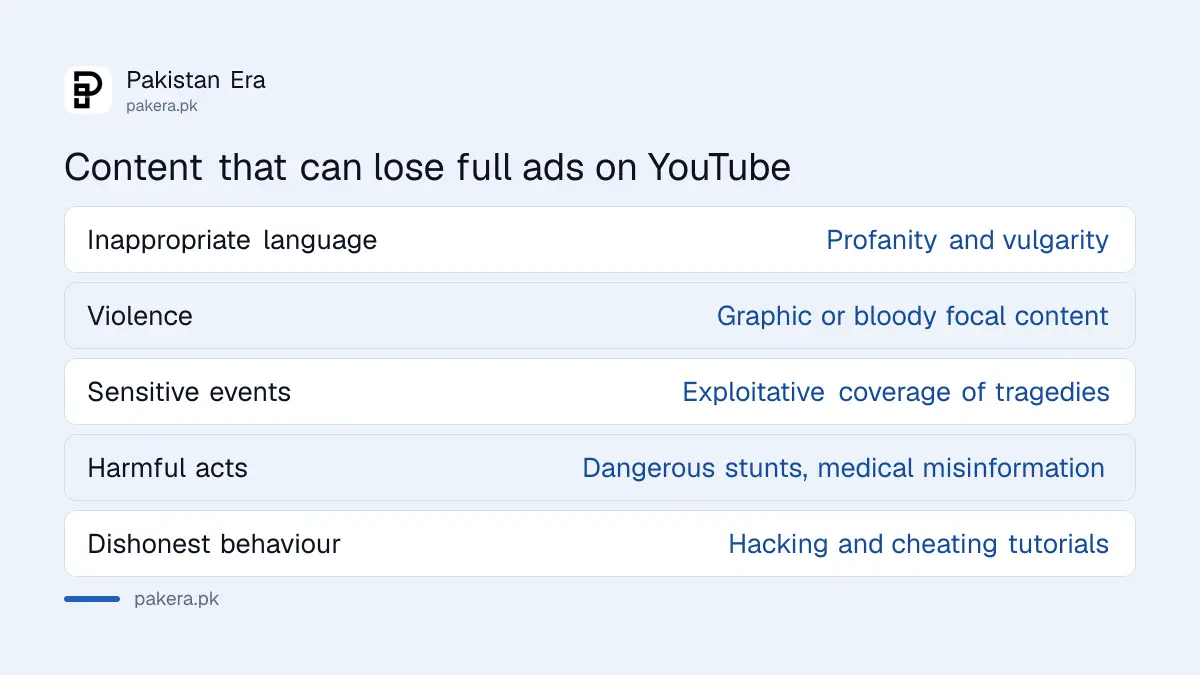
YouTube's advertiser-friendly page lists the content types that can lose full ads. Read the list before you appeal, because an appeal on a video that clearly breaks a category will fail, and you have only one try.
| Category | Examples YouTube gives |
|---|---|
| Inappropriate language | Profanity and vulgarity |
| Violence | Graphic or bloody focal content |
| Adult content | Sexualised material and nudity |
| Shocking content | Disturbing images meant to upset |
| Harmful acts and unreliable content | Dangerous stunts, medical misinformation |
| Sensitive events | Exploitative coverage of tragedies and disasters |
| Enabling dishonest behaviour | Hacking and cheating tutorials |
The full list is longer and also covers hateful content, drugs, firearms, controversial issues, inappropriate content for kids, tobacco and incendiary content.
Request a human review in YouTube Studio
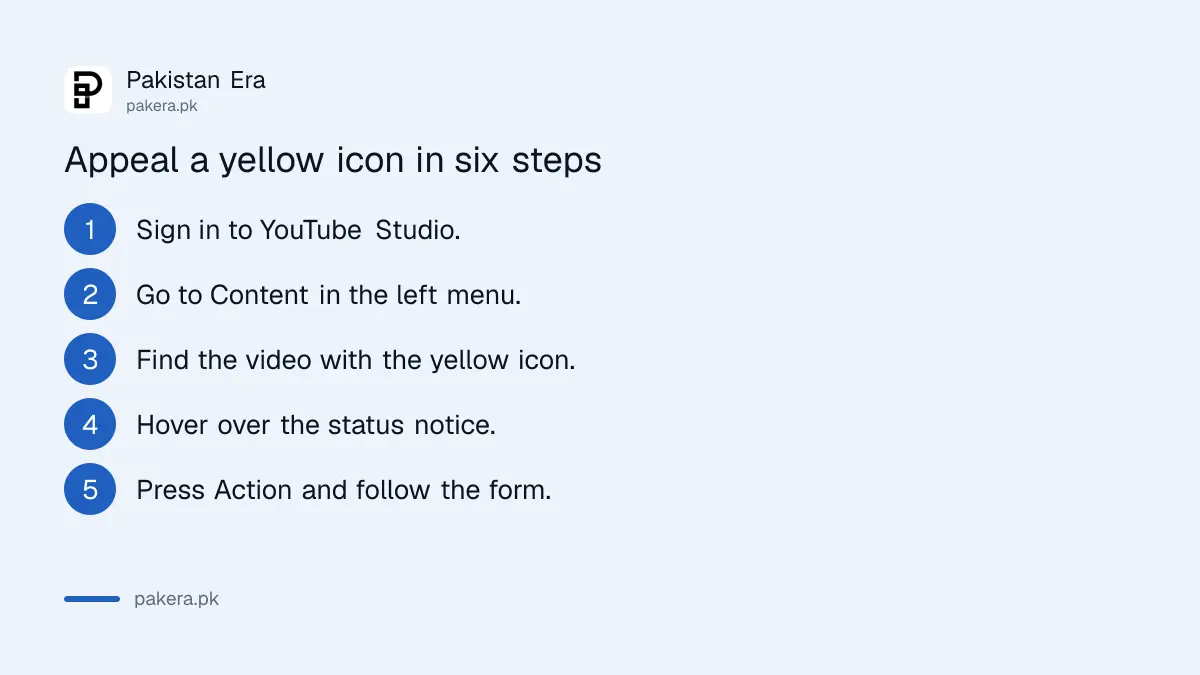
Only eligible videos show the appeal option. If you do not see the Action button, the video cannot be appealed, and YouTube does not list a minimum channel size for the option. Work through the steps below on a computer, because the Content page is easier to read there.
- Sign in to YouTube Studio with the channel account.
- Go to Content in the left menu.
- Find the video with the yellow dollar icon in the monetisation column.
- Hover over the status notice next to the video.
- Press the Action button and follow the form.
- Wait for the email that tells you the final decision.
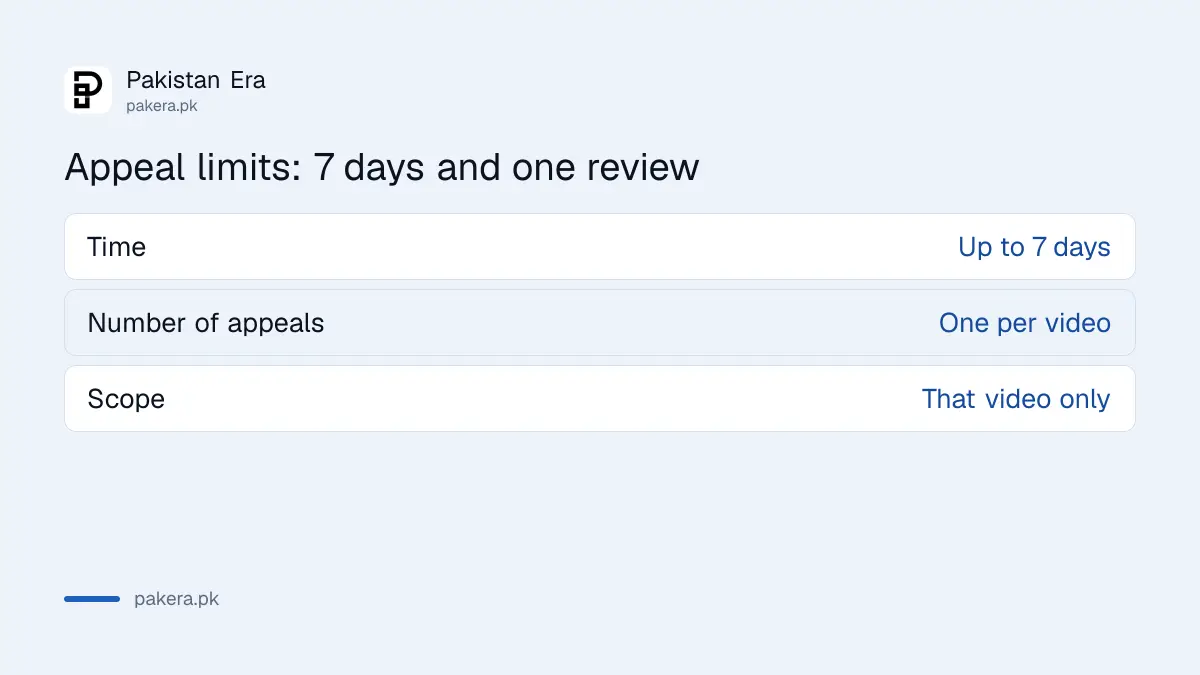
YouTube says appeals can take up to 7 days. Reviewers look at the video, the title and the metadata, so the text you wrote counts as much as the footage.
You get one appeal, so fix the video first if it is a real problem
YouTube says that after your one appeal, the reviewer's decision is final and the video's monetisation status will not change. That makes it worth a minute of honest checking before you press the button.
- Read the title and thumbnail. A harsh word in the title can trigger the notice by itself.
- Watch the first minute. Strong language or a violent scene early on matters.
- Check your tags and description for the same words.
- If the video does break a category, edit the video or title first, then ask for a review.
Pakistani news and current affairs channels may meet this more often, because sensitive events and violence are among the categories the check covers. A calm title and a clear explanation of context help the reviewer see the educational purpose.
Limited ads are one part of the earning picture. Our note on what YouTube actually pays in Pakistan shows how little a limited video earns against a full one, and the Partner Program changes for 2027 set the thresholds you still have to meet. Earnings from the programme are also taxable, as set out in how to declare YouTube and TikTok income.
A yellow icon is different from a lost channel
A single yellow icon is routine. A channel-level warning about repetitive or mass-produced content, or a removal from the Partner Program, is a different problem with a different fix. If your whole channel is affected, read the inauthentic content check.
And if the copyright notice, not an ads notice, is what you see, that is a strike rather than a yellow icon. The route out is in the note on fixing a copyright strike.
Common questions
What does the yellow dollar icon mean on YouTube?
It means the video has limited or no ad earnings because it does not fit advertiser-friendly guidelines. It applies to that video, not to the whole channel.
How long does a YouTube monetisation appeal take?
YouTube says appeals can take up to 7 days. You get an email when the decision is final.
How many times can I appeal one video?
Once. YouTube says the reviewer's decision after your one appeal is final and the monetisation status will not change.
Why is there no appeal button on my video?
YouTube only shows the option on eligible videos. It does not state a minimum channel size on its help page.
Does a yellow icon affect my other videos?
No. The notice is for that one video. Your channel stays in the Partner Program unless YouTube tells you otherwise.
Can I change the video and then appeal?
Yes. If the video does break a category, editing the title or the footage first gives the review a better chance. Remember you only get one appeal.
How we verified this
What we checked, where we read it, and what we could not confirm.
We read YouTube's help pages on monetisation status and appeals and advertiser-friendly content guidelines on 12 October 2026. The steps, the 7 day review time, the one appeal rule and the category list come from those pages. YouTube updates its guidelines often, so read them again before you appeal.
About the author

Senior Writer, Public Services and Technology
Shahid joined us in 2024 as an author. He is a senior contributor to Pakistan's leading technology websites. He writes detailed articles, mostly covering his expertise in the latest tech, mobiles, apps, gadgets, and step-by-step guides. His ideology is to help people understand the latest trends and explain complex methods through very easy-to-understand guides.