Bing AI Performance Report: Check Copilot Citations for Your Pakistani Website, Plus Topics Portfolio
Bing Webmaster Tools' free AI Performance report shows Copilot citations, cited pages and grounding queries. See how Pakistani sites can use Topics Portfolio.
Bing Webmaster Tools has a free AI Performance report that shows how often Microsoft Copilot and Bing's AI summaries cite your website, which pages they cite, and the grounding queries behind them. Since 13 October 2026 it also has a Topics Portfolio tab that groups those queries into themes and lists the questions where competitors are cited and you are not. For a Pakistani business site, this is the only official count of AI citations any search engine gives today. Below is how to open it, what each metric means, and how to turn the opportunity list into pages.
We read Microsoft's two Bing Webmaster blog posts on the report, from 10 February and 13 October 2026, on 28 October 2026.
The AI Performance report counts citations in Copilot and Bing
Microsoft says the report shows how often your content is cited as a source in AI answers across Microsoft Copilot, AI-generated summaries in Bing, and some partner services. It went into public preview on 10 February 2026 and is free inside Bing Webmaster Tools.
Google's Search Console now shows some AI Overviews data too, as explained in checking AI Overviews citations in Search Console. Bing's report goes further on one point: it tells you the grounding queries, meaning the search phrases the AI ran before it picked your page.
Google sends most search visits to Pakistani websites. But Copilot sits inside Windows, Edge and Microsoft 365, which many Pakistani offices use daily. A Lahore accountant asking Copilot about tax deadlines at work is a reader you can win.
Five metrics tell you who cites you and why
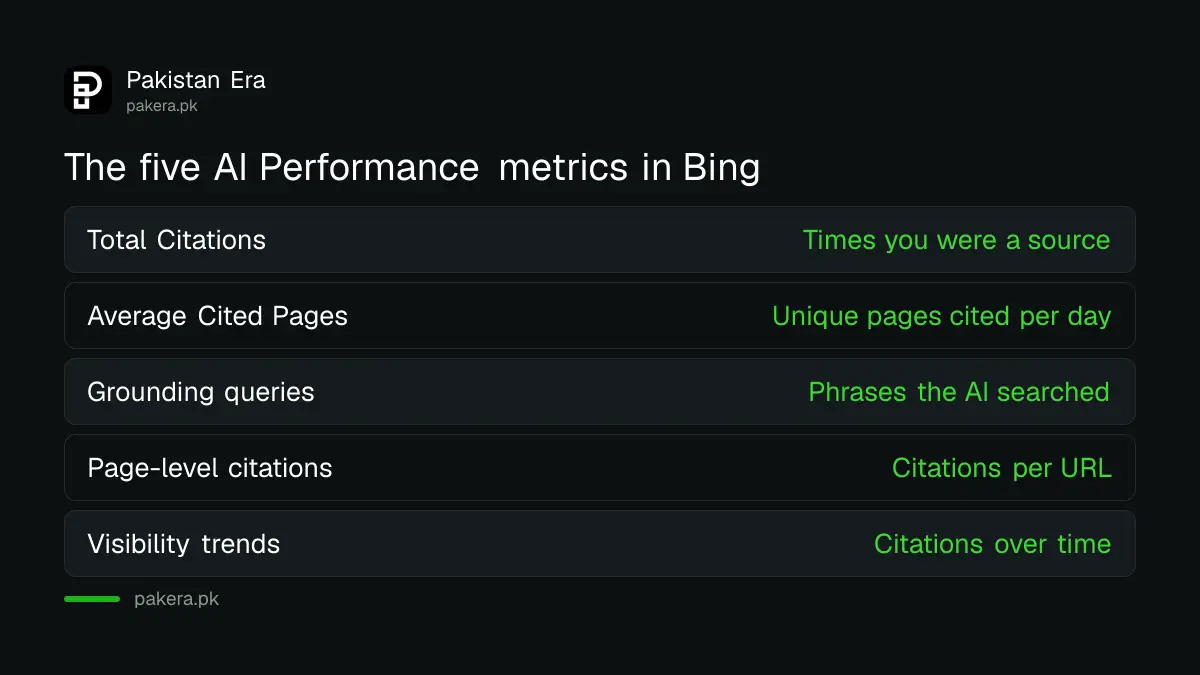
The report shows Total Citations, Average Cited Pages, grounding queries, page-level citation activity and a trend line over time. Microsoft says none of these measure ranking, authority or where your link sits inside an answer. They measure how often you are cited.
| Metric | What Microsoft says it shows | What it does not show |
|---|---|---|
| Total Citations | Times your site appeared as a source in AI answers in the period | Where in the answer the citation sits |
| Average Cited Pages | Unique pages from your site cited per day, on average | Ranking or authority |
| Grounding queries | Phrases the AI used to retrieve your content, as a sample | Every query, since it is sampled |
| Page-level citations | Citation counts for each URL | A page's importance |
| Visibility trends | Citations over time across supported AI services | Clicks or traffic |
The missing column is clicks. A citation is not a visit. Pair the report with your analytics referrals from copilot.microsoft.com and bing.com before you tell a client the AI traffic grew.
Open the report in four steps
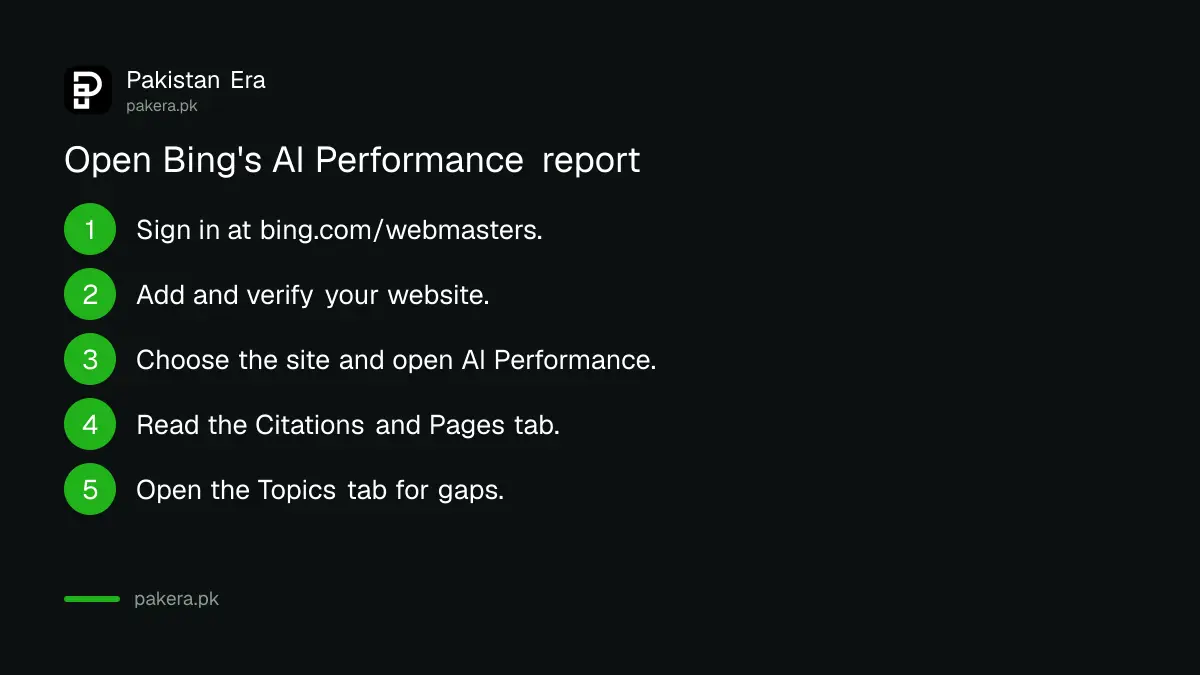
Sign in to Bing Webmaster Tools, add and verify your website if you have not already, then open the AI Performance report for that site. The Citations and Pages tab holds the main metrics, and the Topics tab sits beside it.
- Go to bing.com/webmasters and sign in.
- Add your website and verify ownership if it is not already listed.
- Choose the site, then open AI Performance from the menu.
- Read the Citations and Pages tab first, then open the Topics tab.
A new site may show little data at first. Microsoft says topics with too little activity are hidden, so a small Pakistani shop could see a short list or no Topics tab at all. Getting new pages crawled faster helps, which is what IndexNow for Bing is for.
Topics Portfolio shows the questions your competitors win
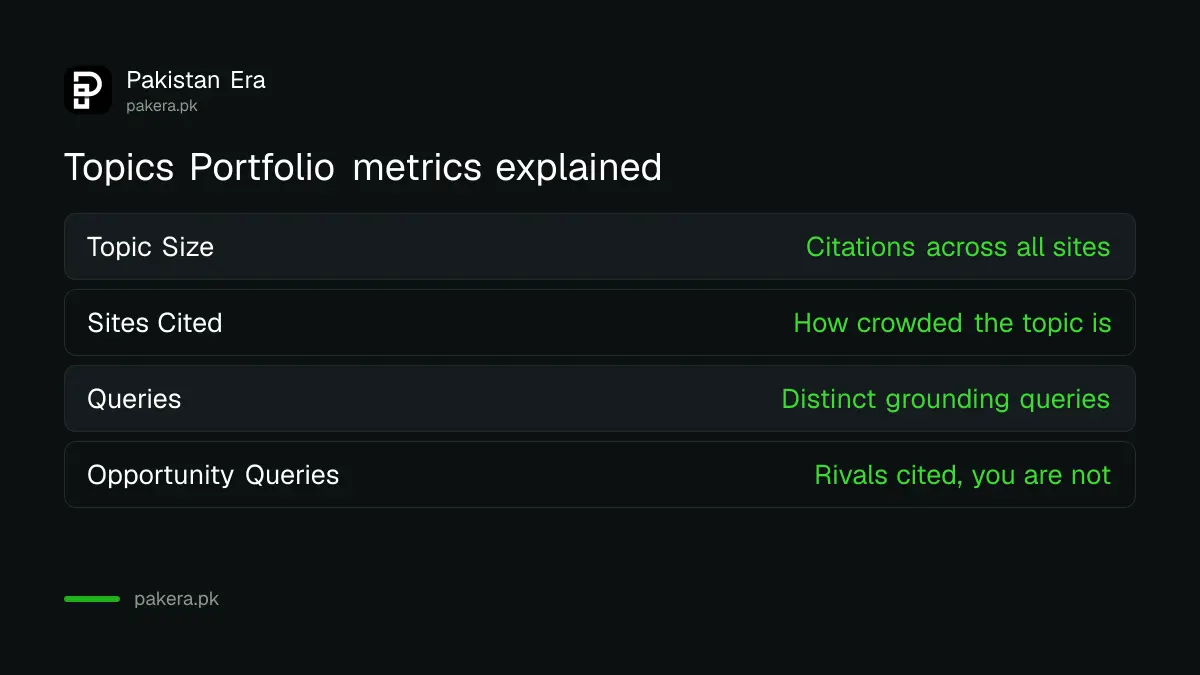
The Topics tab, added on 13 October 2026, groups your grounding queries into themes. For each theme it shows Topic Size, Sites Cited and Queries. Below the table, Top Opportunity Queries lists strong questions where other sites are cited and yours is not.
Topic Size is the approximate number of citations across all sites for that theme, so it stands in for demand. Sites Cited tells you how crowded it is. A topic with high size and few sites cited is the one to work on first.
Open any topic and you get three cards, your own grounding queries, and a second list of opportunity queries for that topic alone. You can pick a one, two or three month window. Microsoft shows opportunity volumes as ranges, not exact numbers.
Turn opportunity queries into pages, one at a time
Microsoft's own advice is to start with topics where your citations are already strong, then work through the opportunity queries. For a Pakistani site, that means answering each missing question on a page that already ranks, in plain words, with the figure or step in the first lines.
- Pick one topic where you already have citations, not the biggest topic on the list.
- Read each opportunity query and ask whether your page answers it in the first two sentences.
- Add the answer to the existing page before writing a new one, so you do not split your own citations.
- Re-check after a month with the same window length, so the comparison is fair.
- Use the thumbs controls to flag wrong topics, which Microsoft asks for during the beta.
Skip the shortcuts. Special AI files and tricks do not replace a clear answer, a point Google makes too in its advice on llms.txt and AEO hacks.
Treat the numbers as direction, not proof
Microsoft calls the Topics figures approximate and directional signals for planning. Topic labels are made by AI and can be wrong, and branded queries can appear as opportunities. Use the report to choose what to write, not to bill a client per citation.
One honest limit for Pakistani sites: a strong Bing citation count is a bonus on top of Google, not a replacement. The same clear, well-sourced pages tend to serve both.
Common questions
Is the Bing AI Performance report free?
Yes. It is part of Bing Webmaster Tools, which costs nothing.
Does the report show clicks from Copilot?
No. It counts citations, not clicks. Check your analytics for visits from Copilot and Bing.
Why don't I see the Topics tab?
Microsoft hides topics with too little data, so smaller sites may see a short list or none at all.
What is a grounding query?
It is the phrase Copilot or Bing's AI searched for before using your page as a source. Microsoft shows a sample, not every query.
Does this report cover ChatGPT or Google AI Overviews?
No. Microsoft lists Copilot, Bing's AI summaries and some partner services.
How we verified this
What we checked, where we read it, and what we could not confirm.
We read Microsoft's posts Introducing AI Performance in Bing Webmaster Tools (10 February 2026) and Introducing Topics Portfolio (Beta) (13 October 2026) on 28 October 2026. Microsoft does not say which partner services feed the report or how far back data goes, and we have not opened the report for a site for this article.
About the author

Founder and Editor
Umer Kureshi founded Pakistan Era in July 2024 and runs it as administrator, SEO lead and writer, overseeing website operations, search growth, content strategy and coverage of technology and current affairs.