How to Block and Report a Scam Number on WhatsApp in Pakistan
Block a scam number on WhatsApp, tick Report, and WhatsApp gets the last 5 messages and call details without telling the sender. Then call PTA on 0800-55055.
To stop a scam number on WhatsApp in Pakistan, open the chat, tap the three dots or the contact's name, choose Block, and tick Report to WhatsApp. WhatsApp then receives the last five messages the sender sent you, basic details of your last five calls with them, the sender's ID, and the time and type of each message. The sender is not told. After that, report the number to PTA on 0800-55055, and to NCCIA if money was lost.
We read WhatsApp's help centre page on blocking and reporting on 19 October 2026. The page describes the WhatsApp Web and desktop screens, and the same options sit in the mobile app under the contact's name. The steps take under a minute, and the report is the only way WhatsApp itself sees the scam, because your chats are encrypted and WhatsApp cannot read them otherwise.
Block first, then report, and the sender is never told
Blocking stops the number from calling you, messaging you or showing you its status updates. Reporting sends WhatsApp a small sample of the chat so it can act on the account. WhatsApp's page says the reported user or group is not notified, and you can do both in one step.
On WhatsApp Web, click the menu arrow on the chat or the three dots at the top right, then Block, then Block again, and tick Report to WhatsApp. In the app, open the chat, tap the name at the top, scroll to Block or Report, and confirm. Reporting from the contact info screen offers the same block tick box.
The blocked chat stays in your list unless you delete or archive it. If you might need the messages for a police or bank complaint, take screenshots first. Blocking does not delete the number from your phone's address book, and it does not remove you from the other person's contacts.
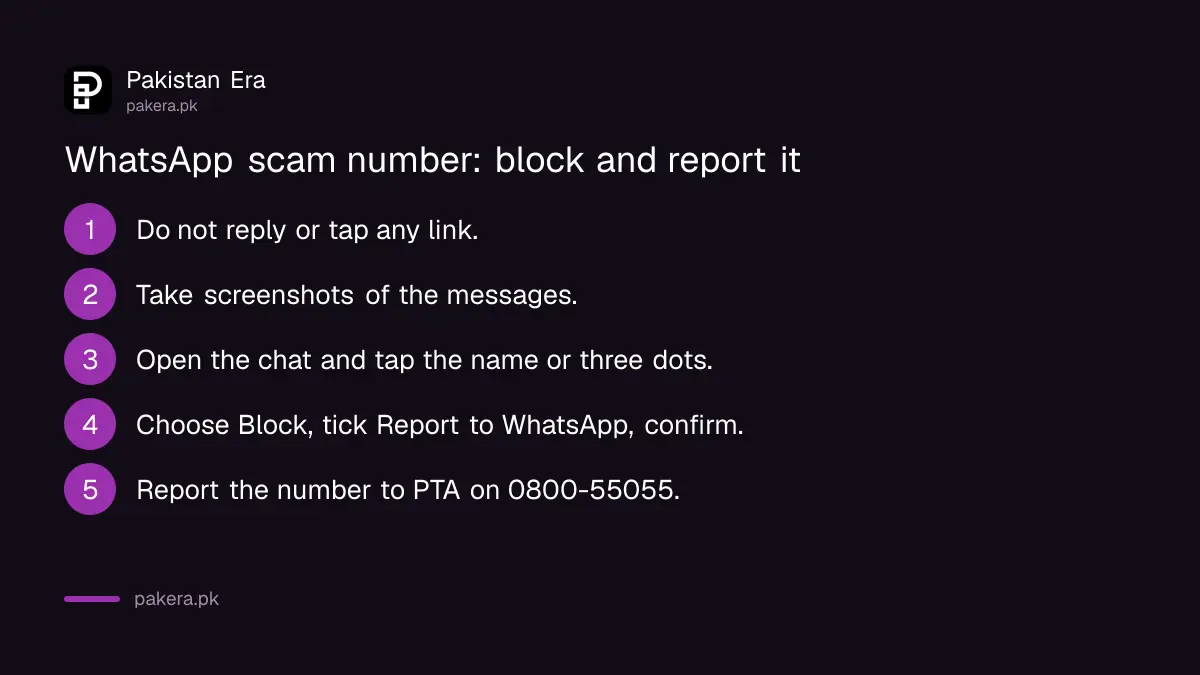
- Do not reply, and do not tap any link or button in the message.
- Take screenshots of the messages and the number if you may need evidence.
- Open the chat, tap the contact's name or the three dots, and choose Block.
- Tick Report to WhatsApp, then confirm.
- If the scam came through a group, use Report group; WhatsApp removes you from the group when you do.
- Report the number to PTA and, if money or data was taken, to NCCIA and your bank or wallet.
WhatsApp receives the last five messages and basic call details, nothing more
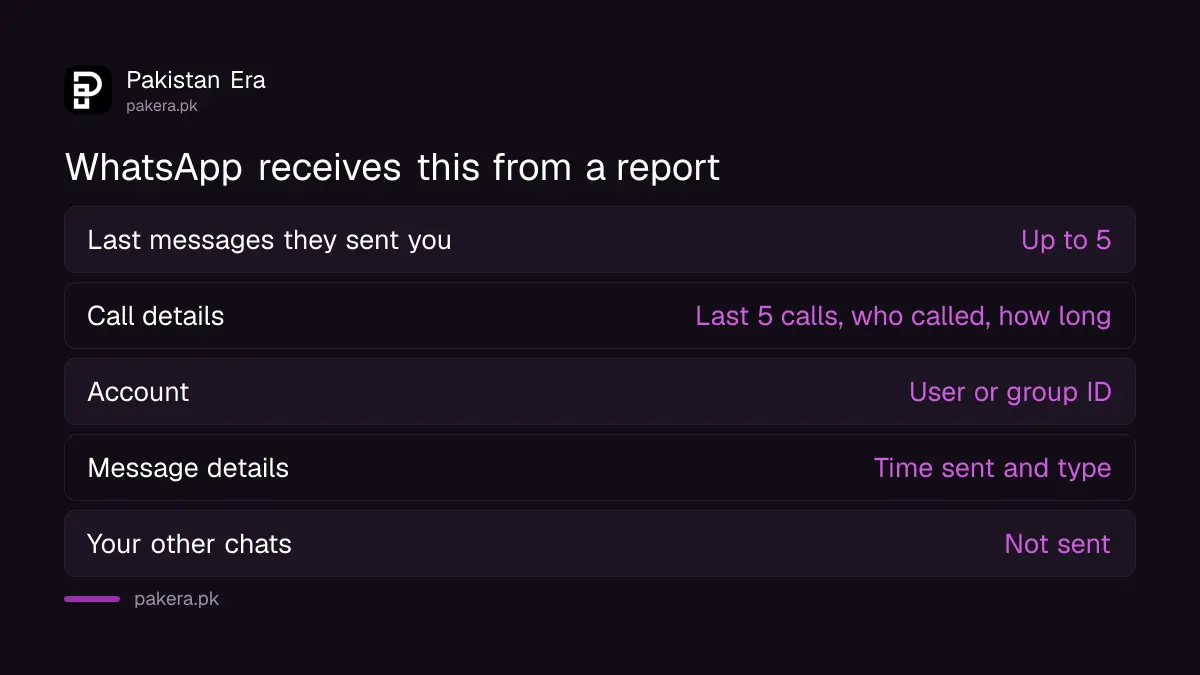
When you report someone, WhatsApp receives up to five of the last messages they sent you, and if there was a call, basic information about the last five calls, such as who started it and how long it lasted. It also receives the reported user or group ID, the time each message was sent, and the message type.
That is the whole list on WhatsApp's page. Your other chats, your contacts and your own messages to the scammer are not part of the report. The message type means whether it was text, an image or a video, which helps WhatsApp spot the fake courier, loan and job patterns that arrive as images.
| What WhatsApp receives when you report | What it does not receive |
|---|---|
| Up to the last five messages the reported person sent you | Your other chats |
| Basic details of the last five calls with them, such as who called and for how long | The content of calls |
| The reported user or group ID | Your contact list |
| When each message was sent and its type, such as image, video or text | Messages you sent to them, unless quoted in theirs |
If you report a group, WhatsApp removes you from it. To rejoin a group you reported, the admin would have to invite you again. You cannot block a whole group; the page suggests exiting it and blocking the admin, and the setting that lets you stop strangers adding you to WhatsApp groups prevents the next one.
Blocking has limits in shared groups and on a new account
A blocked person can still see your messages in any group you both belong to, and you still see theirs. If you set up a new WhatsApp account, you have to block the same numbers again. Unblocking later does not recover messages or calls they sent while blocked.
WhatsApp also mentions chats from third-party apps, which exist only in Europe and are not available in Pakistan, so that section does not apply here. What does apply is the separate setting to block high volumes of unknown messages, which stops a flood of spam before it fills the chat list; it lives with the other strict account settings on WhatsApp.
For a number you do not recognise that has messaged once, WhatsApp now shows context before you reply, which helps decide whether to block; the guide to checking an unknown number's first message covers that screen.
Report the number to PTA, and to NCCIA when money or data was taken
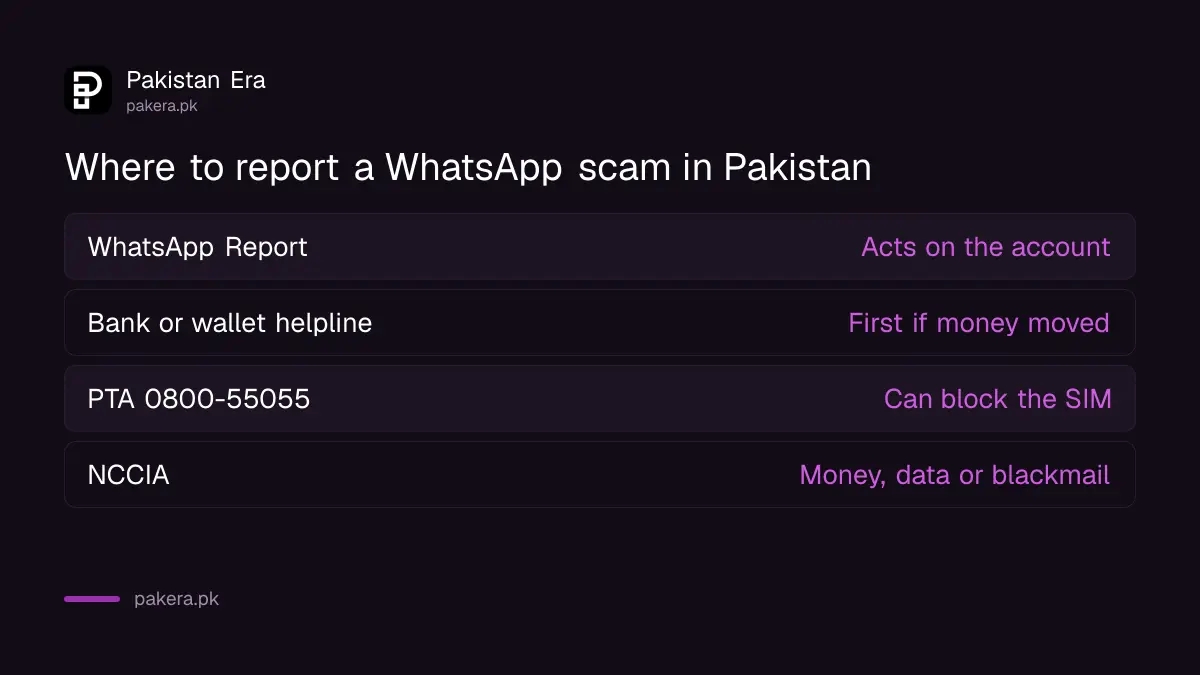
WhatsApp's report deals with the account. The SIM behind it is a Pakistani matter. The Pakistan Telecommunication Authority takes scam number complaints on 0800-55055 and through its complaint system, and can have the operator block the SIM. If you sent money or shared an OTP or CNIC details, report to the National Cyber Crime Investigation Agency as a cybercrime.
The order matters. Call your bank or wallet first if money moved, because the SBP rules on digital fraud refunds run on deadlines from the moment you report. Then PTA for the number, using the steps in the guide to reporting a scam number to PTA. Then NCCIA, whose complaint route is in the guide on reporting cybercrime to NCCIA. Keep your screenshots for all three.
Callers who claim to be from PTA, NCCIA, a bank or Easypaisa and ask for an OTP are the most common scam of 2026 on WhatsApp in Pakistan. PTA's own warning says fraudsters use spoofed numbers that look official. No agency verifies you by asking for a code on a call.
| Where to report | What it does | When |
|---|---|---|
| WhatsApp, Report | Acts on the WhatsApp account | Every scam message |
| Your bank or wallet helpline | Starts the refund and freeze process | Money sent or an OTP shared |
| PTA, 0800-55055 | Can have the SIM blocked by the operator | Every scam number |
| NCCIA | Criminal investigation | Money, data or blackmail involved |
If you already replied or tapped a link, act in this order
Replying alone gives a scammer nothing but confirmation that the number is live. Tapping a link that installed a file is more serious: remove the app, change your WhatsApp PIN and bank passwords, and then block and report. A shared OTP means calling the bank or wallet at once.
Android users who installed a file from a WhatsApp link should follow the steps to remove a fake APK installed from WhatsApp before anything else, because a reporting step done from an infected phone can be watched. Once the phone is clean, turn on two-step verification in WhatsApp so a scammer who learns your number cannot register it elsewhere. Our own test of these steps was limited to the menus; we did not report a live scam account during the check.
Common questions about blocking and reporting on WhatsApp
Will the scammer know I reported them?
No. WhatsApp's help page says the reported user or group is not notified.
What does WhatsApp see when I report a number?
Up to the last five messages that person sent you, basic details of your last five calls with them, their user ID, and when and what type each message was.
Can I block a WhatsApp group?
No. You can exit the group and block its admin, or report the group, which removes you from it.
Does blocking stop the person in a shared group?
No. You will both still see each other's messages in any group you share. Leave the group if you do not want that.
Do I have to block again on a new phone?
If you set up a new WhatsApp account, yes. Blocks do not carry over to a new account.
Where do I report the number in Pakistan?
PTA on 0800-55055 for the SIM, NCCIA for a cybercrime, and your bank or wallet first if any money moved.
How we verified this
What we checked, where we read it, and what we could not confirm.
Last checked 19 October 2026. The block and report steps, what WhatsApp receives, the group rules and the limits of blocking come from WhatsApp's help page on blocking and reporting contacts, read on 19 October 2026 in its Web and desktop version. PTA's number and its warning on spoofed calls come from PTA's own material as recorded in our earlier guides. We did not report a live scam account during this check, so we cannot say how quickly WhatsApp acts on a report.
About the author

Technology Journalist & Multimedia Producer
Ahmad Ali is a technology journalist and multimedia producer at Pakistan Era, joining the team in October 2026. He covers consumer technology and digital life for Pakistani readers, combining research with hands-on product testing.