Caller Can't Hear Me or No Sound on Calls: Fix It on Android and iPhone in Pakistan
Callers can't hear you, or no sound on calls? Fix it on Android and iPhone in Pakistan: Bluetooth and mute checks, a 2-minute mic test, cleaning and repairs.
Caller cannot hear you, or you cannot hear them? First disconnect Bluetooth earbuds and the car, take off the case and screen protector, and raise the volume during the call. Then record a short voice memo: if your voice plays back clearly, the phone's microphone works and the problem is the network or the other side.
Those two checks sort most call audio problems in under five minutes. The table points you to the right fix for what you hear.
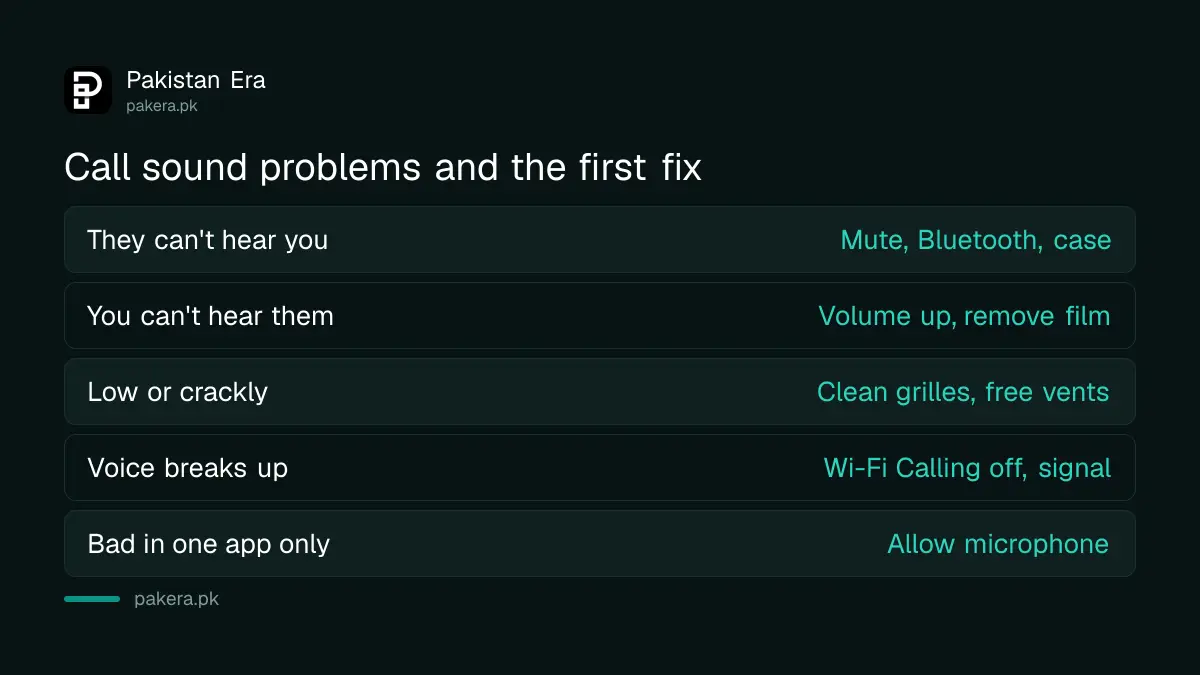
| What happens | Most likely cause | First fix |
|---|---|---|
| They cannot hear you at all | Mic blocked, muted, or audio going to Bluetooth | Check mute, Bluetooth, case |
| You cannot hear them at all | Earpiece covered, volume low, Bluetooth | Volume up during the call, remove film |
| Sound is low or crackly | Dust in grilles, blocked air vent | Clean openings gently, remove case |
| Voice breaks up or drops | Weak signal or poor Wi-Fi calling | Turn off Wi-Fi Calling, move near a window |
| Fine on calls, bad in one app | App has no microphone permission | Allow the microphone in Settings |
Check Bluetooth, mute and volume first
Most "no sound" calls are not faults. The call is going to a connected earbud, car or speaker, the mute button is on, or the in-call volume is at its lowest. The in-call volume can only be changed while a call is running.
- During the call, look at the call screen. Make sure Mute is off.
- Tap the Audio or speaker button and choose Phone or iPhone instead of a Bluetooth device.
- Press Volume up several times during the call. Samsung notes the in-call volume only changes while you are on a call.
- Turn off Bluetooth for one test call. Earbuds left in a pocket or a bag often grab the call.
- On Samsung, check Mute all sounds is off: Settings, Accessibility, Hearing enhancements (on some models, Settings, Sound and vibration).
Test your microphone in two minutes
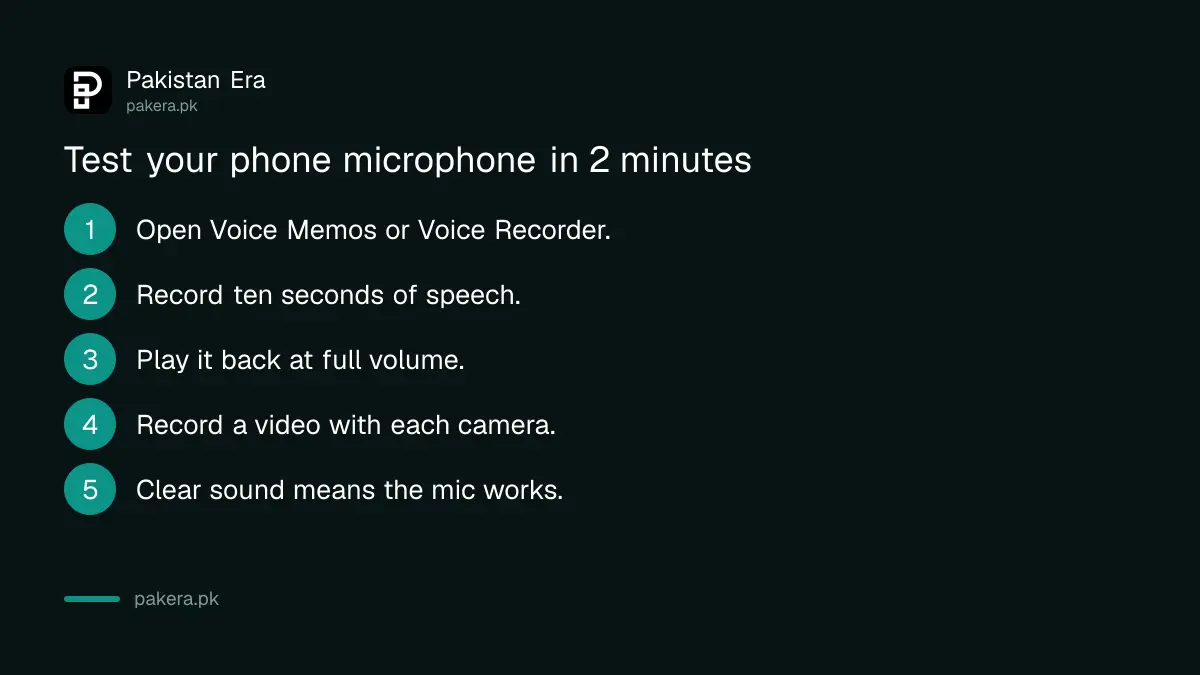
Record your own voice. Apple says to use Voice Memos and speak at the bottom of the iPhone. On Android, use the Voice Recorder or Recorder app. If playback is clear, your microphone works and the fault is on the network or the other phone.
iPhone
- Open Voice Memos, tap Record, and speak at the bottom of the phone. Stop and play it back.
- For speakerphone problems, open Camera, record a short video while speaking at the top of the iPhone, switch to the other camera and record again. Play both back.
Android
- Open the Voice Recorder or Recorder app and record ten seconds of speech.
- Play it back at full volume.
- Record a short video with the front and back cameras to test the other microphones.
Clear playback but callers still cannot hear you? Call a second person. If they hear you fine, the first caller's phone or line is the problem. If nobody hears you on normal calls, try a call over WhatsApp: if WhatsApp works, the mobile network side is the issue, and the fixes for poor call quality indoors apply.
Clear the microphone and earpiece openings
Apple and Samsung both list a covered microphone or earpiece as a top cause. Remove the case, screen protector or film, and brush dust out of the openings with a dry, soft brush. A protector that does not fit the exact model can block the earpiece.
- The main call microphone sits at the bottom edge. The earpiece is the thin slot at the top of the screen.
- Use a dry, soft toothbrush or a clean makeup brush. Do not push pins, needles or toothpicks into the holes: they can tear the mesh.
- Samsung says Galaxy phones have small air vents, and a case or vinyl wrap covering them can cause crackling or low sound, more so in winter and summer when temperature changes are large.
- In dusty months, lint from pockets packs into the bottom microphone. Cleaning it often brings the voice back at once.
Rule out software, Wi-Fi Calling and the SIM
If the hardware checks pass, restart the phone, install software updates, and turn off Wi-Fi Calling for a test. Samsung also suggests Safe Mode to find a downloaded app that grabs the microphone, and checking the SIM card for damage.
- Restart the phone and make a test call.
- Update: Settings, Software update on Android, or Settings, General, Software Update on iPhone.
- Turn off Wi-Fi Calling (Samsung: Settings, Connections, Wi-Fi Calling; iPhone: Settings, Apps, Phone, Wi-Fi Calling). A weak Wi-Fi line breaks voices up. If calls improve, keep Wi-Fi Calling for strong home Wi-Fi only.
- Test in Safe Mode on Android: hold Power, then press and hold Power off until Safe Mode appears, and tap it. If calls work there, uninstall the app you added just before the problem began. Call recorders, voice changers and some cleaner apps are common suspects.
- Check app permissions: on iPhone, Settings, Privacy and Security, Microphone. On Android, Settings, Apps, the app, Permissions, Microphone. This fixes sound that fails in WhatsApp or another app but not in normal calls.
- Reseat the SIM: remove it, check for damage, put it back and restart.
When the phone needs a repair
If your own voice recording sounds muffled after cleaning, the microphone is faulty. Apple says the iPhone may need service. Samsung lists a factory reset as a last step before repair, after a full backup, because a reset erases everything on the phone.
Before you pay for a repair, back up your data. Then visit the maker's authorised centre: Samsung service centres in Pakistan offer Maintenance Mode so the technician cannot see your files, and Infinix and Tecno phones go to Carlcare. A microphone or earpiece swap is a common repair. Water or a drop usually causes it, so mention either one at the counter.
If the problem started after a fall or rain, do not charge a wet phone. Switch it off, let it dry fully, and then test. If the phone also restarts again and again, tell the technician, since both faults can come from the same damage.

Common questions
Why can people not hear me on calls but I can hear them?
Your microphone is blocked, muted or being taken by a Bluetooth device. Check mute, turn off Bluetooth, remove the case and clean the bottom microphone. Then record a voice memo to test it.
Why can I not hear the caller unless I use speaker?
The earpiece at the top is covered or full of dust, or the in-call volume is low. Remove the screen protector, clean the slot with a soft brush, and press Volume up during a call.
Why do callers hear me only on speakerphone?
The phone uses a different microphone on speaker. The main bottom microphone may be blocked or faulty. Clean it and test with a voice memo held near the bottom edge.
Can a SIM card cause no sound on calls?
It can. Samsung lists a faulty SIM among the causes. Remove the SIM, check it for damage, put it back and restart. If problems continue, get a replacement SIM from your operator's franchise with your CNIC.
Does Wi-Fi Calling cause call sound problems?
On weak Wi-Fi, yes: voices break up or go silent. Turn Wi-Fi Calling off for a test call. If the call improves, the Wi-Fi line is the cause.
How we verified this
What we checked and where we read it.
We checked these official pages on 25 November 2026: Apple's "If the microphones on your iPhone aren't working" (support.apple.com/101600), for the Voice Memos and Camera tests, clearing openings and app microphone permissions; Samsung's "Fix low or no sound during calls on your Samsung Galaxy device" (samsung.com), for screen protector blockage, air vents, in-call volume, Mute all sounds and Wi-Fi Calling; and Samsung's Gulf page on microphone or speaker issues, for Safe Mode, the SIM check and the factory reset as a last step. Menu names differ by model and software version.
Free on WhatsApp
Get last dates and rule changes on WhatsApp
We post new last dates, fee changes and fixes for common problems, a few short posts a day.
Follow Pakera on WhatsAppOther followers cannot see your number.
Pakera Solves It
Which online process wasted your time this week?
A portal that will not load, a form nobody explains, a complaint that went nowhere. Tell us. Every week we pick one, solve it step by step and publish the answer.
About the author

Technology Journalist & Multimedia Producer
Ahmad Ali is a technology journalist and multimedia producer at Pakistan Era, joining the team in October 2026. He covers consumer technology and digital life for Pakistani readers, combining research with hands-on product testing.