How to Prepare an iPhone for Repair in Pakistan: Back Up, Then Ready for Repair or Find My Off
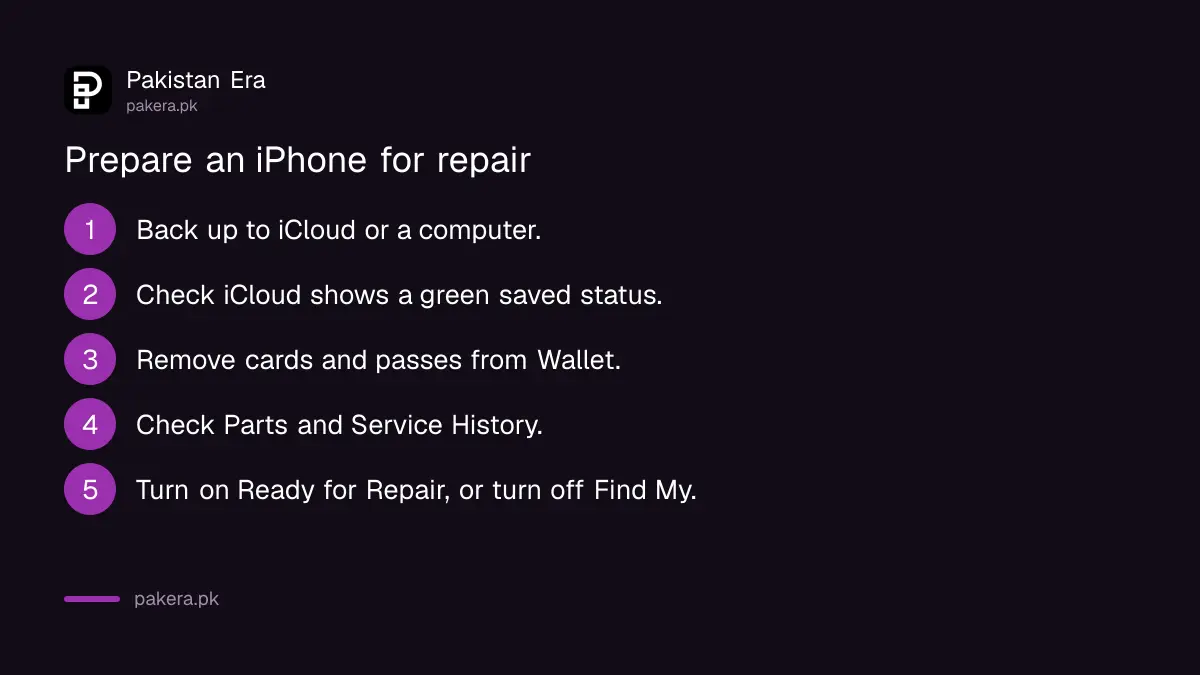
Prepare an iPhone for repair in Pakistan: back up, turn on Ready for Repair in Find My on iOS 27 or turn Find My off on iOS 26, remove cards, bring a receipt.
Before you hand an iPhone in for repair in Pakistan, back it up, then deal with Find My. On iOS 27 or later, open the Find My app and turn on Ready for Repair or Trade-In. On iOS 26 or earlier, go to Settings, your name, Find My and turn it off. Apple says it might not be able to service the phone if Find My stays on.
Then remove your cards from Wallet, check Parts and Service History, and carry the sales receipt and your CNIC. It is a few minutes of work, and it protects your photos, your money and your account.
| Step | Where on the iPhone | Why |
|---|---|---|
| Back up | Settings, your name, iCloud, iCloud Backup | A repair can erase the phone |
| Check iCloud sync | Settings, your name, iCloud | Photos and notes must finish uploading |
| Remove cards | Wallet, card, More, Card Details, Remove Card | No payment card left on a phone in a shop |
| Check repair history | Settings, General, About, Parts and Service History | An unfinished repair must be finished first |
| Find My | iOS 27: Ready for Repair or Trade-In. iOS 26 or earlier: turn off | Service may be refused otherwise |
Back up and let iCloud finish syncing first
Apple's first step is a backup, because a repaired iPhone may come back erased. After the backup, open Settings, tap your name, then iCloud, and check that the status next to Saved to iCloud is green. Only then is everything safely off the phone.
Use iCloud or a computer, whichever you trust. If your iCloud storage is full, the steps to back up an iPhone to iCloud and check the last backup explain how to free space or use a computer instead.
WhatsApp keeps its own backup. Open WhatsApp, Settings, Chats, Chat Backup and tap Back Up Now before the visit, or your chats may not come back with the rest.
Turn on Ready for Repair, or turn off Find My
The Find My step depends on your iOS version. Apple added Ready for Repair or Trade-In in iOS 27, inside the Find My app. On iOS 26 or earlier, there is no such mode, so you turn Find My off in Settings before the visit.
On iOS 27 or later
- Open the Find My app.
- Select your iPhone in the device list.
- Turn on Ready for Repair or Trade-In and follow the prompts.
On iOS 26 or earlier
- Open Settings and tap your name at the top.
- Tap Find My, then Find My iPhone.
- Turn it off and enter your Apple Account password.
Screen broken or the phone dead? Use another Apple device or icloud.com/find. Sign in, select the iPhone and choose Repair or Trade-In, or Remove This Device. Not sure which iOS you have? Settings, General, About shows it. The list of iPhones that support iOS 27 tells you if an update is available.
Remove Wallet cards and check Parts and Service History
Apple asks you to turn off Apple Cash and remove cards and passes from Wallet before service. It also asks you to check Parts and Service History. If a part there shows Finish Repair, that earlier repair must be completed before you bring the phone in.
To remove a card, open Wallet, tap the card, tap More, then Card Details, then Remove Card. Passes such as boarding passes come off the same way, with Remove Pass.
Parts and Service History lives in Settings, General, About. It shows past part replacements, such as the battery, display or camera. Take a screenshot before the repair so you can compare it afterwards. A new entry you did not expect after the repair is a question to raise before you pay. The used iPhone checklist explains what the entries mean.
Take the receipt and your CNIC, and never share your password
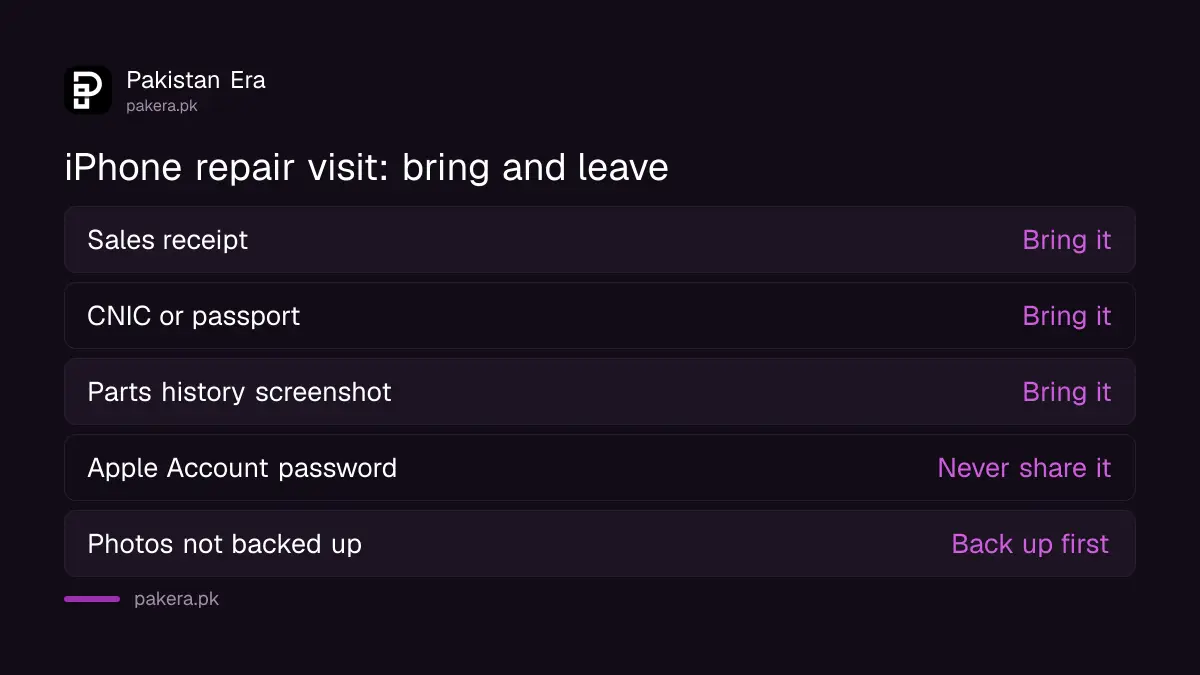
Apple says some repairs need proof of purchase and asks you to bring a government ID. In Pakistan that means the sales receipt and your original CNIC or passport. Apple's rule on passwords is firm: never give your Apple Account password or passcode to anyone.
| Bring | Leave at home |
|---|---|
| The iPhone and the accessory with the problem | Your Apple Account password written down |
| Sales receipt, for warranty or proof of purchase | Cases and screen guards you want to keep |
| Original CNIC or passport | Your passcode written on paper for the shop |
| A screenshot of Parts and Service History | Any photos not yet backed up |
If a technician needs your passcode for a software test, Apple says to stay present while they have access to the phone. Ask what the repair includes in writing. Check whether the warranty is still active before you pay: Settings, General, AppleCare & Warranty shows the cover and its end date.
Restore and switch Find My back on afterwards
The phone may come back erased. Restore it from your iCloud or computer backup during setup. If you turned Find My off, turn it back on in Settings straight away, because Find My and Activation Lock are what protect a lost or stolen iPhone.
- Switch on the iPhone and follow setup.
- Choose to restore from iCloud Backup or from your computer.
- Open Settings, your name, Find My, and turn on Find My iPhone.
- Check Parts and Service History again and compare with your screenshot.
- Add your cards back to Wallet.
Apple warns that if you set the phone up as new and later want your old backup, you should erase and restore quickly, before new backups overwrite the old one. The steps to find a lost phone with Find My show why the last step matters.
Before you pay for a repair, check whether your iPhone is still under warranty.
Common questions
Do I need to turn off Find My before an iPhone repair?
On iOS 26 or earlier, yes. Apple says it might not service the phone otherwise. On iOS 27 or later, turn on Ready for Repair or Trade-In in the Find My app instead.
How do I turn off Find My if my iPhone screen is broken?
Use another Apple device's Find My app or icloud.com/find. Select the iPhone and choose Repair or Trade-In, or Remove This Device.
Will my iPhone be erased during repair?
It may be. Apple says the device may come back erased, so back up first and restore from iCloud or a computer afterwards.
Should I give the technician my iPhone passcode?
Apple says never give your Apple Account password or passcode to anyone. If a passcode is needed for a test, stay present while the technician uses the phone.
What is Finish Repair in Parts and Service History?
It means an earlier part replacement was not completed. Apple says that repair must be finished before you bring the phone for new service.
Do I need the receipt for an iPhone repair?
Bring it if you can. Apple says some repairs require proof of purchase, and it is the evidence for a warranty claim.
How we verified this
What we checked and where we read it.
Last checked 24 November 2026. We read Apple Support's Prepare your iPhone or iPad for a service appointment, which gives the backup and iCloud sync check, Apple Cash and Wallet removal, the Finish Repair rule, the iOS 27 Ready for Repair or Trade-In step, the iOS 26 Find My step, the receipt and ID advice, the password rule and the restore advice. WhatsApp backup and the screenshot tip are our own additions.
Free on WhatsApp
Get last dates and rule changes on WhatsApp
We post new last dates, fee changes and fixes for common problems, a few short posts a day.
Follow Pakera on WhatsAppOther followers cannot see your number.
Pakera Solves It
Which online process wasted your time this week?
A portal that will not load, a form nobody explains, a complaint that went nowhere. Tell us. Every week we pick one, solve it step by step and publish the answer.
About the author

Technology Journalist & Multimedia Producer
Ahmad Ali is a technology journalist and multimedia producer at Pakistan Era, joining the team in October 2026. He covers consumer technology and digital life for Pakistani readers, combining research with hands-on product testing.