Check Your Chrome Synced Passkeys on Windows in Pakistan After PKCERT's Malware Advisory
PKCERT Advisory 16 says malware on a Windows PC can steal Chrome synced passkeys. See who is affected and the four steps to check your Google account today.
Short answer: If you use Google Chrome on a Windows PC and sync passkeys to your Google account, update Chrome and Windows, scan the PC for malware, then open your Google account and remove any device or passkey you do not recognise. PKCERT issued Advisory 16 of 2026 on this risk. The attack needs malware on your PC first, and the advisory reports no confirmed attacks in the wild.
A passkey is a login that replaces your password with a secret stored on your device and checked by a fingerprint, face or PIN. It is safer than a password for most people. That is why this advisory is worth reading calmly, not in fear.
We read PKCERT's Advisory 16 of 2026, reference NCA-16.240826, on 12 October 2026. PKCERT is Pakistan's National Cyber Emergency Response Team. The advisory cites a security researcher disclosure in a report dated 6 August 2026.
PKCERT warns that malware can steal synced passkeys from Windows
The advisory says researchers showed that malware already running on a Windows PC can steal and misuse Chrome synced passkeys. The attacker does not need your password, PIN or fingerprint for that step. It says the passkey cryptography itself remains secure.
In simple words: the lock is fine, but a thief inside your house can take the key. The weak point is a PC that is already infected, not the passkey idea.
Who is affected, per PKCERT: Google account holders who use Chrome on Windows with Chrome synced passkeys switched on. The advisory describes the exploitation as publicly demonstrated by researchers, with no confirmed exploitation in the wild reported in its source.
Check whether this applies to you in two minutes
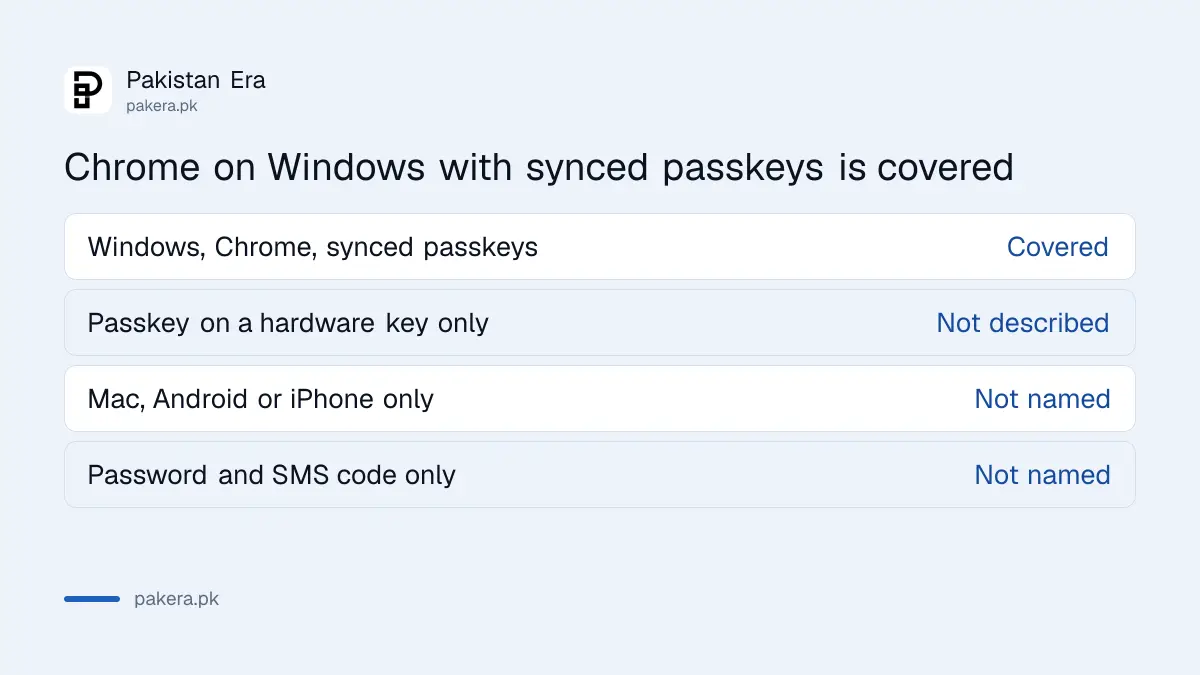
You are in the group only if three things are true: you use Windows, you use Chrome, and you saved passkeys in your Google account for sync. A passkey saved on your phone only, or in another password manager, is a different setup.
| Your setup | Covered by this advisory? |
|---|---|
| Windows PC, Chrome, passkeys synced to Google account | Yes |
| Windows PC, passkey stored on a hardware key or the phone only | Not as described in the advisory |
| Mac, Android or iPhone only | Not named in the advisory |
| Password with SMS code, no passkey | Not named in the advisory |
The last three rows are our reading of the advisory's list of affected products, not a statement from PKCERT that they are safe.
Update and scan the PC before you do anything else
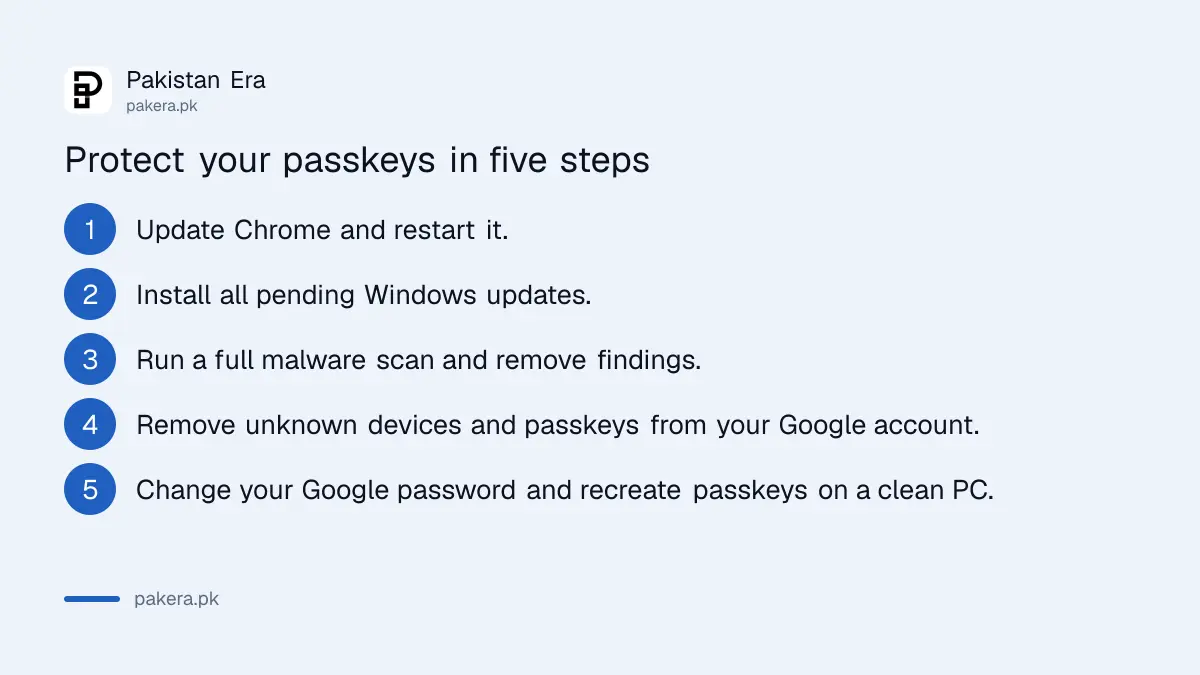
PKCERT's first two actions are to apply the latest Google Chrome and Windows security updates, and to scan for malware and remove what is found. Do both before you touch your passkeys. Changing passkeys on an infected PC does not help.
- Open Chrome, go to Settings and About Chrome, and let it update. Then restart the browser.
- Open Windows Update and install every pending update.
- Run a full scan with Windows Security or your antivirus, and remove what it finds.
- If the scan finds something, use another device to continue with the account steps below.
- Do not install software from links shared on WhatsApp. A fake app is a common way malware gets in, as covered in the guide to removing a fake APK from WhatsApp.
Browser add-ons are another route. A risky extension can read what you do in the browser, which we explain in the check on risky Chrome extensions. The page on the Chrome safety check for passwords and extensions shows how to review them.
Review your Google account for unknown devices and passkeys
PKCERT asks you to review your Google account security settings, and to remove unknown or untrusted devices and passkeys. Do this from a clean device, such as your phone, if you have any doubt about the PC.
Open myaccount.google.com and go to Security. Look at the list of your devices, the recent security activity and the passkeys you have registered. Menu names can change, so look for those three areas rather than an exact button.
- Check "Your devices" and sign out any device you do not recognise.
- Open the passkeys list and delete any passkey you did not create.
- Look at recent security activity for sign-ins from places or times that are not yours.
- Change your Google password, and keep two step verification on.
- Create your passkey again only after the PC is clean.
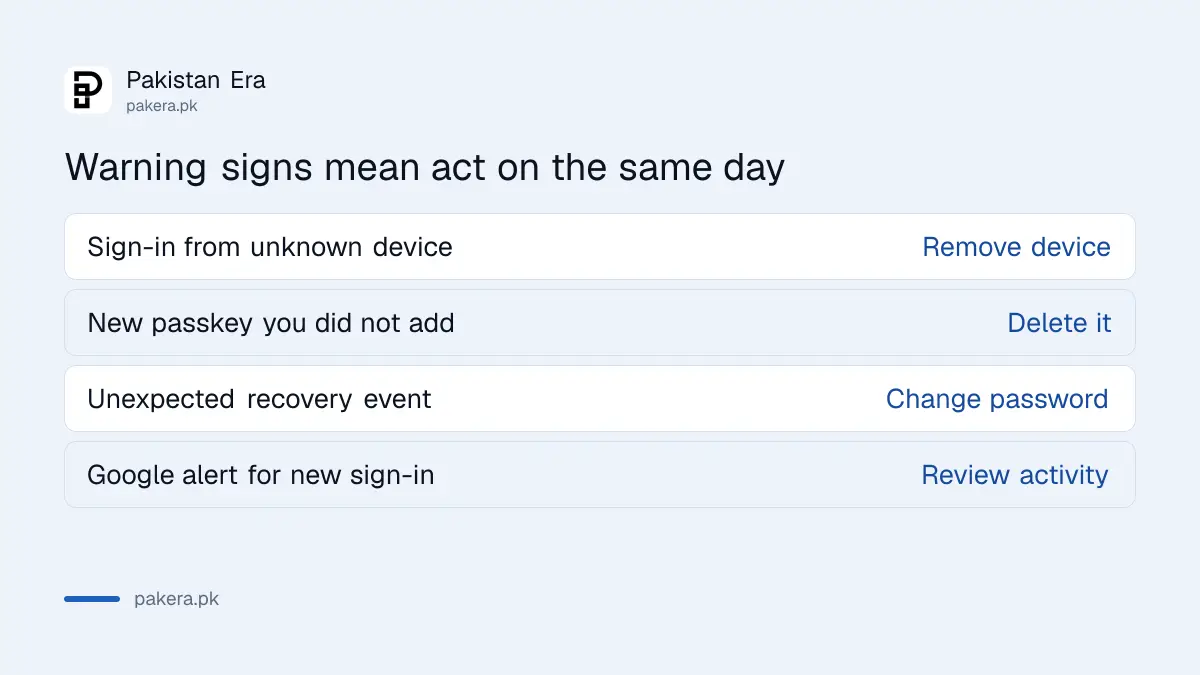
PKCERT also lists warning signs: sign-ins from unknown devices, new passkeys you did not add, unexpected account recovery events and alerts from Google about new sign-ins. Any one of these is a reason to act today.
Keep using passkeys, but protect the device they live on
This advisory does not say passkeys are broken. It says a compromised PC can undo them. Passkeys still help against fake login pages, which is why setting up a WhatsApp passkey remains a sound step.
The same two step verification you use on other accounts still adds a layer. Our guide to turning on two step verification covers WhatsApp, Facebook and Gmail.
PKCERT also tells users to restrict administrative rights and avoid unauthorised software on their PC. On a family PC, that means a separate user account for children and no admin password for anyone who does not need it.
Common questions
Are passkeys unsafe now?
No. The advisory says the passkey cryptography remains secure. The risk is malware on a Windows PC that steals synced passkeys.
Has this attack been used on people?
PKCERT's advisory says the weakness was publicly demonstrated by researchers and that no confirmed exploitation in the wild was reported in its source.
Should I delete all my passkeys?
Not unless you find unknown ones or suspect malware. Remove only the passkeys and devices you do not recognise, then create new ones on a clean PC.
Does this affect my phone?
The advisory names Chrome on Windows. It does not name phones. Keep your phone updated all the same.
Where do I report a suspected compromise?
The advisory asks suspected compromises to be reported to National CERT through its incident form at pkcert.gov.pk or by email to cert@pkcert.gov.pk. Fraud against you personally goes to NCCIA.
How we verified this
What we checked, where we read it, and what we could not confirm.
Last checked on 12 October 2026, Pakistan time. We read PKCERT's Advisory 16 of 2026 in full and the advisories index. We did not test the attack, and we did not open Google's own help pages for this piece, so the account steps use general menu areas. Check Google's pages for the current wording.
About the author

Technology Journalist & Multimedia Producer
Ahmad Ali is a technology journalist and multimedia producer at Pakistan Era, joining the team in October 2026. He covers consumer technology and digital life for Pakistani readers, combining research with hands-on product testing.