Check If Your PC Can Run Windows 11: Microsoft Requirements for Pakistan
Check if your PC can run Windows 11 in Pakistan: Microsoft lists 4 GB RAM, 64 GB storage, TPM 2.0 and Secure Boot. Run PC Health Check and fix a failed result.
Short answer: To run Windows 11 your PC needs a 64-bit processor on Microsoft's approved list, 4 GB of RAM, 64 GB of storage, a TPM 2.0 chip and a PC that supports UEFI with Secure Boot. Microsoft's free PC Health Check app tests all of this in about a minute. Run it first, then decide whether to upgrade, keep Windows 10 or replace the PC.
Windows 10 support ended on 14 October 2025. A PC that cannot run Windows 11 is now on borrowed time. Before you buy a new laptop or pay anyone to "fix" it, find out exactly which requirement your PC fails.
We read Microsoft's Windows 11 system requirements page on 13 October 2026. Every figure below comes from that page. The steps to check your PC are ours, laid out in plain order.
Windows 11 needs eight things from your PC
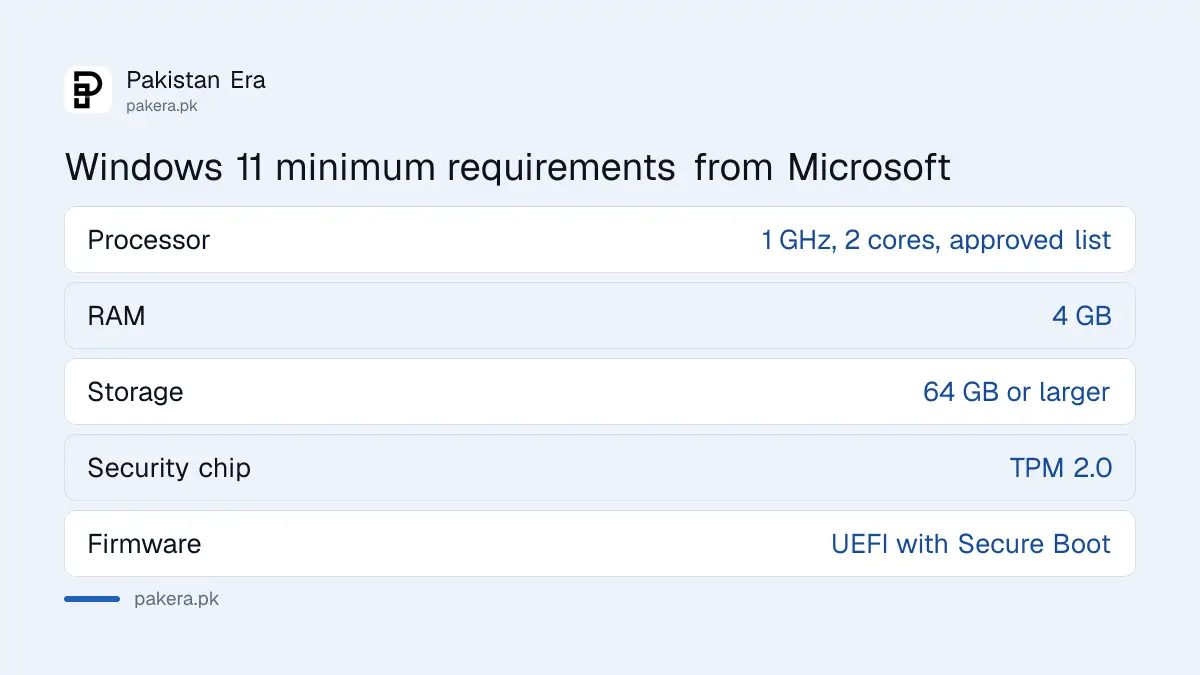
Microsoft's minimum list is short. Most PCs bought after 2018 pass on memory and storage. The two that catch people are the processor list and the TPM chip. A TPM, or Trusted Platform Module, is a small security chip on the motherboard that stores keys.
| Part | Microsoft's minimum |
|---|---|
| Processor | 1 GHz or faster, 2 or more cores, on the approved CPU list |
| Memory (RAM) | 4 GB |
| Storage | 64 GB or larger |
| Security chip | TPM version 2.0 |
| Firmware | UEFI with Secure Boot capable |
| Graphics | DirectX 12 or later with a WDDM 2.0 driver |
| Display | 720p, larger than 9 inches diagonal, 8 bits per colour channel |
| Internet and account | Home and Pro need internet and a Microsoft account at first setup |
Run PC Health Check to get a yes or no
Microsoft provides the PC Health Check app for Windows 10 computers to test whether they can upgrade. It reads the processor, TPM and Secure Boot for you. You do not need to open the BIOS to get a first answer.
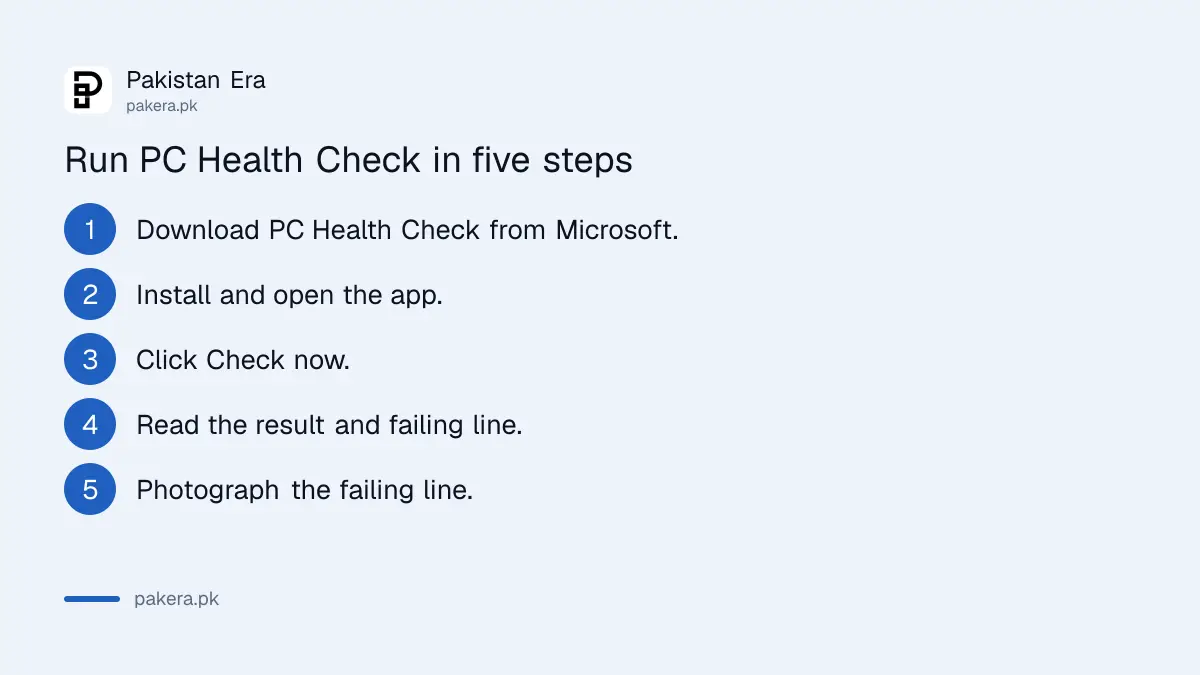
- Download PC Health Check from Microsoft's Windows 11 page, not from a third party site.
- Install it and open the app.
- Click "Check now" under the Windows 11 banner.
- Read the result. It either says the PC meets the requirements or lists what fails.
- Take a photo of the failing line, such as "TPM 2.0" or "Processor".
You can also look in Windows Update. Microsoft says eligible consumer PCs can see the upgrade offer at Settings, then Update and Security, then Windows Update. Microsoft notes these tools are for personal PCs that are not managed by an IT team.
A failed TPM check is often a setting, not a dead PC
Many PCs from 2016 onward have a TPM that is simply switched off in the BIOS. The same goes for Secure Boot. If PC Health Check says TPM or Secure Boot fails, look in the BIOS before you give up on the machine.
Press the Windows key and R, type tpm.msc and press Enter. A window opens. If it says "The TPM is ready for use" and shows version 2.0, the chip is fine. If it says "Compatible TPM cannot be found", the chip is off or missing.
Our guide to turning on TPM 2.0 and Secure Boot walks through the BIOS menus for a Call of Duty install, and the same switches apply here. The names differ by brand, such as "PTT" on Intel or "fTPM" on AMD.
A processor that is not on the approved list cannot be fixed with a setting. In that case you have two honest options, and the next section sets them out.
If your PC fails, you have three options
Do not install Windows 11 with a hack that skips the checks. Microsoft does not support that, and the PC may stop getting updates. Choose from the three paths below instead.
| Your result | What to do |
|---|---|
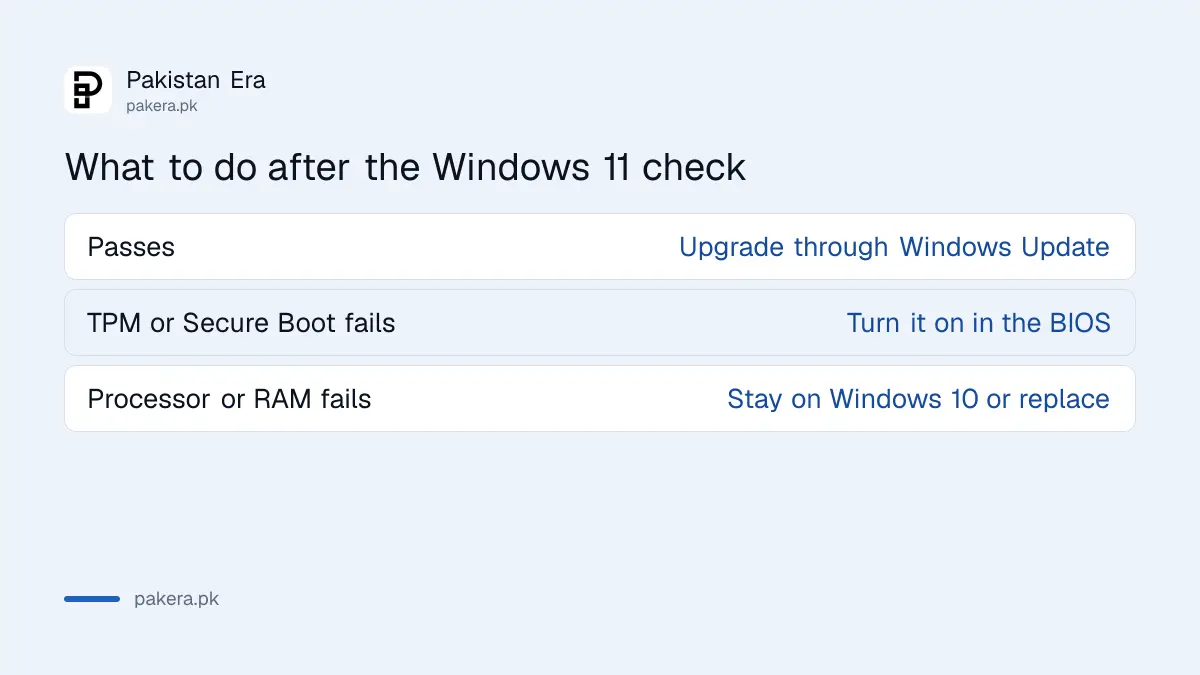
| Passes | Upgrade through Windows Update and back up your files first |
| Fails on TPM or Secure Boot only | Turn the setting on in the BIOS and run the check again |
| Fails on processor or memory | Stay on Windows 10 with security updates, or replace or upgrade the PC |
If you stay on Windows 10, enrol in Microsoft's extended security updates so the PC keeps getting fixes. The steps, dates and cost are in our page on free Windows 10 security updates in Pakistan.
If you need a new machine, read our laptop buying checklist before paying. Make sure the box says it is a Windows 11 PC, and check the RAM and storage against the table above. A 4 GB model passes the minimum but will feel slow.
Common questions
Is the Windows 11 upgrade free?
Yes for eligible Windows 10 PCs, through Windows Update. Microsoft offers the upgrade at no charge to PCs that meet the requirements.
Do I need a Microsoft account for Windows 11?
Yes at first setup on Home and Pro. Microsoft says these editions need internet access and a Microsoft account during initial setup.
How much RAM does Windows 11 need?
The minimum is 4 GB. For comfortable use with a browser and Office, 8 GB is a safer choice, though that is our advice and not Microsoft's minimum.
What is TPM 2.0?
It is a security chip on the motherboard that stores encryption keys. Windows 11 needs version 2.0, and many PCs have it switched off.
Can I upgrade a PC that fails the check?
Microsoft's requirement is a minimum, so a PC that fails is not supported. We do not recommend bypass tricks that skip the checks.
How we verified this
What we checked, where we read it, and what we could not confirm.
Last checked on 13 October 2026, Pakistan time. The requirements table and the PC Health Check and Windows Update details are from Microsoft's Windows 11 system requirements page. We did not test PC Health Check on a live PC for this page. The tpm.msc tip and the BIOS switch names are common methods that vary by brand, so check your own motherboard manual.
About the author

Technology Journalist & Multimedia Producer
Ahmad Ali is a technology journalist and multimedia producer at Pakistan Era, joining the team in October 2026. He covers consumer technology and digital life for Pakistani readers, combining research with hands-on product testing.