Forgot Windows Password in Pakistan: Reset a Windows 11 PIN, Microsoft Account or Local Account (Every Method)
Forgot your Windows password? Reset a Microsoft account online, a local account with security questions, or a PIN, and see the last resort if nothing works.
If you forgot your Windows password, select "I forgot my password" on the sign-in screen if it shows an email (a Microsoft account), or reset it from your phone at account.live.com/ResetPassword.aspx; for a local account, click the arrow next to the password box, then Reset password, and answer your security questions. Below is how to tell which account you have, how to handle a forgotten PIN, what to do with no security questions, and the one warning to read before you take the laptop to a shop.
The password was set years ago by a cousin, or by the shop that sold the laptop, and now nobody remembers it. Windows has different routes for each type of account, and picking the wrong one wastes an afternoon. We read Microsoft's page on changing or resetting your Windows password on 27 October 2026.
Check which account you use before you reset anything
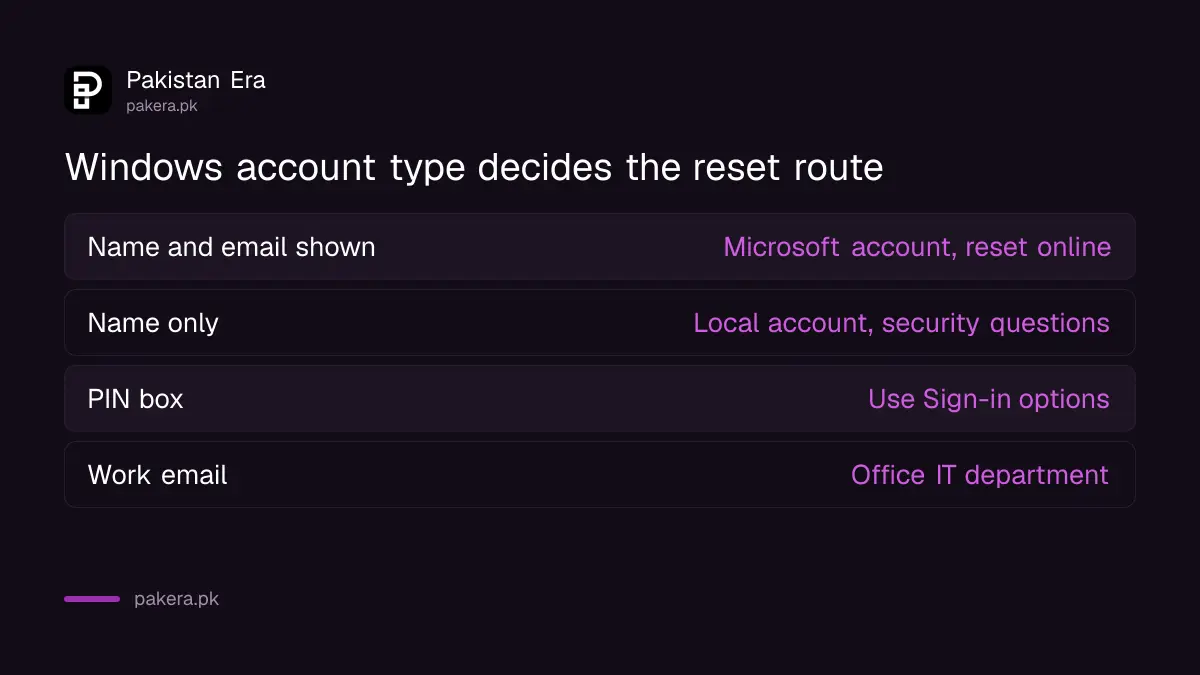
Look at the sign-in screen. If it shows an email address under your name, you sign in with a Microsoft account, and the password is reset online. If it shows only a name, it is a local account, reset through security questions on that PC.
| What the sign-in screen shows | Account type | Where you reset it |
|---|---|---|
| Your name and an email address | Microsoft account | I forgot my password, or account.live.com/ResetPassword.aspx |
| Only a name, no email | Local account | Arrow next to password box, then security questions |
| A PIN box | Either type, with Windows Hello | Switch to Sign-in options, or reset the account behind it |
| A work or school email | Organisation account | Your office IT department |
The office row is our own note. Work laptops are managed by the employer, and Microsoft's consumer routes do not apply to them.
Reset a Microsoft account password from any phone
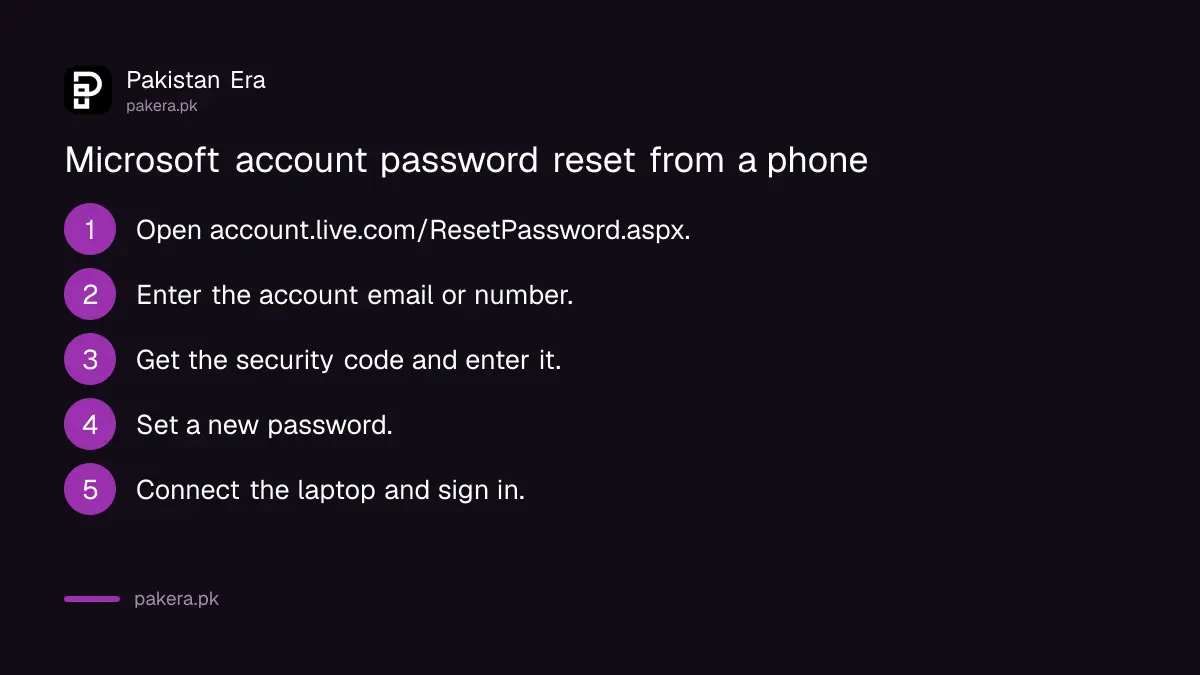
On the sign-in screen, select "I forgot my password" and follow the code steps. Or open account.live.com/ResetPassword.aspx on your phone's browser. Microsoft sends a code to your recovery email or number, and the new password works on the laptop once it is online.
- On the laptop's sign-in screen, select "I forgot my password".
- Or, on any phone, open account.live.com/ResetPassword.aspx.
- Enter the email or phone number of the Microsoft account.
- Choose where to receive the security code and enter it.
- Set a new password you have not used before.
- Connect the laptop to Wi-Fi and sign in with the new password.
Microsoft's page also lists a third route: Sign-in options, then Web sign-in, then "Forgot my password". If you no longer have the recovery phone or email, the account recovery form is the last route, explained in recovering a Microsoft account.
Reset a local account with your security questions
For a local account, Microsoft's steps start at the locked sign-in screen. Select the arrow next to the password field, select OK, then Reset password, and answer the security questions you set when the account was made. Then choose a new password.
- Lock the PC so the sign-in screen shows.
- Select the arrow next to the password box.
- Select OK, then Reset password.
- Answer the security questions.
- Type a new password and a hint you will remember.
Answers must match what was typed originally, including spelling. If a shopkeeper set up the laptop, the answers may be his, not yours. Ask the shop before you try anything drastic.
A forgotten PIN is easier to fix than a password
A Windows Hello PIN is only a shortcut for the account behind it. If you forget the PIN, choose Sign-in options on the sign-in screen and use the account password instead. Microsoft says the PIN is tied to one device and backed up to your Microsoft account.
The sign-in screen may also show an "I forgot my PIN" link under the PIN box. We could not find step-by-step instructions for it on the Microsoft pages we read, so treat it as a shortcut that may or may not appear. Once you are in, set a new PIN using the steps for setting up a Windows Hello PIN.
With no security questions, Reset this PC is the last resort
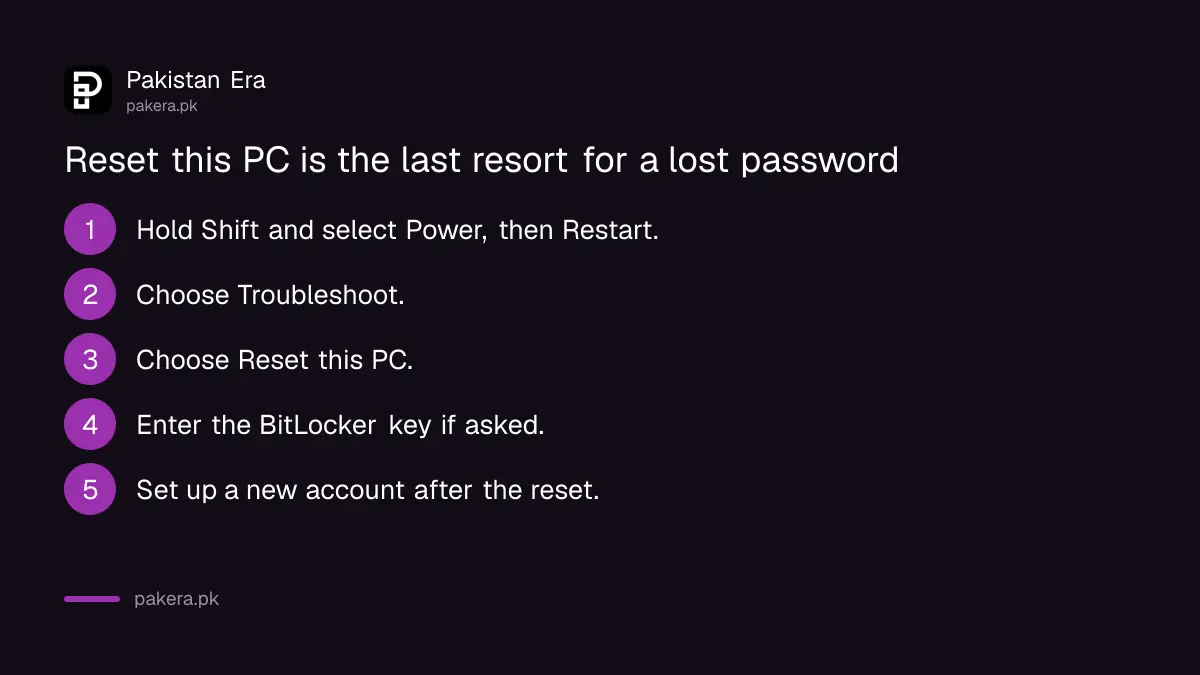
Microsoft says its support cannot retrieve or bypass a lost password. If a local account has no usable security questions and no other admin account exists, the remaining route is reinstalling Windows through Reset this PC in the recovery environment. That can remove your files and apps.
| Step | What happens |
|---|---|
| Hold Shift and select Power, then Restart | The PC opens the Windows recovery environment |
| Troubleshoot, then Reset this PC | Windows offers to keep your files or remove everything |
| BitLocker prompt, if shown | You need the BitLocker recovery key to go on |
| Reset finishes | Apps and settings are removed; you set up a new account |
The Shift and Restart method comes from Microsoft's recovery environment page. Microsoft's pages do not say whether Keep my files works without the password, so assume your files may be lost. Before you start, find the key using the steps for finding your BitLocker recovery key.
Do not hand the laptop to a password removal service
Microsoft states that its support agents cannot send reset links or change account details. Anyone on Facebook or WhatsApp who says they can unlock your Microsoft account remotely is not Microsoft. A shop that "removes" a password with a USB tool could also copy everything on the drive.
If you must use a shop, take out or back up anything private first. Better still, after you get back in, add security questions or link the account to a Microsoft account with a working phone number, so this never happens again.
Common questions
Can I reset my Windows password without losing data?
Yes, if it is a Microsoft account (reset online) or a local account with security questions you can answer. A full reset of the PC may lose data.
Where do I reset a Microsoft account password?
At account.live.com/ResetPassword.aspx on any phone or computer, or through "I forgot my password" on the Windows sign-in screen.
Can Microsoft support unlock my laptop?
No. Microsoft says its support cannot retrieve or bypass a lost password, and agents cannot send password reset links.
I forgot my PIN but know my password. What do I do?
Choose Sign-in options on the sign-in screen, sign in with the password, then set a new PIN in Settings, Accounts, Sign-in options.
Do I need internet to reset a Microsoft account password?
Yes. The reset happens online, and the laptop needs a connection to accept the new password the first time.
How we verified this
What we checked, where we read it, and what we could not confirm.
We read Microsoft's pages on changing or resetting your Windows password, on Windows Hello, on the Windows recovery environment and on recovery options in Windows on 27 October 2026. The Microsoft account and local account steps, the Shift and Restart route, the BitLocker warning and the statement that support cannot bypass passwords are Microsoft's. We could not find Microsoft's own steps for "I forgot my PIN" or confirm whether Keep my files works without a password. We did not reset a live PC for this article.
About the author

Technology Journalist & Multimedia Producer
Ahmad Ali is a technology journalist and multimedia producer at Pakistan Era, joining the team in October 2026. He covers consumer technology and digital life for Pakistani readers, combining research with hands-on product testing.