Gemini App Not Available on Your Phone in Pakistan: Requirements and 6 Fixes (Android, iPhone)
Gemini app not available on your phone in Pakistan? Google needs Android 9 with 2 GB RAM, no Android Go, or iOS 16. Check the six fixes in the right order.
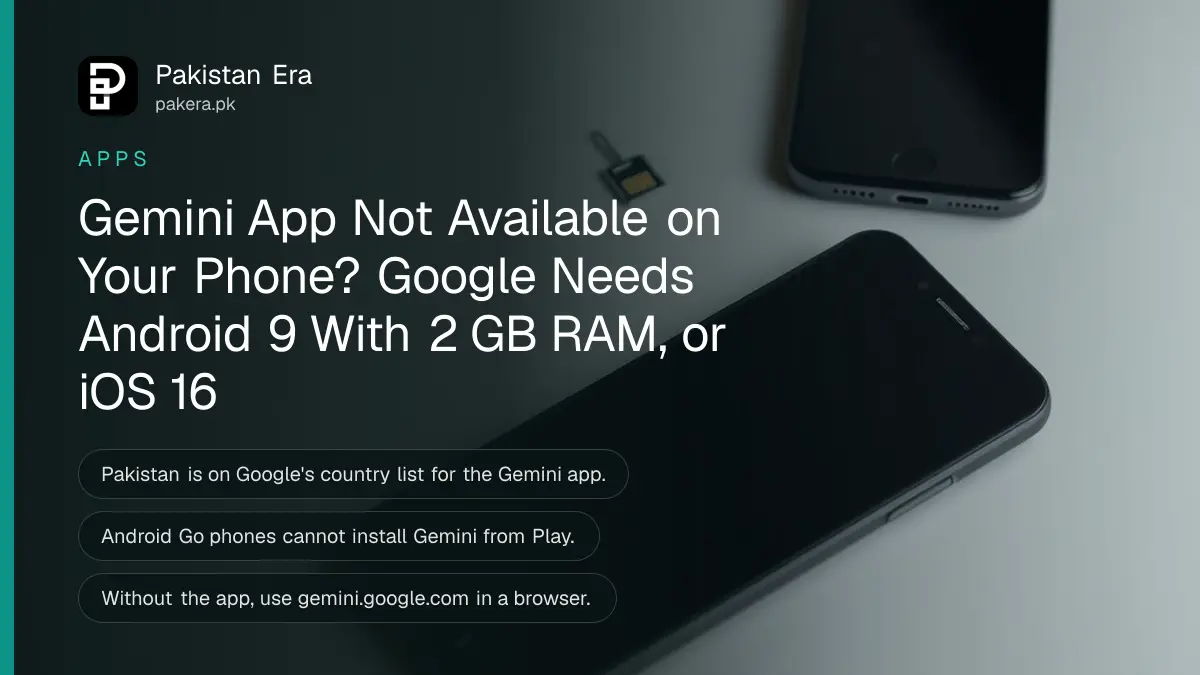
If the Gemini app is not available on your phone in Pakistan, the phone is almost always the reason: Google's app needs Android 9 or later with at least 2 GB of RAM (Android Go phones are excluded), or an iPhone or iPad on iOS 16 or later. Pakistan itself is on Google's list of countries for the Gemini app, so a "not compatible" message points to the handset, the account or the language setting.
Budget phones are common in Pakistan, and many still run Android Go or ship with 2 GB of RAM or less. We read Google's Gemini mobile app availability pages for Android and iPhone, and its Gemini Live requirements, on 1 November 2026. Below are the exact rules and six fixes, in the order worth trying.
Google's Gemini app needs Android 9, 2 GB RAM, or iOS 16
On Android, Google lists phones (including many foldables) and tablets with 2 GB of RAM or more, running Android 9 and up, and says Android Go is not supported. On Apple devices, iPhones and iPads need iOS 16 or later.
| Device | Minimum Google lists | Not supported |
|---|---|---|
| Android phone or tablet | Android 9, 2 GB RAM | Android Go edition |
| iPhone | iOS 16 | Older iOS versions |
| iPad | iOS 16 (iPadOS) | Older versions |
| Account | Signed-in Google account, age over 13 | Work or school account without admin approval |
The RAM rule catches more Pakistani users than the Android version. Some entry-level handsets run a recent Android version but use a "Go" build to stay smooth on limited memory. Google excludes those builds.
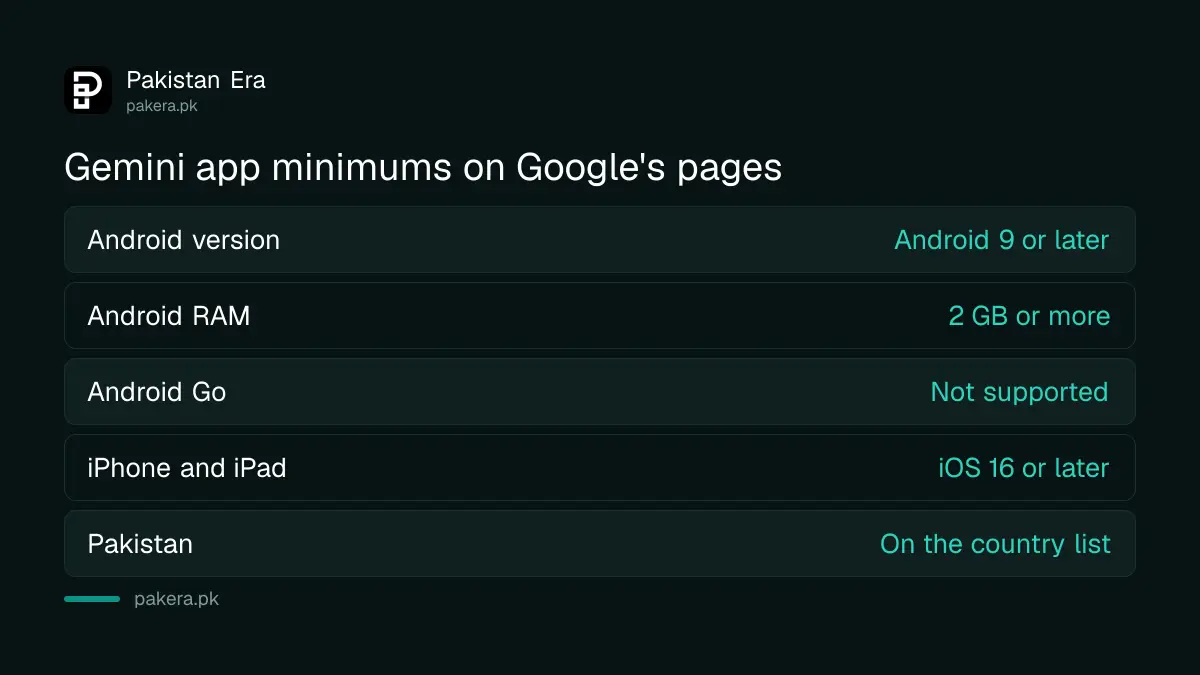
Pakistan is on Google's country list, so the country is not the block
Google's availability page lists Pakistan for downloading the Gemini app from Google Play and for switching from Google Assistant to Gemini. The iPhone page lists Pakistan too. Urdu is also a supported Gemini app language, without the mark that removes "Hey Google" voice commands.
So if Play says the app "isn't available in your country", check whether your Google Play country is set to somewhere else, which happens after living abroad. If it says "your device isn't compatible", the phone is the issue. Our steps to change your Play Store country cover the first case.
One related trap: Gemini Notebook (the tool once called NotebookLM) has a separate mobile app, and Google does not list Pakistan for its Android version. That is a different app from Gemini, and it works in the browser at notebook.google instead.
Six fixes when Gemini will not install or open
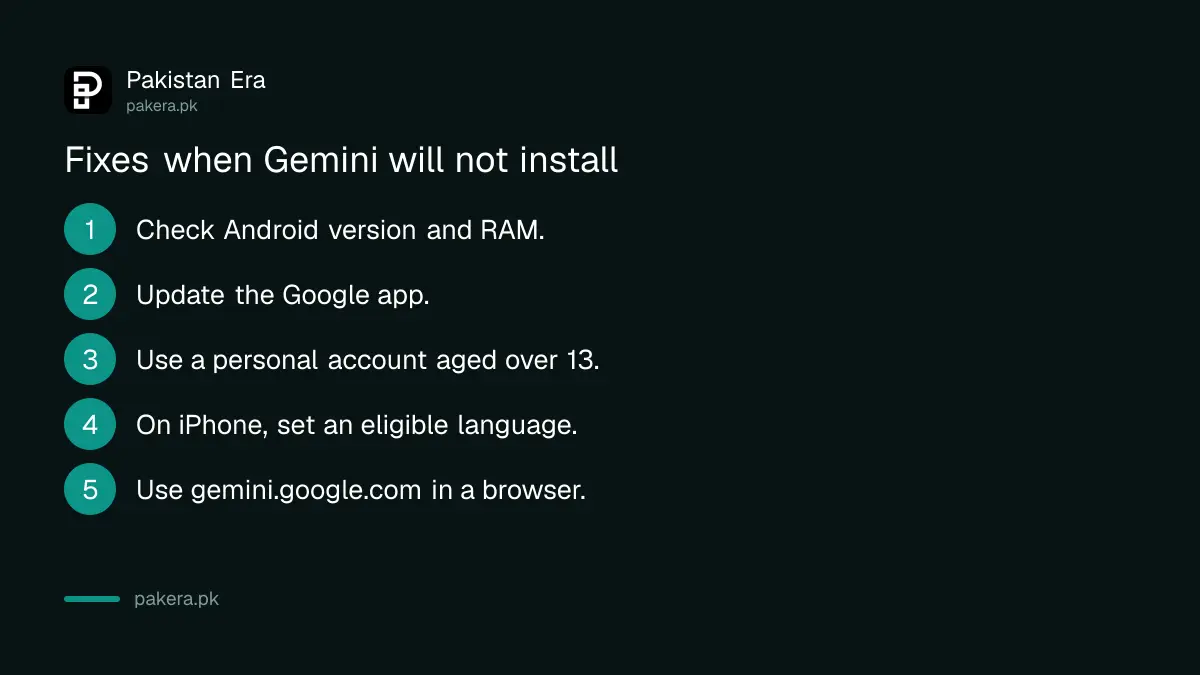
Check your Android version and RAM first, then update the Google app, sign in with a personal Google account, set an eligible language on iPhone, and fall back to gemini.google.com in Chrome if the phone cannot meet the minimum.
- Check Android version and RAM. Open Settings, About phone. You need Android 9 or later and at least 2 GB of RAM. If the build name says "Go", the app will not install.
- Update the Google app. Gemini features on Android depend on the latest Google app. Update it from the Play Store.
- Use a personal Google account. A school or office account only works if its admin allows Gemini. Switch to your own Gmail account in the app.
- Check your age setting. Google requires users over 13, or the minimum age in your country. A child account with a wrong birth year can be blocked.
- On iPhone, set an eligible language. Google says the device language must be an eligible one. Go to Settings, General, Language and Region, and add English if needed.
- Use the browser instead. Open gemini.google.com in Chrome or Safari. Chat works there, though Gemini Live voice mode does not.
Gemini Live needs the app, so the browser route has limits
The browser version of Gemini handles text chat, file uploads and image tools, but Google's Live page says Gemini Live is not available in the web app. Voice conversations, camera sharing and screen sharing all need the Android or iPhone app.
That means owners of Android Go phones cannot use Live at all. Typing in the browser still works for most tasks: writing a CV, translating a letter or explaining homework. If a download sits at "pending", the steps to fix a Play Store download stuck on pending usually clear it.
If your phone is fine but Gemini says you have used up your limit, that is a separate problem with its own reset rules; the page on Gemini limits and reset times covers it.
Low storage and old Play services cause the rest of the failures
A phone that meets the minimum can still fail to install Gemini when storage is nearly full or Google Play services is out of date. Free at least 1 to 2 GB, update Play services and the Play Store, restart, and try again.
Google does not publish a storage figure for the app, so the 1 to 2 GB margin is our practical suggestion, not a Google rule. Downloads stall quietly when storage is tight, and the error rarely says so. The steps to fix a full phone storage help here.
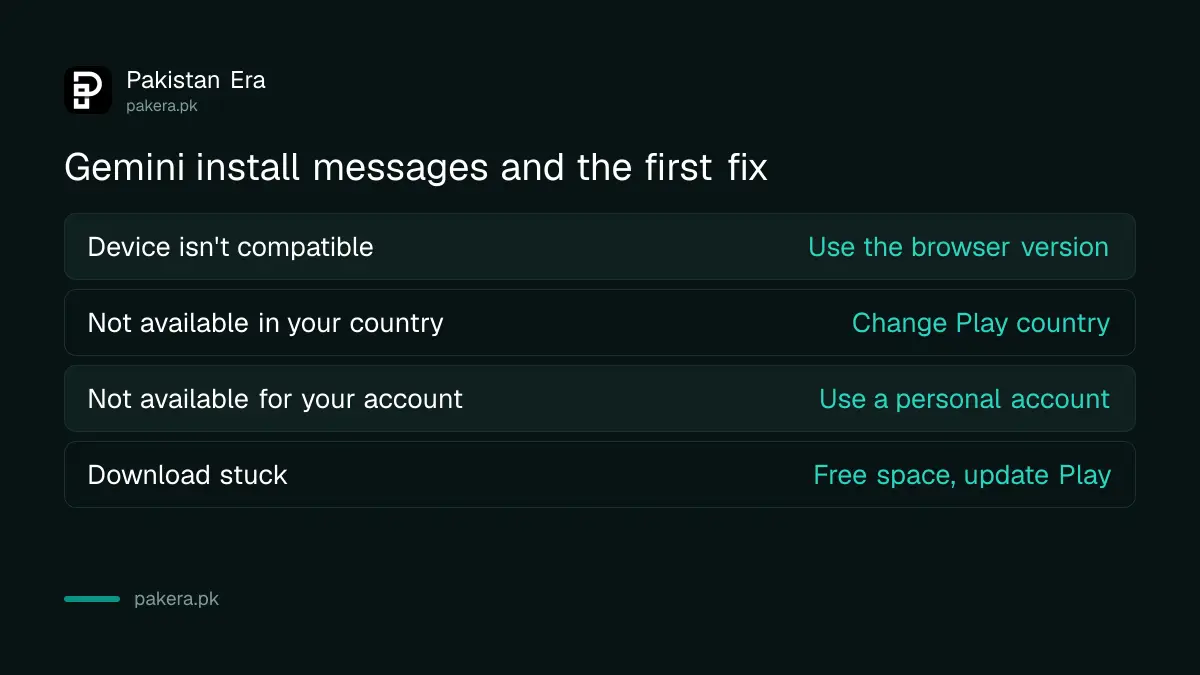
| Message you see | Likely cause | First fix |
|---|---|---|
| Device isn't compatible | Android Go, under 2 GB RAM, or below Android 9 | Use gemini.google.com in Chrome |
| Not available in your country | Play country set to another country | Change the Play Store country |
| Gemini isn't available for your account | Work or school account, or age setting | Switch to a personal account |
| Download pending or stuck | Low storage or old Play services | Free space and update Play services |
Common questions
Is the Gemini app available in Pakistan?
Yes. Google lists Pakistan for the Gemini app on Google Play and on iPhone and iPad.
Why does Play Store say my phone is not compatible with Gemini?
Your phone is likely below Android 9, has less than 2 GB of RAM, or runs Android Go, which Google does not support.
Can I use Gemini on a phone with 2 GB RAM?
Google's minimum is 2 GB of RAM or more, so a 2 GB phone meets it unless it runs an Android Go build.
Does Gemini work on an old iPhone?
Only if it runs iOS 16 or later. Older iPhones can use gemini.google.com in Safari instead.
Can I use Gemini without the app?
Yes, at gemini.google.com in a browser, but Gemini Live voice, camera and screen sharing need the app.
How we verified this
What we checked, where we read it, and what we could not confirm.
We read Google's Gemini mobile app availability page for Android (Android 9, 2 GB RAM, no Android Go, Pakistan listed, Urdu listed) and its iPhone and iPad version (iOS 16, Pakistan listed, eligible device language) on 1 November 2026, plus the Gemini Live page for the age, account and web app rules. Google gives no storage figure, so the 1 to 2 GB margin is our suggestion, and the error wording in the table is typical of Play rather than quoted from Google's pages.
About the author

Technology Journalist & Multimedia Producer
Ahmad Ali is a technology journalist and multimedia producer at Pakistan Era, joining the team in October 2026. He covers consumer technology and digital life for Pakistani readers, combining research with hands-on product testing.