How to Check Your Zong Internet Speed and Fix It
Test Zong internet speed with WiFi off, three times in one spot. Then check your bundle, 4G setting and the zonginternet APN. From Zong's pages.
To check your Zong internet speed, turn off WiFi, open speedtest.net or fast.com, and run the test three times in the same spot. Write down download, upload and ping. If the result is slow, first dial *102# to see if your bundle has run out, then check your phone is set to 4G or 5G. Zong says speed depends on your SIM, your phone, the time of day, how many people are online and your distance from the tower.
We read Zong's FAQ, 4G settings, 5G and help pages on 22 September 2026, and checked that the test sites load. We do not have a Zong SIM, so we give no speed result of our own. Zong does not publish a typical or guaranteed 4G speed for any city, so treat any such figure you see elsewhere as unconfirmed.
How to run a fair speed test
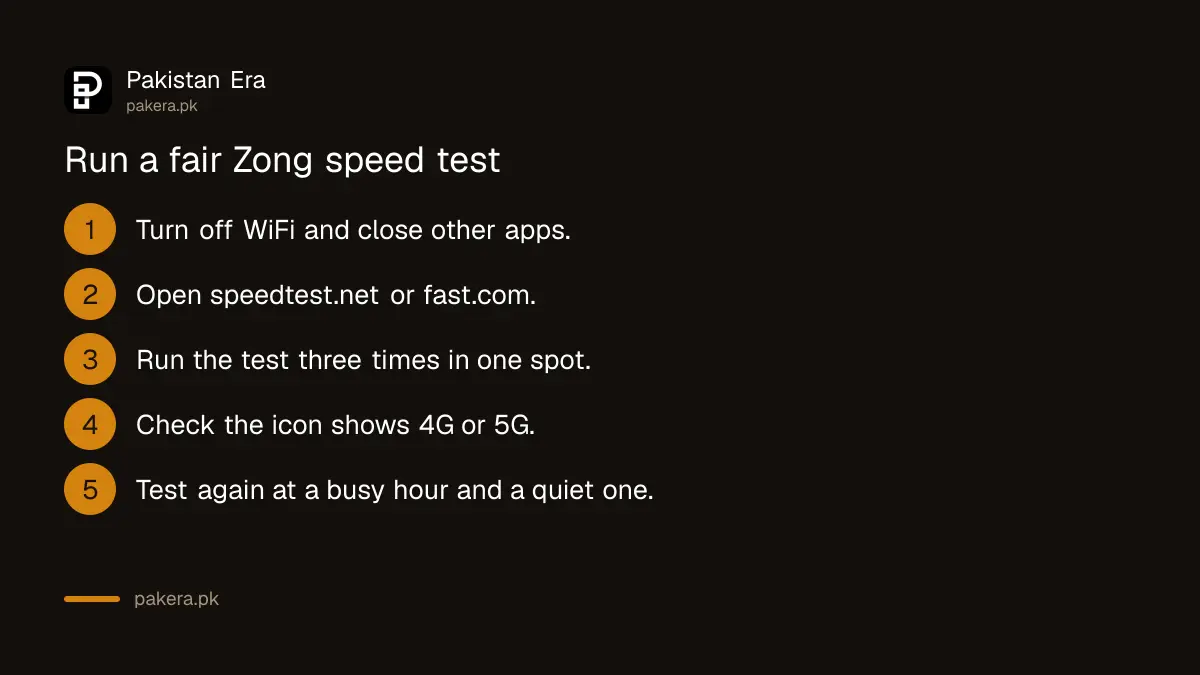
A single test tells you very little. Speed changes from minute to minute. Follow these steps so your result means something.
- Turn off WiFi. Otherwise you are testing your home internet, not Zong.
- Close other apps and pause any downloads or app updates.
- Open a test site. speedtest.net and fast.com both loaded for us on 22 September 2026. Speedtest also has a free app.
- Run the test three times in the same place and take the middle result.
- Note the time and place. Test again at a busy hour, such as 9 PM, and a quiet one, such as early morning.
- Check the network icon during the test. It should show 4G or 5G, not 3G or E.
Use the same test site each time. Different sites use different servers, and their results are not directly comparable.
What the numbers mean
| Result | What it measures | What it affects |
|---|---|---|
| Download, in Mbps | How fast data reaches you | Videos, web pages, downloads |
| Upload, in Mbps | How fast you send data | Video calls, sending photos, live streams |
| Ping, in ms | Delay before data starts moving | Games, calls, how "quick" the internet feels |
| Jitter, in ms | How much the ping jumps around | Broken voice on WhatsApp calls |
As a rough guide, a video in normal quality needs a few Mbps of steady download. A lower ping is better. A ping that jumps from 40 ms to 400 ms will spoil a call even when the download looks fine.
Why Zong internet can be slow
Zong's own FAQ says speed "depends on multiple factors like sim, device, web pages accessed, time of day, number of simultaneous users, distance from 2G/3G/4G/5G site". Here is how to check each one.
- Your bundle. Dial *102#. Zong says this costs 10 paisa plus tax. If your data is used up, you may be on pay as you go, and some bundles have data that only works at night, such as 1 AM to 9 AM.
- Free offer hours. Zong says free data in its free offers, such as the new SIM offer, does not work from 7 PM to 11:59 PM.
- An old SIM. A SIM that is not 4G will never give 4G speed. Zong asks customers with a non 4G SIM to replace it at an outlet, and offers free resources on *44# after the swap.
- Your phone setting. The phone may be stuck on 3G. See the next section.
- Your place. Walls, basements and distance from the tower all cut speed. Test near a window and compare.
- The hour. Evening is the busiest time on most mobile networks. If the speed is fine in the morning and slow at night, that is congestion, not a fault with your phone.
Settings that fix slow Zong internet
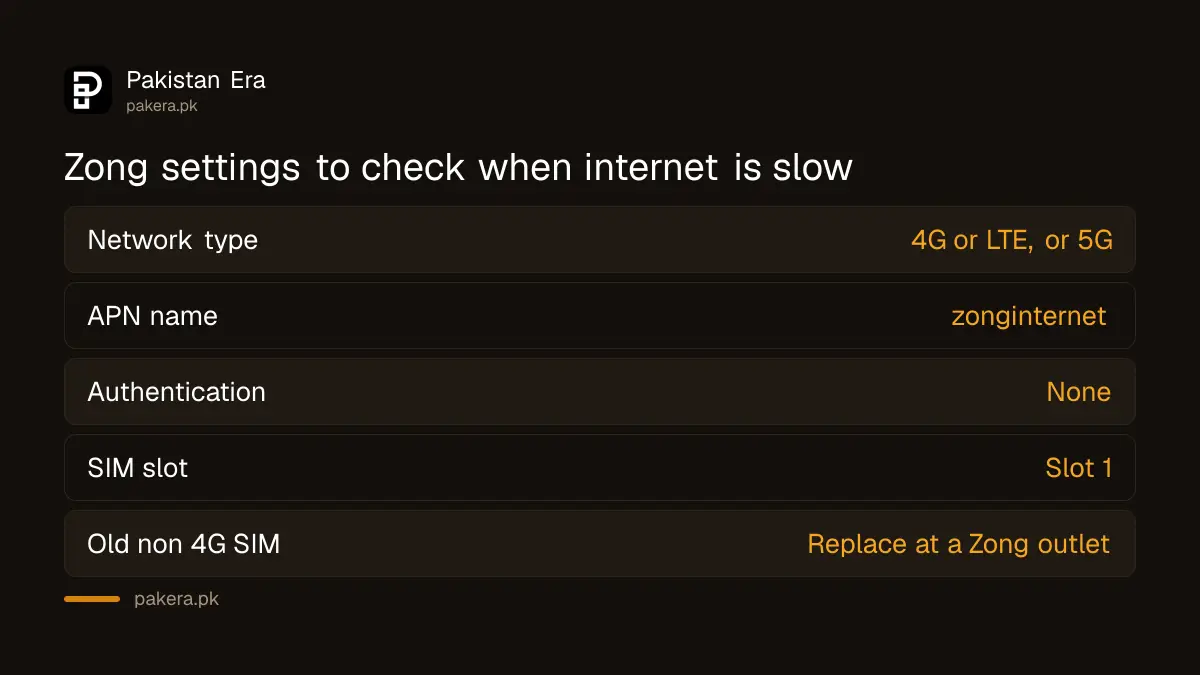
Set the phone to 4G or 5G. Zong's 4G settings page gives this path for Android: Settings, then SIM and Network, then Mobile Networks, then your Zong SIM, then Preferred Network Type, and choose 4G or LTE. The names differ a little between phone makers.
Check the APN. The APN tells the phone how to connect to Zong's internet. Zong's help page lists it as zonginternet, with authentication type none and APN type default. On an iPhone, Zong gives the path Settings, Mobile Data, Mobile Data Network, and the APN name zonginternet. Restart the phone after changing it.
Use SIM slot 1. Zong's help page suggests putting the Zong SIM in slot 1. On many two SIM phones, only one slot gets the fastest network.
Try 5G if you can. Zong's 5G map showed 556 5G sites active across Pakistan on 22 September 2026. You need a 5G phone, 5G coverage in your city, and 5G turned on in your phone settings. Zong says 4G continues alongside 5G, so you lose nothing by trying.
Check your phone is registered. A phone not registered with PTA is cut off from mobile networks. Zong's DIRBS page says you can text your IMEI to 8484 to check. If it is not registered, register the phone with PTA.
Be careful with speed test apps
Use well known test sites or the official Speedtest app. Do not install apps that promise to "boost" Zong speed or give free MBs. They cannot change the network, and some ask for permissions they do not need. Never give a caller or an app your Zong login code in exchange for "faster internet".
How to complain about slow Zong internet
If the speed stays slow at every hour, in the same place, for several days, you have a case to report.
- Keep screenshots of your tests with the date, time and place.
- Call 310 from your Zong number. Zong's contact page says a call connected to an officer costs Rs 2 plus tax. Or send "help" to 310, which Zong says is free.
- Give your area and the test results, and ask for a complaint number.
- If nothing improves, take it to PTA with your complaint number.
Common questions
What is the best way to check Zong internet speed?
Use speedtest.net, its app or fast.com with WiFi turned off. Run three tests in the same spot and use the middle result.
Does Zong have its own speed test?
We did not find one on zong.com.pk. Independent test sites are the better choice anyway, because they are not run by the network being tested.
Why is my Zong internet slow at night?
Evening is the busiest time, and Zong's FAQ names the time of day and the number of users as factors. Some free offers also give no free data from 7 PM to 11:59 PM.
What APN should I use for Zong?
Zong's help page lists zonginternet as the APN name.
Will a new SIM make Zong faster?
Only if your current SIM is not a 4G SIM. Zong offers to replace non 4G SIMs at its outlets.
Is my Zong 4G speed normal?
Zong does not publish a guaranteed speed. Compare your own results over several days. A sudden drop in one place is worth reporting.
How we verified this
What we checked, where we read it, and what we could not confirm.
Last checked 22 September 2026. The factors behind slow speed, *102# and its charge are from zong.com.pk/faqs. The 7 PM to 11:59 PM rule is from zong.com.pk/exclusion-of-busy-hour. The non 4G SIM replacement and *44# offer are from Zong's 5G SIM upgrade page under zong.com.pk/join-zong-4g. The 4G setting path is from zong.com.pk/zong-4g-sim-settings. The APN zonginternet and the slot 1 advice are from Zong's Chinese self-care page at zong.com.pk/about-zong/customer-self-care-chinese. The 556 5G sites figure is from zong.com.pk/5g-coverage-map, and the 4G alongside 5G statement from zong.com.pk/5g-faqs. The 8484 IMEI check is from zong.com.pk/dirbs. The 310 charges are from zong.com.pk/contact-us. speedtest.net and fast.com returned HTTP 200 to us on 22 September 2026; testmy.net returned 403. We did not run a speed test on Zong.
About the author

Senior Writer, Public Services and Technology
Shahid joined us in 2024 as an author. He is a senior contributor to Pakistan's leading technology websites. He writes detailed articles, mostly covering his expertise in the latest tech, mobiles, apps, gadgets, and step-by-step guides. His ideology is to help people understand the latest trends and explain complex methods through very easy-to-understand guides.