SEPCO Bill Check Online in Sukkur, Free Duplicate Bill in 2 Minutes
Check a SEPCO bill online with the 14 digit reference number and print a free duplicate. We tested the Sukkur portal and list the complaint routes that work.
To check a SEPCO bill online, open bill.pitc.com.pk/sepcobill, type the 14 digit reference number from an old bill, fill the captcha and press Search. The bill opens free, and the printout works as a duplicate bill. SEPCO's own website does not print a helpline, so use the number on your paper bill or the online complaint system.
We opened the SEPCO bill page on 28 September 2026 and it loaded, titled SEPCO Web Bill. We also went through SEPCO's own website, sepco.com.pk, page by page.
Sukkur Electric Power Company, or SEPCO, supplies power to upper Sindh, from Ghotki and Sukkur down to Dadu. SEPCO's customer page counted 827,751 connections on 1 September 2022, the latest figure it shows. A SEPCO bill check online takes about two minutes once you have the right number in hand.
How to check your SEPCO bill online
Open bill.pitc.com.pk/sepcobill, keep the Reference No option, type the 14 digit number, fill the captcha and press Search. You need no login, no app and no fee. PITC, the state company that runs billing for most government power companies, hosts the page.
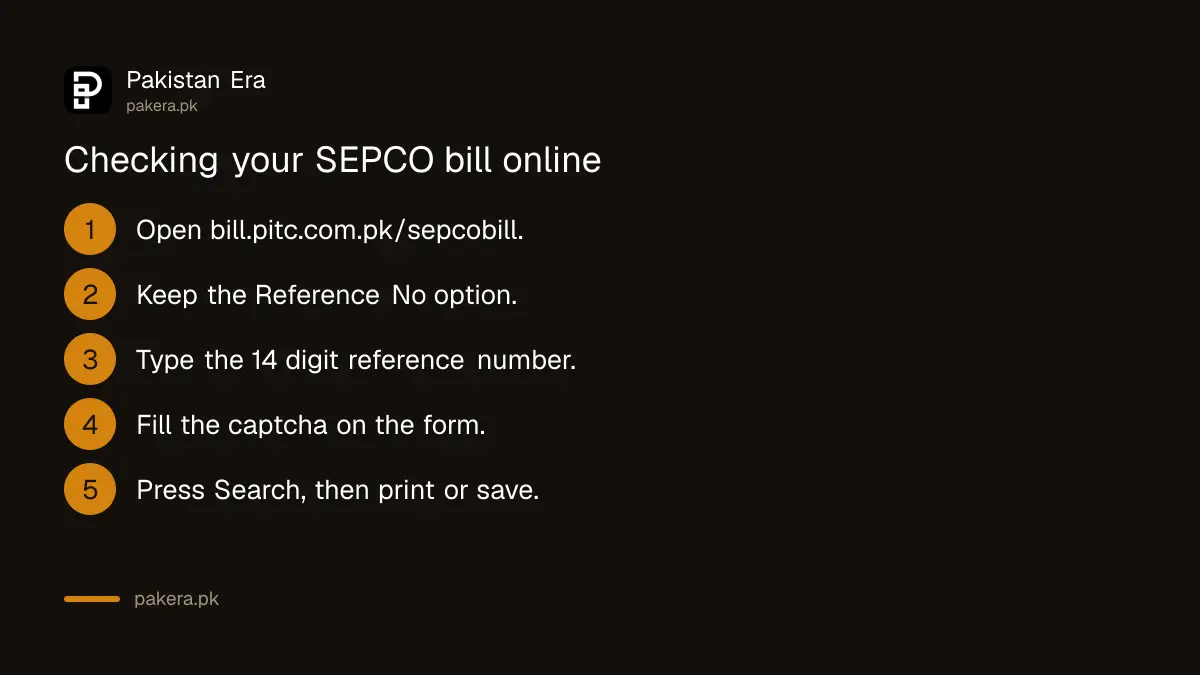
- Open bill.pitc.com.pk/sepcobill. Type the full address. SEPCO's homepage button called Duplicate Bill only opens the general PITC front page, where you then have to pick the company.
- Leave the choice on Reference No. It is already selected when the page opens.
- Type the reference number. The box reads "Enter 14-digit valid reference no" and stops at 14 characters.
- Fill the captcha. The search will not run without it.
- Press Search. The bill appears. Print it or save it as a PDF.
The form has a second option, Customer ID. Try it if the reference number on your old bill is torn or faded. We read the page code: the box accepts only digits, 10 to 14 of them, and shows "Given Ref/App No is invalid" for anything else. Type digits only, with no spaces or dashes.
SEPCO helpline and complaint routes
SEPCO's website has a Complaint Management Cell page, but it was empty when we opened it, and its Contact Us and Phone Directory links lead nowhere. The PITC complaint system, CCMS, takes SEPCO complaints online and names 118 as the helpline for reporting scams.
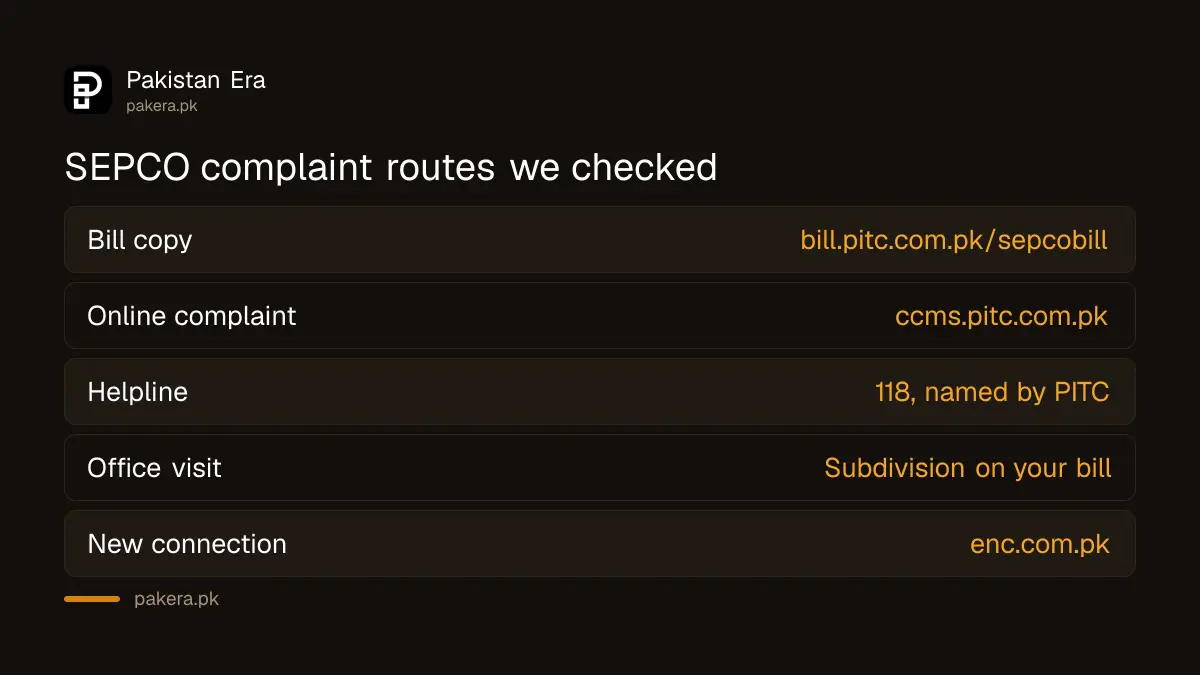
| Need | Where to go | What we found |
|---|---|---|
| Bill copy | bill.pitc.com.pk/sepcobill | Loaded on 28 September |
| Online complaint | ccms.pitc.com.pk/complaint | Loaded, finds the account by reference number |
| Helpline | 118 | Named on the PITC complaint page, not on SEPCO's site |
| Office visit | Your subdivision office | Its name is printed on the bill |
| New connection | enc.com.pk | Linked from SEPCO's homepage |
We did not ring 118, so we cannot say how fast it answers in Sukkur or Larkana. Your paper bill names your subdivision office, and that office is the most direct route to the people who read your meter.
The online complaint form is the better choice for a billing dispute, because it gives a ticket number. It finds your account by the 14 digit reference number or by a 12 digit mobile number starting with 92. A Track by Ticket option lets you follow the case later.
The same page carries a warning worth reading twice. It says never to send money for a bill, meter, repair, fine or new connection by mobile wallet or bank transfer to any person's own account. If someone calls and asks for that, the page says to report it on 118.
Getting a SEPCO duplicate bill
The bill the portal shows is your duplicate bill. Print it or save it, then pay with it. Banks and payment counters accept the printed page like the original paper bill, so there is no separate office or fee for a copy.
This is the same system every state company uses, which is why the electricity bill check online steps look identical from Peshawar to Quetta. Only the company name in the address changes.
SEPCO's site also has a free SMS sign-up for supply and billing news, which asks for your Customer ID, mobile number and email. We opened the form and did not submit it.
Paying a SEPCO bill
Pay the printed bill at a bank or an authorised counter, or pay online through a bank app or mobile wallet with the 14 digit reference number. Pay before the due date. After that date the bill adds a late payment surcharge, which is printed on the bill itself.
- Bank app or internet banking: open the electricity bill menu, pick SEPCO and enter the reference number.
- Mobile wallet: use the bill payment menu with the same number.
- Bank counter: take the printed bill from the portal.
The details for each route are in paying utility bills online. We did not make a test payment.
If a large bill arrives in summer and you cannot pay it all at once, NEPRA's rules allow the company to split it. The electricity bill installment rules explain who approves it and what happens to the surcharge.
Reading the SEPCO bill and fixing a wrong one
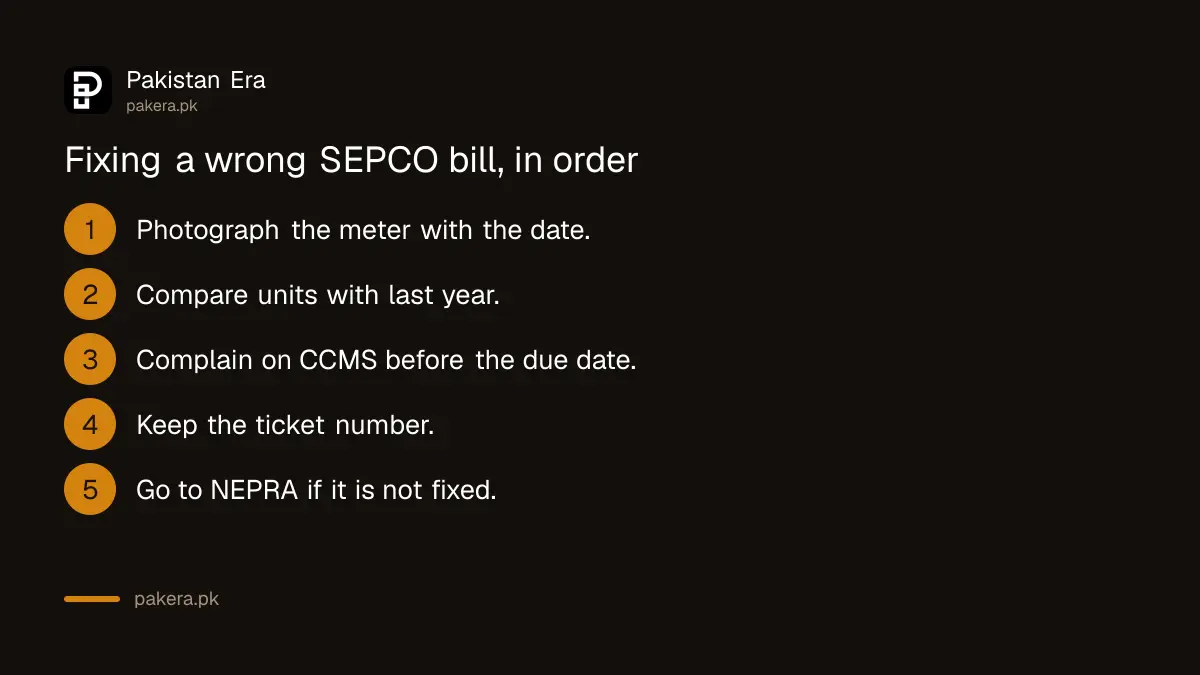
Check the units first, then the reading dates, then the taxes. If the units are far above your usual use, file a complaint on CCMS before the due date and keep the ticket number. If the meter itself seems fast, ask SEPCO to test it.
Many lines on the bill are not electricity at all. Fuel adjustments, taxes and fixed charges all sit there, and the bill line items repeat every month, so learning them once saves arguments later.
Take a clear photo of your meter with the date before you complain. If SEPCO does not correct the bill, a complaint to NEPRA is the next step. A meter that runs fast can be checked, and NEPRA's rules set the fee and time limit for a faulty meter test.
Where SEPCO supplies power
SEPCO's area page lists Sukkur, Ghotki, Khairpur, Kashmore and Kandhkot, Jacobabad, Shikarpur, Larkana, Kamber and Shahdadkot and Dadu, plus parts of Jamshoro, Naushehro Feroze, Shaheed Benazirabad and Rahim Yar Khan. NEPRA's licence page gives the same list.
SEPCO was split from HESCO. Its About page says it started work on 16 August 2010 with three operation circles, Sukkur, Larkana and Dadu. NEPRA issued it distribution licence 21/DL/2011 on 18 August 2011.
Near the southern edge, the company name at the top of your bill settles it. Hyderabad and lower Sindh are HESCO, and Karachi is K-Electric, which uses its own system. Most of south Punjab is MEPCO. Every state company follows the same PITC pattern, so FESCO and QESCO bills open the same way.
Common questions
How do I check my SEPCO bill online?
Open bill.pitc.com.pk/sepcobill, type the 14 digit reference number, fill the captcha and press Search.
What is the SEPCO helpline number?
SEPCO's own website does not list one. The PITC complaint system names 118 as the helpline, and your paper bill names your subdivision office.
Can I check a SEPCO bill without the reference number?
Yes. Choose the Customer ID option on the same form. The online complaint system can also find an account by a registered mobile number.
How do I get a SEPCO duplicate bill?
Print the bill the portal shows. It is free, and banks accept it for payment.
Why does the SEPCO portal say my number is invalid?
The box takes digits only, 10 to 14 of them. Remove spaces and dashes, then count again.
Is SEPCO the same as HESCO?
No. SEPCO was split from HESCO in 2010. SEPCO covers upper Sindh around Sukkur, Larkana and Dadu, and HESCO keeps Hyderabad and the south.
Other companies in the south and west: QESCO bill check for Balochistan.
How we verified this
What we checked, where we read it, and what we could not confirm.
Last checked on 28 September 2026. We opened bill.pitc.com.pk/sepcobill and read the form: the Reference No and Customer ID options, the 14 character box, the captcha, and the page code that accepts 10 to 14 digits. On sepco.com.pk we read the area page, the About page with the 2010 start date and three circles, the customer count dated 1 September 2022, and the SMS form. The Complaint Management Cell page was empty and the Contact Us and Phone Directory links had no target. The 118 helpline and the payment warning are read on the PITC complaint page at ccms.pitc.com.pk, which loaded. The licence number and area list are read on NEPRA's distribution licence page. We did not enter a live reference number, ring any number or pay.
About the author

Tax, Bills and Technology Writer
Ali Akhtar is a young and curious voice here at Pakistan Era. He is currently pursuing his A-Levels and has a growing interest in Pakistan’s changing industrial landscape and educational trends. Ali likes to write in a way that helps him explain and explore the world around him. His writing reflects the perspective of the new generation navigating the evolving trends of Pakistan where technology, youth innovation, and shifting opportunities are reshaping the country’s future.