Translate an Urdu PDF to English Free in Pakistan: Google Translate Limits and Fixes
Translate an Urdu PDF to English free with Google Translate: 10 MB and 300 page limits, why scanned PDFs fail, the Google Drive fix and the phone camera route.
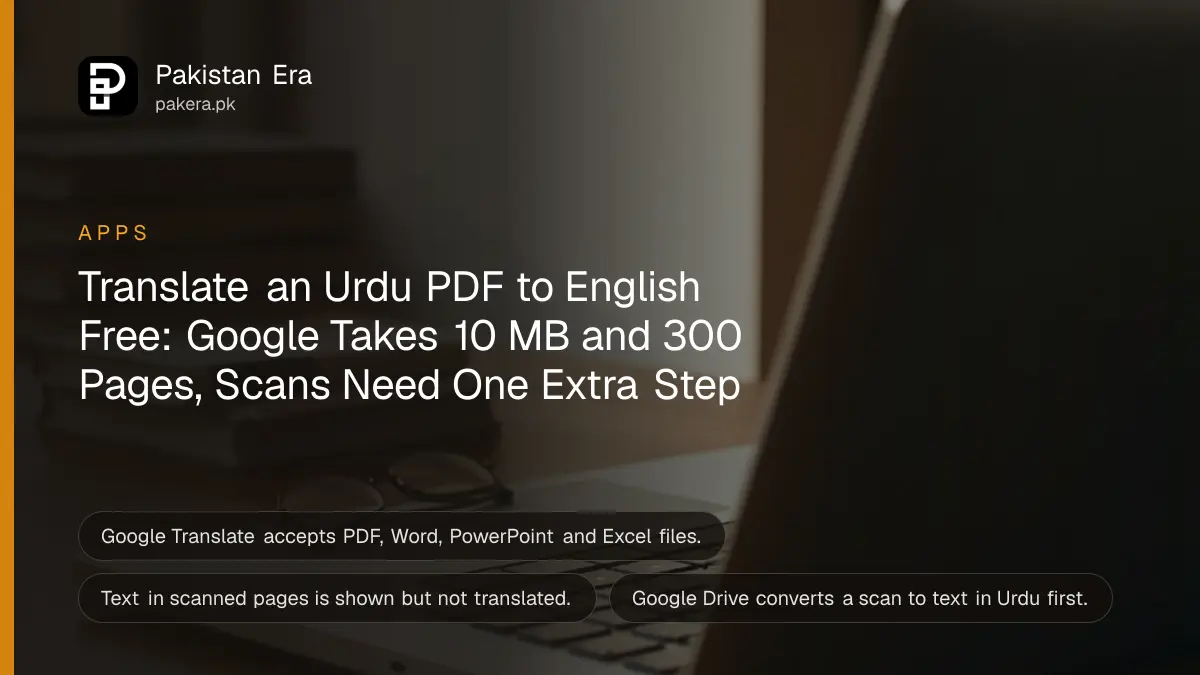
To translate an Urdu PDF to English free, open Google Translate on a computer, click Documents, set Urdu to English, upload the file and click Download translation. Google accepts PDF, Word, PowerPoint and Excel files up to 10 MB, and a PDF must be 300 pages or fewer. A scanned PDF is the catch: Google leaves text in images untranslated, so convert the scan to text first.
Most failed attempts come from one of three problems: the file is too big, it is a scan, or the person is trying on a phone. Below is the method, and a fix for each of those. We read Google's help pages for Translate and Drive on 27 October 2026.
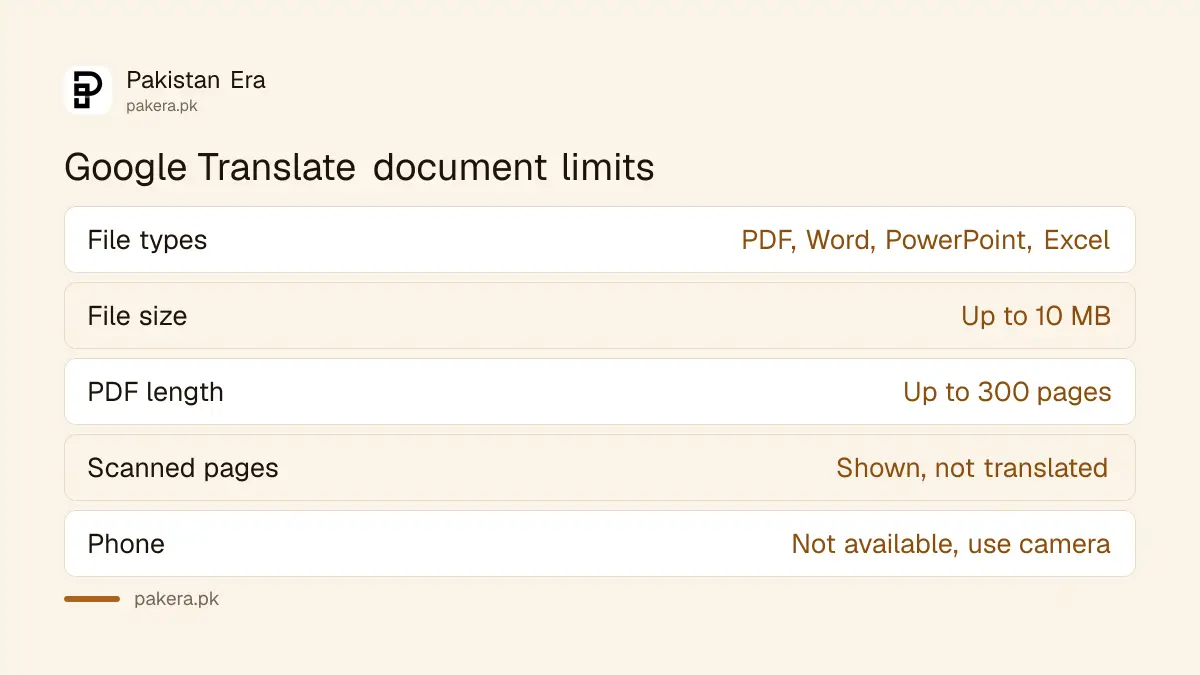
Google Translate takes PDF, Word, PowerPoint and Excel files
On a computer, Google Translate's Documents tab accepts .pdf, .docx, .pptx and .xlsx files. Each file can be up to 10 MB, and a PDF can have up to 300 pages. Urdu is one of Google Translate's languages.
| Limit | Google's figure | What to do if you are over it |
|---|---|---|
| File types | .pdf, .docx, .pptx, .xlsx | Save an InPage or image file as PDF first |
| File size | Up to 10 MB | Split the PDF or reduce image quality |
| PDF length | 300 pages or fewer | Split into parts of 300 pages |
| Scanned pages | Shown but not translated | Convert to text with Google Drive first |
| Phone or small screen | Document translation not available | Use a computer, or the camera method on a phone |
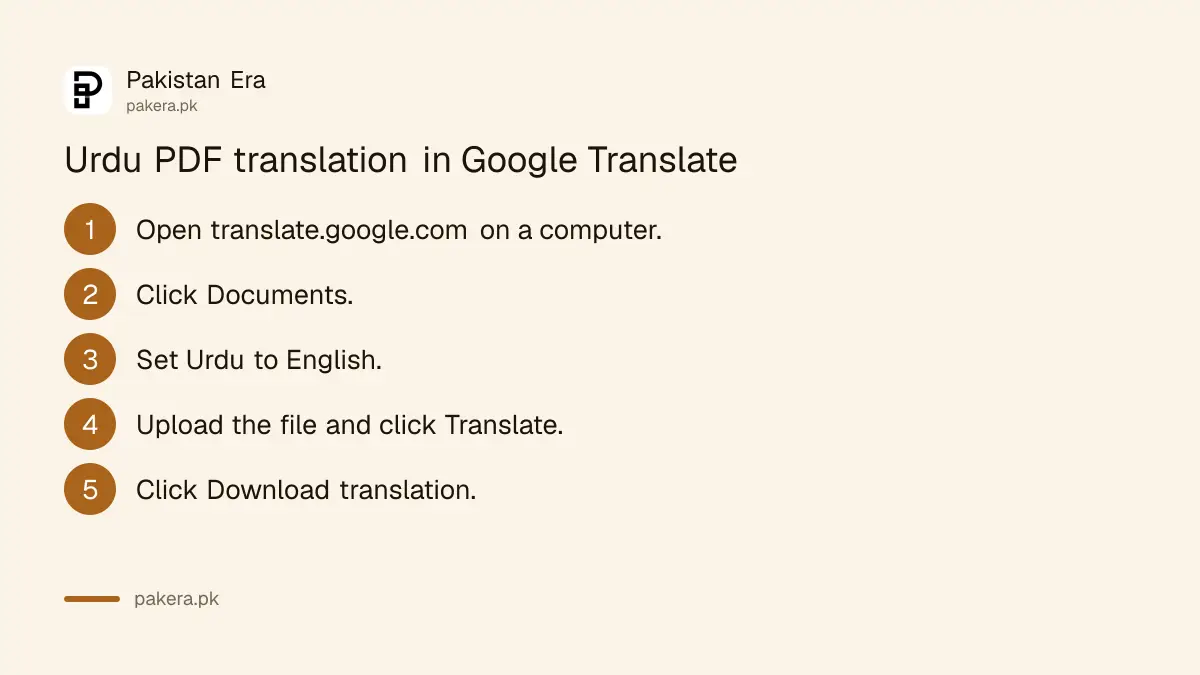
Six steps translate a typed Urdu PDF in Google Translate
Go to translate.google.com on a computer, click Documents, choose Urdu as the source and English as the target, upload the file, click Translate and then Download translation. Keep the Urdu original open beside it to check names and figures.
- Open translate.google.com in a browser on a laptop or desktop.
- Click Documents at the top.
- Choose Urdu on the left, or Detect language, and English on the right.
- Click Browse your computer and pick your file.
- Click Translate and wait while it processes.
- Click Download translation and open the English file.
Google does not promise that the layout survives. Tables can shift because Urdu runs right to left and English left to right. Expect to fix column widths by hand in a long table.
Scanned Urdu PDFs need text recognition first
Google says text inside images and scanned PDF pages appears in the output but is not translated. Convert the scan to text with Google Drive: upload it, right click, choose Open with, then Google Docs. Drive lists Urdu among the languages it reads.
Drive's text recognition has its own limits. The file should be 2 MB or smaller, text should be at least 10 pixels tall, and the page must be upright. Sharp, evenly lit scans work best. A blurred photocopy of a 1990s land record will come back with errors, and Urdu Nastaliq script is harder to read than printed Naskh.
Once Drive gives you a Google Doc, download it as .docx and put that into Google Translate. Two steps, both free. If you still need to make the scan in the first place, a phone can scan a document to PDF with Google Drive.
On a phone, the Translate camera reads printed Urdu
Document upload does not work on phones. Instead, open the Google Translate app, tap Camera, point it at the page and tap the shutter, or tap All images to use a saved photo. You can then copy the translated text.
Google's help page says you can download languages so camera translation works without internet. That helps in a court corridor or a village with weak signal. Downloading Urdu for offline use is explained in using Google Translate offline.
Camera translation suits one or two pages. For a 40 page document it is slow and you lose the layout, so get to a computer if you can.
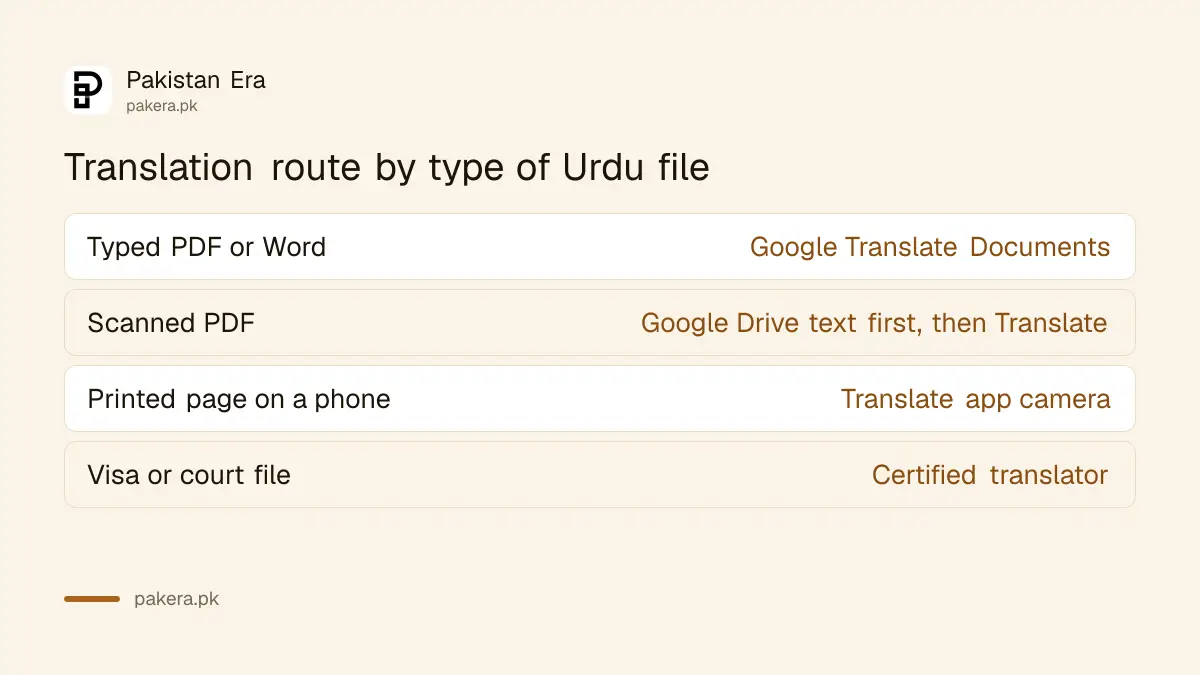
Machine translation is not a certified translation
Google's translation is fine for understanding a letter, a court order or a textbook. It is not a certified translation. For a visa file, an equivalence case or a court submission, check what the authority accepts before you rely on a free tool.
Many offices ask for a translation done and stamped by a certified translator. The IBCC, for example, has its own translation routes, set out in the IBCC equivalence translation options. Submitting an unchecked machine translation can get a file returned, which costs more time than paying a translator.
Privacy matters too. Your file goes to Google's servers. Do not upload a document with someone's CNIC number, bank account or medical details unless you are comfortable with that.
Common questions
Can I translate an Urdu PDF to English on my phone?
Not by uploading the file. Google says document translation is not available on mobile. Use the camera in the Translate app instead.
Why did Google Translate not translate my PDF?
It is probably a scan. Text in images and scanned pages is not translated. Convert it to text with Google Drive first.
What is the maximum PDF size for Google Translate?
10 MB and 300 pages. Split anything larger into parts.
Can Google Translate read InPage files?
No. Save the InPage file as a PDF first, then upload the PDF.
Is Google's translation accepted for visa or IBCC documents?
Usually not on its own. Check the authority's rules; many ask for a certified translator.
How we verified this
What we checked, where we read it, and what we could not confirm.
We read Google Translate's help page on translating documents, its help page on camera translation, Google Translate's language list, and Google Drive's help page on converting PDFs and images to text on 27 October 2026. We did not run our own Urdu translation test, so translation quality is not rated. The note on Nastaliq being harder to read is general experience with Urdu text recognition, not a figure from Google. Google does not list InPage among accepted formats.
About the author

Technology Journalist & Multimedia Producer
Ahmad Ali is a technology journalist and multimedia producer at Pakistan Era, joining the team in October 2026. He covers consumer technology and digital life for Pakistani readers, combining research with hands-on product testing.