How to Turn On Automatic Updates on Your Phone and Laptop in Pakistan
Turn on automatic updates for your phone, laptop and apps in Pakistan. PKCERT advises patching, official sources only and a backup first. Follow five steps.

Turn on automatic updates for your phone, laptop and apps, and download updates only from official sources. Pakistan's National CERT lists both as basic protection. An update closes security holes that attackers already know about, so a device left unpatched stays open to them.
Many of us tap "Remind me tomorrow" for weeks. The phone says 2 GB, the data bundle is low, and the update can wait. But the update is often the lock, not the decoration. We read the operating system and software updates page of the National CERT of Pakistan (PKCERT) on 15 October 2026, and this page turns its advice into steps you can follow today.
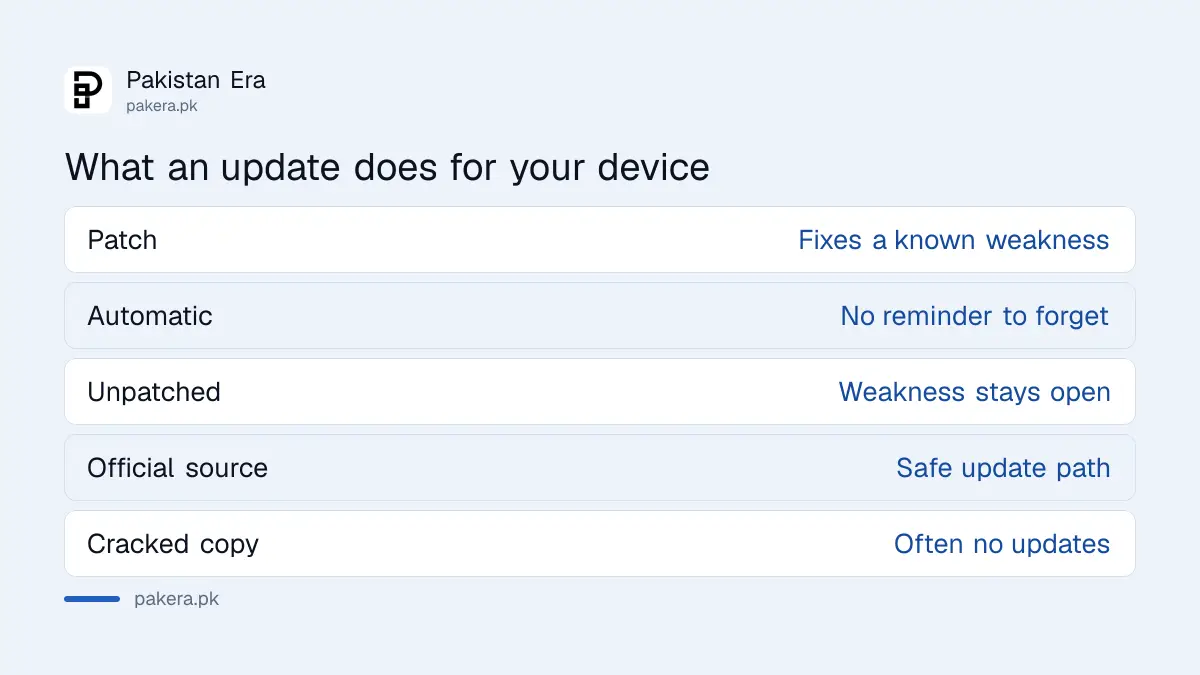
Updates matter because they close security holes that are already known
PKCERT says to update the operating system and software regularly to get the latest security patches, and to turn on automatic updates where available. A patch fixes a weakness. Until you install it, anyone who knows the weakness can try it on your device.
This is not a rare risk. PKCERT publishes advisories during the year about weaknesses being used against real systems, including one in 2026 about a browser extension that exposed WhatsApp Web sessions. The point for a normal user is simple: the fix exists, and your device only benefits when you install it.
Turn on automatic updates in three places
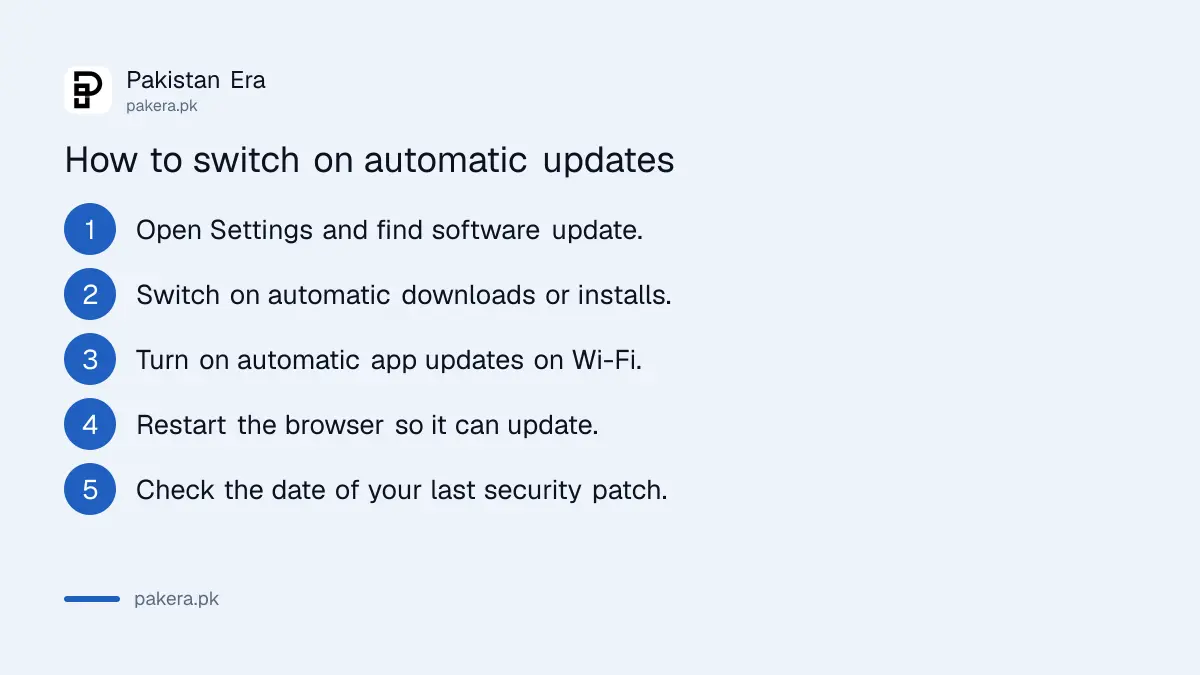
You need three switches: the system update on the phone or laptop, the app updates, and the browser. Menu names differ by brand and software version, so look for the section called software update, system update or app updates inside Settings.
- Open Settings on the phone or laptop and find the software update section.
- Switch on automatic downloads or automatic installs, if the option exists.
- Open the app store and turn on automatic app updates, ideally on Wi-Fi only.
- Restart the browser from time to time so its own update can finish.
- Check the date of the last security update. The steps to check your Android security patch show where it is listed.
We did not test these menus on every brand. The exact path on a Samsung, Xiaomi or iPhone is different, which is why we describe the section and not a fixed button.
Back up first, then update
PKCERT advises regular backups before major updates, to avoid data loss in the rare case an update goes wrong. Cloud backup is one convenient route. A copy of photos and documents takes a few minutes and removes most of the fear.
If a phone does freeze or loop after an update, the steps to fix a phone stuck after an update cover the common fixes, and they are far calmer when your photos are already saved elsewhere.
Download updates only from official sources
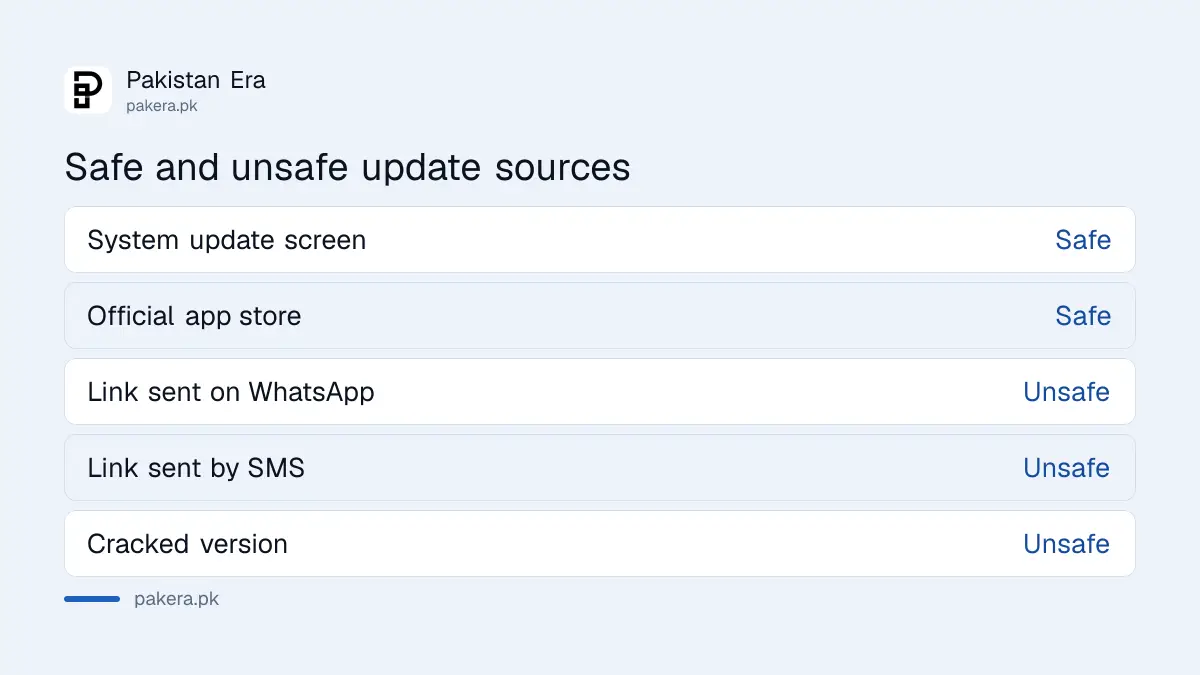
PKCERT says to install software only from reputable sources, and to avoid cracked or unofficial versions because they often lack security updates. Pirated Windows, Office and paid apps are the usual example. A crack that never updates is a door that never closes.
| Source | Safe for updates? | Why |
|---|---|---|
| The phone's own system update screen | Yes | Comes from the maker |
| The official app store | Yes | Checked by the store |
| A link sent on WhatsApp or SMS | No | Common route for fake apps |
| A cracked or "modded" version | No | PKCERT warns they often lack security updates |
The first two rows follow PKCERT's "reputable sources" advice. The last two are our reading of the same advice. If an app asks you to install an update from a link, close it and open the official store yourself. The steps to check Google Play Protect and app permissions help you review what is already installed.
Know when your phone will stop getting updates
Every phone has an end date for security updates. After it, new weaknesses stay unpatched. PKCERT tells users to deal promptly with outdated or unsupported software, and the same logic applies to an old phone that no longer gets patches.
Check the current patch before you buy a second-hand phone. Look at what happened in recent monthly patches in the report on the October 2026 Android security patch, and see whether a newer version is coming to your model in the list for Android 17 update phones. iPhone owners can check the list of iPhones that support iOS 27.
Common questions about automatic updates in Pakistan
Should I turn on automatic updates?
Yes. PKCERT advises enabling automatic updates where available, so you get security patches without waiting for a reminder.
Will automatic updates use my mobile data?
They can. Set app updates to download on Wi-Fi only, and let the big system update wait for a home connection.
Can an update delete my files?
It is rare, but PKCERT still advises a backup before major updates. A short backup removes the risk.
Is it safe to update from a link someone sent me?
No. Open the update from the phone's own settings or the official app store. PKCERT says to use reputable sources only.
What if my phone no longer gets updates?
Keep it for low-risk use, avoid banking and wallet apps on it where you can, and plan to replace it. PKCERT advises dealing promptly with unsupported software.
Do laptops need updates as well?
Yes. PKCERT's guidance covers operating systems and software in general, so laptops, apps and the browser all need patches.
How we verified this
What we checked, where we read it, and what we could not confirm.
Last checked 15 October 2026. The advice on regular and automatic updates, reputable sources, cracked software and backups before updates comes from the operating systems and software updates page of the National CERT of Pakistan at pkcert.gov.pk, read from its published infographic on 15 October 2026. The mention of a 2026 advisory comes from the PKCERT advisory list at pkcert.gov.pk/advisories. The table's last two rows, the menu descriptions and the old-phone advice are our own practical reading. We did not test the menus on every phone brand.
About the author

Technology Journalist & Multimedia Producer
Ahmad Ali is a technology journalist and multimedia producer at Pakistan Era, joining the team in October 2026. He covers consumer technology and digital life for Pakistani readers, combining research with hands-on product testing.