UBL WhatsApp Banking: Save 021-111-825-888 for Digital Buddy, Send Up to Rs 50,000 a Day, Free
Start UBL WhatsApp Banking on 021-111-825-888, switch it on in the UBL Digital App, and send up to Rs 50,000 a day or get your tax certificate in the chat.
UBL WhatsApp Banking is called UBL Digital Buddy. Save 021-111-825-888 in your phone, send "Hi" on WhatsApp, and you can check your balance and get a mini statement straight away. To send money, pay bills or top up a mobile, first switch on WhatsApp Banking in the UBL Digital App under Settings, then Device Management. UBL says the service is free, and transfers are capped at Rs 50,000 a day.
Buddy also sends your withholding tax certificate, your account maintenance certificate and an account statement of up to one year. It understands English, Urdu and Roman Urdu, by text or voice note.
How to start UBL WhatsApp Banking
Save 021-111-825-888, or +92 21 111 825 888, as a contact. Open WhatsApp and send "Hi", "Hello" or "Salam". Buddy replies with a menu. Balance and mini statement work for every UBL customer, even without the UBL Digital App.
- Save 021-111-825-888 in your phone contacts, for example as "UBL Buddy".
- Open WhatsApp and send Hi, Hello or Salam to that contact.
- Choose what you need from Buddy's menu, or type or speak your question.
- For a statement or a certificate, enter the last 4 digits of your CNIC when Buddy asks.
Anyone in Pakistan can chat with Buddy about UBL products and services. Account information and transactions are for UBL customers only.
Switch on transfers in the UBL Digital App
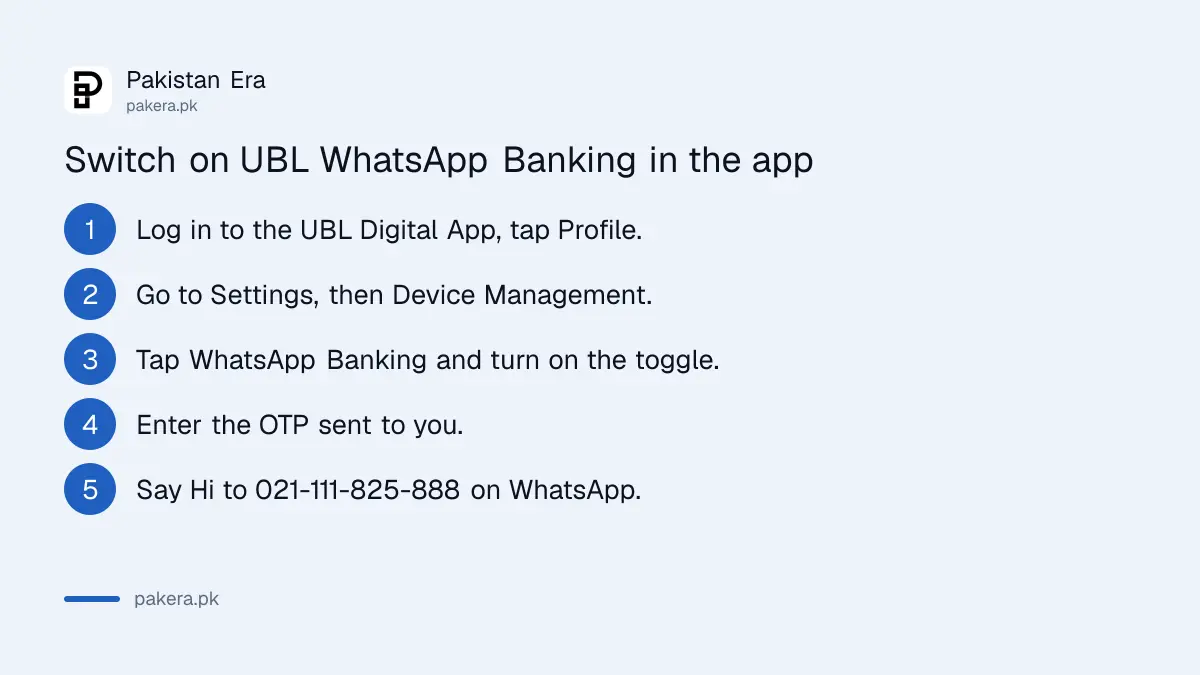
Transfers, bill payments and top ups need an active WhatsApp session from the UBL Digital App. Log in, tap the Profile icon, go to Settings, then Device Management, tap WhatsApp Banking, turn on the toggle and enter the OTP.
- Log in to the UBL Digital App and tap the Profile icon.
- Go to Settings.
- Tap Device Management.
- Tap WhatsApp Banking.
- Turn on the toggle.
- Enter the OTP sent to you.
- WhatsApp Banking is now enabled.
No app yet? UBL suggests signing up on the UBL Digital App first. The UBL Digital App registration steps cover sign up with an existing account, CNIC and fingerprint.
What UBL Digital Buddy can do
Buddy handles information and everyday payments. You can check your balance, get a 5, 10 or 15 transaction mini statement, view an account statement of up to one year, download two certificates, transfer funds, pay utility bills, top up a mobile and track incoming remittances.
| Service | Needs the UBL Digital App session? |
|---|---|
| Balance check | No |
| Mini statement, 5, 10 or 15 transactions | No |
| Account statement, up to 1 year | Enable WhatsApp Banking in the app first |
| Withholding tax certificate | Enable WhatsApp Banking in the app first |
| Account maintenance certificate | Enable WhatsApp Banking in the app first |
| Fund transfer, bill payment, mobile top up | Yes |
| Track incoming remittance | Enable WhatsApp Banking in the app first |
| Product questions, branch and ATM finder | No, open to everyone |
UBL says that without the app you can check your balance or up to 15 of your latest transactions. Its setup steps say the app session unlocks both financial and non financial services, so switch it on before asking for a statement or a certificate.
Buddy also reads voice notes and pictures. Send a photo of something you want to understand, such as a product leaflet, and it answers based on the image.
UBL WhatsApp Banking limits and fees
UBL Digital Buddy is free to use. The overall transaction limit is Rs 50,000 a day, and a mobile top up must be between Rs 100 and Rs 10,000. Bigger transfers go through the UBL Digital App, which has its own limits.
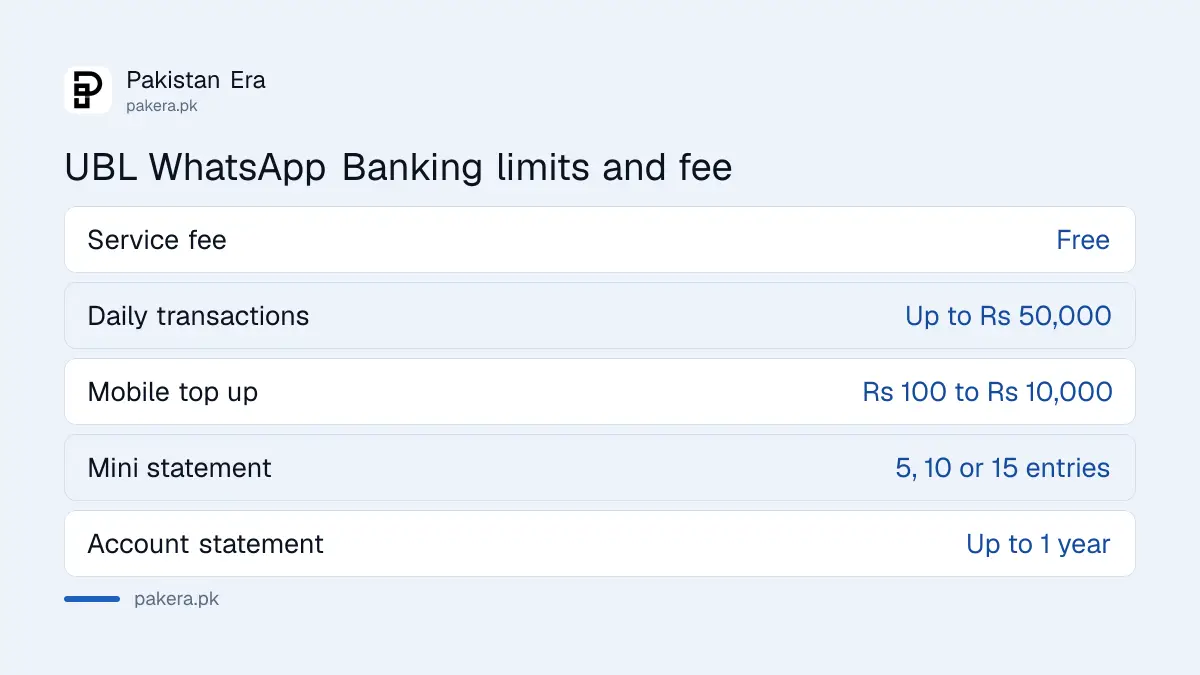
- Service fee: none, UBL says WhatsApp Banking is free.
- Transactions: up to Rs 50,000 a day overall.
- Mobile top up: Rs 100 to Rs 10,000.
- Bill payments: utility bills.
Bank charges on a transfer, if any, follow the bank's own schedule. The UBL schedule of charges lists IBFT and other fees for July to December 2026.
Get your UBL tax certificate and statement on WhatsApp
Ask Buddy for the withholding tax certificate, the account maintenance certificate or an account statement, then enter the last 4 digits of your CNIC to open it. The statement covers up to one year of transactions.
The withholding tax certificate shows the tax UBL deducted from your profit and other transactions. You claim that amount as tax already paid in your income tax return. The withholding tax certificate guide explains where it goes in the FBR return. An account maintenance certificate is the letter embassies and employers often ask for to show you hold an account.
Stay safe on UBL WhatsApp Banking
Chat only with 021-111-825-888, the number UBL gives for Digital Buddy. The only personal detail Buddy asks for is the last 4 digits of your CNIC when you open a statement or certificate. Never share your OTP, PIN or full card number in any chat.
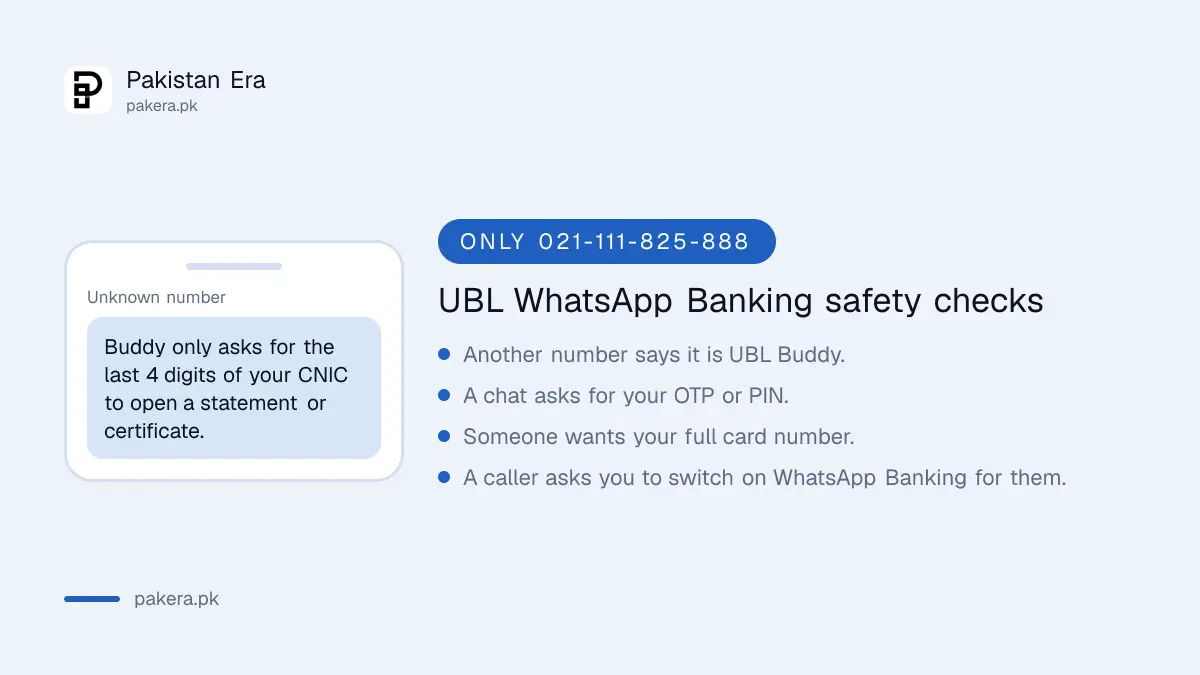
- The OTP for switching on WhatsApp Banking is entered in the UBL Digital App, never sent to anyone in a chat.
- A different number claiming to be UBL Buddy is fake. Block it and report it in WhatsApp. The steps are in blocking and reporting a scam number on WhatsApp.
- For problems, email customer.services@ubl.com.pk or call the helpline.
Common questions
What is the UBL WhatsApp number?
021-111-825-888, written +92 21 111 825 888 from abroad. UBL calls the service UBL Digital Buddy.
Is UBL WhatsApp Banking free?
Yes. UBL says WhatsApp Banking is free to use.
How much money can I send on UBL WhatsApp Banking?
Up to Rs 50,000 a day overall. Mobile top ups must be between Rs 100 and Rs 10,000.
Can I use UBL Buddy without the UBL Digital App?
Yes, for your balance and up to 15 latest transactions. Transfers, bills and top ups need WhatsApp Banking switched on in the app.
How do I get my UBL withholding tax certificate on WhatsApp?
Ask Buddy for it and enter the last 4 digits of your CNIC. Switch on WhatsApp Banking in the app first.
Can I talk to UBL Buddy in Urdu?
Yes. Buddy understands English, Urdu and Roman Urdu, by text or voice note.
How we verified this
What we checked and where we read it.
Last checked 14 November 2026. The number, setup steps, services, limits, fee and FAQs come from UBL's own UBL Digital Buddy page. The page lists the services twice, and the newer list adds the withholding tax certificate, the account maintenance certificate and the one year statement.
About the author

Technology Journalist & Multimedia Producer
Ahmad Ali is a technology journalist and multimedia producer at Pakistan Era, joining the team in October 2026. He covers consumer technology and digital life for Pakistani readers, combining research with hands-on product testing.