Turn On WhatsApp Voice Message Transcripts in Pakistan and Read Voice Notes
Turn a WhatsApp voice note into text in five steps. The text is made on your phone, not by WhatsApp. See the settings path and how to check your language.
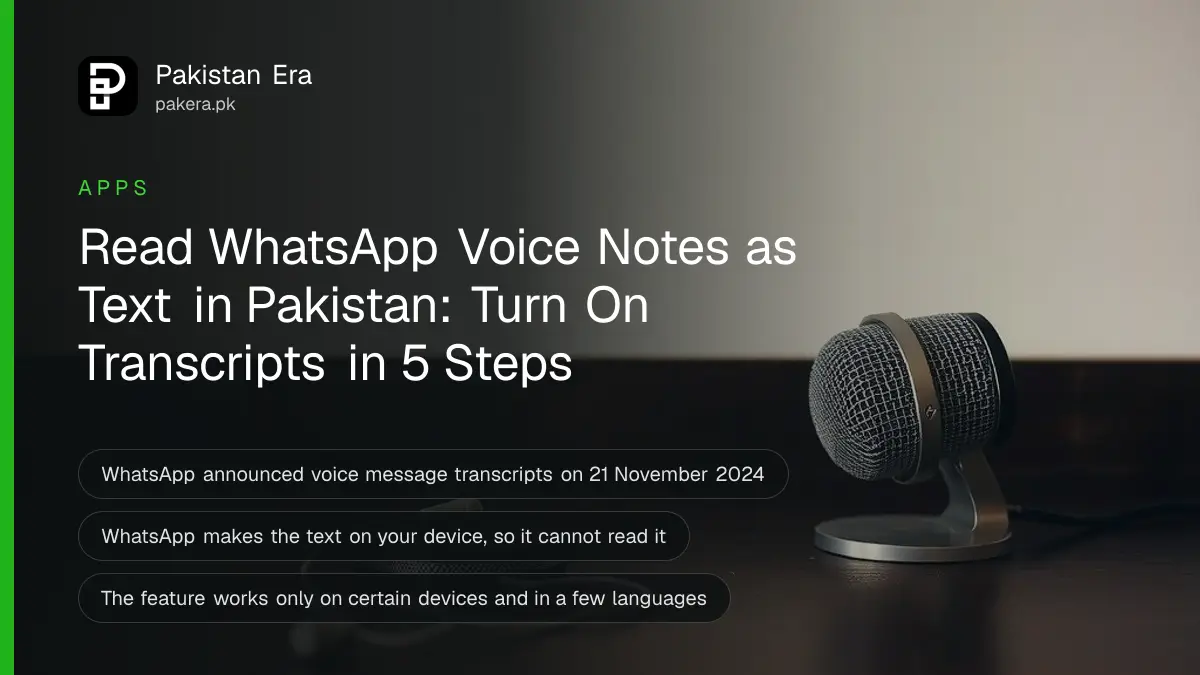
To read a WhatsApp voice message instead of playing it, go to Settings, then Chats, then Voice message transcripts. Turn the feature on and choose a transcript language. Then press and hold a voice message and tap Transcribe. The text is made on your phone, so WhatsApp cannot read it.
A long voice note arrives while you are in a meeting, a bus or a noisy market. You cannot play it aloud, and you do not want to put on earphones. Pakistanis send a lot of voice notes, and most of us have a few we keep meaning to listen to.
WhatsApp's transcript feature turns a voice message into text. We read WhatsApp's announcement and its Help Center page on 11 October 2026. This guide covers the steps, the privacy point, and the one thing we could not confirm: whether your language is on the list.
Voice message transcripts turn audio into text on your phone
WhatsApp announced voice message transcripts on 21 November 2024. The text is generated on your device, so no one else, not even WhatsApp, can hear or read your messages. You choose the transcript language in settings and can switch the feature on or off.
The feature is free. It is not available on every device yet. WhatsApp's Help Center says transcripts work only on certain devices and may not have reached you. Its advice is to keep WhatsApp updated, so you get the feature as soon as it arrives.
| Point | What WhatsApp says |
|---|---|
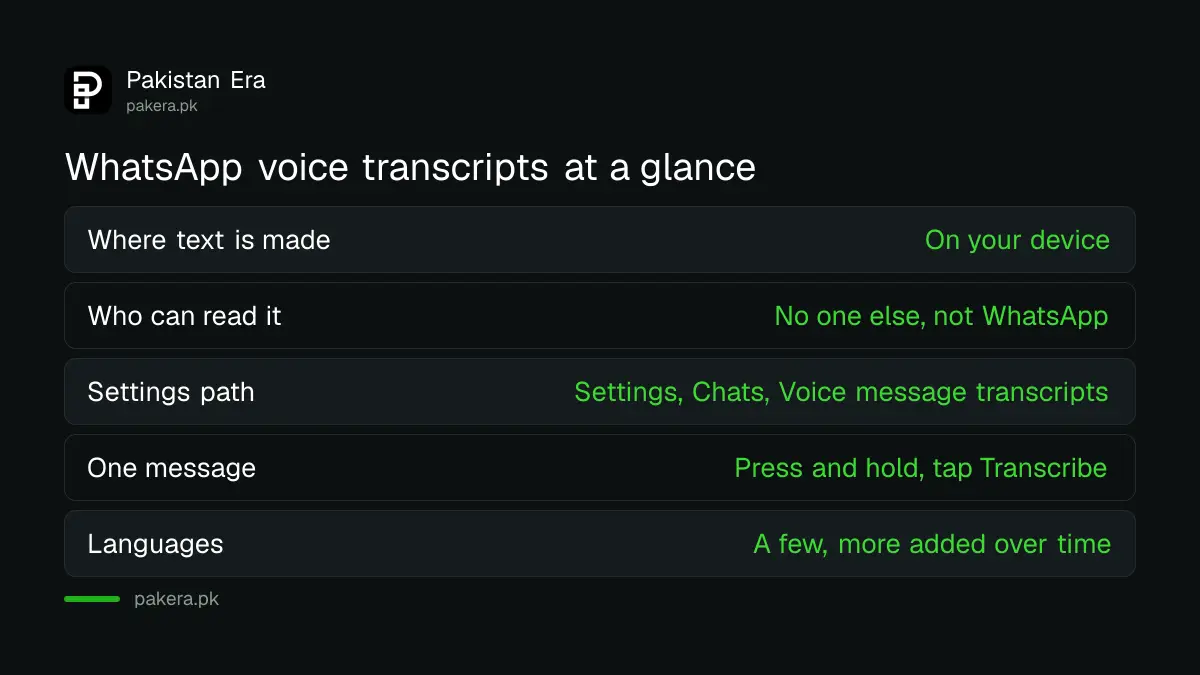
| Where the text is made | On your device |
| Who can read the transcript | No one else, not even WhatsApp |
| Where to switch it on or off | Settings, Chats, Voice message transcripts |
| How to transcribe one message | Press and hold it, tap Transcribe |
| Languages | A few at the start, more added over time |
| Available on all devices | No, only certain devices |
Turn transcripts on and transcribe a message
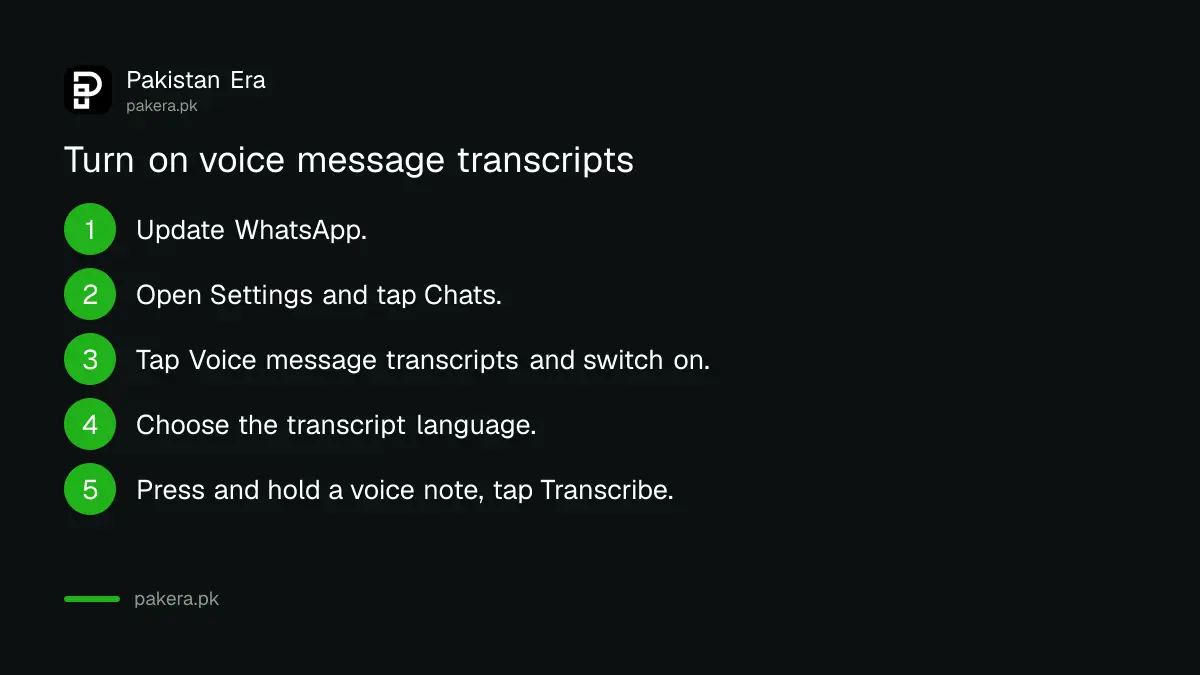
Go to Settings, Chats, then Voice message transcripts. Switch it on and pick a language. After that, press and hold any voice message and tap Transcribe. The text appears under the voice note. These steps come from WhatsApp's announcement.
- Update WhatsApp from the Play Store or App Store.
- Open Settings and tap Chats.
- Tap Voice message transcripts and switch it on.
- Choose the transcript language.
- In a chat, press and hold a voice message and tap Transcribe.
If you cannot find the option, your phone may not support it yet. Do not install a different "WhatsApp" app to get it. Unofficial copies can get your account banned, and fixing a WhatsApp ban from an unofficial app means switching back to the official one.
Check whether your language is supported
WhatsApp said it launched with a few languages and planned to add more. We could not read the current language list, because the Help Center page loads its details only in a browser. The honest check is to open the language choice in the setting and look.
If Urdu or Punjabi is missing, you have two options. Choose the closest listed language and accept some errors, or keep playing the voice note. Do not trust a transcript of a bank amount, a date or an address without listening. Machine text gets numbers wrong.
For notes you must keep, other tools can help. Turning a recording into notes with ChatGPT works on audio files, and a test of the best AI for Urdu shows which tools handle the language best.
Use transcripts safely
The privacy claim is strong: text made on your device, not by WhatsApp. Still, a transcript is text in your chat. Anyone who can open your phone can read it, so treat it like any other message.
- Lock your chats if you share the phone. The WhatsApp privacy checkup is a good first stop.
- Turn the feature off if you do not want text copies of voice notes. It is one switch in the same settings page.
- Never act on a payment request that came only as a voice note. Call the person back on a number you already know.
That last point matters. Cloned voices are a real fraud tool. The signs are laid out in spotting a deepfake scam video or cloned voice call.
Common questions
Does WhatsApp read my voice messages when it makes a transcript?
No, according to WhatsApp. It says transcripts are generated on your device, so no one else, not even WhatsApp, can hear or read your messages.
Is the transcript feature free?
WhatsApp's announcement and Help Center page mention no charge. The feature is also not on every device yet.
Where do I turn voice message transcripts off?
In Settings, then Chats, then Voice message transcripts. The same page has the language choice.
Does it work in Urdu?
We could not confirm. WhatsApp said it launched with a few languages and would add more. Open the language list in the setting to see yours.
Why can I not see the option?
WhatsApp says the feature works only on certain devices and may not have reached you. Update the app and check again later.
How we verified this
What we checked, where we read it, and what we could not confirm.
We last checked these official pages on 11 October 2026:
- WhatsApp Blog, "Introducing Voice Message Transcripts", 21 November 2024, for the steps and the on-device privacy statement.
- WhatsApp Help Center, "How to turn voice message transcripts on or off", for the note that the feature is only on certain devices.
The Help Center page showed no language list in the text we could read. We did not test the feature on a Pakistani account, so menu names on your phone may differ.
About the author

Technology Journalist & Multimedia Producer
Ahmad Ali is a technology journalist and multimedia producer at Pakistan Era, joining the team in October 2026. He covers consumer technology and digital life for Pakistani readers, combining research with hands-on product testing.