How to Turn On YouTube Take a Break and Bedtime Reminders in Pakistan
Set YouTube take a break and bedtime reminders in Pakistan: the exact settings, the defaults for ages 13 to 17, and when the timer resets or does not run.
Short answer: On the YouTube app, tap your profile picture, then Settings, then General. Switch on Remind me to take a break and pick how often. Switch on Remind me when it's bedtime and choose start and end times. Both are on by default for ages 13 to 17 and off for adults.
Many Pakistani students and young workers lose hours on YouTube after midnight, especially on cheap mobile data at night. The app has two free tools that can nudge you to stop.
We read YouTube's help pages for both reminders on 13 October 2026. The steps below follow the Android version. The iPhone app is close, but menu names can differ a little.
Take a break pauses your video at set times
The take a break reminder pauses the video after a time you choose and waits until you dismiss it or resume. It does not stop you from watching. It gives you a moment to decide. For ages 13 to 17 it is on by default. For adults it is off.
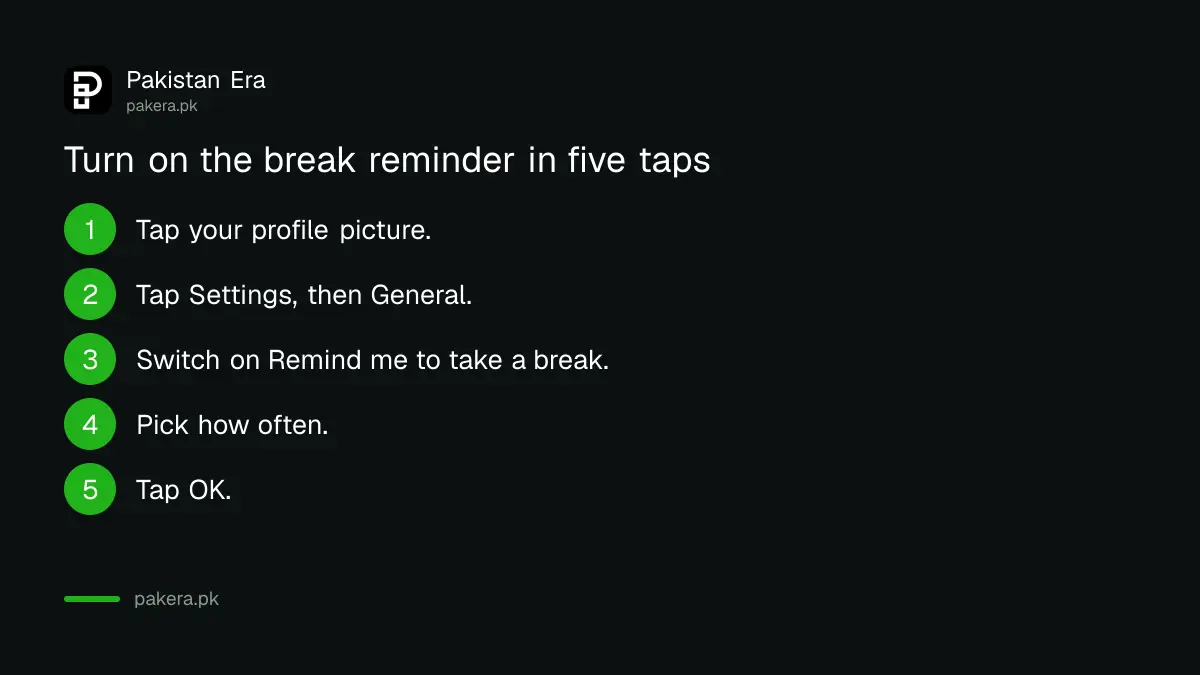
- Tap your profile picture in the YouTube app.
- Tap Settings, then General.
- Next to Remind me to take a break, tap the switch to On.
- Choose how often you want the reminder.
- Tap OK.
The break timer has limits you should know
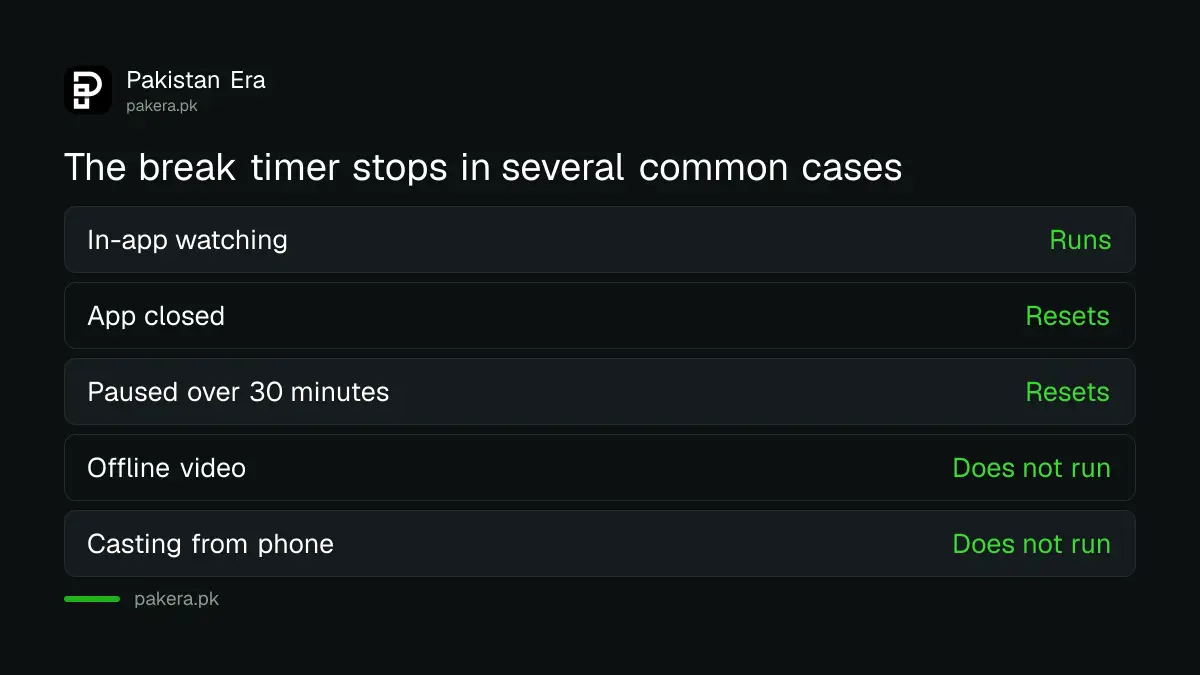
The timer is not exact in every case. YouTube says it resets if you close the app, sign out, switch devices or pause for more than 30 minutes. It also does not run while you watch offline downloads or cast from your phone to a TV.
| Situation | Does the break timer run? |
|---|---|
| Watching in the app | Yes |
| You close the app | No, it resets |
| You pause for over 30 minutes | No, it resets |
| Offline downloaded video | No |
| Casting from your phone | No |
If you mostly watch on a TV or a laptop, set your own phone alarm as well. A reminder in one place does not follow you to another.
Bedtime reminder asks you to stop at night
The bedtime reminder shows a message between a start time and an end time that you pick. You can dismiss it, or tap Remind Me Again to get it after 15 minutes. You can also let the current video finish before the reminder shows.
- Tap your profile picture, then Settings, then General.
- Next to Remind me when it's bedtime, tap the switch to On.
- Choose a start time and an end time.
- Tap OK.
Pick a start time about 30 minutes before the time you want to be asleep. Parents can use the same screen on a teen's own phone, but a teen can switch it off again, so talk about it first.
Combine reminders with other controls
Reminders are soft. They work best for a person who wants to change. For a child, use stronger tools such as a supervised account. For your own watch history, you can also clean what the app suggests to you.
For young children, read the steps to set up a supervised YouTube account. For a phone shared with a child, the page on parental controls on a child phone explains the phone level.
If the app keeps suggesting the same videos, you can pause or delete your YouTube watch history to start fresh.
Fix a reminder that does not appear
If you set a reminder and nothing shows, check four things: the switch is On, the time window is right, the app is updated and the timer was not reset. Most missing reminders come from the reset rules above.
Open Settings, General and look at the switch again. Update the YouTube app from the Play Store or App Store. Do not clear the app data, because that signs you out and resets the timer.
Remember that a reminder is shown by the app on that phone only. A second phone or a TV needs its own setting where the app offers one.
If you share one phone in the family, each person should use their own YouTube profile. Then your reminder will not appear on a sibling's screen, and theirs will not appear on yours.
Common questions
Is the YouTube bedtime reminder on by default?
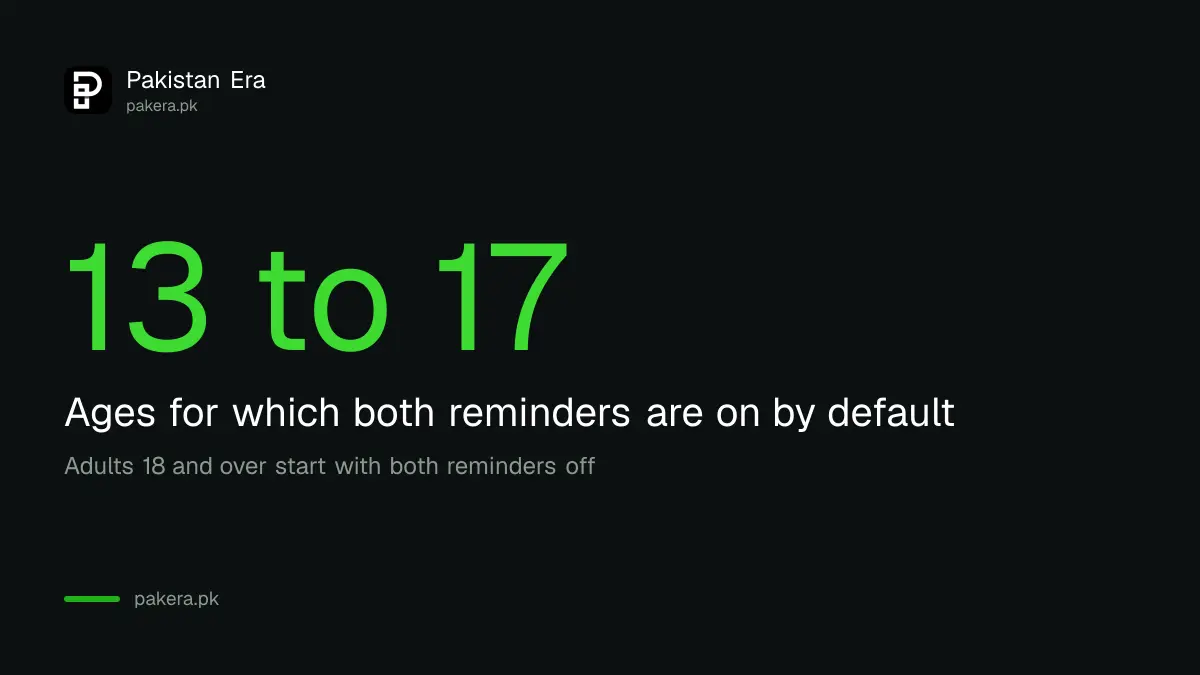
It is on by default for users aged 13 to 17. For users aged 18 or over, YouTube says it is off by default.
Where do I find take a break on YouTube?
Tap your profile picture, then Settings, then General, and switch on Remind me to take a break.
Does the break timer keep running if I close YouTube?
No. YouTube says the timer resets if you close the app, sign out, switch devices or pause for over 30 minutes.
Does it work when I cast to a TV?
No. YouTube says the timer does not run when you cast from your phone or watch offline.
Can I snooze the bedtime reminder?
Yes. Tap Remind Me Again and it returns after 15 minutes, or dismiss it with the close icon.
Can a teen turn the reminders off?
On their own account, yes. These are gentle reminders and not a lock. Use a supervised account for firmer limits.
How we verified this
What we checked, where we read it, and what we could not confirm.
Last checked on 13 October 2026, Pakistan time. We read YouTube's help pages on the take a break reminder and the bedtime reminder for Android. We did not test the iPhone app, and menu names there may differ. Frequency choices for the break reminder are chosen inside the app and are not listed here.
About the author

Technology Journalist & Multimedia Producer
Ahmad Ali is a technology journalist and multimedia producer at Pakistan Era, joining the team in October 2026. He covers consumer technology and digital life for Pakistani readers, combining research with hands-on product testing.