Sometimes it can be difficult to remember a newly purchased mobile number. This is especially common when you have multiple SIM cards and often switch between them. Instead of searching through SIM packaging or trying to recall the number from memory, Telenor provides simple ways to check your number directly from your phone.
If you are using a Telenor SIM and do not know your mobile number, there are a couple of quick methods that can help you find it within seconds.
Methods to Find Your Telenor Number
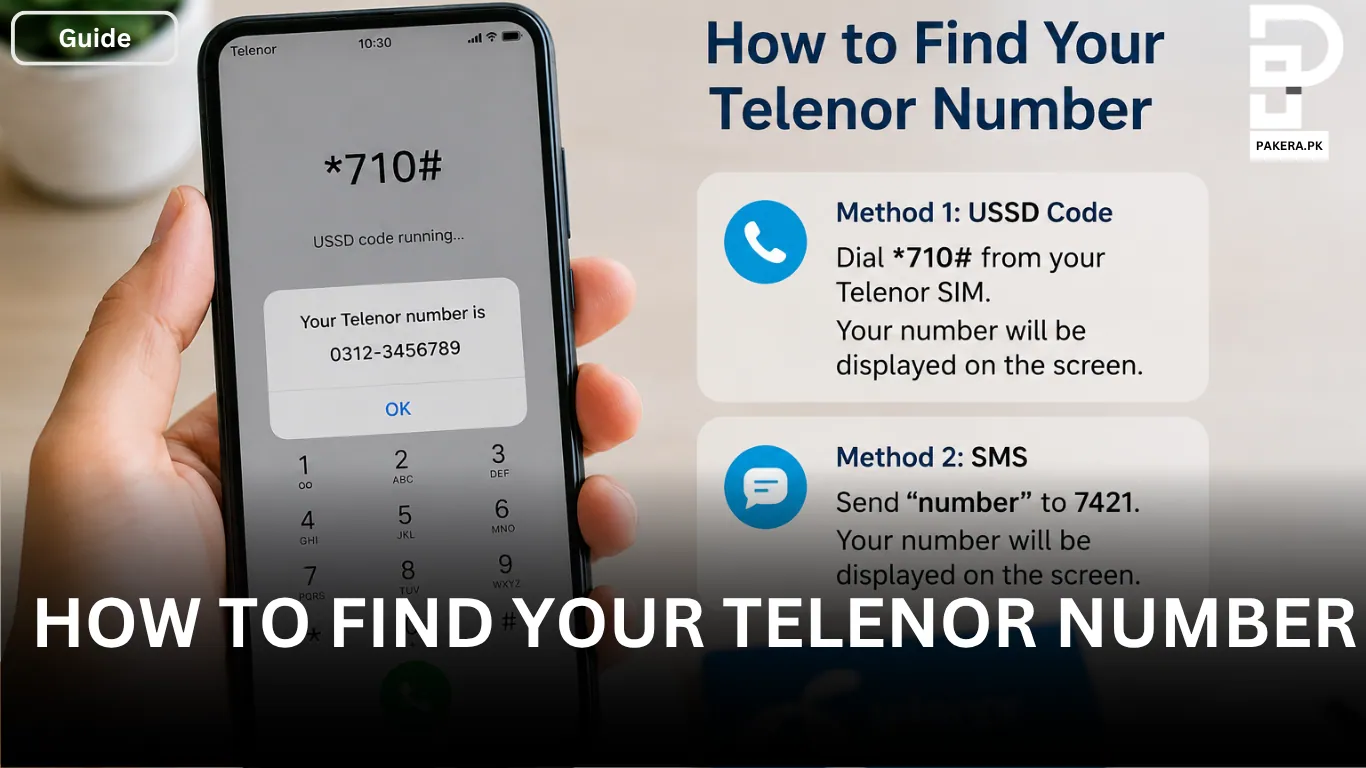
Telenor users can check their mobile number through a USSD code or by sending an SMS. Both methods are simple and can be completed in just a few moments.
Check Your Telenor Number Using a USSD Code
The easiest way to find your Telenor number is by dialing a USSD code from your Telenor SIM.
Simply dial *710# from your phone. After a few seconds, your Telenor number will be displayed on the screen instantly.
This method is convenient because it does not require an internet connection and works directly through the mobile network.
Find Your Telenor Number via SMS
Another way to check your Telenor number is through SMS.
Open your messaging app and send “number” to 7421. Once the message is sent, your Telenor number will be displayed on your screen instantly.
This method is useful if you prefer using SMS services or if the USSD code is temporarily unavailable.
When You Might Need to Check Your Telenor Number
There are several situations where knowing your mobile number becomes important:
- When registering for mobile apps or online services
- While sharing your contact number with friends or family
- During mobile balance transfers
- When activating packages or subscriptions
- If you have recently purchased a new SIM card
Checking your number through Telenor’s official methods can save time and prevent confusion.
Frequently Asked Questions
The quickest method is to dial *710# from your Telenor SIM. Your number will appear on the screen immediately.
Yes. Send “number” to 7421, and your Telenor number will be displayed on your screen.
No. Both the USSD code and SMS methods work without an internet connection.
Many users forget their numbers when they have recently purchased a SIM card or use multiple SIMs regularly. In such cases, Telenor’s number-checking methods are very helpful.
Conclusion
Forgetting your mobile number is a common issue, especially if you use several SIM cards or have recently bought a new connection. Fortunately, Telenor makes it easy to find your number. You can either dial *710# or send “number” to 7421 to view your Telenor number instantly. Both methods are quick, simple, and available whenever you need them.

Ali Akhtar is a young and curious voice here at Pakistan Era. He is currently pursuing his A-Levels and has a growing interest in Pakistan’s changing industrial landscape and educational trends. Ali likes to write in a way that helps him explain and explore the world around him. His writing reflects the perspective of the new generation navigating the evolving trends of Pakistan where technology, youth innovation, and shifting opportunities are reshaping the country’s future.