Losing access to your UPaisa account can be frustrating, especially when you need to send money, pay bills, or access your balance. Fortunately, a blocked UPaisa account can usually be recovered by verifying your identity through customer support or by visiting a Ufone franchise.
If your account has been blocked, there’s no need to panic. As long as you have access to your registered SIM and the required account information, you can restore your account by following the appropriate recovery process.
How to Recover a Blocked UPaisa Account
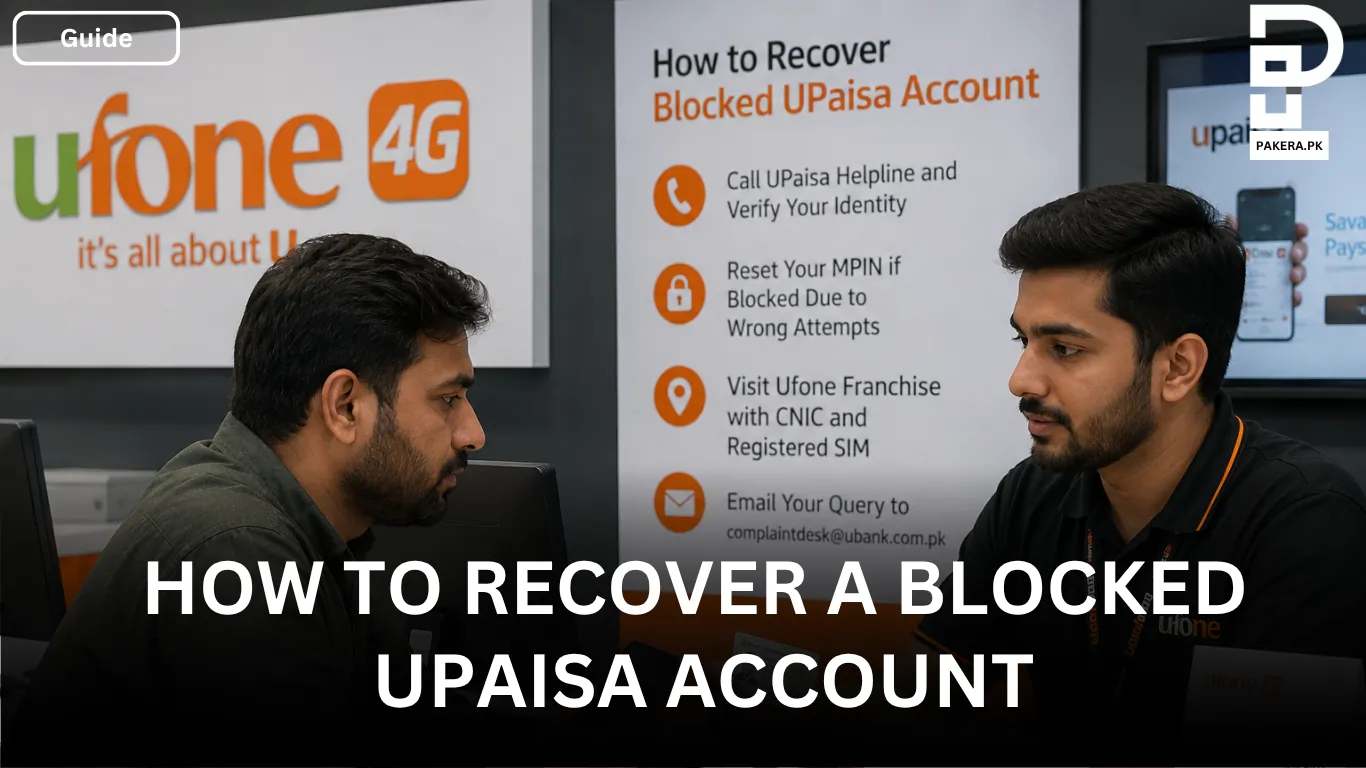
Recovering a blocked UPaisa account is a straightforward process if you can verify that you are the account owner. Before contacting customer support, make sure you have your registered CNIC, the SIM linked to your UPaisa account, and details of your recent transactions ready. These details help the support team confirm your identity quickly.
Once you’re prepared, call the official UPaisa helpline and complete the identity verification process. The customer service representative may ask for your personal information, your CNIC issuance date, and details about your recent account activity to verify your ownership of the account.
Recovering an Account Blocked Due to Incorrect MPIN Attempts
If your UPaisa account was blocked because you entered the wrong MPIN three times, the recovery process is usually simple. After verifying your identity, the customer support representative will guide you through resetting your MPIN and help restore access to your account.
Be sure to choose a secure MPIN that is easy for you to remember but difficult for others to guess.
Visit a Ufone Franchise for Account Recovery
If you prefer in-person assistance or are unable to resolve the issue over the phone, you can visit your nearest Ufone Franchise or UPaisa retailer.
Carry your original CNIC along with the SIM registered to your UPaisa account. The staff will verify your identity and assist you with the account unblocking process.
Contact UPaisa Through Email
If you’re unable to reach the UPaisa helpline, you can also send an inquiry to complaintdesk@ubank.com.pk. Include your account details and explain the issue clearly so the support team can review your request and provide further assistance.
Frequently Asked Questions
A UPaisa account may be blocked for several reasons, including multiple incorrect MPIN attempts, security concerns, or identity verification issues. Contacting customer support is the best way to determine the exact reason.
You should have your original CNIC, the SIM registered with your UPaisa account, and information about your recent transactions. These details are used to verify your identity before restoring account access.
Yes. In most cases, you can recover your account by calling the official UPaisa helpline and completing the identity verification process. If the issue cannot be resolved over the phone, you may be asked to visit a Ufone Franchise.
The recovery time depends on the reason your account was blocked. If your identity is successfully verified, many issues can be resolved during the support call. More complex cases may require additional verification and take longer.
Conclusion
Recovering a blocked UPaisa account is usually a simple process as long as you can verify your identity. Whether your account was blocked because of incorrect MPIN attempts or another security reason, you can regain access by contacting the UPaisa helpline, visiting a Ufone Franchise, or emailing the support team. Keeping your registered CNIC, SIM, and account information ready will help make the recovery process faster and smoother.

Ali Akhtar is a young and curious voice here at Pakistan Era. He is currently pursuing his A-Levels and has a growing interest in Pakistan’s changing industrial landscape and educational trends. Ali likes to write in a way that helps him explain and explore the world around him. His writing reflects the perspective of the new generation navigating the evolving trends of Pakistan where technology, youth innovation, and shifting opportunities are reshaping the country’s future.