Forgetting your Z-Wallet MPIN can be frustrating, especially when you need quick access to your account. Fortunately, Zong provides a simple way to reset your forgotten MPIN directly through the My Zong App, so you don’t have to visit a service center or contact customer support in most cases.
The entire process only takes a few minutes. Once your identity is verified, you can create a new MPIN and regain secure access to your Z-Wallet account. Below is the complete process for resetting a forgotten Z-Wallet MPIN.
How to Reset a Forgotten Z-Wallet MPIN
If you have forgotten your Z-Wallet MPIN, you can reset it directly through the My Zong App by following a few simple steps.
Open the My Zong App
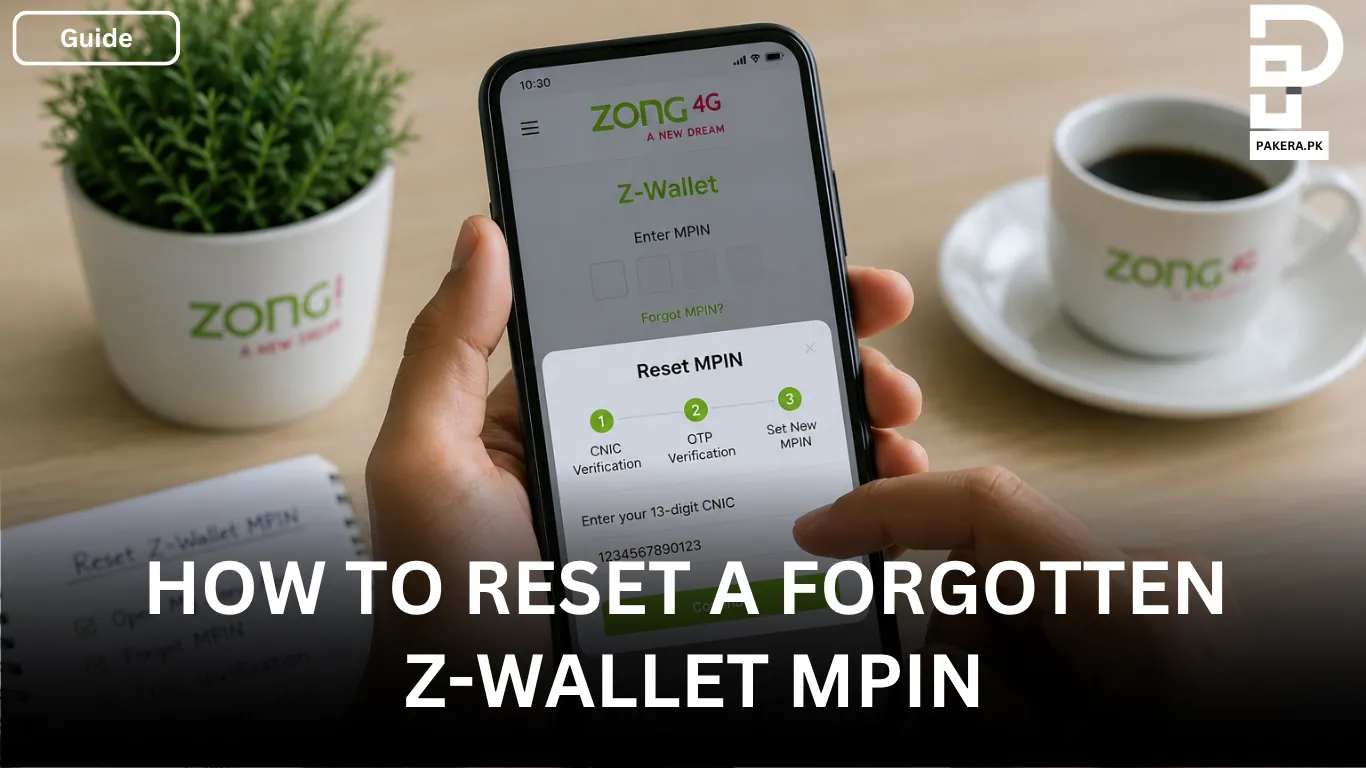
Launch the My Zong App on your mobile phone and navigate to the Z-Wallet section. On the login screen, tap the Forgot MPIN option. When prompted, enter your 13-digit CNIC number to begin the verification process.
Verify Your Identity
After entering your CNIC, you will need to verify your identity. Depending on your account settings, this may require answering a security question or entering the One-Time Password (OTP) sent to your registered Zong mobile number.
Once your identity has been successfully verified, you will be allowed to proceed to the next step.
Create a New MPIN
Now, create a new 4-digit MPIN and enter it again to confirm it. Choose a PIN that is easy for you to remember but difficult for others to guess to keep your Z-Wallet account secure.
After successfully setting your new MPIN, you can use it to log in and access your Z-Wallet account as usual.
Tips for Keeping Your Z-Wallet MPIN Secure
Your MPIN is the key to accessing your Z-Wallet account, so it’s important to keep it secure. Here are a few simple tips:
- Never share your MPIN with anyone.
- Avoid using easily guessed numbers such as your birth year or 1234.
- Memorize your MPIN instead of writing it down.
- Change your MPIN immediately if you believe someone else may know it.
Frequently Asked Questions
Yes. If you can successfully verify your identity through the My Zong App, you can reset your forgotten MPIN without visiting a franchise.
You will need your 13-digit CNIC number. You may also be asked to answer a security question or enter an OTP sent to your registered Zong number.
Make sure your registered Zong SIM is active and has network coverage. If the OTP still doesn’t arrive, try requesting it again after a few minutes or contact Zong customer support for further assistance.
No. Once you create a new MPIN, the previous one becomes invalid, and only the new MPIN can be used to access your Z-Wallet account.
Conclusion
Resetting a forgotten Z-Wallet MPIN is a quick and straightforward process through the My Zong App. By verifying your identity with your CNIC and either a security question or OTP, you can create a new 4-digit MPIN and regain secure access to your account within minutes. Keeping your new MPIN confidential and choosing a strong combination will help protect your Z-Wallet from unauthorized access.