Check Your Core Web Vitals in Pakistan: LCP 2.5 Seconds, INP 200 ms, CLS 0.1
See the three Core Web Vitals limits Google uses, how to read the Search Console report and which fix to start with when your Pakistani website shows Poor.

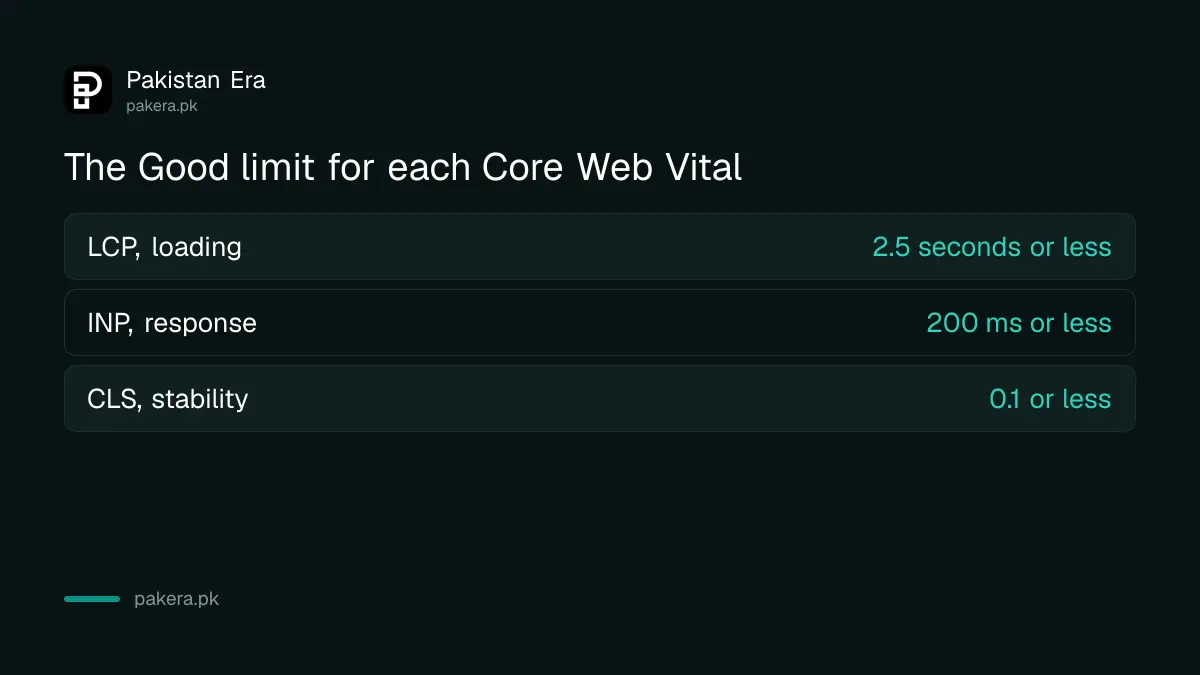
Short answer: Open the Core Web Vitals report in Google Search Console. A page is "Good" only when its Largest Contentful Paint is 2.5 seconds or less, its Interaction to Next Paint is 200 milliseconds or less and its Cumulative Layout Shift is 0.1 or less, all measured for 75 per cent of real visits. If a group of pages shows "Poor" or "Need improvement", fix the slowest metric first.
A shop owner in Faisalabad opens his own website on a mid-range phone over mobile data. The photo takes four seconds to appear, then the "Buy" button jumps down the screen just as he taps it. His customers see exactly the same thing. Core Web Vitals are Google's way of putting numbers on that experience.
We read Google's own pages on web.dev and in Search Console Help on 12 October 2026 for the limits and steps below. We did not run a test on your site, so the figures here are the published thresholds, not a result for your pages.
Core Web Vitals are three measures of loading, response and stability
Core Web Vitals are three timings Google collects from real visitors: how fast the main content loads, how fast the page reacts to a tap, and how much the layout moves. Each has a "good" limit. Your page must meet all three to be rated Good.
The three measures have short names. LCP is Largest Contentful Paint, the time until the biggest item on the screen, usually a photo or a heading, is visible. INP is Interaction to Next Paint, the delay between a tap or click and the screen showing a response. CLS is Cumulative Layout Shift, a score for how much visible content moves around while the page loads.
| Measure | Good | Needs improvement | Poor |
|---|---|---|---|
| LCP (loading) | 2.5 seconds or less | 2.5 to 4 seconds | Over 4 seconds |
| INP (response) | 200 ms or less | 200 to 500 ms | Over 500 ms |
| CLS (stability) | 0.1 or less | 0.1 to 0.25 | Over 0.25 |
Google tells site owners to judge these at the 75th percentile of page loads, split by mobile and desktop. In plain words, three out of four visits must be at or under the limit.
The Search Console report shows real visitor data, not a lab test
The Core Web Vitals report in Search Console uses field data from the Chrome User Experience Report, which collects anonymous timings from real Chrome users. It groups similar URLs together, and each group takes the status of its slowest metric on each device type.
That has two effects. First, a small or new site may see "no data available", because the report needs enough visits to protect privacy. Second, one slow template drags down a whole group. If every product page shares one heavy design, they all show the same status.
Search Console labels a URL group Poor if LCP is over 4 seconds, INP is over 500 ms or CLS is over 0.25. It is Good only when all three are inside the good limits. Everything in between is "Need improvement".
Find the failing metric before you change anything
Start with the report, then open one example URL from the failing group in PageSpeed Insights. The tool shows the field data for that page at the top and a lab test below it, so you can see which of the three measures is failing and why.
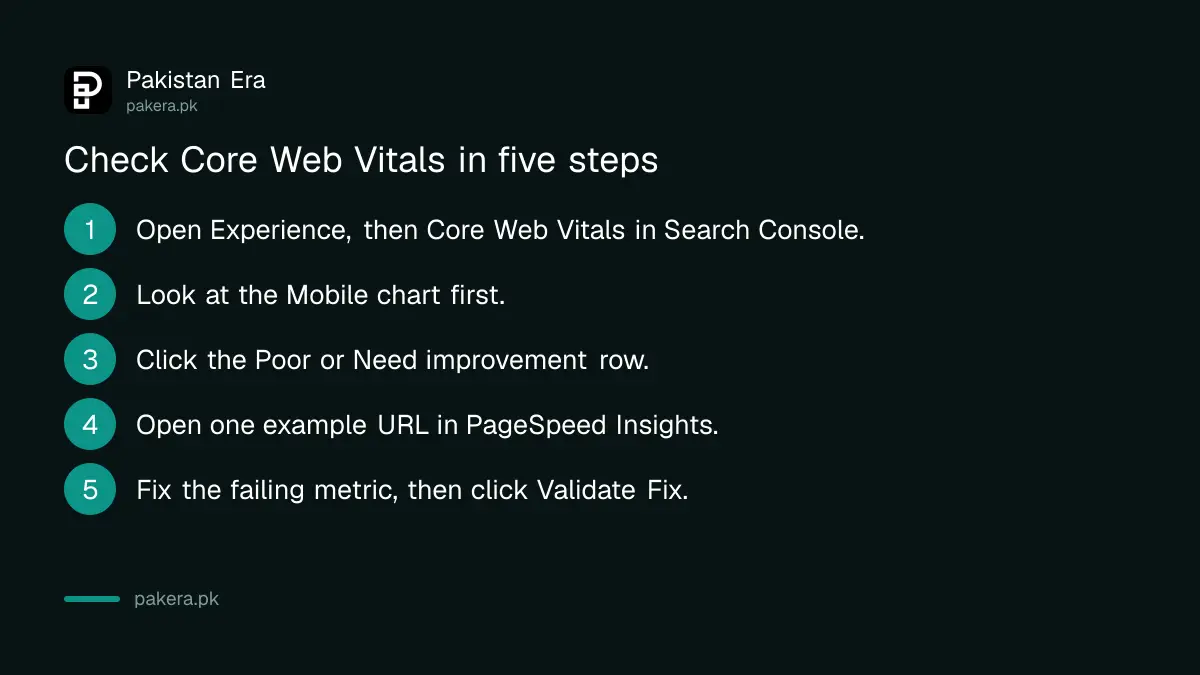
- Open Search Console, choose your property and go to Experience, then Core Web Vitals.
- Look at the Mobile chart first. Most Pakistani visitors arrive on a phone.
- Click the Poor or Need improvement row and note the issue named, for example "LCP issue: longer than 2.5 s".
- Open one example URL from the list in PageSpeed Insights and read the field data at the top.
- Fix the metric that fails, then click Validate Fix in Search Console.
Validation takes about 28 days. Search Console watches fresh field data for four weeks before it marks the issue fixed. Do not expect a green chart the next morning.
Slow loading usually comes from the server, the main image or blocking files
Google splits LCP into four parts. About 40 per cent is the wait for the server's first byte. About 40 per cent is the time to load the main image or text. The remaining small parts are the delay before loading starts and the delay before the item is drawn. Fix the large parts first.
Google's own LCP guidance lists these fixes, in plain words:
- Make the main image visible in the page's HTML, so the browser finds it at once and does not wait for a script.
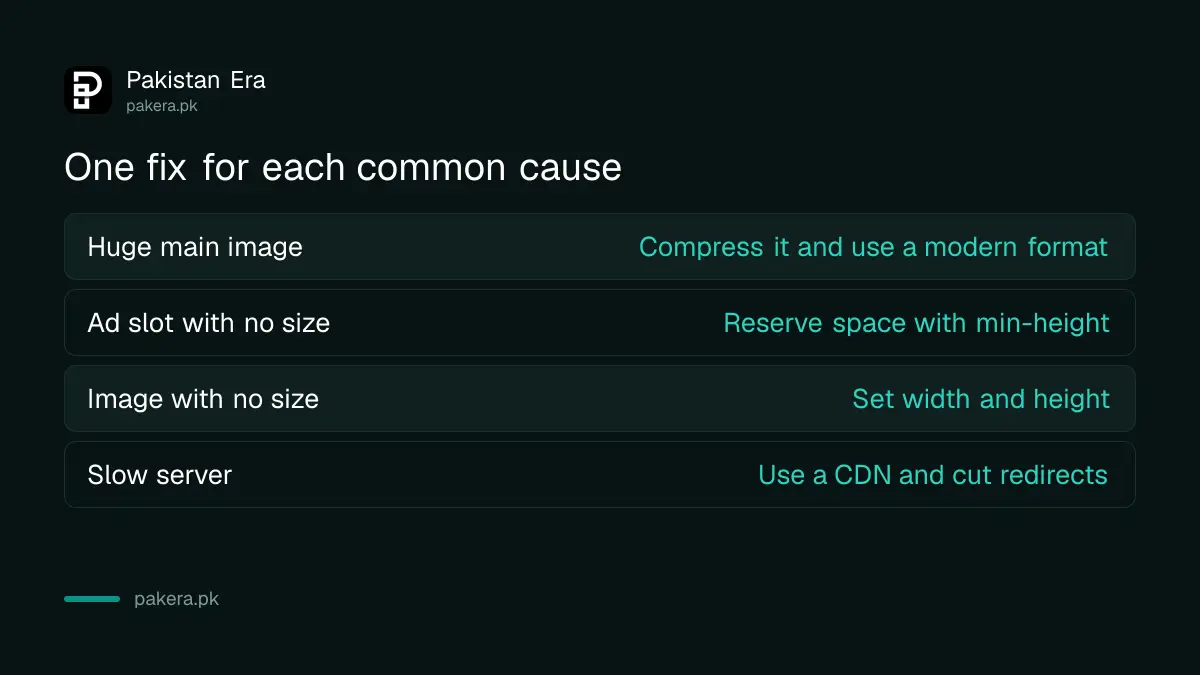
- Compress images and use a modern format. A 3 MB photo on a mobile connection is the most common cause we would check first.
- Use a CDN, a service that serves your files from a server near the visitor, and set a sensible cache rule.
- Avoid redirect chains. Each redirect adds waiting time before the page begins.
- Remove scripts and style files that block the page from drawing.
If your site is on cheap shared hosting that answers slowly, no image trick will fix the first 40 per cent. That is a hosting decision.
Slow taps and jumping layouts have separate fixes
INP measures every click, tap and key press during a visit, not only the first one. Google says the main fixes are to break up long JavaScript tasks, reduce the size of the page structure and avoid heavy work while the page responds. Fewer plugins and chat widgets usually help most.
For layout shift, Google names four causes and gives a fix for each:
| Cause of layout shift | Fix from Google's guidance |
|---|---|
| Images with no size | Set width and height on every image |
| Ads and embeds that load late | Reserve space with min-height or aspect-ratio |
| Web fonts that swap in | Set a fallback font and use font-display |
| Animations that move content | Animate with transform, not top or left |
Sites that show Google ads should note the second row. An ad slot with no reserved space pushes your article down the moment the ad appears. A site that plans for AdSense approval should design the slot sizes before the ads arrive.
Core Web Vitals help, but they do not replace useful pages
Treat these numbers as a quality check, not a ranking switch. A fast page that does not answer the question will not rank, and a page that is not indexed at all has no Core Web Vitals problem to solve. If a page is missing from Google, start with the pages-not-indexed report and rule out a robots.txt or noindex block first.
We would also be careful with any agency that promises a ranking jump from a speed fix alone. Our note on checking an SEO agency's claims sets out what Google does and does not say.
Common questions
What are the three Core Web Vitals?
They are Largest Contentful Paint for loading, Interaction to Next Paint for response and Cumulative Layout Shift for stability. Google's good limits are 2.5 seconds, 200 milliseconds and 0.1.
Why does Search Console say "no data available" for my site?
The report needs enough real Chrome visits to a URL group. A new or small site may not reach that level yet. PageSpeed Insights can still run a lab test for any single page.
How long does Validate Fix take?
Google says validation monitors field data for 28 days. Fix the issue properly before you click, because a failed validation restarts the wait.
Did INP replace First Input Delay?
Yes. First Input Delay only judged the first interaction. INP looks at all clicks, taps and key presses during the visit and reports the slow ones.
Should I check mobile or desktop first?
Check mobile first. The report lists the two device types separately, and a group takes the status of its slowest metric, so a failing mobile group needs attention even if desktop is green.
Can a fast page still fail?
Yes. One bad metric is enough. A page with a quick load but a banner that jumps will fail on layout shift.
How we verified this
What we checked, where we read it, and what we could not confirm.
We checked these pages on 12 October 2026: Google's Web Vitals guide on web.dev for the thresholds and the 75th percentile rule, Google's Core Web Vitals report help for the report, grouping and 28 day validation, and the web.dev pages on optimising LCP, INP and CLS for the fixes. Thresholds can change, so check the web.dev page again before you start a big redesign.
About the author

Founder and Editor
Umer Kureshi founded Pakistan Era in July 2024 and runs it as administrator, SEO lead and writer, overseeing website operations, search growth, content strategy and coverage of technology and current affairs.