Check Your Pakistani Website Is Ready for Google Discover: Image and Headline Rules
Google says Discover needs no special markup. See its image size rule of 1200 pixels, the headline advice and how to read Discover traffic in Search Console.
Short answer: Google says there is no special markup or sign-up for Discover. A page is eligible when Google has indexed it and it meets Discover's content policies. You help yourself with a large image, an honest headline and timely content. Discover traffic is less predictable than search traffic, so treat it as a bonus.
Discover is the feed of articles that appears in the Google app and on many Android phones.
Discover has no sign-up and no special markup
Google's page says content is automatically eligible if it is indexed and meets the Discover content policies. No structured data is required. So there is nothing to add to your pages to switch Discover on.
That also means no tool or plugin can promise a place in the feed. Be careful with anyone who sells "Discover setup". If a page is not indexed, fix that first with our steps for pages not indexed in Search Console.
Google also says Discover traffic is "less predictable or dependable" than keyword-driven search visits. Do not build a monthly plan on it.
Image rules are the part you control most
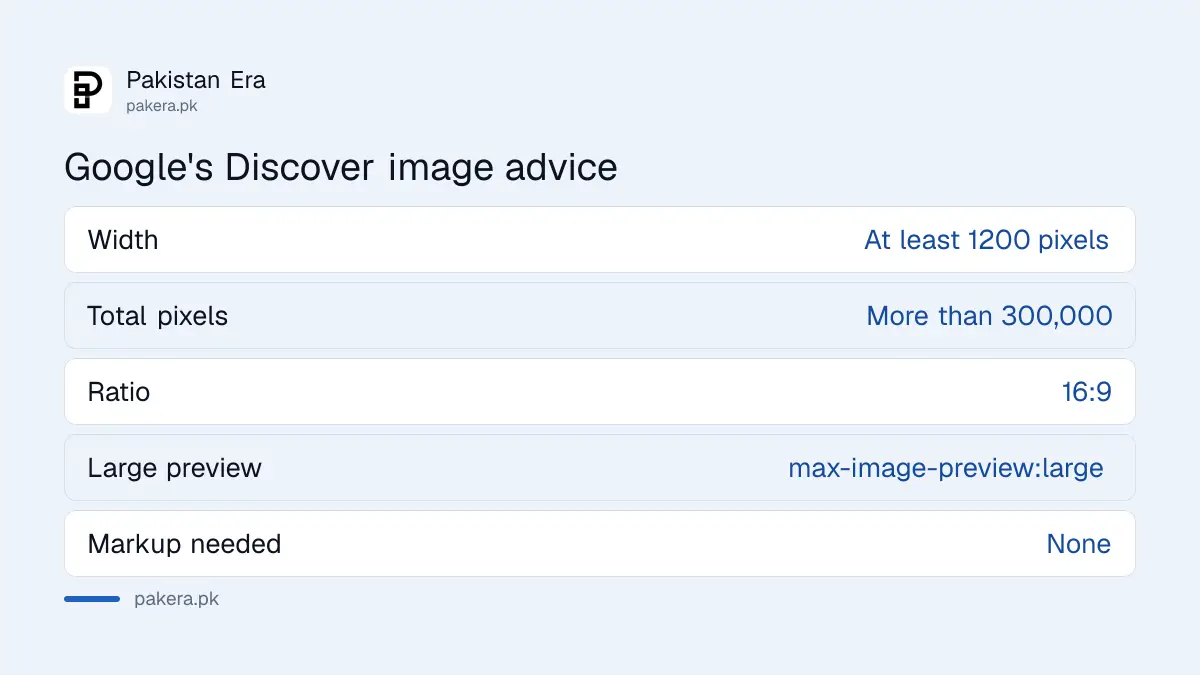
Google recommends large, high quality images at least 1200 pixels wide, with more than 300,000 pixels in total and a 16:9 ratio. To allow large previews, set the max-image-preview:large robots setting or use AMP.
| Item | What Google recommends |
|---|---|
| Image width | At least 1200 pixels |
| Total pixels | More than 300,000 |
| Aspect ratio | 16:9 |
| Large preview | Allow max-image-preview:large, or use AMP |
| Preferred image | Name it with schema.org markup or an og:image tag |
A logo or a small thumbnail is the usual reason a good article looks weak in the feed. Use a real photo of the subject and avoid text stuffed across it.
Discover content policies decide whether a page can appear at all
Google's Discover content policies say a page must follow Search's overall policies and spam policies, and must not break ten policies for Search features. Discover adds three rules of its own on top.
| Policy group | What it covers |
|---|---|
| Search feature policies | Dangerous, deceptive, harassing, hateful, sexually explicit, violent extremist, violent and gory content, manipulated media, medical content, vulgar language |
| Ads and sponsored content | Ads must not outweigh the content, and paid or affiliate content must be clearly disclosed |
| Misleading content | The title, snippet or image must not promise details the article does not give |
| Transparency | Clear dates and bylines, author and publisher information, the company behind the site, and contact details |
The transparency rule is where many small Pakistani sites fall short. Run this check on your own site:
- Every article shows a publish date, and an updated date when you change it.
- Every article names a real author, with an author page.
- An About page says who owns and runs the site.
- A Contact page gives a working email or phone number.
- Sponsored posts say they are sponsored, at the top.
Google says it may remove content that breaks these rules, and repeated breaches can make a whole site ineligible for Discover. A Discover manual action shows in Search Console under Security and Manual actions. The fix and the review request are in our guide to fixing a Google manual action.
Headlines should say what the page is about
Google tells publishers to avoid clickbait and similar tactics that artificially inflate engagement, and to avoid sensational wording. It asks for titles and headlines that capture the essence of the content. Content that is timely, tells a story well or gives unique insight fits Discover best.
For a Pakistani site, that means a headline that names the subject, the place and the fact. "Punjab Changes School Timings from Monday" says more than "You Won't Believe What Punjab Did". The first is also easier for a second-language reader.
The same rule covers how you write with AI tools. Our summary of Google's rules on AI-written content shows where Google draws the line. Other site rules matter too, including the site reputation policy.
How to check your Discover traffic in five steps
Open the Search Console Performance report for Discover. Google says it shows impressions, clicks and click through rate for content that has appeared in Discover over the last 16 months, as long as your data reaches a minimum number of impressions. It also counts Discover traffic from Chrome. If the report does not appear, your pages have not been shown enough yet, which is common for a new or small site. If you have not added your site to Search Console, start with verifying your website in Search Console.
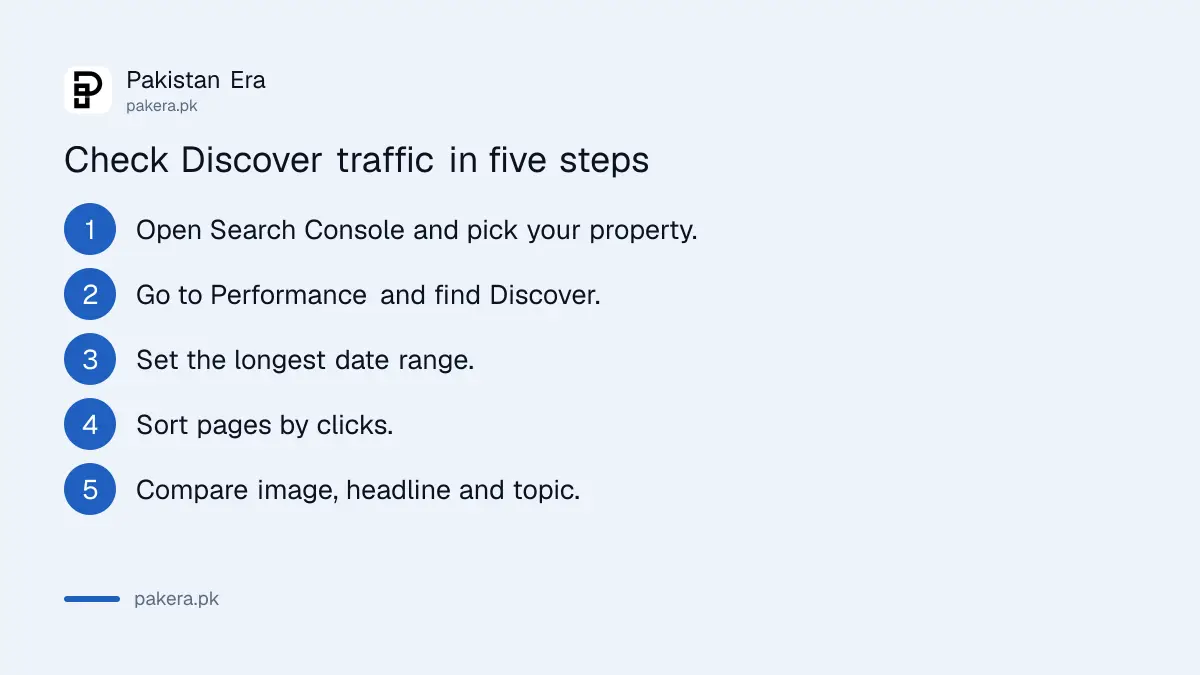
- Open Search Console and choose your property.
- Go to Performance, then look for the Discover report.
- Set the date range to the longest period available.
- Sort the pages by clicks and read the top ones.
- Compare those pages for image size, headline style and topic.
What to do when Discover traffic drops
Do not panic after one low week. Google gives three reasons Discover traffic moves: readers' interests change, Discover changes the types of content it shows, and Google Search updates also affect Discover. It adds that after an update there may be nothing you need to do.
- Check Search Console for a Discover manual action first.
- Compare the dates of the drop with Google's announced Search updates.
- Look at the pages that did well before the drop, and check their images are still large.
- Check the transparency list above on the pages that fell.
Discover also lets readers follow a site. Google's policies say followed sites appear in the Following feed unless they break the main content policies, so a loyal readership is the steadiest Discover traffic you can build. Asking readers to add your site as a preferred source helps the same way in Search.
If you wrote about a creator or channel, the new Google profiles for creators are not open in Pakistan yet. Our note on the Google Search Profile for creators explains the current position.
The best habit is plain. Publish pages worth reading, with a real image, a clear headline and a fact the reader did not have before. Then check the report once a month and stop refreshing it every day.
Common questions
Do I need to add structured data to appear in Discover?
No. Google says no special markup is required. A page is eligible when it is indexed and meets Discover's content policies.
What image size does Google recommend for Discover?
At least 1200 pixels wide, more than 300,000 pixels in total, in a 16:9 ratio. Allow large previews with max-image-preview:large or AMP.
Is Discover traffic reliable?
No. Google calls it less predictable or dependable than keyword-driven search visits. Use it as extra traffic, not as your main plan.
Where do I see my Discover clicks?
In the Search Console Performance report. Google says it shows impressions, clicks and CTR for Discover content over the last 16 months.
Can I use a clickbait headline to get more Discover clicks?
You should not. Google asks publishers to avoid clickbait and sensational tactics. Write a headline that names the subject of the page.
What does Google mean by transparency for Discover?
Its Discover content policies ask news sources for clear dates and bylines, information about the authors and the publisher, the company behind the site, and contact details.
Does a sitemap get me into Discover?
No. A sitemap can help Google find pages, but Discover eligibility depends on indexing and the content policies. Our guide on submitting a sitemap in Search Console explains what the file can and cannot do.
How we verified this
What we checked and where we read it.
We read Google's Discover documentation and its Discover content policies on 8 November 2026 and list the rules below, with a checklist you can run on your own site.
Last checked 8 November 2026. We read Google's Discover documentation (last updated 9 March 2026, according to the page) and Google's Discover content policies. The image size, headline advice, report details and traffic reasons are from the first page, and the policy list, transparency rules, manual action and Following feed are from the second. Google can change these rules at any time.
About the author

Founder and Editor
Umer Kureshi founded Pakistan Era in July 2024 and runs it as administrator, SEO lead and writer, overseeing website operations, search growth, content strategy and coverage of technology and current affairs.