Create a WhatsApp Channel in Pakistan: 7 Steps, 16 Admins, the Verified Badge and Deleting It
Create a WhatsApp channel in Pakistan for free in 7 steps, hide your number from followers, add up to 16 admins, and see what the verified badge really needs.
To create a WhatsApp channel in Pakistan, open the Updates tab, tap the three dots, then Create channel and Continue, add a name, and tap Create channel. It is free, your followers never see your phone number, and you can add up to 16 admins. Below are the steps for phone and computer, how to grow followers, what the verified badge really needs, and how to delete a channel safely.
Channels suit a madrassa sending class times, a cricket club posting scores, a home baker sharing the daily menu, or a coaching centre posting date sheets. We read WhatsApp's Help Center pages on creating, sharing, owning, verifying and deleting channels on 27 October 2026, and the steps here come from those pages.
A WhatsApp channel is a free one-way broadcast
A channel sends updates from you to an unlimited number of followers. Followers cannot reply or message admins; they can only react with emoji and vote in polls. Followers do not see your profile name, picture or phone number, which a group always exposes.
That makes a channel different from a group or a community. A group is a conversation. A WhatsApp community joins several groups under one banner. A channel is closer to a notice board that people choose to follow.
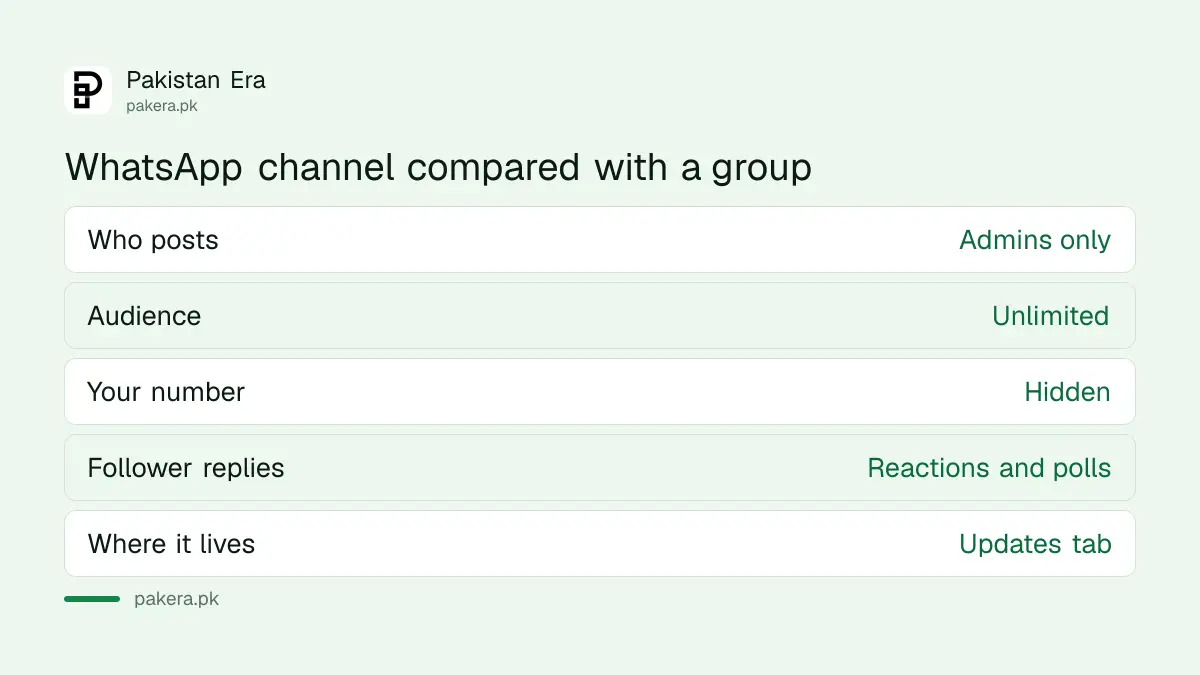
| Feature | Channel | Group |
|---|---|---|
| Who talks | Admins only | Every member |
| Audience size | Unlimited, per WhatsApp | Limited |
| Your phone number | Hidden from followers | Visible to members |
| Follower replies | Emoji reactions and poll votes | Full messages |
| Where it lives | Updates tab | Chats tab |
Channels can carry text, images, videos, stickers, links, audio and polls. WhatsApp shows ads in the Updates tab, which you can read about in the note on ads in Status and Channels.
Create a WhatsApp channel on Android in 7 steps
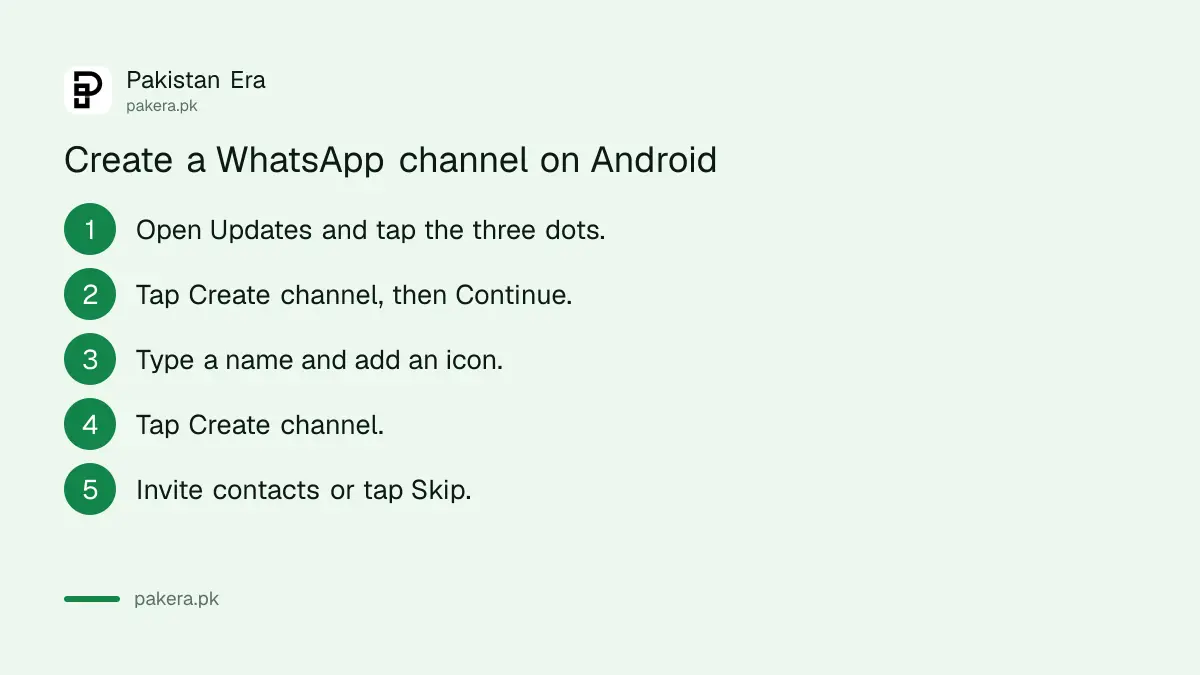
On Android the option sits behind the three-dot menu in the Updates tab. The name is the only field you must fill; the description and icon are optional and can be changed later. WhatsApp then offers to send invites to your contacts, which you can skip.
- Open WhatsApp and tap Updates.
- Tap the three dots, then Create channel, then Continue.
- Type a channel name. Add a description and an icon if you want.
- Tap Create channel.
- Select contacts to invite and tap the tick, or tap Skip.
- Add an optional message to the invite.
- Tap send.
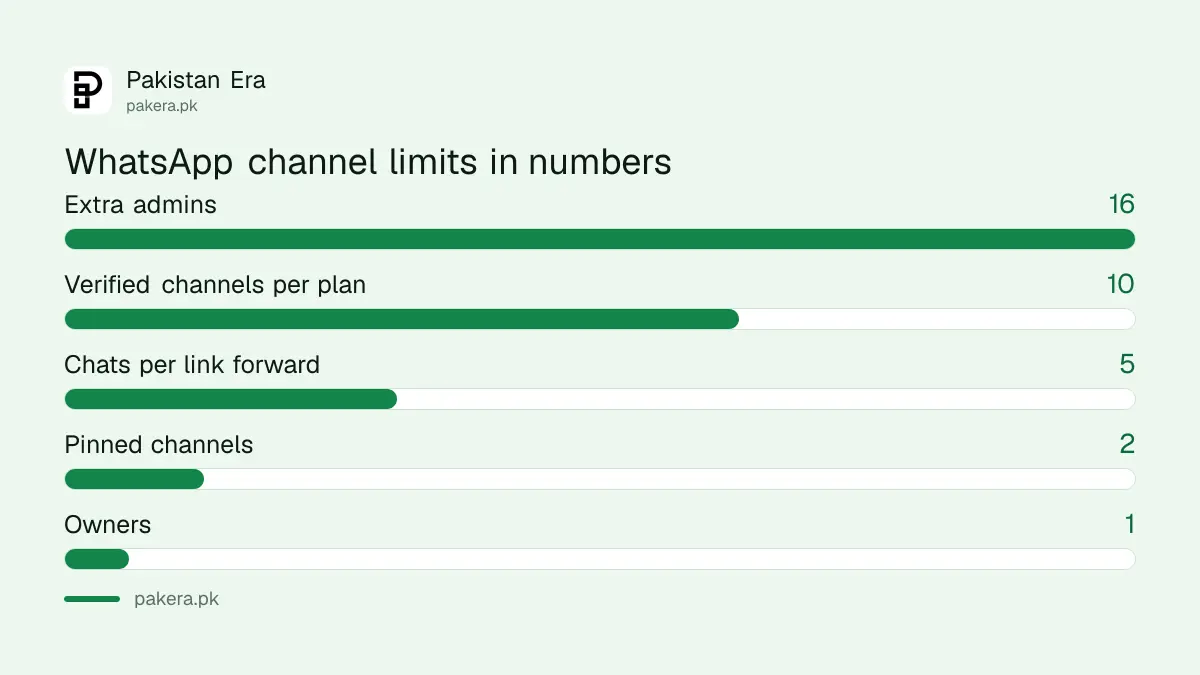
On WhatsApp Web and the desktop apps, the same steps start from the Channels page, then Create channel and Continue. You can pin up to two channels to the top of your list.
Pick the name with care. WhatsApp's Channels Guidelines ask for a title that reflects what the channel shares. A clear name such as "Model Town Cricket Club Scores" earns more follows than a clever one.
Share the channel link to grow followers
Every channel has its own link and QR code. You can forward the link to up to five chats or groups at a time, post it on your Status, or copy it into other apps and websites. People can also find channels by searching or browsing WhatsApp's directory.
- Open your channel and tap its name.
- Tap Send link via WhatsApp and choose up to five chats, or tap Copy link.
- Paste the link into your Status, a group description or your other social profiles.
Followers can also share your channel with their own contacts. WhatsApp shows you insights for the last 30 days, including accounts reached, top regions, and follows and unfollows. Use these before changing what you post.
Add up to 16 admins, but keep one owner
A channel has one owner and up to 16 extra admins. Admins can change channel info, create, edit and delete updates, and see metrics. Only the owner can invite or remove admins, transfer ownership, and delete the channel.
Choose admins you would trust with your phone. An admin who posts something that breaks the rules puts the whole channel at risk, because WhatsApp holds the owner and all admins responsible for what is shared.
The verified badge needs Meta Verified on WhatsApp Business
WhatsApp's own create page says channel verification is not publicly available yet. The one route it describes is for businesses: a verified WhatsApp Business account with an active Meta Verified or Meta One subscription can add a badge to up to 10 channels, depending on the plan.
On the WhatsApp Business app, the path is Tools, then Subscriptions, then Meta Verified or Meta One, then Verified channel. The verified business name becomes the prefix of the channel name, and the channel picture matches the business picture. The cost of that subscription in Pakistan is covered under Meta Verified prices, and setting up the app itself is covered under WhatsApp Business app setup.
Anyone selling a "green tick for your channel" through a WhatsApp number is not offering WhatsApp's process. Do not pay them.
Deleting a channel is permanent, and the owner must do it
Only the owner can delete a channel. Open it, tap its name, tap Delete channel and Delete, then enter your phone number to confirm. Followers see a message that the channel was deleted and keep old updates on their phones.
Non-followers lose all access, the link stops working and the channel leaves search. If you plan to delete your WhatsApp account, delete the channel first. If you leave admins in place and delete only your account, the admin who has followed longest becomes the new owner.
Follow the Channels Guidelines. WhatsApp can warn admins, stop delivery, remove updates, remove a channel from the directory, revoke its link, suspend it, or ban its admins.
Common questions
Is a WhatsApp channel free in Pakistan?
Yes. Creating and running a channel costs nothing. Only the verified badge needs a paid Meta Verified or Meta One business subscription.
Can channel followers see my number?
No. WhatsApp says followers do not see your profile name, picture or phone number.
How many admins can a WhatsApp channel have?
One owner plus up to 16 additional admins.
Can followers reply to my channel?
No. They can react with emoji and vote in polls, but they cannot reply or message admins.
Why can I not see the verified badge option?
WhatsApp says the option appears only for a verified business account with an active Meta Verified or Meta One subscription.
How we verified this
What we checked, where we read it, and what we could not confirm.
We read WhatsApp's Help Center pages How to create a WhatsApp Channel, About creating a WhatsApp Channel, How to share your channel, About channel ownership, How to create a verified channel and How to delete a channel, plus the WhatsApp Channels Guidelines, on 27 October 2026. We did not create a channel ourselves, so we could not confirm how the directory ranks Pakistani channels.
About the author

Technology Journalist & Multimedia Producer
Ahmad Ali is a technology journalist and multimedia producer at Pakistan Era, joining the team in October 2026. He covers consumer technology and digital life for Pakistani readers, combining research with hands-on product testing.