How to Slow Googlebot With a 503 or 429 Code When Your Pakistan Website Is Overloaded
Googlebot overloading your Pakistan website? Use a 503 or 429 code with Retry-After to slow it, but stop within one to two days. Read the exact steps and risks.
If Googlebot is crawling your Pakistan website so hard that pages load slowly or fail, you can slow it down by returning a 503 or 429 status code for a short time. Add a Retry-After header to say when to come back, and stop the errors within one to two days.
Imagine a shop on shared hosting in Lahore or Karachi on its worst day. Orders are coming in, the admin panel crawls, and the server log shows thousands of Googlebot requests every hour. Google's own crawl rate page explains the emergency fix, and we read it on 15 October 2026. This guide turns it into steps a small site owner can follow.
Return a 503 or 429 code to slow Googlebot down quickly
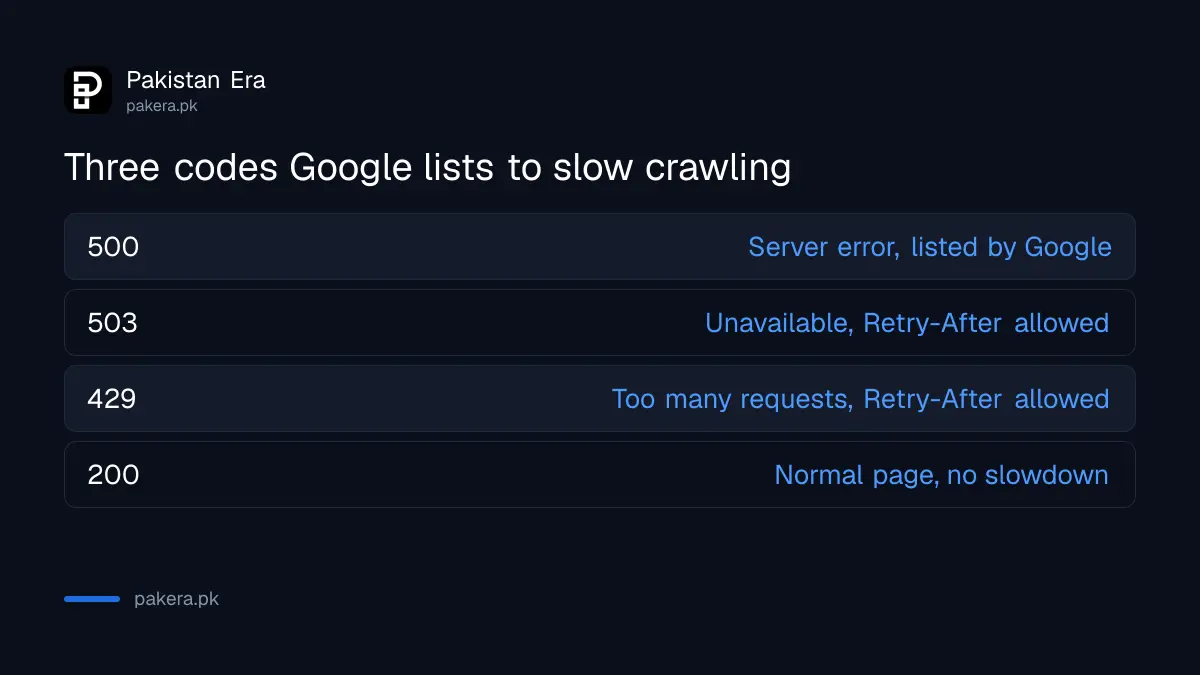
Google says the quick way to reduce crawling is to send a 500, 503 or 429 HTTP status code instead of 200 to crawl requests. Googlebot slows down on your whole hostname. It speeds up again by itself when the errors stop.
An HTTP status code is the three digit number your server sends back with every page. 200 means the page is fine. 503 means the service is temporarily unavailable. 429 means too many requests. Both 503 and 429 tell a crawler to try again later, which is exactly the message you want.
Notice the word "whole". Google says the drop applies to the entire hostname, including pages that would still have returned content. So you cannot protect only the busy pages. The next section helps you decide if this step is worth taking at all.
Find the cause in your server logs before you block anything
Google tells site owners to check access logs and hosting data for the source of heavy crawling. Faceted navigation, calendar style date URLs and Dynamic Search Ads targets are the common causes. Fixing the source is better than throwing errors.
Faceted navigation means filter links, such as colour, size and price, that create thousands of URL combinations. A clothing store with ten filters can produce far more crawlable URLs than products. Calendar pages are the same problem: a "next month" link that never ends.
| Likely cause | What you see in the log | Better fix than errors |
|---|---|---|
| Filter links on a shop | Many URLs with ?color=, ?size= or ?price= | Reduce the filter links that can be crawled |
| Calendar or archive pages | Date URLs far into the future | Remove the endless next link |
| Dynamic Search Ads | Heavy requests from Google's ad crawler | Narrow the ad targets in Google Ads |
| A weak server | Slow responses even at normal traffic | Upgrade the plan or add caching |
If the log shows one clear pattern, fix that first. The error method is a bandage for a bad day, not a plan. If your traffic simply outgrew a cheap hosting plan, the real answer is a bigger plan, and the errors only buy you time.
Add a Retry-After header to tell Googlebot when to return
Retry-After works with 503 and 429 responses. It gives the number of seconds to wait, or an exact date and time in UTC. Google's page shows an example of Retry-After: 120, which means try again after two minutes.
Pick a delay that matches your plan. If a flash sale ends at midnight, you may want a delay of a few hours. If your server just needs a short rest, 120 seconds is enough. A longer delay is not better. Googlebot cannot read your new pages while it waits.
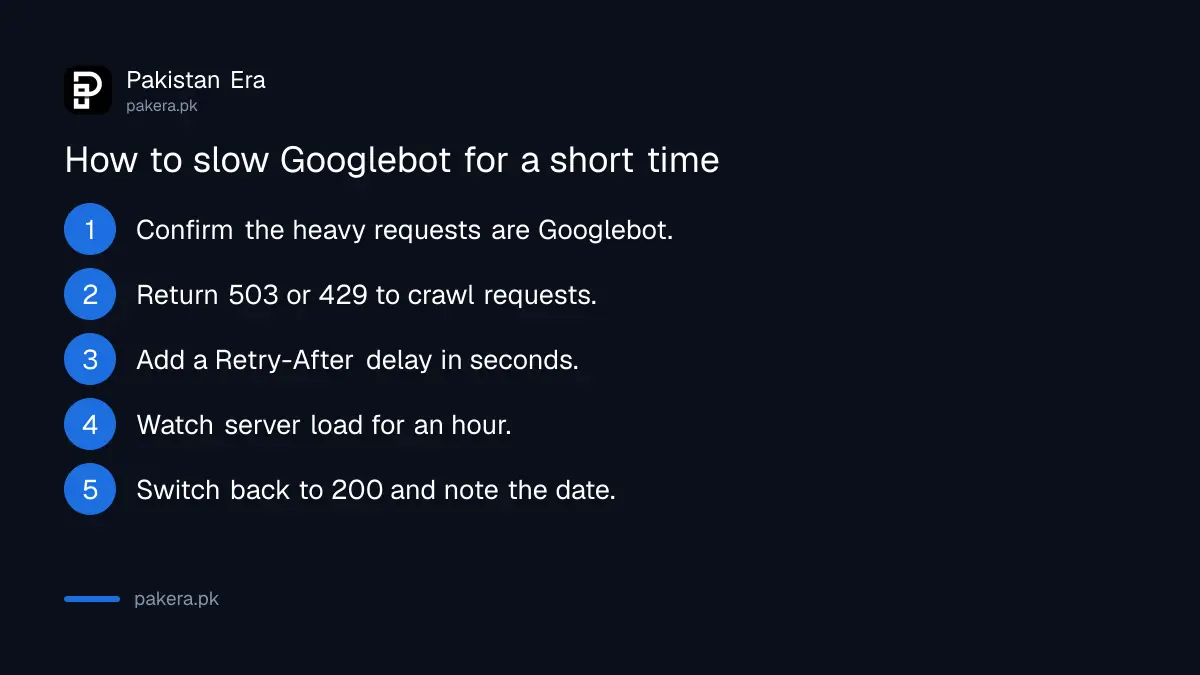
- Open the access log and confirm the heavy requests come from Googlebot.
- Ask your host, or your developer, to return 503 or 429 for crawl requests.
- Add the Retry-After header with a delay in seconds.
- Watch the log and server load for the next hour.
- Switch the pages back to normal 200 responses.
- Write down the date and time, so you can count the days.
Stop the errors within one to two days or pages may drop out of Google
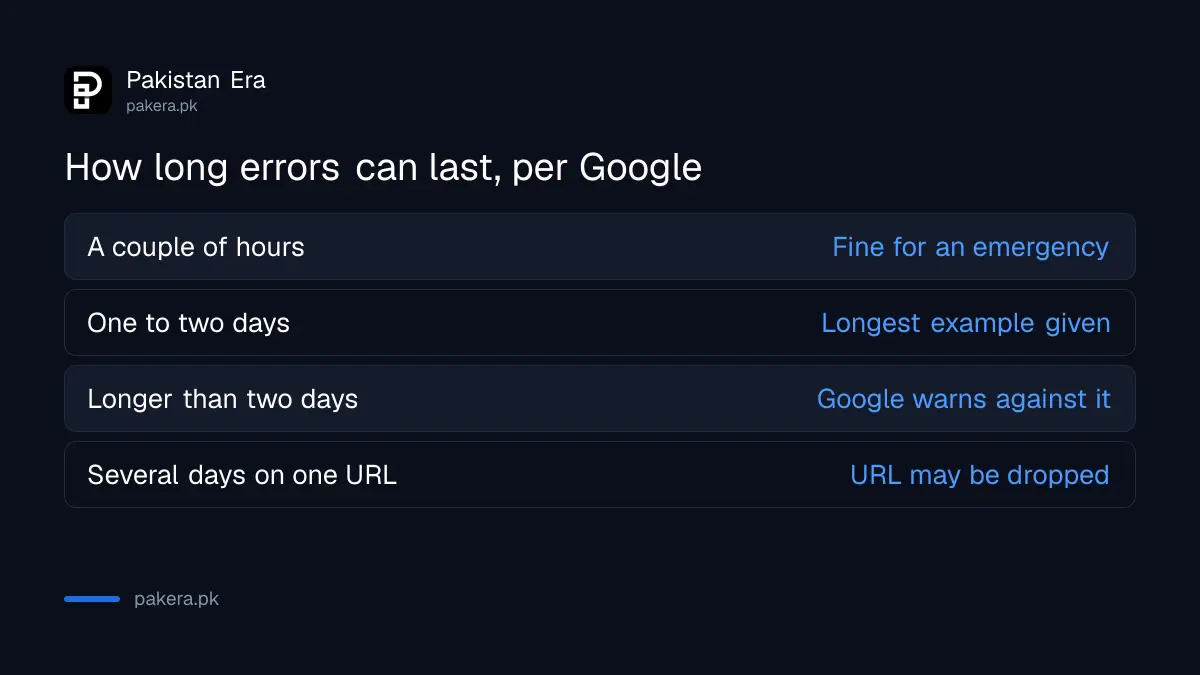
Google says to keep the emergency errors short, for example a couple of hours or one to two days. It warns against going longer. If Googlebot sees these codes on the same URL for multiple days, that URL may be dropped from the index.
This is the part that hurts shops most. A site owner turns on a 503 to survive a weekend, forgets about it, and finds that product pages have disappeared from search a week later. Treat the switch like a gas stove: you turn it off before you leave the room.
| How long errors last | Google's guidance |
|---|---|
| A couple of hours | Fine for an emergency |
| One to two days | The longest Google gives as an example |
| More than one to two days | Google warns against it |
| Multiple days on the same URL | The URL may be dropped from the index |
If errors did run for days, do not panic. Open Google Search Console and look for pages that fell out. Then follow the steps to fix pages that are not indexed after the server is healthy again.
Ask Google to review an unusually high crawl rate when errors are not possible
If you cannot serve error codes, Google lets you file a special request to report an unusually high crawl rate and suggest a better rate. You cannot ask for a higher rate. Google says the review can take several days.
Several days is slow, so this route is for a repeating problem, not for today's outage. It helps most when the crawl load is steady and your host is limited. For a small site on a decent plan, the log fix is faster.
Also check that your basics are sound. A slow site invites trouble in any case. The checks after the September 2026 spam update show what Google looks at on a small site, and your Google Analytics 4 reports show whether real visitors suffered during the slow hours.
Common questions about slowing Googlebot
Which status code is best for slowing Googlebot?
Use 503 or 429, because Google says Retry-After applies to those two. Google also lists 500 as a way to reduce crawling.
Will a 503 hurt my rankings?
A short one should not. Google warns that errors on the same URL for multiple days may drop the URL from the index.
Does the slowdown apply to only some pages?
No. Google says crawl rate drops across the whole hostname, including pages that still return content.
How does Googlebot recover?
Automatically. Google says the crawl rate goes back up once the errors decrease, so you do not need to submit anything.
Can I ask Google to crawl more?
No. The special request form lets you report an unusually high rate and suggest a lower one. It cannot raise crawling.
What is Retry-After?
It is a header that gives seconds to wait, or a UTC date and time. Google's example is Retry-After: 120.
How we verified this
What we checked, where we read it, and what we could not confirm.
Last checked 15 October 2026. We read Google Search Central's page on reducing the Googlebot crawl rate at developers.google.com on 15 October 2026. Status codes, the Retry-After example, the one to two day limit and the special request route come from that page. We did not run a 503 test on a live site. Check with your host before you change server settings.
About the author

Founder and Editor
Umer Kureshi founded Pakistan Era in July 2024 and runs it as administrator, SEO lead and writer, overseeing website operations, search growth, content strategy and coverage of technology and current affairs.