Fix a Windows Update That Is Stuck or Failing on Your PC in Pakistan
Windows Update stuck or failing? Run Microsoft's troubleshooter under Settings, System, Troubleshoot, free up disk space, restart and retry. Steps for Pakistan.
Short answer: If Windows Update is stuck or fails, run Microsoft's Windows Update troubleshooter. On Windows 11, open Settings, System, Troubleshoot, Other troubleshooters, and press Run next to Windows Update. Restart the PC, then go to Windows Update and press Check for updates. Make sure the drive has free space before you try again.
An update that sits at 30 percent for hours is common on Pakistani home PCs. Slow internet, a full drive or a sudden power cut can all cause it. Many people respond by switching the PC off with the power button, which can make it worse.
We read Microsoft's own page on fixing Windows Update problems on 13 October 2026. The troubleshooter steps and menu paths are from that page. The waiting advice and the data tips are our own plain suggestions, and we say where they are.
Wait first, then stop only if nothing moves
A big update can take a long time on a slow disk or a slow connection. Before you do anything, give it a fair wait. If the progress number has not changed for a few hours and the drive light is not blinking, it is stuck.
Do not hold the power button while the screen says "Do not turn off your computer" unless you are sure it is frozen. A PC that is cut off in the middle of writing system files may need a repair afterwards.
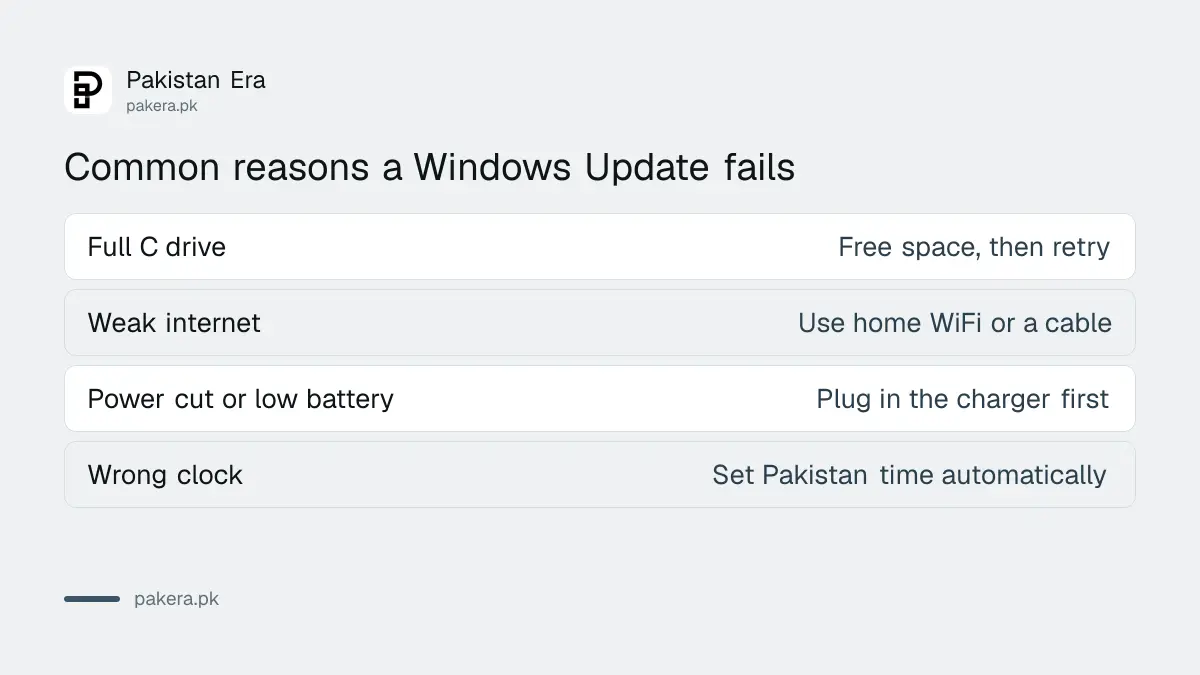
If the PC is a laptop, plug in the charger before you start an update. A laptop that runs out of battery mid update is a common cause of a broken update.
Run the Windows Update troubleshooter
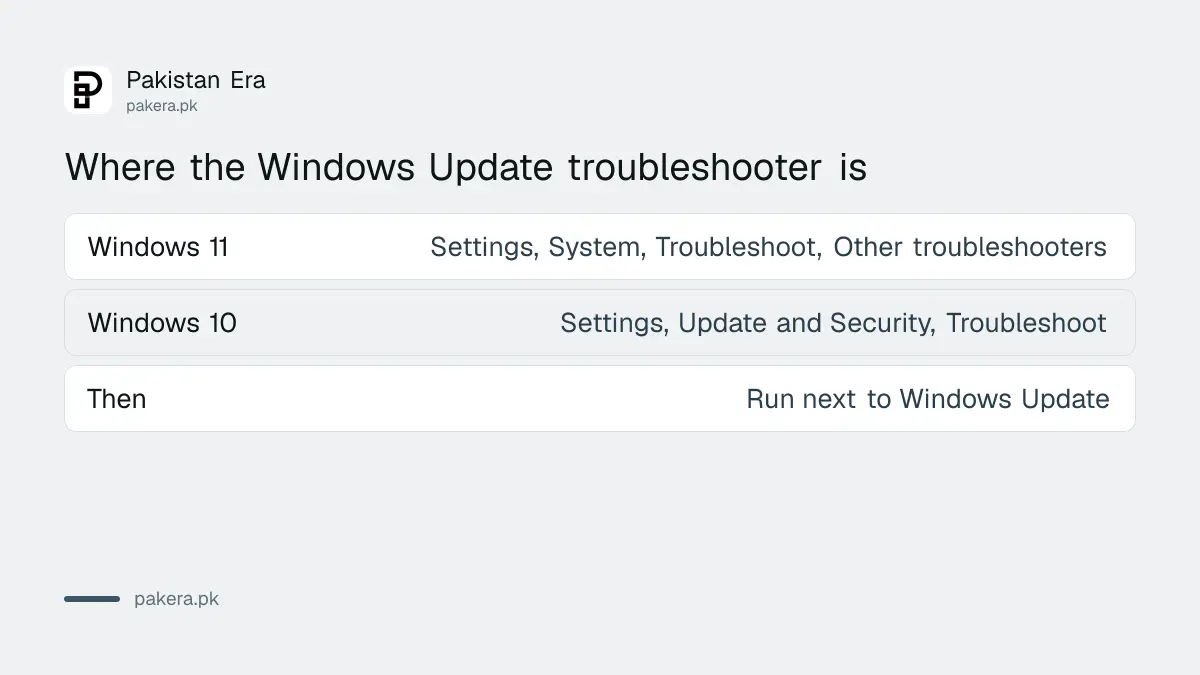
Microsoft says its Get Help app can run the Windows Update troubleshooter, which runs diagnostics and tries to fix most problems on its own. If you prefer to do it by hand, the settings path is below.
| Your Windows | Where the troubleshooter is |
|---|---|
| Windows 11 | Start, Settings, System, Troubleshoot, Other troubleshooters, Run next to Windows Update |
| Windows 10 | Start, Settings, Update and Security, Troubleshoot, Additional troubleshooters, Windows Update |
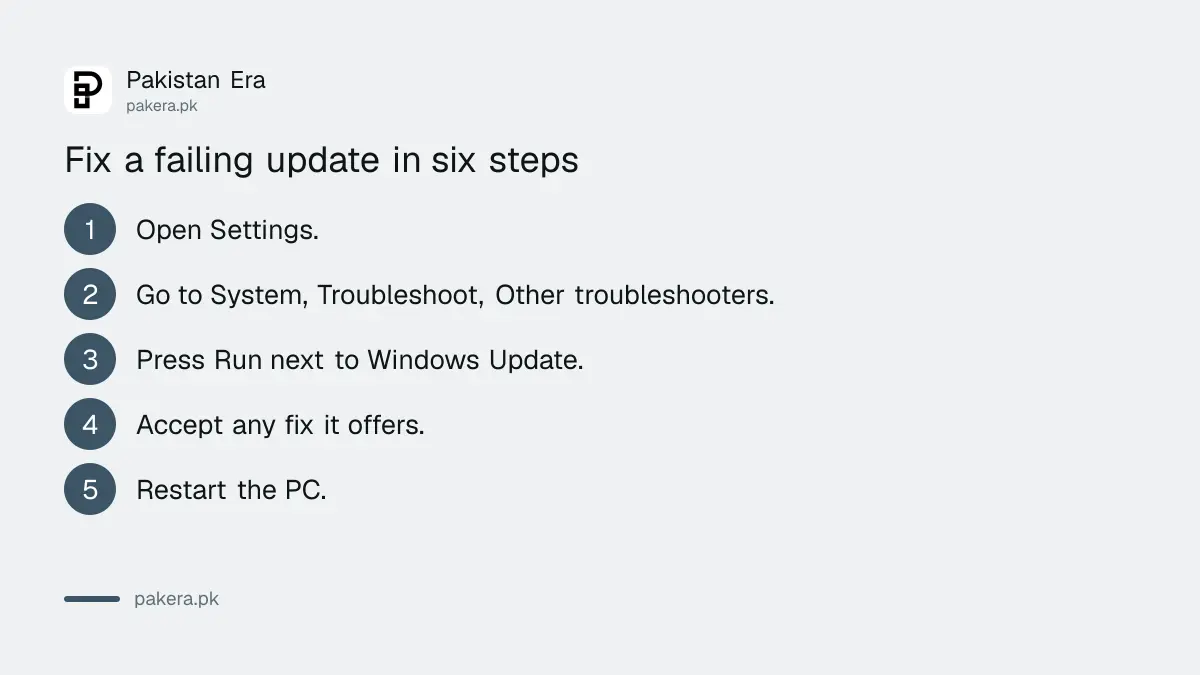
- Open Settings on the PC.
- Go to System, then Troubleshoot, then Other troubleshooters.
- Press Run next to Windows Update.
- Let it finish and accept any fix it offers.
- Restart the PC.
- Open Windows Update and press Check for updates.
Microsoft says to restart your device after the troubleshooter finishes. If the problem remains, run the troubleshooter once more before you try anything else.
Free up disk space before you retry
Microsoft's page tells you to ensure you have enough disk space before updating. A feature update needs many gigabytes of room for the new files. A PC with a nearly full C drive often fails with an error and no clear reason.
Open File Explorer, right click the C drive and choose Properties to see how much is free. Remove large videos, old downloads and unused programs, and empty the Recycle Bin. Move photos to a USB drive or the cloud. This is our practical advice, not a figure from Microsoft, so aim for as much free space as you can spare.
A full drive is also the reason many phones fail their updates. Our guide to fixing a full phone storage uses the same idea on Android and iPhone.
Slow or metered internet makes updates fail
Windows needs a steady connection to download an update. A mobile hotspot, a weak WiFi signal or a connection that drops every few minutes can leave the update half done. Move closer to the router or use a cable if you can.
If you are on a mobile data hotspot, Windows may hold large updates back because it treats the link as metered. That setting is meant to save your data. Our page on how to save mobile data covers the thinking, and you should plug into home WiFi for a big update instead of using paid data.
Also check the date and time on the PC. A wrong clock can break the secure connection to Microsoft's servers, which gives a download error. Set the clock to Pakistan time and to update automatically.
If it still fails, the PC may be out of support
Windows 10 support ended on 14 October 2025, which Microsoft repeats on its troubleshooting page. A Windows 10 PC that no longer shows new updates may simply have none to offer unless it is enrolled in the extended security programme.
See our guide to getting Windows 10 security updates in Pakistan to check if you qualify. If you plan to move to Windows 11, check your PC first and read our laptop buying checklist before you buy a replacement.
When nothing helps, back up your files to a USB drive or the cloud, then use Windows' reset option. Do not pay a shop to install a pirated copy, because those carry malware.
Common questions
How long should a Windows update take?
It depends on the update size and the PC. A big feature update can take well over an hour, so wait a few hours before you decide it is stuck.
Is it safe to turn the PC off during an update?
Avoid it. Cutting power can damage system files. Only force a shutdown if the screen has not changed for several hours.
Where is the Windows Update troubleshooter?
On Windows 11 it is under Settings, System, Troubleshoot, Other troubleshooters. On Windows 10 it is under Update and Security, Troubleshoot.
Why does my update keep failing at the same percentage?
The usual reasons are low disk space, a bad connection or corrupted update files. Run the troubleshooter and free up space.
Can I skip Windows updates?
You can pause them for a short time, but security updates close real holes. Install them when you can.
How we verified this
What we checked, where we read it, and what we could not confirm.
Last checked on 13 October 2026, Pakistan time. The troubleshooter paths, the Get Help app, the restart step, the disk space reminder and the note on Windows 10 support ending on 14 October 2025 are from Microsoft's Windows Update troubleshooter page. We did not run the troubleshooter on a failing PC for this page. The waiting advice, the disk space habit and the clock tip are common practice and not Microsoft statements.
About the author

Technology Journalist & Multimedia Producer
Ahmad Ali is a technology journalist and multimedia producer at Pakistan Era, joining the team in October 2026. He covers consumer technology and digital life for Pakistani readers, combining research with hands-on product testing.