Delete ChatGPT Account Permanently in Pakistan: Web, Android and iPhone Steps, 30-Day Rule
Delete your ChatGPT account in Pakistan from Settings on web, Android or iPhone. Cancel Apple and Play plans first. Data goes in 30 days; email reuse after 30.
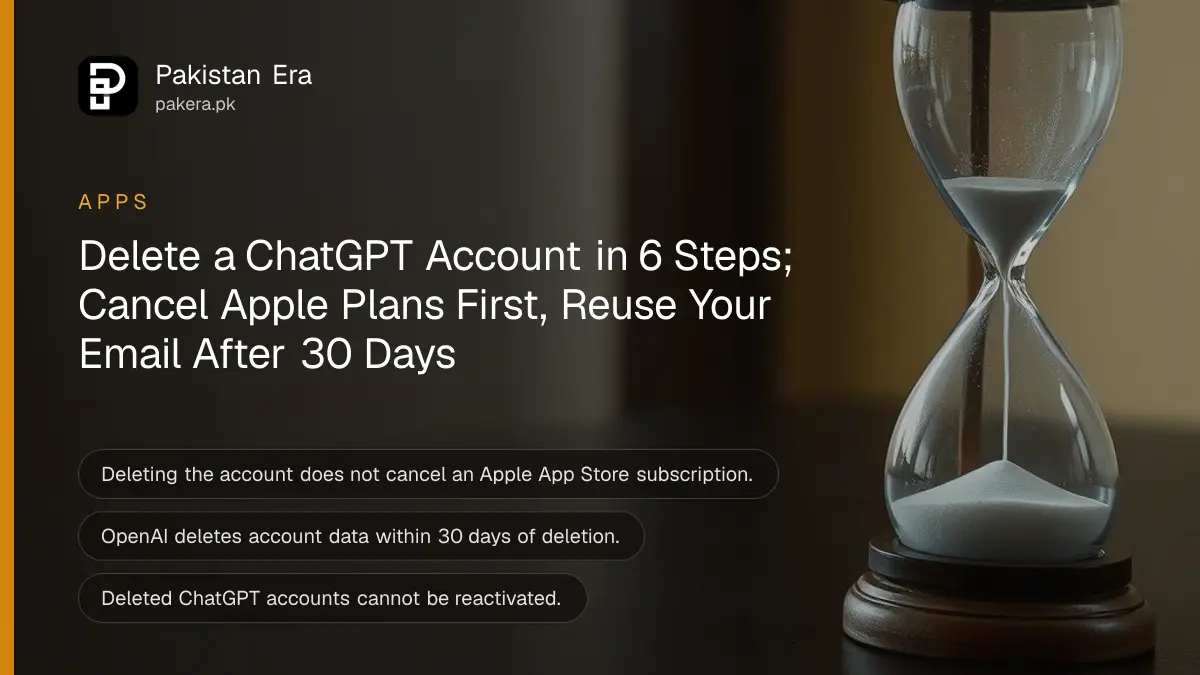
To delete your ChatGPT account, open chatgpt.com, go to Settings > Account, select Delete next to Delete account, type your email and DELETE, then confirm. On Android and iPhone, the option is under Settings > Data controls. Deletion is permanent: OpenAI deletes your data within 30 days, and you can reuse the same email only after those 30 days.
One warning comes first, because it costs Pakistani users real money. Deleting your account does not cancel a ChatGPT Plus you bought through the Apple App Store. If you paid on iPhone or Google Play, cancel in the store before you delete, or the charge can keep coming on your card. We read OpenAI's account deletion help page on 5 November 2026. We did not delete an account for this guide.
Delete a ChatGPT account on web, Android or iPhone
You can delete the account yourself in ChatGPT on any device. The web route asks you to type your email or phone number and the word DELETE. The app routes sit under Data controls. Each ends with a final confirmation button.
On the web (chatgpt.com)
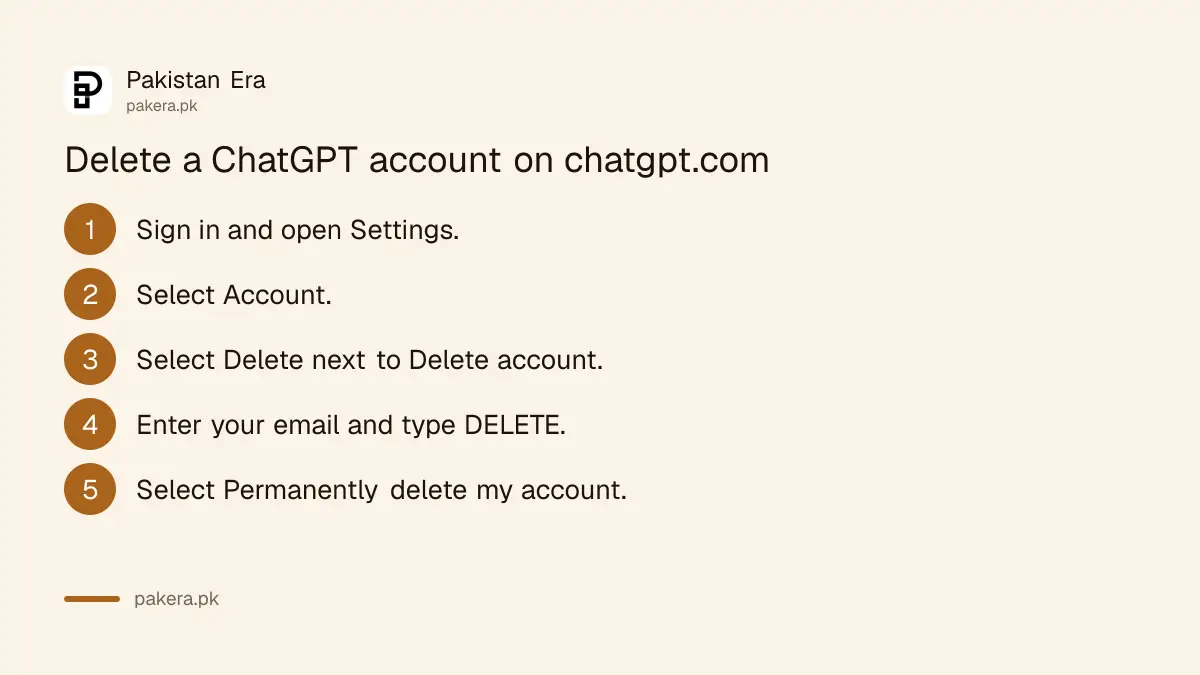
- Sign in to chatgpt.com.
- Open the account menu and select Settings.
- Select Account.
- Next to Delete account, select Delete.
- Enter your account email or phone number, and type DELETE.
- Select Permanently delete my account.
On Android
- Open ChatGPT and open Settings from your profile menu.
- Select Data controls.
- Select Delete OpenAI account (older versions say Delete Account).
- Read the warning and confirm.
On iPhone
- Open ChatGPT and open your account settings.
- Select Data controls, then Delete account.
- If you have an Apple subscription, tap Manage subscriptions and cancel it first.
- Confirm with Delete account.
If the app sends you back to your chats without a confirmation, OpenAI says the deletion did not finish. Use the Privacy Portal route below instead. A sign-in prompt on its own does not mean the account is gone.
Cancel your Apple or Google Play plan before you delete
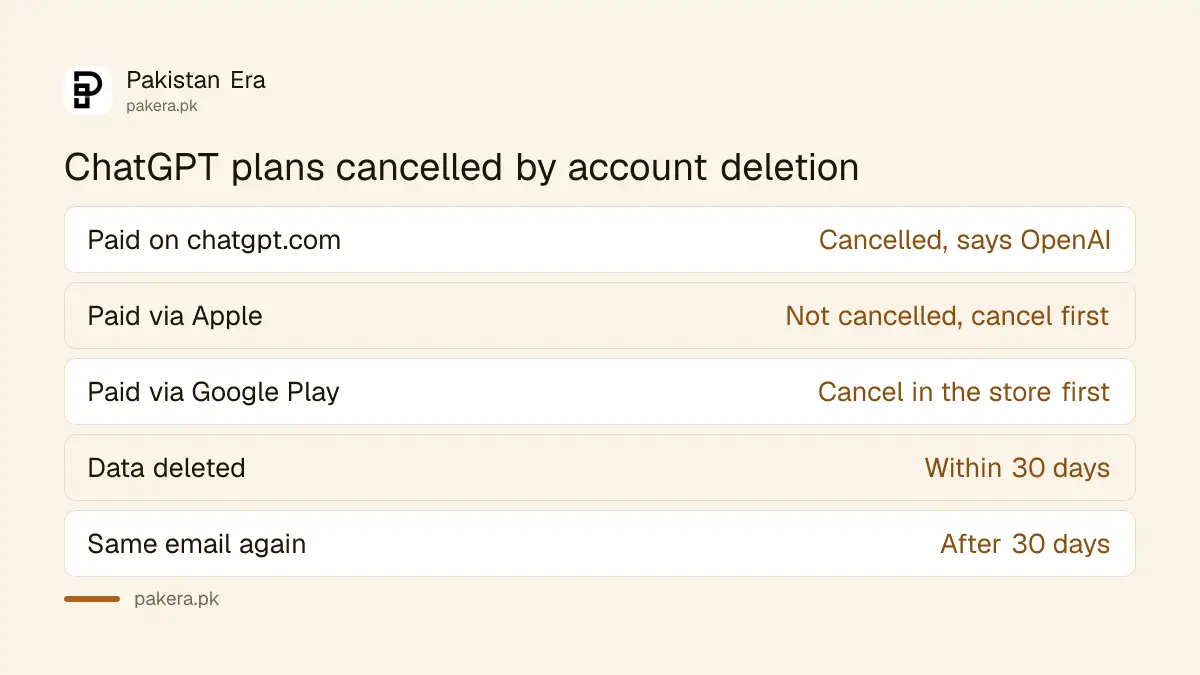
OpenAI says deleting the account cancels plans billed directly by ChatGPT on the web. It does not cancel an Apple subscription. For Google Play, OpenAI tells users to check and cancel in the store as well. Do this first, so no charge reaches your card next month.
| Where you pay | Does deleting cancel it? | What to do first |
|---|---|---|
| chatgpt.com (card) | Yes, says OpenAI | Nothing extra, but check your next statement |
| Apple App Store | No | Settings > your name > Subscriptions > ChatGPT > Cancel |
| Google Play | Check in the store | Play Store > Subscriptions > ChatGPT > Cancel |
Our guide to cancelling a Google Play subscription shows the Android steps. If you only want to stop paying, you do not need to delete anything; cancelling the plan is enough. Your account then drops to the Free plan.
Can't sign in? Use the OpenAI Privacy Portal
If you lost access to the account, you can still ask for deletion through OpenAI's Privacy Portal. You must verify the email or phone number already linked to the account. If you can reach neither, OpenAI Support does an ownership review instead.
- Go to privacy.openai.com.
- Select Make a Privacy Request.
- Select I have a consumer ChatGPT account.
- Select Delete my ChatGPT account and follow the verification steps.
Accounts inside a company's ChatGPT Business, Enterprise or Edu workspace cannot be deleted by the user. Ask the company or university that manages the account.
Export your chats first, because deleted means gone
Deleted accounts cannot be reactivated, and deleted chats cannot be recovered. OpenAI removes them from its systems within 30 days, apart from limited data it must keep for legal or security reasons. If any chat matters, export it before you delete.
- Export: our guide to exporting ChatGPT history shows how to get a copy by email.
- Just tidy up: you can delete or archive single chats without deleting the account.
- Privacy only: if you just want OpenAI not to use your chats for training, you can turn that off instead; see ChatGPT data controls.
- Ads account: if the same email runs an OpenAI Ads account, OpenAI says deleting may lock you out of it while campaigns keep running and charging. Pause them first.
The 30-day rule for your email and phone number
After a full deletion, you can sign up again with the same email after 30 days. OpenAI also removes the phone number from its system after 30 days, with some exceptions, so you can reuse it. Accounts disabled for breaking OpenAI's rules are not allowed back with the same email.
| Question | OpenAI's answer |
|---|---|
| Data deleted | Within 30 days |
| Reuse the same email | Yes, after 30 days, if fully deleted |
| Reuse the same phone number | Usually, after 30 days |
| Reactivate the old account | No |
| API phone limit reset | No, a number verifies API keys for up to 3 accounts in total |
Deleting does not let you change how you sign in. If you signed up with Google and want a password instead, OpenAI says you may be able to add one under Settings > Security and login without deleting anything.
"Your account has been deleted or deactivated" does not always mean you deleted it
If you see this error but did not delete the account, it may have been deactivated. OpenAI says to check your email for messages about deactivation, age checks or a policy issue. Waiting 30 days does not bring a deactivated account back; you have to follow OpenAI's appeal route.
If you think someone else got into your account, change your password and check active sessions; see checking ChatGPT login activity. Doing the same for your other accounts is a good idea too: our guides cover deleting a Google account and other services.
Common questions
How do I delete my ChatGPT account permanently?
On chatgpt.com, go to Settings > Account, select Delete, type your email and DELETE, then select Permanently delete my account. On the app, use Settings > Data controls.
Does deleting ChatGPT cancel my Plus subscription?
It cancels plans billed on chatgpt.com. It does not cancel an Apple subscription, and Google Play plans should be cancelled in the store first.
Can I recover a deleted ChatGPT account?
No. OpenAI says deleted accounts cannot be reactivated. You can make a new account with the same email after 30 days.
How long does OpenAI keep my data after deletion?
OpenAI says it deletes your data within 30 days, except limited data it must keep by law.
Can I use the same phone number again?
Usually yes. OpenAI removes the number after 30 days if the account was fully deleted and not disabled for a rule breach.
I can't log in. Can I still delete my account?
Yes. Use privacy.openai.com and verify the email or phone number linked to the account.
How we verified this
What we checked, where we read it, and what we could not confirm.
We read OpenAI's help page "Deleting your ChatGPT account" on help.openai.com on 5 November 2026; it showed as updated 2 days earlier. We did not delete an account ourselves. Menu names can differ slightly between app versions, as OpenAI notes for Android.
About the author

Technology Journalist & Multimedia Producer
Ahmad Ali is a technology journalist and multimedia producer at Pakistan Era, joining the team in October 2026. He covers consumer technology and digital life for Pakistani readers, combining research with hands-on product testing.