MCB Islamic SUBUK App Registration in Pakistan: Why Your Old Login Fails and 7 Steps to Get In
Old MCB Islamic mobile banking logins fail on the new SUBUK app. Register again in 7 steps, set your T-PIN, and check card limits and the free Rs 25,000 IBFT.
Short answer: MCB Islamic Bank's mobile app is now called SUBUK, and your old MCB Islamic Mobile Banking username and password will not work on it. You must register again. Download SUBUK from the Google Play Store or Apple App Store, tap Register Now, accept the terms, enter your CNIC and the OTP, create a username and password, scan both hands for biometric verification, and log in after a 2 hour security wait. The 24/7 helpline is 042-111-222-642.
The single line that trips up most MCB Islamic customers sits near the bottom of the bank's SUBUK page: old credentials will not work. People open the new app, type the password they have used for years and get an error. We read the bank's SUBUK page, its digital banking page, its fraud advisory and its July to December 2026 schedule of charges on 6 November 2026. Here is what changed and how to get in.
Your old MCB Islamic login does not work on SUBUK
SUBUK is a new app, not an update of the old one. MCB Islamic says your previous mobile banking credentials will not work on SUBUK, and every customer must register afresh. Registration takes a few minutes if your mobile number on the bank's record is active and with you.
SUBUK is listed by MCB Islamic as its all-in-one mobile banking app. Its official web login is digital.mcbislamicbank.com, according to the bank's fraud advisory. That advisory also tells customers to download SUBUK only from the Google Play Store or Apple App Store, never from a link sent on WhatsApp or SMS.
If your registered mobile number has changed, update it at your branch first. The OTP goes only to the number the bank holds.
Register on SUBUK in 7 steps
MCB Islamic lists seven registration steps for SUBUK. You need your CNIC, the phone with your registered SIM, and both hands for the fingerprint scan. The last step is a 2 hour wait before you can log in and use the app fully.
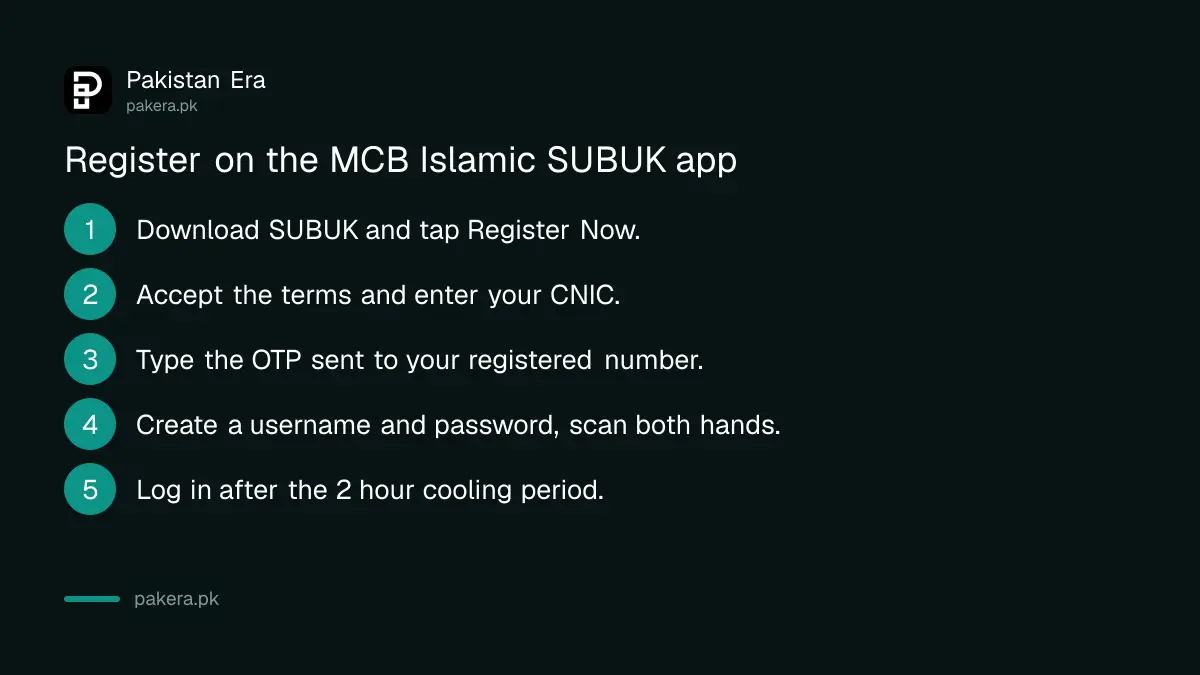
- Download the SUBUK app from the Google Play Store or Apple App Store.
- Open the app and tap Register Now.
- Read and accept the terms and conditions.
- Enter your CNIC number and verify it with the OTP sent to your registered mobile number.
- Create a username and password.
- Scan both hands for biometric verification inside the app.
- Log in after the 2 hour security cooling period.
After registration, the app asks you to set a 6 digit Transaction PIN, or T-PIN. You type it to approve transfers and bill payments. The bank's fraud advisory warns never to share your password, OTP or T-PIN, even with family.
For the password, the advisory sets these rules: 8 to 16 characters, with at least one capital letter, one small letter, one number and one special character. Avoid your name, your date of birth and easy numbers such as 1234.
What SUBUK can do that the old app could not
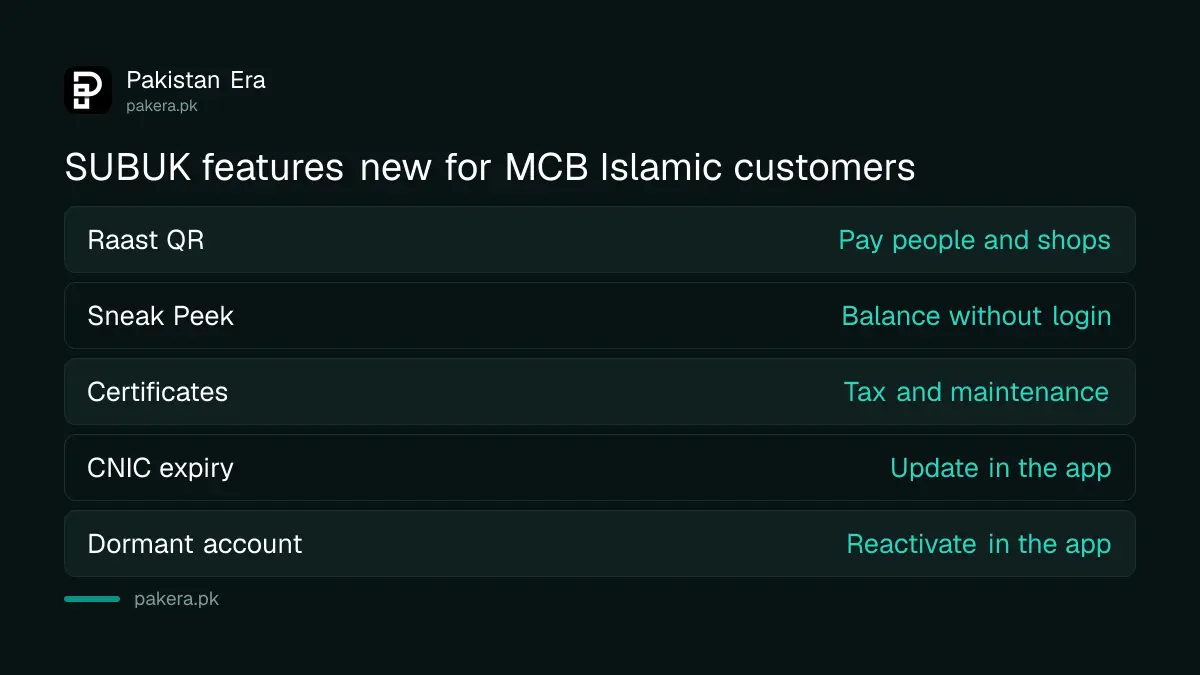
SUBUK adds Raast QR payments, transfers to several people at once, scheduled payments, certificates on demand and a Sneak Peek view of your balance without logging in. It also lets you update your CNIC expiry date and remove dormancy from inside the app.
The bank groups the main features like this:
| Group | What SUBUK offers |
|---|---|
| Transfers | Raast and 1LINK transfers, Raast QR, quick transfer without saving a beneficiary, multiple transfers, request money, scheduled payments |
| Payments | Utility bills through 1Bill and aggregators, mobile top-ups and bundles, banker's cheque, donations |
| Account services | Statements and e-receipts, Sneak Peek balance and last five transactions, account details by QR |
| Certificates | Account maintenance, balance confirmation, proceeds realisation and withholding tax certificates |
| Card | Apply, activate, block or unblock, change PIN, manage card limits |
| Account fixes | Update CNIC expiry, remove dormancy, change mobile or email with in-app biometric check |
| Security | Fingerprint or face login, device binding, limit management, 6 digit T-PIN, instant alerts |
The withholding tax certificate is useful at tax return time. Raast lets others pay you with your mobile number instead of your IBAN; our guide to creating a Raast ID explains it.
MCB Islamic debit card limits and transfer fees
MCB Islamic sets daily card limits by card type. A Visa Classic card allows Rs 150,000 cash and Rs 500,000 in transfers a day. Interbank transfers from digital channels are free up to Rs 25,000 a month, then 0.1 per cent or Rs 200, whichever is lower.
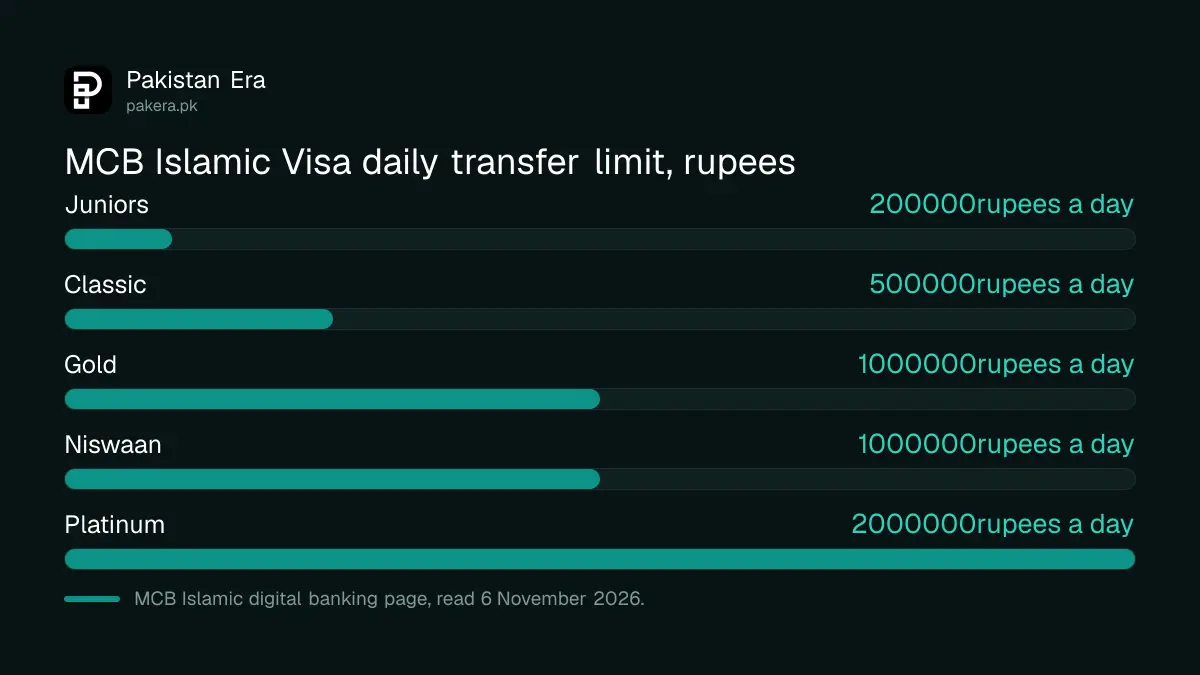
These are the daily limits the bank lists on its digital banking page for its main rupee cards:
| Visa card | Cash withdrawal a day | POS and online a day | Funds transfer a day |
|---|---|---|---|
| Classic | Rs 150,000 | Rs 250,000 | Rs 500,000 |
| Gold | Rs 250,000 | Rs 400,000 | Rs 1,000,000 |
| Juniors | Rs 50,000 | Rs 100,000 | Rs 200,000 |
| Niswaan | Rs 250,000 | Rs 400,000 | Rs 1,000,000 |
| Platinum | Rs 400,000 | Rs 1,000,000 | Rs 2,000,000 |
SUBUK has its own limit management screen, so you can set lower limits than these. Keeping limits close to what you really spend is one of the simplest protections against fraud. Our guide on cutting your bank app limits explains why.
The fee rule is the same Rs 25,000 monthly free limit most banks now use. Our IBFT charges guide compares it bank by bank.
Calls claiming to be MCB Islamic
MCB Islamic warns that fraudsters call from unknown numbers and even from a number that looks like its UAN, 042-111-222-642, asking for account details. The bank says it never calls from the UAN, or without being asked, to request your digital banking details.
The advisory lists the signs. The caller already knows some of your details, says you missed a deadline, threatens to close your account, and asks for your password, PIN, T-PIN or OTP. Callers may claim to be the State Bank, NADRA, BISP, the police or another government body. Hang up and call the bank yourself.
If money has already left your account, call 042-111-222-642 at once, then follow our guide to reporting mobile banking fraud.
Common questions
Why is my MCB Islamic password not working on SUBUK?
MCB Islamic says old mobile banking credentials do not work on SUBUK. Tap Register Now and create a new username and password.
How long after SUBUK registration can I log in?
The bank's last registration step is to log in after a 2 hour security cooling period.
What is the SUBUK T-PIN?
A 6 digit Transaction PIN you set after registering. You enter it to approve transfers and payments. You can change it later in the app.
Can I use SUBUK on a computer?
Yes. The bank lists a SUBUK tutorial on using it through a web browser, and its official web login is digital.mcbislamicbank.com.
What is the MCB Islamic Bank helpline?
Phone banking is 042-111-222-642, open 24/7. The bank says it never uses this number to call you and ask for your login details.
Can I reactivate a dormant MCB Islamic account in SUBUK?
Yes. MCB Islamic lists dormancy removal as a SUBUK feature.
How we verified this
What we checked, where we read it, and what we could not confirm.
Last checked on 6 November 2026. Registration steps and features are from MCB Islamic Bank's SUBUK page. Card limits are from its digital banking page. Password rules and scam warnings are from its digital fraud prevention advisory. The transfer fee is from the bank's July to December 2026 schedule of charges. We read these pages; we did not register on SUBUK or call the bank.
About the author

Technology Journalist & Multimedia Producer
Ahmad Ali is a technology journalist and multimedia producer at Pakistan Era, joining the team in October 2026. He covers consumer technology and digital life for Pakistani readers, combining research with hands-on product testing.