Pause or Cancel YouTube Premium in Pakistan: 1 to 6 Month Pause, Android, iPhone and Google Play Steps
Pause YouTube Premium in Pakistan for 1 to 6 months or cancel it on Android, iPhone or Google Play. See who cannot pause and how to confirm the charge stopped.
To pause YouTube Premium in Pakistan, go to youtube.com/paid_memberships, select Manage membership, then Deactivate and Pause, and choose 1 to 6 months. To cancel, pick Cancel instead, or cancel from your Apple account if you joined on an iPhone. Either way you keep Premium until the end of the month you have paid for.
Pausing is the option most people do not know exists. It suits a month of exams, a trip, or a tight month after Eid shopping, when you want the charge to stop but do not want to lose your settings or start again later. We read YouTube's pause and cancel help pages on 1 November 2026. Here is each route, who cannot pause, what happens to downloads, and how to confirm the charge has really stopped.
Pausing stops the charge for 1 to 6 months
YouTube lets Premium and Music Premium members pause for any length from 1 to 6 months. The pause begins when your current billing cycle ends, and you are not charged until the membership resumes. You can resume early or cancel during the pause.
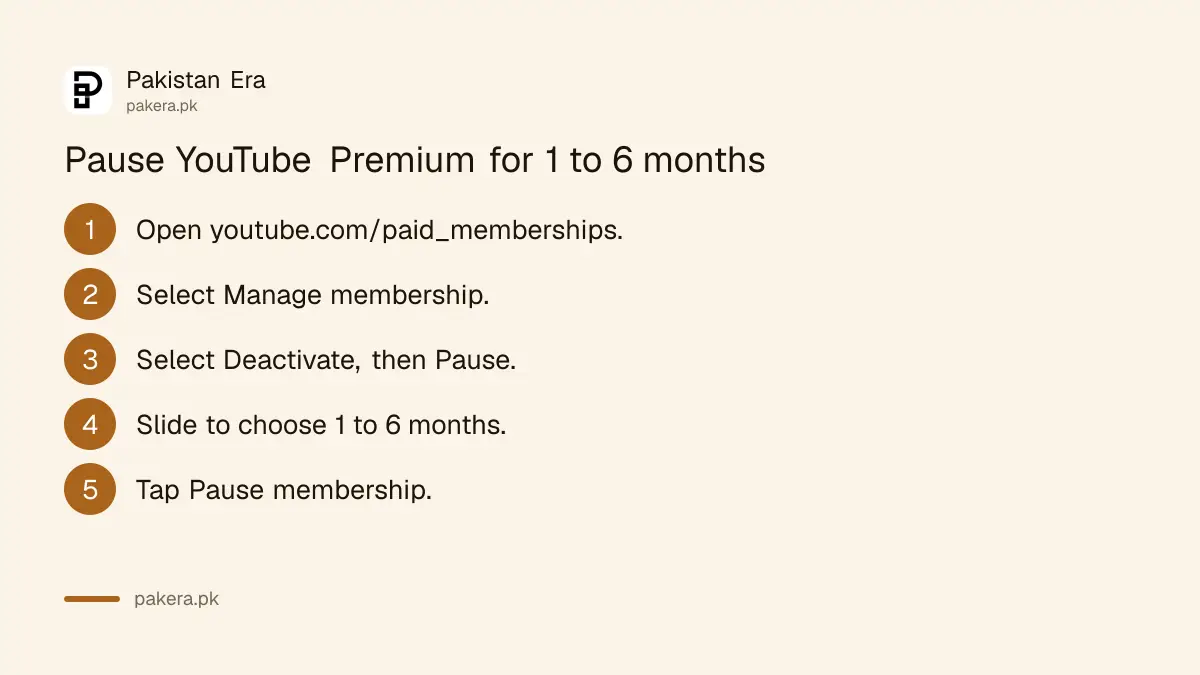
- Open youtube.com/paid_memberships in a browser, signed in to the paying account.
- Select Manage membership.
- Select Deactivate, then choose Pause.
- Move the slider to the number of months, from 1 to 6.
- Tap Pause membership.
To come back early, open the same page, select Manage membership, then Resume, and confirm with Resume again. When it resumes, YouTube bills the current price, and it emails you at least 30 days before any price rise in your country.
Annual plans and Apple billing cannot be paused
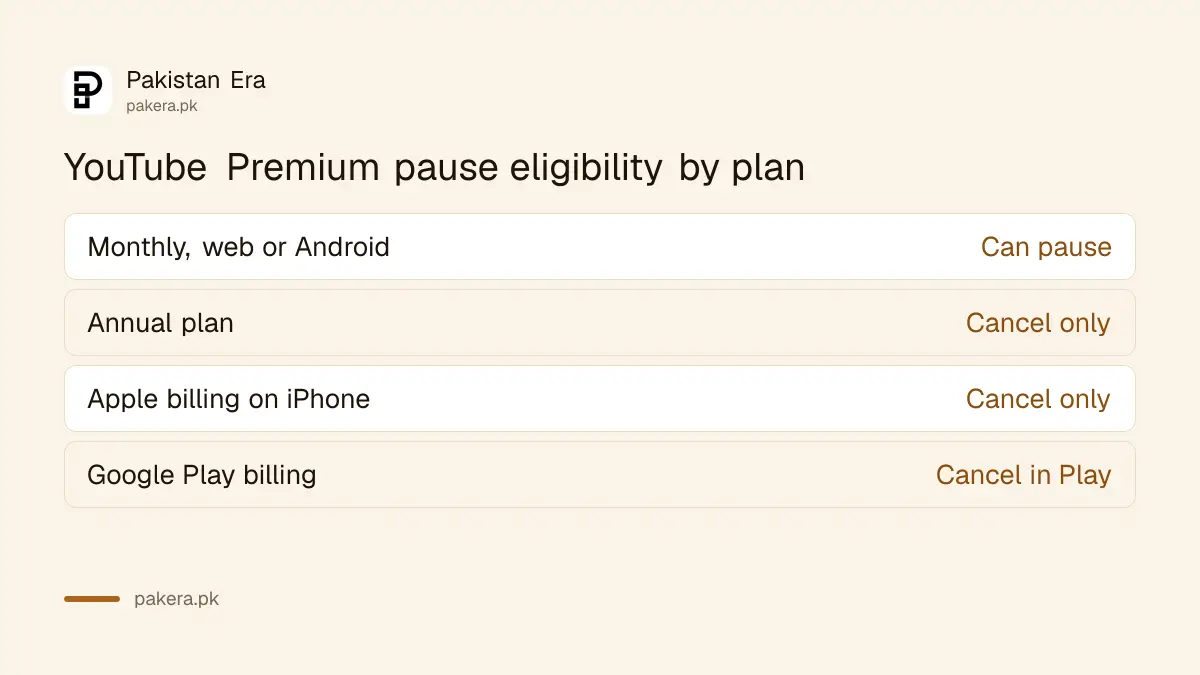
YouTube names two groups who cannot pause. Annual plans cannot be paused at all, and pausing or resuming is not available to members billed through Apple. If either applies, your only choice is to cancel and join again later.
Not sure how you pay? If you bought Premium inside the YouTube app on an iPhone, Apple bills you, and the membership shows up in your iPhone subscriptions. If you joined on Android or in a browser, Google bills you and pausing works.
| How you joined | Can you pause? | Where to cancel |
|---|---|---|
| YouTube website or Android app, monthly | Yes, 1 to 6 months | youtube.com/paid_memberships |
| Annual plan | No | youtube.com/paid_memberships |
| YouTube app on iPhone (Apple billing) | No | Your Apple account subscriptions |
| Google Play billing | Check the YouTube page | Google Play subscriptions |
A pause switches off Premium for the whole family
While the membership is paused, you and every family member on your plan lose Premium benefits. Downloaded videos and music stay on the phone, but you cannot open them until you resume. Ads and the background play limit come back for everyone.
So if you manage a family plan, tell the others before you pause. A sister who downloaded lectures for a long bus journey to Peshawar will find them locked. If she needs them, resume early, then pause again later.
Downloads made with Premium are not normal video files. For anything you need to keep, the legal routes to download YouTube videos offline are a separate topic.
Cancelling takes four taps on Android
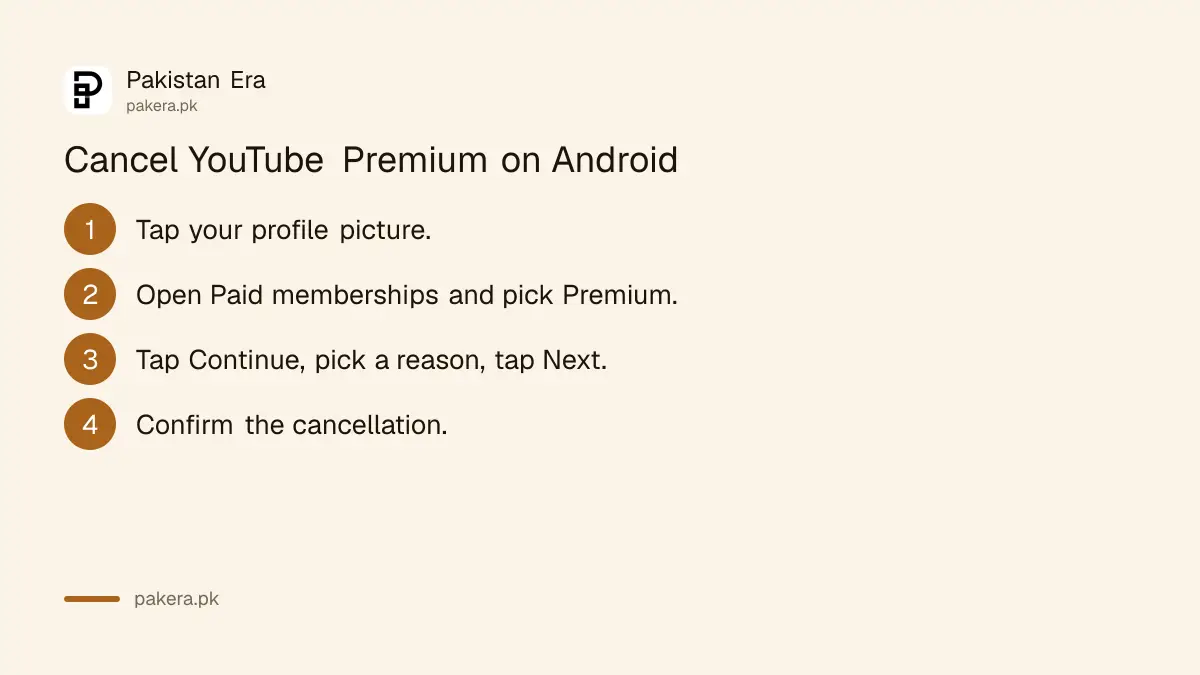
On Android, tap your profile picture, open Paid memberships, select the membership, tap Continue, choose a reason and tap Next, then confirm. You will not be charged again unless you subscribe again, and Premium stays active until the end of the billing period.
- In the YouTube app, tap your profile picture.
- Open Paid memberships, or Purchases and memberships, and select Premium.
- Tap Continue to cancel, choose a reason and tap Next.
- Confirm the cancellation.
On iPhone, if you joined through the iOS app, cancel in your Apple account, and the steps to cancel an Apple subscription on iPhone apply. If Google Play bills you, cancel in your Play account, where the route to cancel a Google Play subscription also covers refunds.
Check the Status field to confirm it worked
YouTube says that if you think you have already cancelled, check the Status field at youtube.com/paid_memberships. It shows whether the membership is active, paused or ending. Your bank or wallet statement is the second check after the next billing date.
This matters with Pakistani cards. A charge that still appears after you cancelled can be a second subscription, for example one through Apple and one through Google on the same account. YouTube has a separate help page for duplicate memberships, so check both stores before you dispute the charge with your bank.
Thinking of switching rather than stopping? Premium Lite and the family and student plans sit on the same membership screen, and their current rates are in the YouTube Premium price in Pakistan. For other subscriptions, the steps to cancel Netflix or Spotify work the same way.
Common questions
How long can I pause YouTube Premium?
From 1 to 6 months. The pause starts at the end of your current billing cycle.
Am I charged while YouTube Premium is paused?
No. YouTube does not charge you until the membership resumes.
Why can't I pause my YouTube Premium?
You are on an annual plan or billed through Apple. Both can only cancel.
Do I lose Premium the day I cancel?
No. Benefits continue until the end of the billing period you paid for.
What happens to my downloads during a pause?
They stay on the device but are locked until you resume.
Does pausing affect my family members?
Yes. Everyone on the family plan loses Premium benefits during the pause.
How we verified this
What we checked, where we read it, and what we could not confirm.
Last checked 1 November 2026. We read YouTube's help pages Pause or resume YouTube Premium (1 to 6 months, annual and Apple exclusions, family and download effects, steps, 30-day price notice) and Cancel YouTube Premium (Android steps, Apple and Google Play routes, benefits to the end of the period, Status field) on 1 November 2026. YouTube's pause page does not say whether Google Play billed members can pause, so we have not claimed it. We did not pause or cancel a live membership.
About the author

Technology Journalist & Multimedia Producer
Ahmad Ali is a technology journalist and multimedia producer at Pakistan Era, joining the team in October 2026. He covers consumer technology and digital life for Pakistani readers, combining research with hands-on product testing.