Phone Hanging Problem Fix in Pakistan: Frozen or Slow Android and iPhone, Every Restart Button and Safe Mode
Phone hanging or frozen? Force restart first: hold power 30 seconds on Android, or the 3 button iPhone combo. Then free storage, update and use safe mode.
To fix a hanging phone, force a restart first. On most Android phones, hold the power button for about 30 seconds. On an iPhone with Face ID, press and release volume up, press and release volume down, then hold the side button until the Apple logo appears. If it keeps hanging after that, the cause is usually low storage, an old update or one bad app, and safe mode will find the app.
Below are the restart buttons for every iPhone generation, Google's checklist for a slow or lagging Android phone, and the safe mode method that tells you whether an app is to blame. We read Apple's and Google's support pages on 31 October 2026.
Force restart is the first fix for a frozen phone
A force restart cuts power to whatever has frozen without deleting anything. Hold the power button about 30 seconds on Android. On an iPhone, the button combination depends on the model, so use the table below.
| Phone | Force restart |
|---|---|
| Most Android phones | Hold power about 30 seconds, tap Restart if shown |
| iPhone with Face ID | Volume up, volume down, then hold the side button until the Apple logo |
| iPhone Duo | Volume button nearest the side button, then the other one, then hold side |
| iPhone 7 and 7 Plus | Hold side and volume down together until the Apple logo |
| iPhone 6s and earlier | Hold Home and the side or top button about 10 seconds |
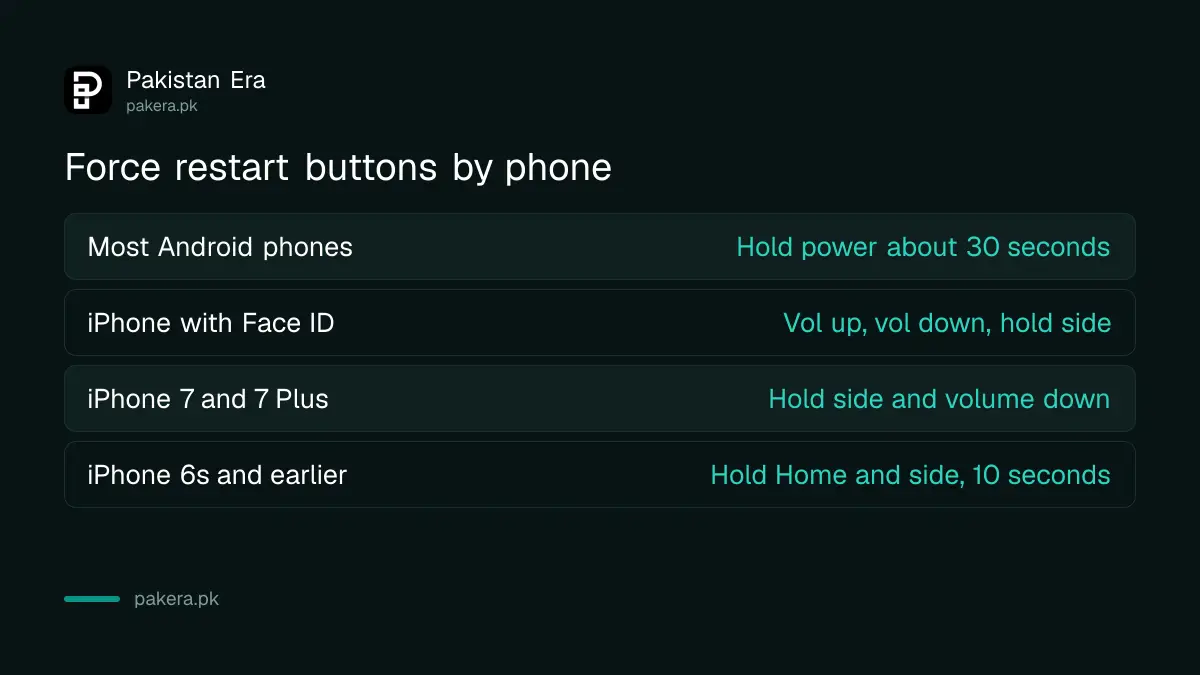
The volume presses on an iPhone must be quick taps, not holds. Only the side button is held. If the touch screen is not responding at all, this is still the right first step, because Apple's own advice for an unresponsive iPhone starts here.
A phone that shows nothing at all may simply be flat. Apple says to charge it for one hour and try again. If a low battery picture appears, charge for 30 minutes or until it starts.
Low storage and old software make a phone lag
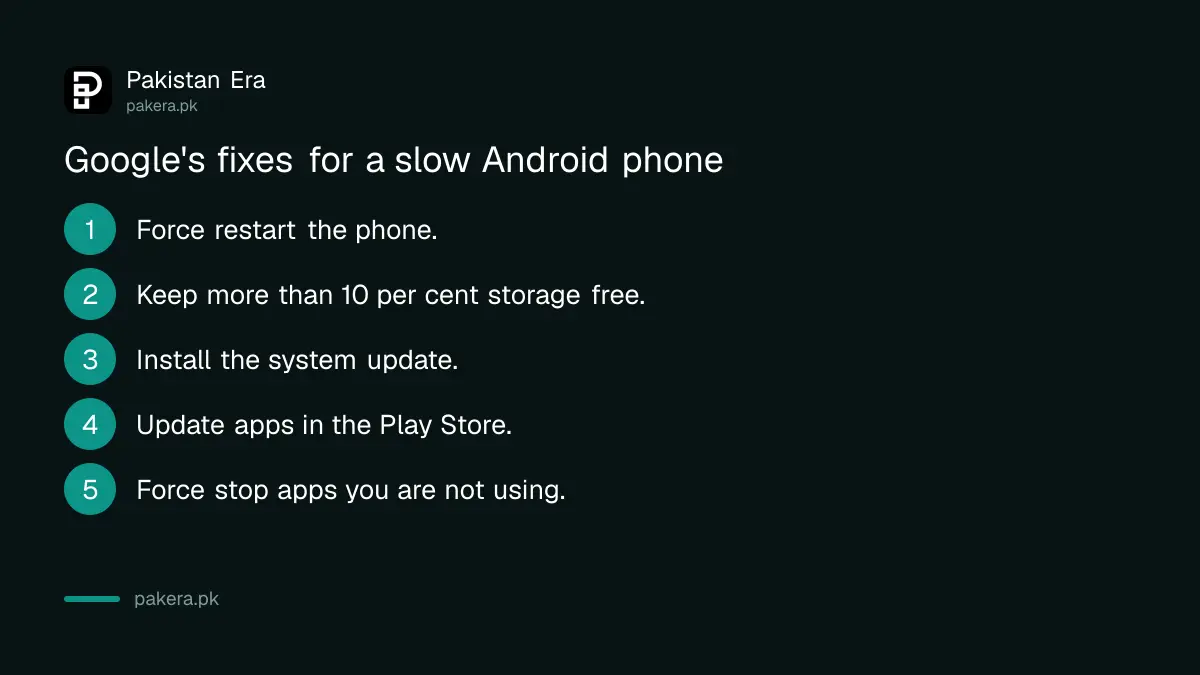
Google says a phone can start having problems when less than 10 per cent of its storage is free. Clear space first, then update the system and every app. These two steps fix most slow phones without any reset.
- Restart the phone, then check whether the lag is still there.
- Open Settings and check free storage. Below 10 per cent, clear space.
- Update the system: Settings > System > Software update on stock Android, or Settings > General > Software Update on an iPhone.
- Update apps: in the Play Store, tap your profile icon, then Manage apps & devices, then update all.
- Close apps you are not using. On Android, force stop them from the app's page in Settings.
- Check your internet connection if the slowness is only in apps that load online.
WhatsApp photos and videos often take up more space than people expect. The steps to free up WhatsApp storage and the wider fixes for phone storage full clear it without losing chats you want.
Google also suggests keeping a list of the apps you force stop. If the same one keeps appearing, you have found your suspect.
Safe mode shows whether an app is the cause
Safe mode turns off every app you downloaded. If the phone stops hanging in safe mode, an app is the cause. If it still hangs, the problem is the system or the hardware, and an app removal will not help.
The button to enter safe mode differs by brand, and Google says to check your manufacturer's support site. On many phones you press and hold the power-off option on screen, but treat that as a starting point, not a rule.
- Take a screenshot of your home screen. Google warns that safe mode removes some widgets.
- Restart in safe mode using your brand's method.
- Use the phone normally for a while and watch for the hang.
- Restart normally to leave safe mode.
- Remove recently downloaded apps one at a time, restarting after each, until the problem stops.
- Reinstall the apps you still need, leaving out the one that caused it.

Google's safe mode page covers phones that restart by themselves, freeze, crash or run slowly. Be wary of any "booster" or "cleaner" app installed from outside the Play Store. If an app arrived as an APK file through WhatsApp, read how to remove a fake APK installed from WhatsApp.
A hang right after an update needs a different fix
If the phone started hanging just after a system update, give it a few hours, because the first boot after an update can be slow. If it is stuck on the logo or restarting in a loop, follow the specific steps for a phone stuck after an update.
Those steps, including recovery mode, are in fixing a phone stuck after an update. Do not let a shop flash new software onto the phone unless it is an authorised centre: unofficial firmware can break the phone's IMEI record, and that brings PTA trouble of its own.
Factory reset and service centre are the last steps
If the phone still hangs after a force restart, free storage, updates and safe mode, back it up and factory reset it. If it hangs even after a reset, the hardware is likely at fault and needs an authorised service centre.
A factory reset wipes the phone, so back up photos, contacts and WhatsApp chats first. The steps to erase a phone also apply here. For an iPhone that still will not start after Apple's steps, Apple says you might need service.
Samsung, Infinix, Tecno and Vivo all run their own service centres in Pakistan. Their addresses are in the pages for the Samsung service center and the Infinix and Tecno service center.
Common questions
Does a force restart delete anything?
No. It only restarts the phone. Your photos, chats and apps stay as they were.
How long do I hold the power button on Android?
Google says about 30 seconds on most phones, or until it restarts. You may need to tap Restart on screen.
My iPhone touch screen is not working. What do I do?
Force restart it with the buttons for your model. If it still does not respond, Apple says you may need service.
How much free storage does a phone need?
Google says a phone can start having issues when less than 10 per cent of storage is free.
How do I get out of safe mode?
Restart the phone normally. Google says that usually exits safe mode, though the method varies by brand.
How we verified this
What we checked, where we read it, and what we could not confirm.
Last checked 31 October 2026. We read Apple's Restart an unresponsive iPhone page and its iPhone User Guide page on force restart, and Google's Android Help pages Speed up a slow Android device and Find problem apps by rebooting to safe mode, all on 31 October 2026. Safe mode buttons and menu names differ by brand and we could not check each one. We did not test a frozen phone ourselves.
About the author

Technology Journalist & Multimedia Producer
Ahmad Ali is a technology journalist and multimedia producer at Pakistan Era, joining the team in October 2026. He covers consumer technology and digital life for Pakistani readers, combining research with hands-on product testing.