SC Mobile Registration in Pakistan: Standard Chartered App Login, Forgot Password and the Android 9 Rule
Register for Standard Chartered SC Mobile in Pakistan with Instant Registration or 111 002 002, reset a lost password with your card, and check phone rules.
Short answer: SC Mobile, the Standard Chartered Pakistan app, uses the same username and password as Online Banking. If you do not have Online Banking yet, register through Instant Registration on the bank's Online Banking login, by calling Phone Banking on 111 002 002, or at a branch. The app now needs Android 9 or iOS 14 or newer. Forgot your login ID? Call 111 002 002. Forgot your password? Reset it online with your active debit card, ATM PIN and an SMS passcode.
Many Standard Chartered customers in Pakistan get stuck at the first screen of SC Mobile because there is no separate "sign up" inside the app. The app expects Online Banking details you may never have created. We read the bank's SC Mobile page and its full Online Banking FAQ on 6 November 2026, and this guide sets out each step in order.
SC Mobile uses your Online Banking login
SC Mobile does not have its own account. Standard Chartered says you log in with your existing Internet Banking username and password. So the first job is to get Online Banking, and the app works as soon as you have it.
To qualify, you need at least one transactional account or a credit card with Standard Chartered Pakistan. The bank says partnership and public limited companies cannot use this service. Businesses use the separate Straight2Bank platform.
The bank lists three ways to get Online Banking:
| Method | What you need | Speed |
|---|---|---|
| Instant Registration online | Account number, registered mobile number and email already on the bank's record | Same session |
| Phone Banking | Call 111 002 002 or 0800 66 666 and pass verification | Login ID by email, password by post |
| Branch request | CNIC and your account details | Login ID by email, password by post |
| Credit card only customers | Call 111 002 002 or 0800 66 666 | Set up by Phone Banking |
Register in minutes with Instant Registration
Instant Registration lets you choose your own login ID and password online. It works only if your mobile number is already updated with the bank and the phone is with you, because a one time SMS passcode is sent to that number during the process.
These are the steps the bank's FAQ gives:
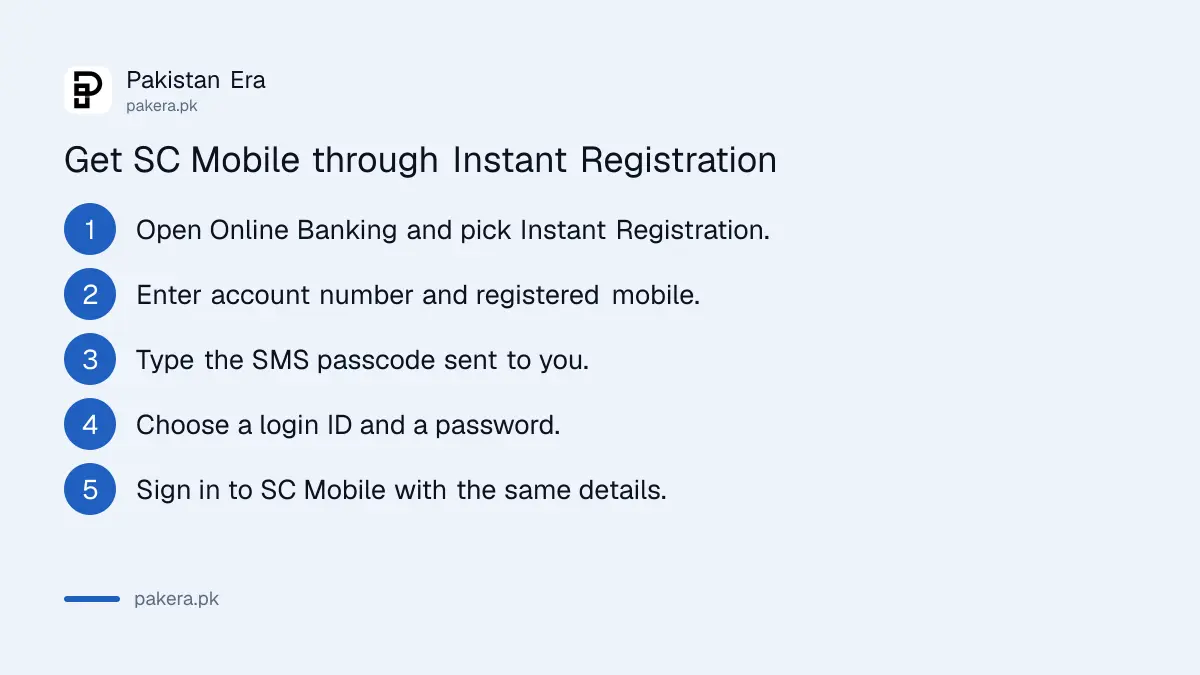
- Open Online Banking from the Standard Chartered Pakistan website at sc.com/pk.
- Click the Instant Registration tab and accept the terms and conditions.
- Enter your account number and registered mobile number, then check the account details shown.
- Enter the SMS passcode sent to your phone.
- Choose a login ID and a password.
- Call Phone Banking from your updated landline number to activate the new ID, as the FAQ instructs.
- Log in from the Existing Customer tab, then open SC Mobile and sign in with the same details.
The bank's FAQ also says you can register online with your ATM or debit card number and PIN. The card must be active and not expired. A new card has to be activated first by calling 111 002 002.
Forgot your SC Mobile login ID or password
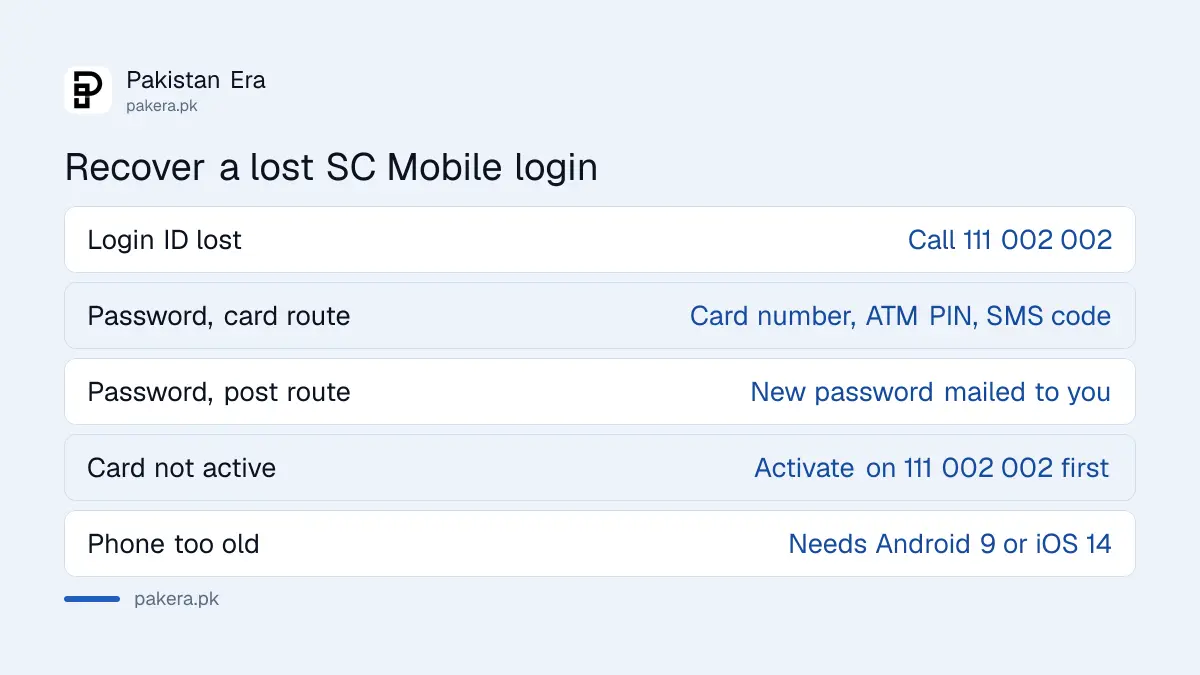
A lost login ID is recovered by phone: call 111 002 002 and the phone banker tells you your ID after verification. A lost password can be reset online with your debit card and ATM PIN, or the bank can post a new password to your mailing address.
For the online reset, the FAQ gives this route. Open Online Banking and click Forget Password. Accept the terms. Choose the ATM or debit card and PIN option. Enter your 16 digit card number and ATM PIN. Type the SMS passcode sent to your registered mobile. Then set and confirm a new password, and log in from the Existing Customer tab.
Two things block this route. A card that is not active will not work, and a mobile number that is not updated with the bank means no passcode arrives. In either case use the mailed password option or call Phone Banking.
Your ATM PIN and Phone Banking PIN are not your Online Banking password. The bank says plainly that you cannot use them to log in.
SC Mobile needs Android 9 or iOS 14
Since 9 September 2025, SC Mobile works only on Android 9 or newer and iOS 14 or newer. On iPhone, the bank names the iPhone 6S or later. Older phones cannot run the app, and that also locks you out of web Online Banking, because web logins are approved inside SC Mobile.
That second point catches people. Standard Chartered says iBanking login has to be authenticated with SC Mobile. If your phone is too old for the app, you cannot approve a login on the website either. The bank's advice is to update the phone's software, or to move to a newer phone if no update is offered.
To check your version on Android, go to Settings, About Phone, Software Information. On iPhone, go to Settings, General, About, iOS Version. The bank also says other banks' apps working on your phone does not change this, because each bank sets its own security standard.
What you can do in SC Mobile, and what it costs
SC Mobile lets you transfer funds, pay bills, check balances and history, and find ATMs and branches. Online Banking itself has no extra charge. Interbank transfers follow the bank's schedule of charges, which is free up to Rs 25,000 a month.
- Transfers: between your own accounts, to other Standard Chartered accounts you add as beneficiaries, and to other banks.
- History: up to one year of account transactions, and the last two credit card statements.
- Alerts: SMS and email alerts for account and card activity.
- Bill payments: utility companies and many other billers listed on the bank's digital banking page.
Standard Chartered's July to December 2026 schedule of charges sets the interbank transfer fee at 0.1 per cent or Rs 200, whichever is lower, once you pass Rs 25,000 sent in a month. Our Standard Chartered schedule of charges page lists every fee, and our IBFT charges guide compares the rule across banks.
Credit card holders can also activate cards and pay bills by phone. See our Standard Chartered credit card guide for those steps.
Standard Chartered helplines and complaints
The main Standard Chartered Pakistan helpline is 111 002 002, open 24 hours, with 0800 66 666 also listed for Phone Banking. The bank's digital banking page lists 021-111-002-002, option 6, as the Online Banking hotline. Complaints go to complaints.pakistan@sc.com.
Make sure you receive a complaint tracking number. If the bank does not resolve the issue, take it to the State Bank through the SBP Sunwai portal. For a payment you did not make, call the bank first, then follow our guide on mobile banking fraud complaints.
Common questions
How do I register on SC Mobile?
Get Online Banking first, through Instant Registration online, Phone Banking on 111 002 002 or a branch. Then log in to SC Mobile with the same username and password.
Why does SC Mobile not open on my old phone?
Since 9 September 2025 the app supports only Android 9 or newer and iOS 14 or newer. Update the phone's software or use a newer phone.
Can I use Online Banking on a computer without SC Mobile?
Not fully. Standard Chartered says web login has to be approved in SC Mobile, so you need a phone that runs the app.
I forgot my Standard Chartered Online Banking login ID. What now?
Call Phone Banking on 111 002 002. After verification, the phone banker tells you the login ID linked to your account.
Is Standard Chartered Online Banking free?
Yes. The bank says there is no extra charge for the service. Interbank transfers above Rs 25,000 a month cost 0.1 per cent or Rs 200, whichever is lower.
Can I use my ATM PIN to log in?
No. Your ATM PIN can help you register or reset a password online, but it is not your login password.
How we verified this
What we checked, where we read it, and what we could not confirm.
Last checked on 6 November 2026. Device rules and app features are from Standard Chartered Pakistan's SC Mobile page. Registration, login ID and password steps are from the bank's FAQ page. Hotlines are from its digital banking page and contact page. We read these pages; we did not register or call the bank.
About the author

Technology Journalist & Multimedia Producer
Ahmad Ali is a technology journalist and multimedia producer at Pakistan Era, joining the team in October 2026. He covers consumer technology and digital life for Pakistani readers, combining research with hands-on product testing.