Zong SecureTeen *5996#: Parental Control Price, How to Start and How to Unsubscribe
Zong SecureTeen on *5996# costs Rs 5 a day, Rs 25 a week or Rs 96 a month and renews itself. What it does, how to start it, how to stop it and free options
یہ صفحہ اردو میں پڑھیں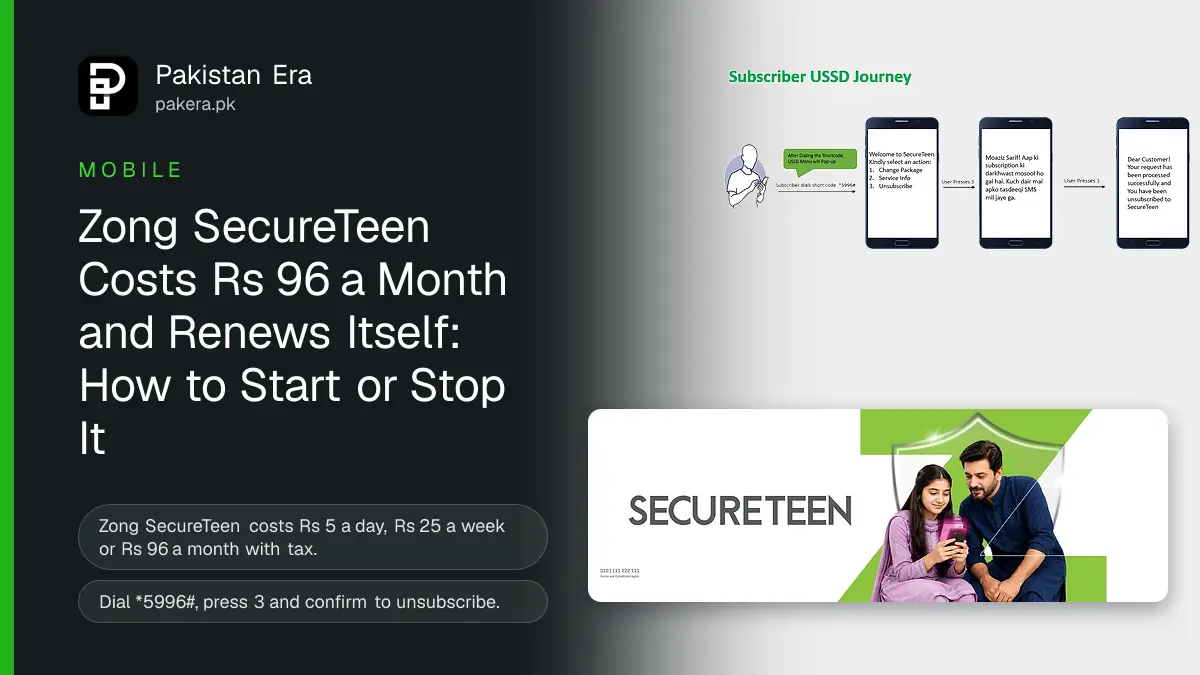
Zong SecureTeen is a parental control app you start by dialling *5996#. It costs Rs 5 a day, Rs 25 a week or Rs 96 a month, tax included, and it renews by itself. To stop it, dial *5996#, press 3 for Unsubscribe and confirm. It is for Zong prepaid numbers, and the fee comes out of your balance.
We read Zong's SecureTeen page on 8 November 2026. We did not subscribe or install the app. Below are the 3 plans, what the app can and cannot do, how to start and stop it, and the free tools to compare first.

Zong SecureTeen costs Rs 5 a day or Rs 96 a month
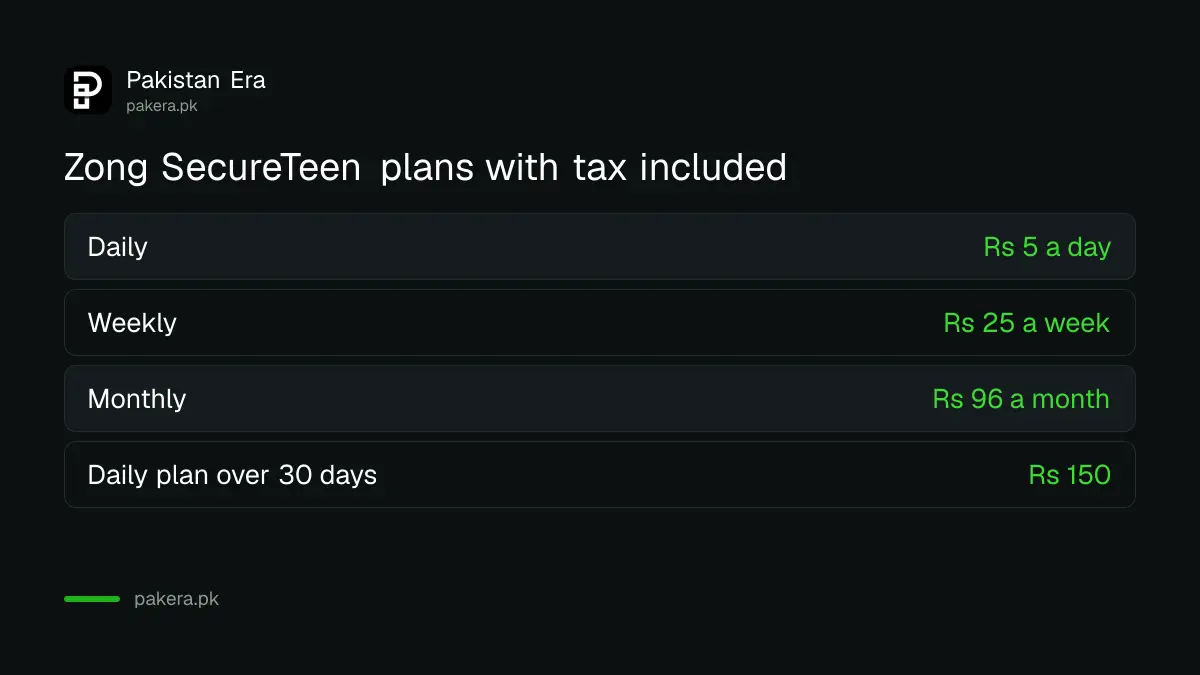
Zong sells SecureTeen in 3 plans: daily at Rs 5, weekly at Rs 25 and monthly at Rs 96. Zong says these prices include tax. The monthly plan is the cheapest way to keep it running for a whole month.
| Plan | Price, tax included | Cost over 30 days |
|---|---|---|
| Daily | Rs 5 a day | Rs 150 |
| Weekly | Rs 25 a week | About Rs 107 |
| Monthly | Rs 96 a month | Rs 96 |
The 30 day costs are our sums. The daily plan costs Rs 54 more over a month than the monthly plan, so do not pick daily unless you only want a short trial. Zong says the plans are auto recursive, which means they renew until you stop them.
What SecureTeen can do on a child's phone
SecureTeen lets a parent filter websites, watch and limit app use, see the phone's location, track calls and SMS, set daily screen time, and read activity reports. A parent controls it from a web dashboard or a parent app on their own phone.
- Web filtering: blocks websites and content you choose.
- App control: tracks app use and can block some apps.
- Location: shows where the child's phone is, if location is on.
- Calls and SMS: monitors calls and messages on the child's phone.
- Screen time: sets a daily limit.
- Reports: gives activity reports on the dashboard.
The app has two parts. Zong's FAQ says the parent installs the blue icon Parental App and signs up, then installs the green icon Child App on the child's phone. Zong says it works on Android and iPhone. Zong also says the service is suspended after 90 days of no use.
How to start Zong SecureTeen in 5 steps
Dial *5996# from the Zong prepaid number that will pay. Zong sends an SMS with links to the Android and iPhone apps and a web link. Choose a plan, then install the parent app and the child app. Activation takes up to 15 minutes, Zong says.
- Dial *5996# from your Zong prepaid number. You can also use the My Zong app.
- Choose daily, weekly or monthly, and wait for the confirmation SMS.
- Install the blue icon Parental App on your own phone and sign up.
- Add the child's device on the dashboard, then install the green icon Child App on that phone.
- Turn on location on the child's phone, then set your rules from the dashboard.
Zong's page also lists the web address zong.secureteen.com.pk for the dashboard. Type it yourself rather than tapping a link in an SMS from an unknown number.
How to unsubscribe Zong SecureTeen
Dial *5996# from the same number. The menu shows 1 Change Package, 2 Service Info and 3 Unsubscribe. Press 3, then confirm. Zong sends a message saying you have been unsubscribed. Zong says this takes up to 15 minutes.
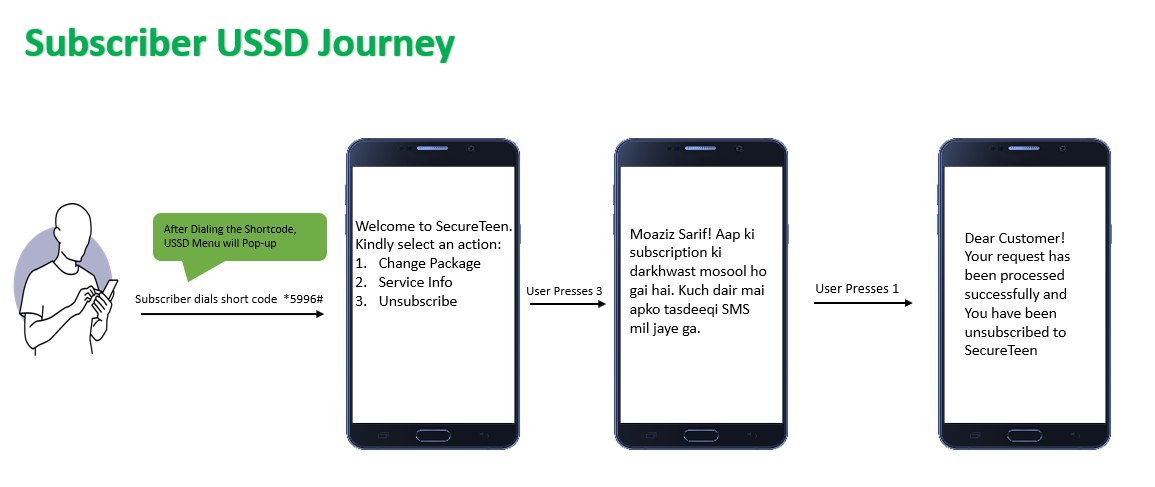
- Dial *5996# from the Zong number that pays for SecureTeen.
- Press 3 for Unsubscribe.
- Confirm when the next screen asks, as Zong's USSD journey shows.
- Wait for the SMS that says you have been unsubscribed.
Uninstalling the app from the phone does not stop the charge. Only the unsubscribe step does. If money still goes after that, check every active service with Zong's unsubscribe codes, and stop small daily cuts with Zong's balance save code.
Free tools may do the same job
Android and iPhone both have free parental controls. Google Family Link sets screen time and blocks apps on Android at no cost. So try a free tool first, and pay Rs 96 a month only if you need a feature it lacks.
| Need | Zong SecureTeen | Free option |
|---|---|---|
| Screen time limit | Yes, Rs 96 a month | Google Family Link on Android |
| Block adult websites | Yes | Family Link and Chrome filters |
| Works on iPhone | Yes, Zong says | Apple Screen Time |
| Calls and SMS monitoring | Yes | Limited |
Our guides show the free setup: screen time with Family Link, and parental controls on a child's phone. Monitoring a teenager's messages is a big step, so talk to them first.
Common questions about Zong SecureTeen
What is the Zong SecureTeen code?
*5996#. Dial it to subscribe, change your plan, read service info or unsubscribe.
How much does Zong SecureTeen cost?
Rs 5 a day, Rs 25 a week or Rs 96 a month, tax included, on Zong's page.
How do I stop Zong SecureTeen charges?
Dial *5996#, press 3 for Unsubscribe and confirm. Deleting the app alone does not stop the fee.
Does Zong SecureTeen renew automatically?
Yes. Zong says the plans are auto recursive until you unsubscribe.
Can Zong postpaid users get SecureTeen?
Zong's page says the service is first available for Zong prepaid customers.
Does SecureTeen work on iPhone?
Yes. Zong's FAQ says it works on Android and iPhone.
How we verified this
What we checked, where we read it, and what we could not confirm.
Last checked 8 November 2026. Prices, features, the codes, the unsubscribe journey and the FAQ come from Zong's SecureTeen page. The 30 day costs are our sums. We did not subscribe, so we did not see the app's own screens.
About the author

Technology Journalist & Multimedia Producer
Ahmad Ali is a technology journalist and multimedia producer at Pakistan Era, joining the team in October 2026. He covers consumer technology and digital life for Pakistani readers, combining research with hands-on product testing.