Create a Gmail Account in Pakistan: On Phone or Computer, Username Rules and Age Limit (2026)
Create a free Gmail account in Pakistan on a phone or computer in 7 steps. Username rules, the age limit of 13, the phone number question and security setup.
To create a Gmail account in Pakistan, go to accounts.google.com/signup, tap Create account, choose For my personal use, enter your name, birthday and gender, pick a username of 6 to 30 characters, and set a password. It is free and comes with up to 15 GB of storage shared with Drive and Photos. Google lists adding a phone number as optional. Below are the steps on a phone and a computer, the username rules that cause most errors, and the setup to do right after.
A Gmail account is usually the first thing a new phone asks for in Pakistan. It is also needed for the Play Store, YouTube, university portals and many job applications. We read Google's own help pages on creating an account, usernames and age limits on 24 October 2026. Every rule below comes from them.
A Gmail account is a free Google Account with an email address
Google treats Gmail and your Google Account as separate things. The Google Account is the login. Gmail is one service inside it, alongside YouTube, Drive, Calendar and Google Play. When you sign up with a new Gmail address, you get both at once, for free.
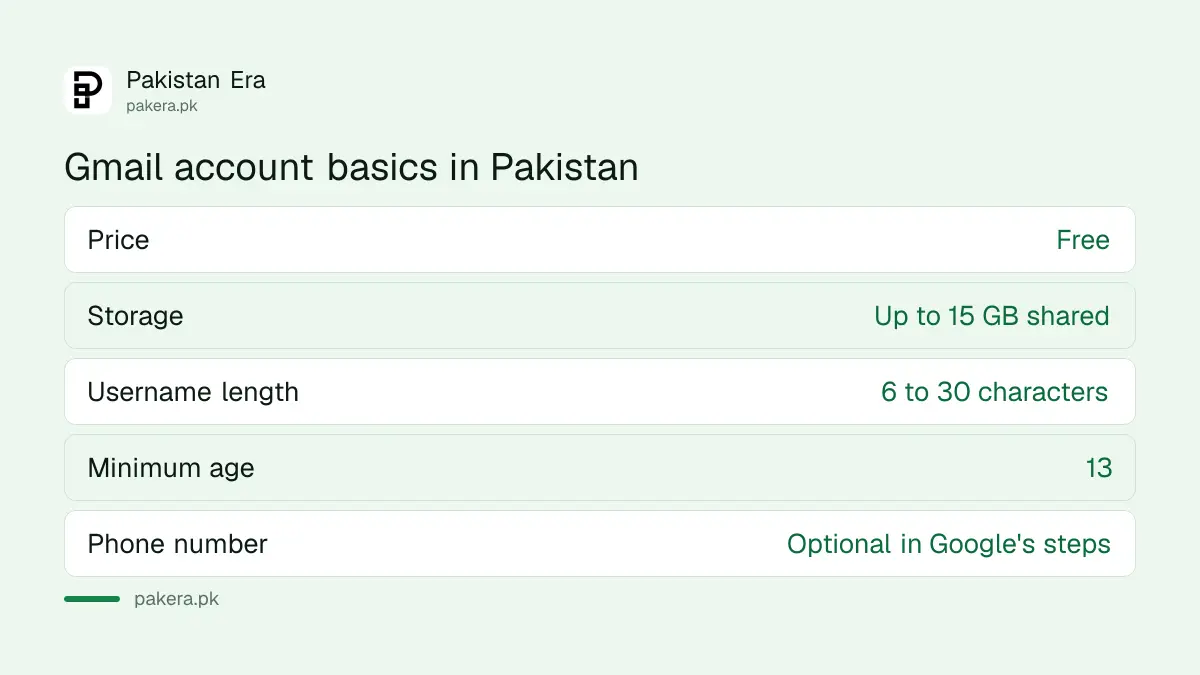
| What you get | Detail from Google |
|---|---|
| Price | Free for personal use |
| Storage | Up to 15 GB, shared with Drive and Photos |
| Username length | 6 to 30 characters |
| Allowed characters | Letters, numbers and single periods |
| Minimum age in Pakistan | 13, as Pakistan is not on Google's list of exceptions |
| Phone number | Listed as optional in Google's steps |
You can also create a Google Account without a Gmail address at all, using an email you already have. Google calls this Use your existing email. That suits someone who only needs the Play Store or YouTube and already has an office email.
Create a Gmail account on your phone or computer in 7 steps
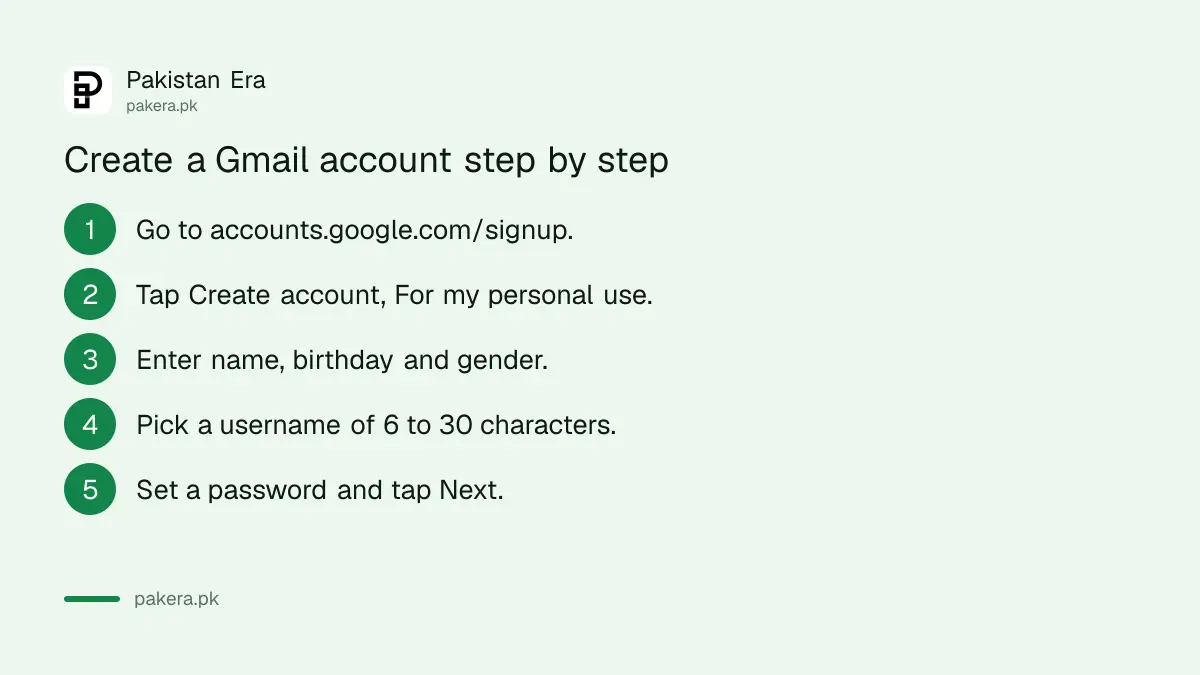
Open accounts.google.com/signup in any browser, or tap Add account in your Android phone's settings. Choose For my personal use, add your details, pick or type a Gmail address, set a password, and tap Next. Google may then offer to add and verify a phone number.
- Sign out of any Google Account already open in that browser.
- Go to accounts.google.com/signup and tap Create account.
- Choose For my personal use.
- Enter your first and last name, then your birthday and gender.
- Pick one of Google's suggested addresses, or create your own username.
- Enter a password and confirm it, then tap Next.
- Add a phone number if you wish, review the terms, and finish.
Google's own tip: before creating a new account, sign out of your current one. Otherwise the browser can get confused about which account you are setting up. On a shared family phone, that step saves a lot of mix-ups.
Google also notes a small quirk. When you type a password on mobile, the first letter is not case sensitive. Do not let that tempt you into a weak password. Use a long one you do not use anywhere else.
Gmail usernames must be 6 to 30 characters, letters, numbers and periods
Google allows letters a to z, numbers 0 to 9 and periods. It does not allow underscores, dashes, plus signs, ampersands, apostrophes, commas, brackets or two periods in a row. A username that is taken, very close to an existing one, or once used and deleted, is refused.
Popular Pakistani names such as ali.khan or ayesha are long gone. Add something personal and stable, like a middle name or your city, rather than random digits you will forget. Avoid putting your birth year or phone number in the address, because it ends up on every email you send.
Google's rule on similar names is strict. If example@gmail.com exists, you cannot register examp1e@gmail.com. And Google says periods do not matter in Gmail addresses, so ali.khan.pk and alikhanpk reach the same inbox. Choose the address once; changing it later has limits, set out in the steps to change your Gmail address and keep your mail.
Children under 13 need a parent's account through Family Link
Google says 13 is the minimum age to manage your own Google Account in every country not on its exception list, and Pakistan is not on that list. Younger children can still have an account, but a parent creates and manages it with Family Link.
When signing up, choose For my child instead of For my personal use. The parent's own Google Account then controls the child's account. When the child reaches the minimum age, Google says they can manage it themselves.
Family Link also sets screen time and app approvals. The steps to set a daily screen time limit with Family Link follow on naturally once the child's account exists.
Add recovery info and 2-step verification right after signing up
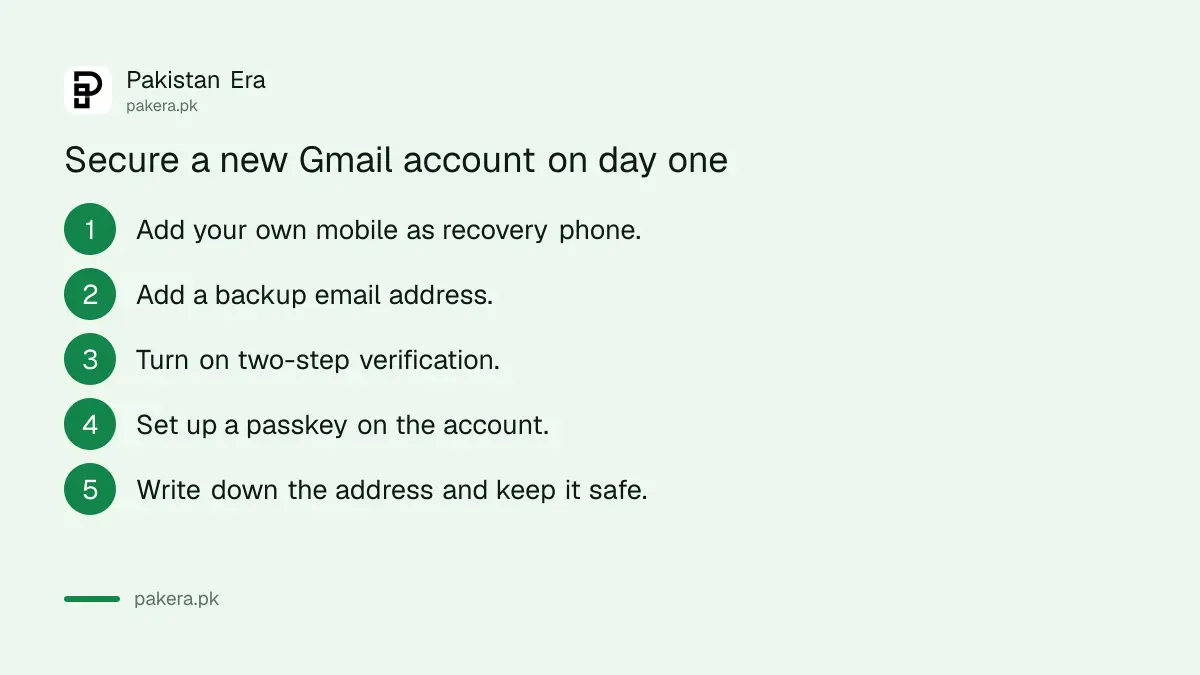
Google's second step after creating the account is to add recovery info: a phone number and a backup email. If you forget your password or someone takes over the account, Google says up-to-date recovery info makes it much more likely you get it back.
Do three things on day one. Add your own mobile number, not a relative's, as the recovery phone. Turn on two-step verification so a stolen password alone is not enough. And consider a passkey on your Google Account, which lets you sign in with your phone's screen lock.
If Google says the account already exists when you try your email, you may have signed up before. Google suggests checking at its forgot password page, and the steps to recover a Gmail or Google account take it from there.
Common questions
Is a Gmail account free in Pakistan?
Yes. A personal Google Account with Gmail is free and includes up to 15 GB of storage shared with Drive and Photos.
Can I create a Gmail account without a phone number?
Google's steps list adding and verifying a phone number as optional. A recovery number is still strongly advised, so you can get back in later.
What is the minimum age for a Gmail account in Pakistan?
13. Pakistan is not on Google's list of countries with a higher age, so the default of 13 applies. Younger children need Family Link.
Why does Gmail say my username is not allowed?
It may be taken, too close to an existing name, once used and deleted, or contain characters such as underscores or dashes, which Gmail does not allow.
Can I make a second Gmail account on the same phone?
Yes. Sign out first or use Add account in settings, then follow the same steps. Each account has its own 15 GB.
Can I use Google without a Gmail address?
Yes. Choose Use your existing email during sign-up and verify that address with the code Google sends.
How we verified this
What we checked, where we read it, and what we could not confirm.
Last checked 24 October 2026. We read Google's help pages on creating a Google Account (computer and Android versions), creating a Google Account for Gmail, Gmail username rules, age requirements on Google Accounts, and Google One's storage page, all on 24 October 2026. Whether Google asks for a phone number can vary on the live sign-up screen; we report only what its help page says. We did not create a new account for this check. The username examples are ours, for illustration.
About the author

Technology Journalist & Multimedia Producer
Ahmad Ali is a technology journalist and multimedia producer at Pakistan Era, joining the team in October 2026. He covers consumer technology and digital life for Pakistani readers, combining research with hands-on product testing.