Dubai Islamic Bank Mobile App in Pakistan: Register, Reset Your Password and Check Your Limits
Register on the Dubai Islamic Bank Pakistan app with your debit card or account number, pass the NADRA check, reset a lost password and find your daily limit.
Short answer: open the DIB Pakistan Mobile app and tap Register on the login screen. With a debit card, you enter the card number, ATM PIN, CNIC or NICOP, registered mobile number and registered email. Without a card, you enter your account number, CNIC with its issue and expiry dates, date of birth and registered mobile number. Then you scan your fingers for NADRA biometric verification. After that, a 2 hour cooling-off period applies before you can send money. The app is free. The bank's call centre is 021-111-786-342.
Dubai Islamic Bank Pakistan rebuilt its mobile banking FAQ in 2026, and it now answers most of the questions customers ask at the branch. We read the whole page on 6 November 2026. This guide puts the answers in order: registration, first login, forgotten details, limits, statements and the security steps that confuse people most.
Two ways to register on the DIB Pakistan app
You can register for the Dubai Islamic Bank mobile app with your debit card or with your account number. Both routes start from the Register link on the login screen. Both send an OTP to the mobile number the bank holds for you, so that number must be active.
Dubai Islamic Bank says any customer with an active debit card or an active account can use the app. The details it asks for depend on the route you pick.
| Route | What you enter | Best for |
|---|---|---|
| Debit card | Card number, ATM PIN, CNIC or NICOP, registered mobile number, registered email | Customers who already use a DIB card |
| Account number | Account number, CNIC or NICOP, CNIC issue and expiry dates, date of birth, registered mobile number | Customers without a card, or with a blocked card |
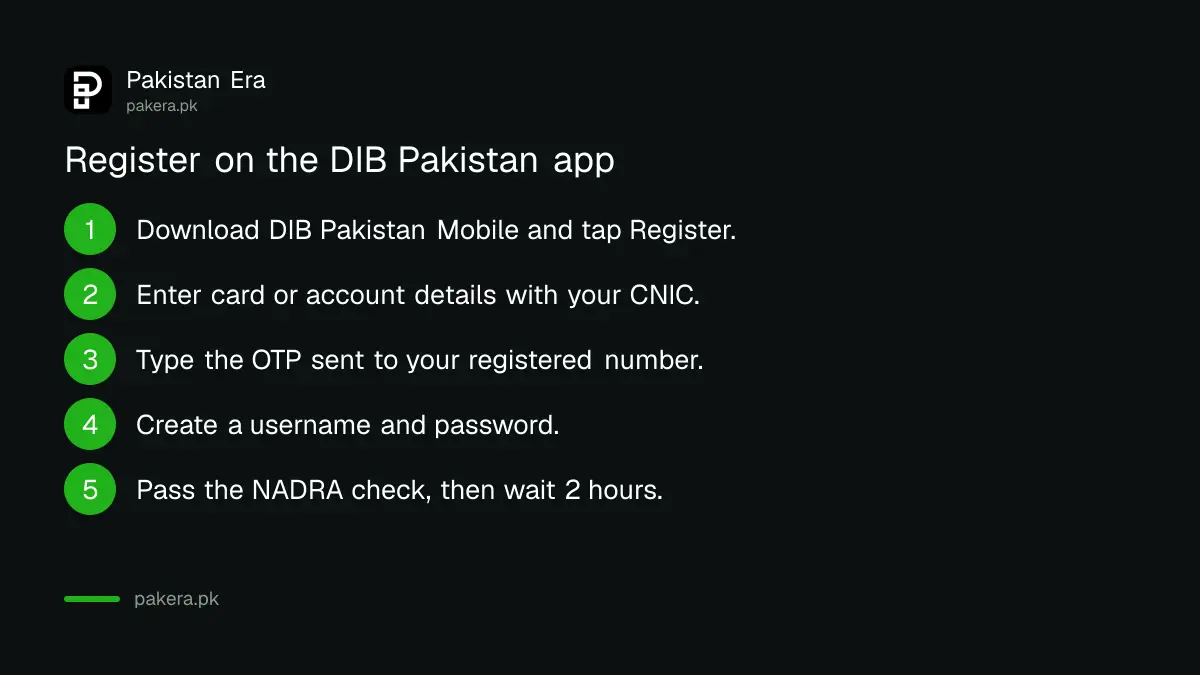
Here is the order the bank describes for a new registration:
- Download DIB Pakistan Mobile from the Google Play Store or Apple App Store. Check that the publisher is Dubai Islamic Bank Pakistan.
- Open the app and tap Register on the login screen.
- Pick the debit card route or the account number route and enter the details in the table.
- Enter the OTP sent to your registered mobile number.
- Create your username and password.
- Complete the in-app NADRA biometric check by placing your fingers in the frame on screen.
- Wait for the 2 hour cooling-off period to end before you send money.
If your mobile number has changed since you opened the account, update it at your branch first. The OTP only goes to the number in the bank's records. Our guide on bank app OTPs, TPIN and push alerts explains why many banks now lean on the app itself to confirm payments.
Biometric checks and the 2 hour wait on a new phone
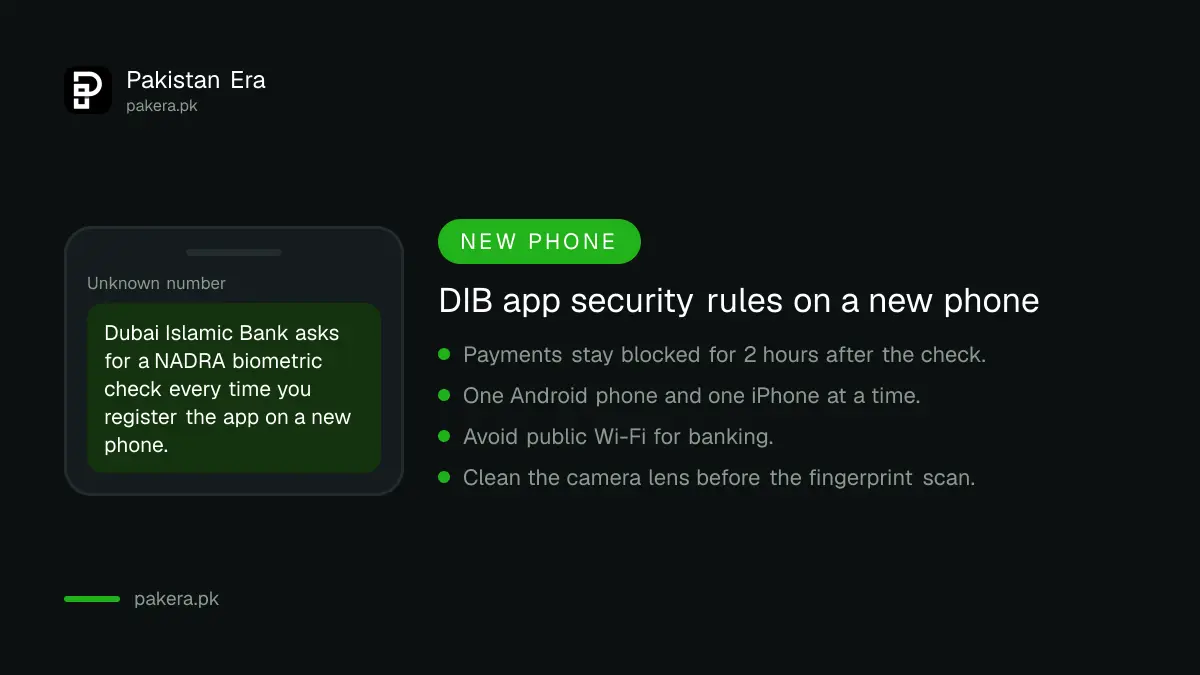
DIB asks for NADRA biometric verification whenever you register the app on a new phone. After a successful check, a 2 hour cooling-off period starts. You can log in and look around during that time, but financial transactions stay blocked until it ends.
The bank says the check uses your phone's camera to capture your fingerprints. It fails most often for simple reasons: a dirty camera lens, poor light or fingers outside the frame. Clean the lens, sit near a window or a bright lamp, and hold your fingers flat inside the guide shown on screen.
This rule is not unique to DIB. It follows State Bank of Pakistan directions on digital fraud, which is why most banks now pause payments after a new device is added. Our page on the 2 hour wait on a new phone covers the wider rule.
One more limit matters for families who share phones. DIB allows only one Android device and one iPhone to be registered for the app at any time, plus one web browser. Registering on a third phone means verifying again and replacing an existing device.
Forgot your DIB app password or username
Tap Forgot Password on the login screen to reset your password, and Forgot Username to have your username sent to your registered email address. If either step fails, call the DIB call centre on 021-111-786-342 for help.
Login can also fail for reasons that have nothing to do with your password. The bank lists four: wrong credentials, a weak internet connection, an active cooling-off period, and security checks. If you have just reset your password or changed phones, the cooling-off period is the likely cause. Wait for it to pass before calling.
Do not use public Wi-Fi to log in. DIB says some features may not work on unsecured networks, and it recommends mobile data or your home Wi-Fi instead.
To change your password while logged in, open the side menu, go to Profile, tap your name to open Settings, choose Change Password, enter the old and new passwords and tap Submit.
Daily limits, statements and Raast in the DIB app
DIB does not print a single daily transfer limit on its FAQ. It says you can see your own limits in the app under Settings and then Manage Limit. Statements, tax certificates and Raast ID are all inside the app as well.
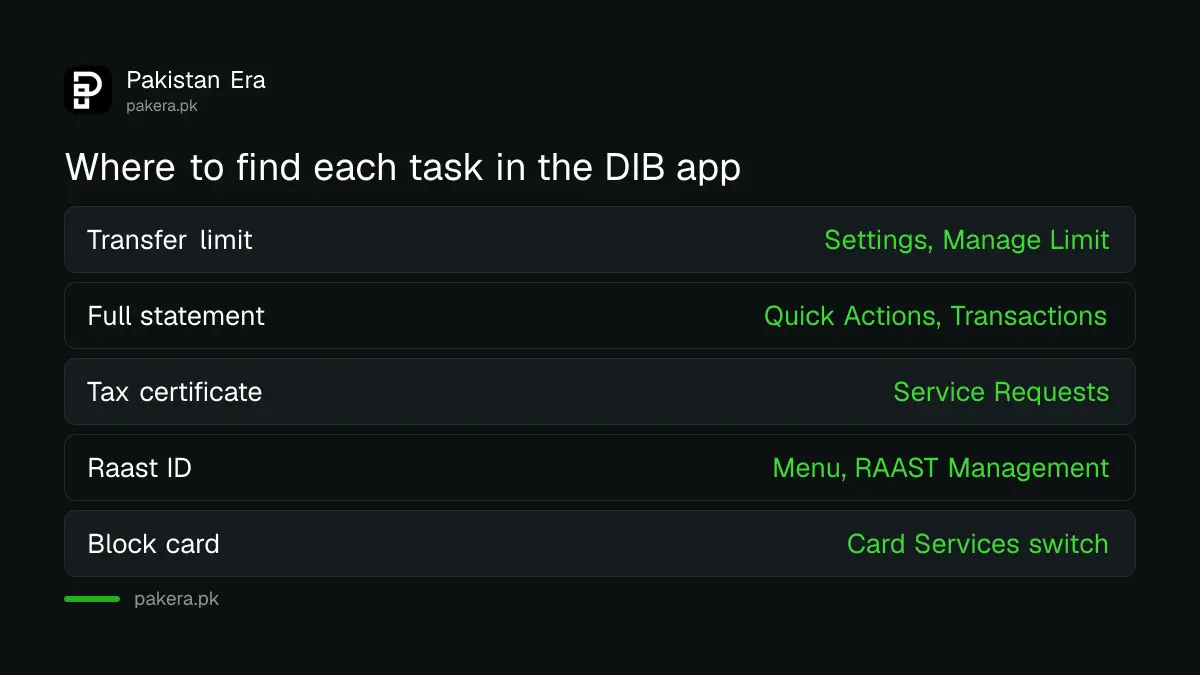
Here is where each common task sits, as DIB describes it:
| Task | Where to find it in the app |
|---|---|
| See or change your transfer limit | Settings, then Manage Limit |
| Mini statement or full statement | Dashboard, Quick Actions, Transactions |
| Download a statement for a period | Transactions, Full Statement, choose the period |
| Tax certificate | Service Requests, Tax Certificate, choose fiscal year |
| E-statement by email | Service Requests, E-Statement Enrolment |
| Create a Raast ID | Menu, RAAST Management, Create RAAST ID |
| Remove dormancy | Service Requests, dormancy removal request |
Raast lets people send you money using your mobile number instead of your IBAN. Our step by step guide to creating a Raast ID shows how it works across banks. For profit rates on DIB accounts, see our Dubai Islamic Bank profit rates list.
Debit card controls you can switch in the app
The DIB app lets you activate, block and unblock your debit card, change its PIN, and turn online and international payments on or off. All of these sit under Card Services in Quick Actions, and the online payments switch asks for an OTP.
- Activate a new card: Card Services, tap the arrow under the card, Activate Card.
- Block for a while: Card Services, use the switch at the top right. Use the same switch to unblock.
- International use: Card Services, select the card, Cross Border Enablement.
- Online shopping: Card Services, Card Channel Management, E-commerce, then enter the OTP.
- Lost or stolen card: block it in the app at once, or call the bank.
Keep international and online payments switched off when you are not using them. A card that cannot be used abroad or online is a much smaller target if its details leak.
Money deducted but the transfer failed
If a DIB app transfer fails but money leaves your account and does not come back on its own, raise a dispute from the Full Statement screen. Select the transaction and follow the steps on screen. Keep the transaction reference from the statement.
If the bank does not settle it, you can complain to the State Bank through the SBP Sunwai portal. For a payment you did not make yourself, act fast and follow our guide to reporting mobile banking fraud.
Common questions
Is the Dubai Islamic Bank mobile app free?
Yes. DIB says downloading and using the app is free. Your mobile network may still charge for the data you use.
Can I register the DIB app without a debit card?
Yes. Choose the account number route and enter your account number, CNIC or NICOP, CNIC issue and expiry dates, date of birth and registered mobile number.
Why can I not send money right after registering?
A 2 hour cooling-off period applies after the biometric check on a new device. Financial transactions open again once it ends.
How many phones can use one DIB account?
One Android phone and one iPhone at the same time, plus one web browser. A new phone needs the verification steps again.
What is the DIB Pakistan helpline number?
The call centre number on the bank's site is 021-111-786-342, written by the bank as 111-786-DIB.
My CNIC is about to expire. Will the app stop working?
DIB says it will tell you when your CNIC details need updating. Renew your CNIC and update the bank within the time it gives you to avoid interruption.
How we verified this
What we checked, where we read it, and what we could not confirm.
Last checked on 6 November 2026. All steps, limits and security rules come from Dubai Islamic Bank Pakistan's mobile banking page and FAQ and its digital banking page. We read these pages; we did not register a new account or call the helpline.
About the author

Technology Journalist & Multimedia Producer
Ahmad Ali is a technology journalist and multimedia producer at Pakistan Era, joining the team in October 2026. He covers consumer technology and digital life for Pakistani readers, combining research with hands-on product testing.