Facebook Not Working in Pakistan: Fixes for Phone and Computer, and the Android 8 and iOS 15.1 Rule
Facebook not working in Pakistan? Update the app, check data, reopen and restart, or clear the browser cache. The app needs Android 8.0 or iOS 15.1 to update.
Facebook not working in Pakistan? On a phone, update the Facebook or Facebook Lite app, check your Wi-Fi or data, close and reopen the app, then restart the phone. On a computer, refresh the page, clear the browser cache or try another browser. Also check your phone's software: the Facebook app now needs Android 8.0 or iOS 15.1 or later. That last point explains many "it suddenly stopped working" cases on older phones.
Facebook's own Help Centre lists these fixes for each device. Below they are in order, with the Pakistani problems that come up most: old phones, weak signal and small data bundles.
Facebook's app needs Android 8.0 or iOS 15.1
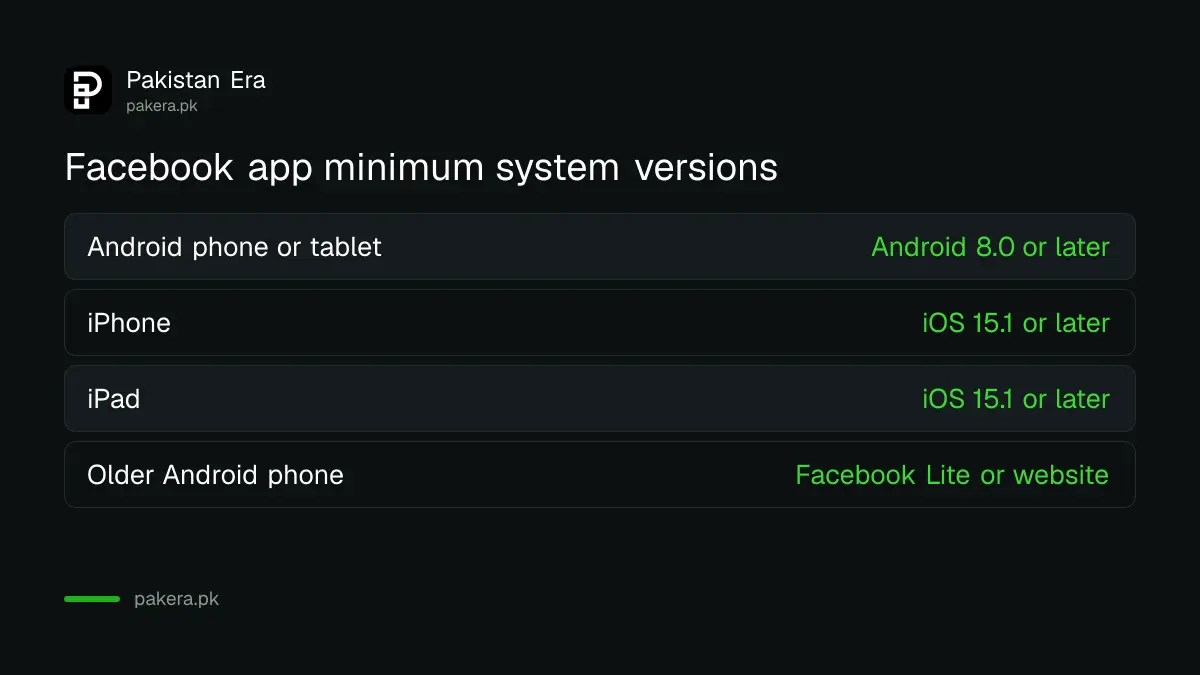
The Facebook app supports Android 8.0 or later, and iPhone and iPad on iOS 15.1 or later. On an older system the app still opens, but it gets no updates or new features, and Facebook warns it can slow down and show problems over time.
Some older phones still in use run Android 7 or earlier. On those, no update fixes Facebook, because the app cannot be updated any further. The practical choices are Facebook Lite, the mobile website, or a newer phone.
| Device | Minimum for the Facebook app | If your phone is older |
|---|---|---|
| Android phone or tablet | Android 8.0 | Use Facebook Lite or the mobile site |
| iPhone | iOS 15.1 | Use Facebook in Safari |
| iPad | iOS 15.1 | Use Facebook in Safari |
| Computer | A current browser | Update or change the browser |
To check your version on Android, open Settings, then About phone, and look for Android version. On iPhone, go to Settings, General, About, and check iOS Version.
Fix Facebook on an Android phone or iPhone
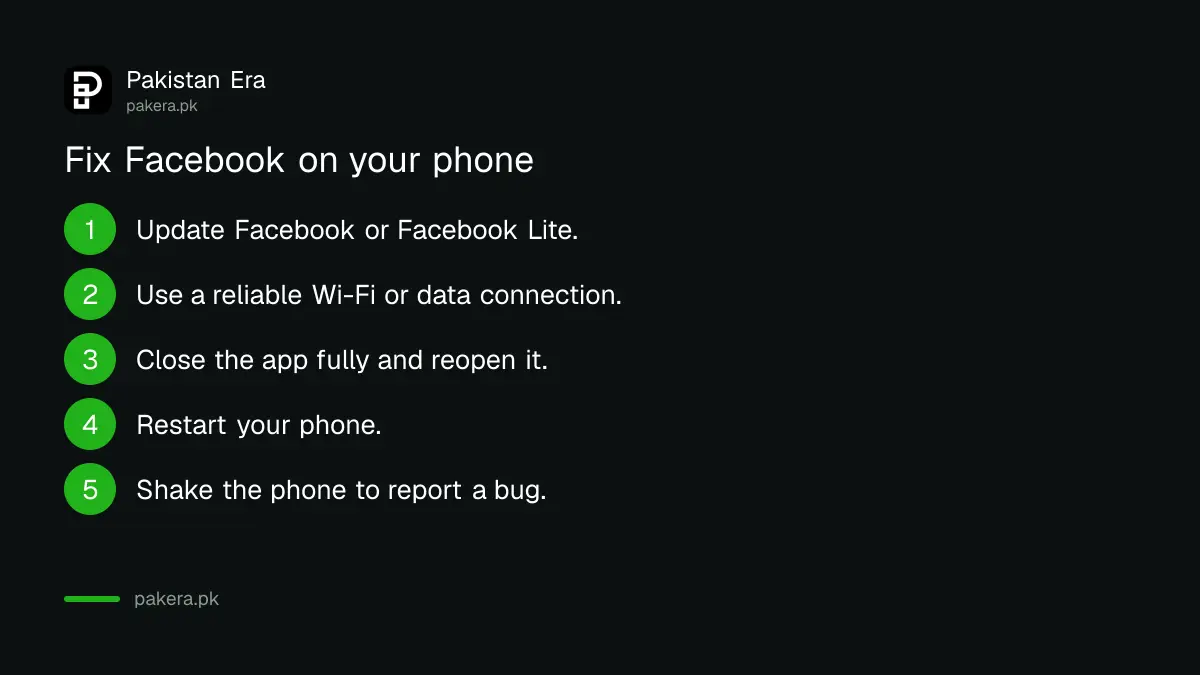
On a phone, Facebook's steps are short: update the app, make sure the connection is reliable, close and reopen the app, and restart the device. Do them in that order and test Facebook after each one.
- Update Facebook or Facebook Lite from the Play Store or App Store. On Android you can also get the newest version directly from Facebook. Connect to Wi-Fi before downloading, as Facebook suggests.
- Check the connection. Make sure you are on a reliable data or Wi-Fi network. If one is weak, switch to the other.
- Close Facebook and open it again. Swipe it away from recent apps, not just back to the home screen.
- Restart your phone.
- Report the problem by shaking your phone inside the app and following the steps on screen.
Update stuck on "pending" in the Play Store? That is a Play Store problem, not a Facebook one, and the fix is in fixing a Google Play download stuck on pending.
Fix Facebook on a computer or mobile browser
In a browser, refresh the page, close it and open it again, clear the browser cache, or try a different browser, such as Firefox instead of Chrome. Then restart the computer if it still fails.
- Refresh the Facebook page.
- Close the tab and open Facebook again.
- Clear the cache in your browser's settings.
- Try another browser. If Facebook works there, an extension or setting in the first browser is the cause.
- Restart the computer or phone.
Office and university networks sometimes restrict social media. If Facebook fails only on one Wi-Fi network and works on mobile data, that network is the reason, and only its administrator can change it.
Facebook Lite helps on weak signals and old phones
Facebook Lite is a smaller version of the app. Facebook says it uses less mobile data, takes up less space and works on all networks, including 2G, so it suits older phones and small bundles. Facebook's fixes apply to Lite the same way: update it, check the connection, reopen it, restart.
Lite has its own report option, from the Menu on its home screen. If you have both Lite and the full app, keeping only one saves storage.
When it is a block or a bug, not your phone
Facebook says something may not load because of settings, because a feature has not reached everyone yet, or because you have been blocked from an action such as posting, commenting or sharing. If it is a bug, report it so Facebook can look at it.
To report from a computer, click your profile picture at the top right, select Help and support, then Report a problem. On a phone, shake it inside the app. Add a screenshot and a short description.
Some messages are not bugs at all. A lock message at login is covered in unlocking a locked Facebook account, and a suspension in the Facebook suspended account appeal. If you cannot remember your password, reset it with the Facebook password reset steps. If someone else changed your details, use the hacked Facebook recovery route.
Common questions about Facebook not working
Why did Facebook stop working on my old phone?
The Facebook app supports Android 8.0 and iOS 15.1 or later. On older systems it gets no updates and may slow down or fail. Use Facebook Lite or the mobile site.
Why is Facebook not loading on mobile data?
Your bundle may have run out, or the signal may be weak. Facebook's advice is to use a reliable data or Wi-Fi network, so switch to Wi-Fi and test again.
How do I fix Facebook on my laptop?
Refresh the page, clear the browser cache, try another browser and restart the computer. If Facebook works in another browser, an extension in the first one is likely the cause.
Does Facebook Lite fix Facebook problems?
It often helps on slow connections and older Android phones, because it is smaller and lighter. It does not lift a block or a lock on your account.
How do I report a bug to Facebook?
On a phone, shake it inside the app and follow the steps. On a computer, click your profile picture, Help and support, then Report a problem.
How we verified this
What we checked and where we read it.
Last checked 17 November 2026. The fixes come from Facebook Help Centre pages: Troubleshoot something that's not working on Facebook, What operating systems are supported by the Facebook app? and Report that something isn't working on Facebook. The steps for finding your Android or iOS version are the standard phone settings and can be worded slightly differently by phone brand.
About the author

Technology Journalist & Multimedia Producer
Ahmad Ali is a technology journalist and multimedia producer at Pakistan Era, joining the team in October 2026. He covers consumer technology and digital life for Pakistani readers, combining research with hands-on product testing.