How to Turn On YouTube Restricted Mode to Filter Mature Videos in Pakistan
Turn on YouTube Restricted Mode in Pakistan: computer steps, why you must repeat it on each device, the comments limit and how Family Link locks it for a child.
On a computer, sign in to YouTube, click your profile photo, click Restricted Mode near the bottom of the menu, then switch on Activate Restricted Mode. It filters mature videos and turns off comments, but Google says it is not perfect. You must turn it on separately for each browser, device and profile.
A child hands you back the phone and the next video in the queue is not for children. That happens fast on YouTube, and many Pakistani homes share one tablet between several ages. Restricted Mode is a free setting that screens out much of the mature material. We read Google's YouTube Help page on it for this guide, and we explain what it can and cannot do.
Restricted Mode screens mature videos, but not perfectly
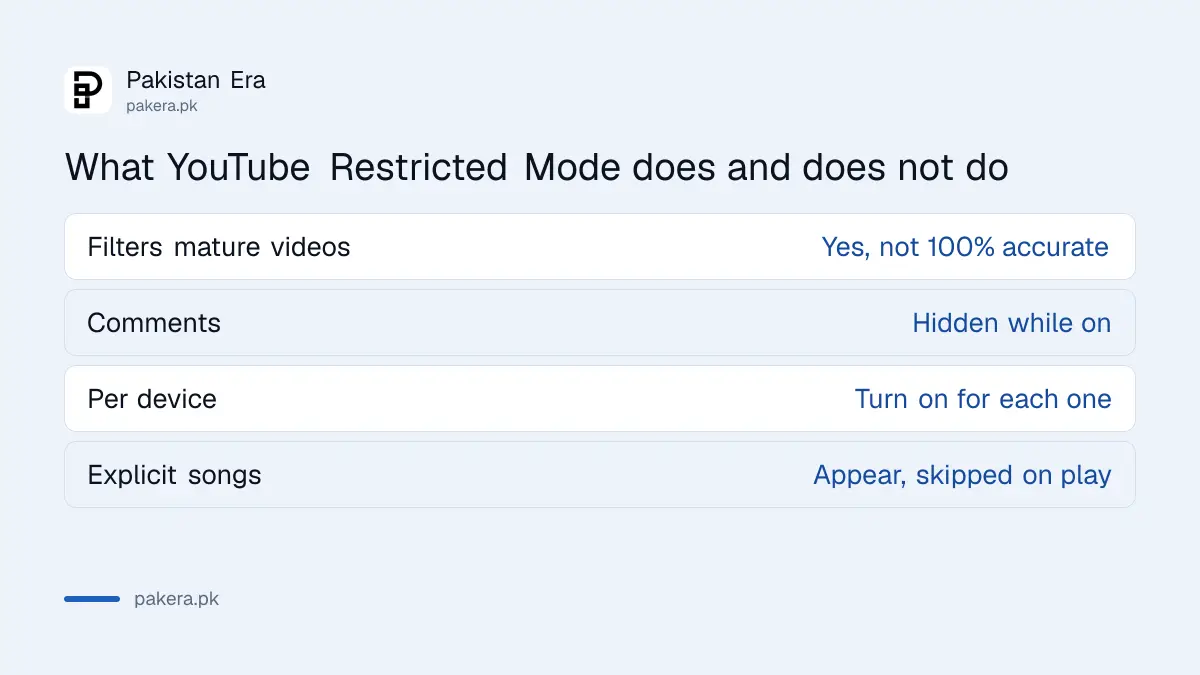
Restricted Mode is an optional setting that helps screen out potentially mature content. Google says it uses signals such as the video title, description, metadata, Community Guidelines reviews and age restrictions. It also filters music content, though songs labelled Explicit still appear and are skipped when you try to play them.
Google is open about the limits. Filtering is not 100 per cent accurate, and quality may vary across languages because of cultural differences. That matters here, because a lot of Urdu and Punjabi content may be filtered less well than English. Treat Restricted Mode as one layer, not a guarantee.
Restricted Mode is also not the same as age-restricting a video. An age restriction is set by the creator or by YouTube on one video. Restricted Mode is your own filter across what you see.
On a computer, turn it on from your profile photo
Google lists exact steps for a computer. They take under a minute and need a signed-in account.
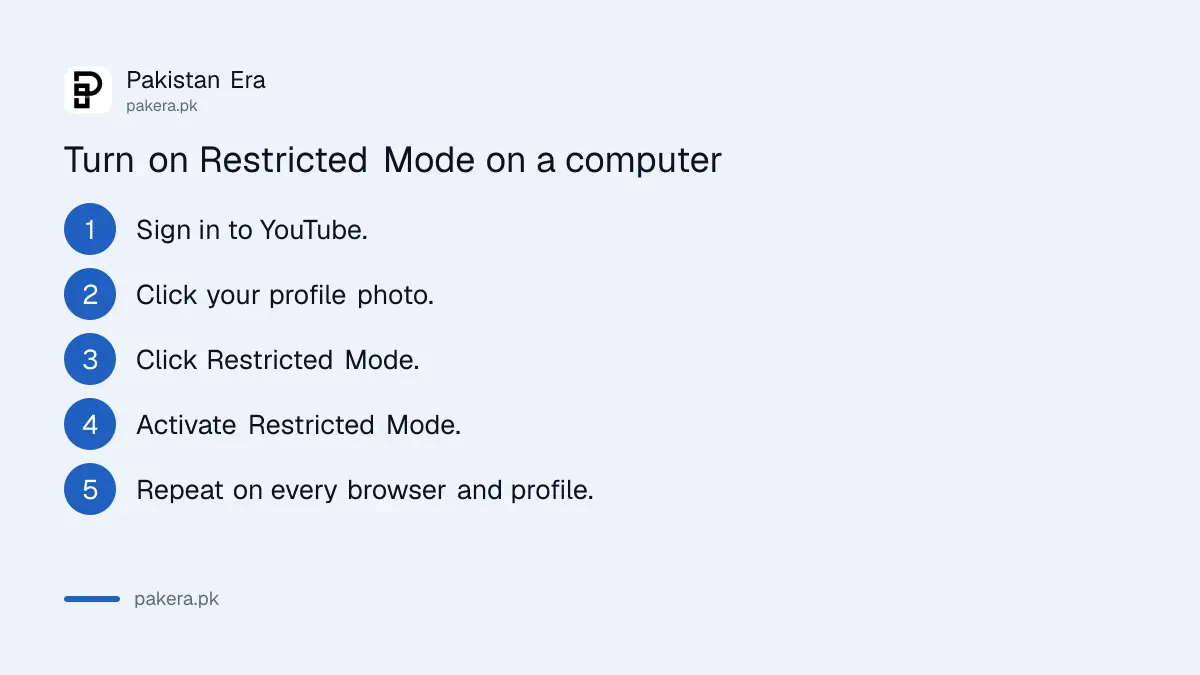
- Open YouTube on your computer and sign in.
- Click your profile photo at the top right.
- Click Restricted Mode near the bottom of the menu.
- In the box that opens, click the option to activate Restricted Mode.
- Repeat on every browser and profile your child uses.
On the YouTube app for Android and iPhone, the setting sits under your profile and Settings. The text of Google's phone steps did not load when we read the page, so we do not list exact taps here. Look in your profile and Settings for Restricted Mode, and check Google's page for the current phone steps.
It works per device, so repeat it on every screen
The setting belongs to the browser, device and profile where you turn it on. Google says you have to enable it separately for each one. A phone with Restricted Mode on and a tablet with it off will show different results.
| Where | What Google says |
|---|---|
| Browser or app | Turn it on separately for each browser, device and profile |
| Comments | You cannot view comments on videos while it is on |
| Mobile network | Some providers apply their own filters, even when Restricted Mode is off |
| Schools and libraries | A network administrator may have it switched on |
If you share a laptop, give your child their own profile and turn it on there. Setting it on your own signed-in profile does not follow the child to a different login.
For a child's account, Family Link locks the setting
Google says parents using Family Link can turn Restricted Mode on for a child's account, and the child cannot change it on signed-in devices. Google adds that this does not apply to children over the age of 13 (or the relevant age in their country), among other exceptions.
If you only need a stricter experience, a supervised account is usually stronger than Restricted Mode alone. Read how to set up YouTube Kids or a supervised account, then set a daily screen time limit with Family Link. For websites outside YouTube, block adult websites in Chrome with Family Link. iPhone families can use Screen Time and Family Sharing.
Pair the filter with a habit. Sit with younger children for the first few videos, and look at their watch history now and then. A filter cannot replace that.
Smart speakers and TV screens follow separate steps
On smart speakers and displays, Google says to open the Home app, select the device, then go to Settings, Notifications and digital wellbeing, YouTube Settings. Device managers can also change the setting for other users.
If Restricted Mode stays on after you sign in, Google says the YouTube content restrictions page shows whether an administrator or your personal account is responsible. That is the place to look when a school or work account locks the setting and you cannot change it.
Common questions about YouTube Restricted Mode
Is YouTube Restricted Mode free?
Google's page lists no charge for it. It is a setting you turn on from your account or device.
Why can I not see comments with Restricted Mode on?
Google says you cannot view comments on videos while Restricted Mode is on. Turn it off to see them again.
Will it block every bad video?
No. Google says the filter is not 100 per cent accurate and its quality may vary across languages.
Do I need to turn it on for every phone?
Yes. Google says it works per browser, device and profile, so repeat it on each one your child uses.
Can my child turn it off?
On a child's account managed with Family Link, Google says the child cannot change it on signed-in devices. On a normal account, anyone can switch it off.
How we verified this
What we checked, where we read it, and what we could not confirm.
Last checked 14 October 2026. What Restricted Mode does, the computer steps, the per-device rule, the comments limit and the Family Link note come from Google's Restricted Mode YouTube Help page, which we read. The Android and iPhone steps were not in the text we could read, so we did not copy them. We did not test the filter on Urdu or Punjabi videos.
About the author

Technology Journalist & Multimedia Producer
Ahmad Ali is a technology journalist and multimedia producer at Pakistan Era, joining the team in October 2026. He covers consumer technology and digital life for Pakistani readers, combining research with hands-on product testing.