How to Set Up the Apple Passwords App on Your iPhone in Pakistan, Free
Set up the Passwords app on your iPhone in Pakistan: turn on iCloud Keychain and AutoFill, fix weak or leaked logins and add verification codes without SMS.
The Passwords app is already on iPhones running iOS 18 or later. To use it, turn on iCloud Keychain in Settings, switch on AutoFill Passwords and Passkeys, then open Passwords to see weak or reused logins. It is free and it also holds passkeys, Wi-Fi passwords and verification codes.
Many Pakistani users keep passwords in a notes app, a WhatsApp chat to themselves or one password reused everywhere. That is how one leaked login turns into a hacked Facebook, Gmail and bank app. Apple's Passwords app is a built-in fix on the iPhone you already own. We read Apple's support page for it, and the steps below follow that page.
The Passwords app needs iOS 18 and iCloud Keychain
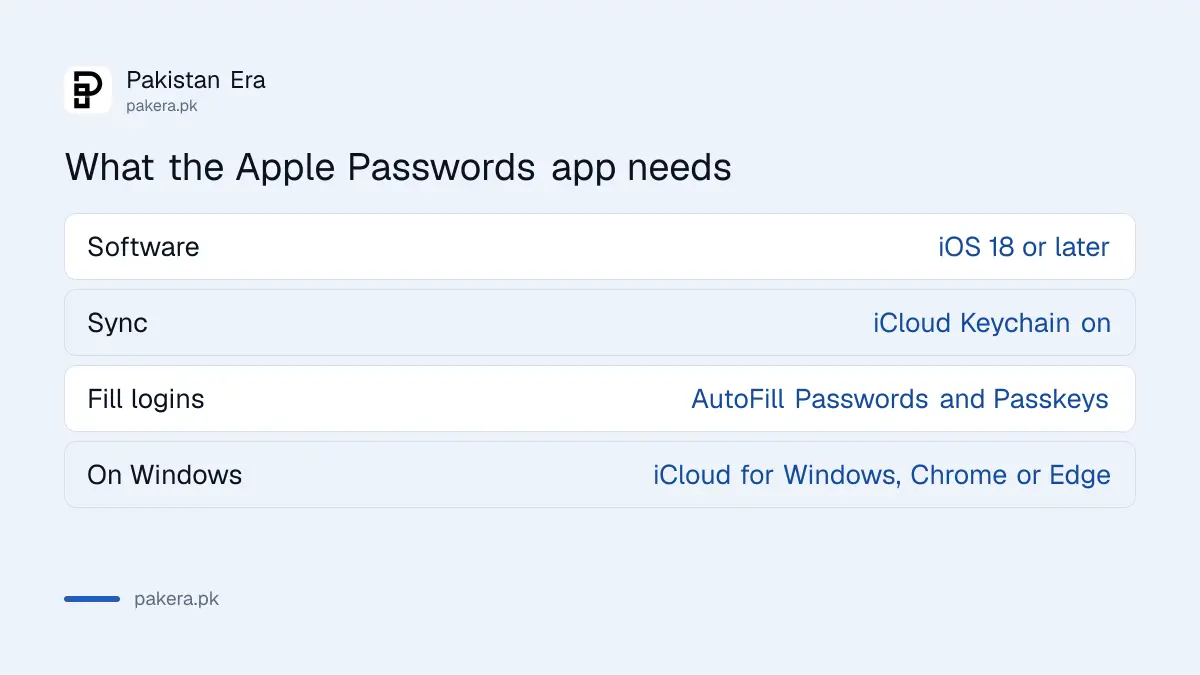
Passwords stores account passwords, passkeys, Wi-Fi passwords and verification codes, and syncs them across your Apple devices. Apple names iOS 18, iPadOS 18, macOS Sequoia and visionOS 2 as the versions that include the app. Update your devices first.
Syncing depends on iCloud Keychain, which Apple describes as the service that syncs passwords and passkeys across approved devices. If you use Windows as well, Apple says iCloud for Windows lets you reach iCloud Passwords in Google Chrome or Microsoft Edge.
| Item | What Apple says |
|---|---|
| Software | iOS 18, iPadOS 18, macOS Sequoia or visionOS 2 and later |
| Sync | iCloud Keychain, across approved devices |
| Fill logins | Password AutoFill, with passkeys |
| On a PC | iCloud for Windows with Chrome or Edge |
Turn on iCloud Keychain and AutoFill in Settings
Two switches make the app useful. One syncs your logins. The other lets your iPhone fill them in when you sign in to apps and websites. Without both, the app is just a list.
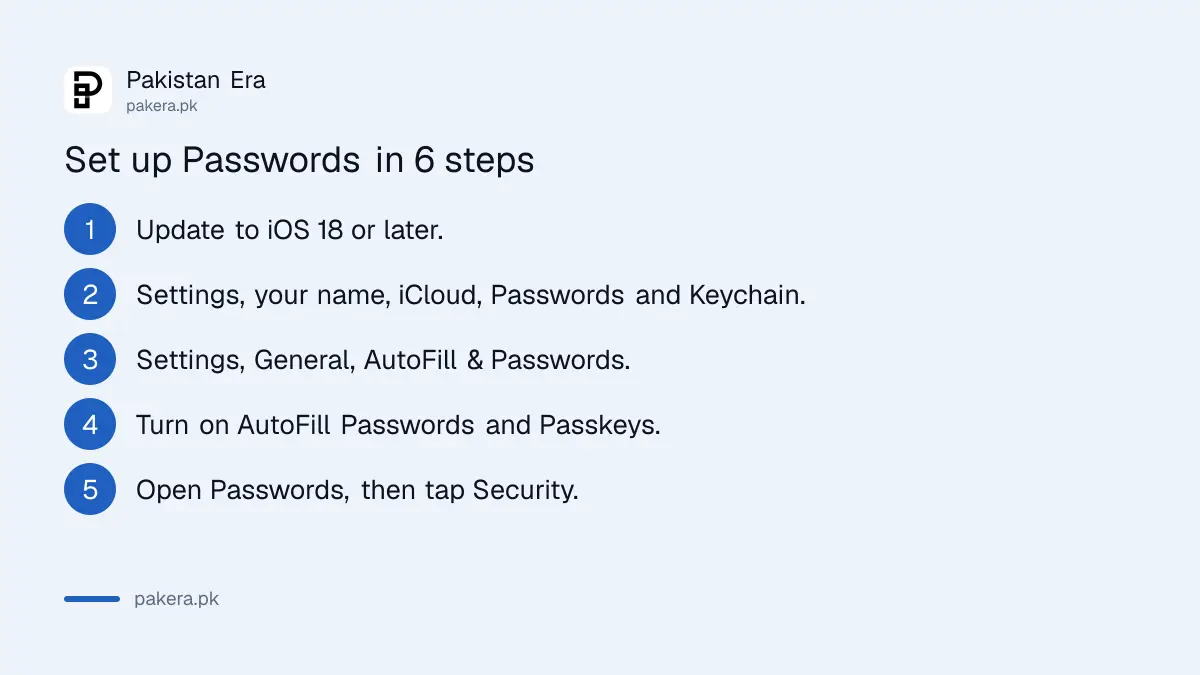
- Open Settings and tap your name.
- Tap iCloud, then Passwords and Keychain, and turn it on.
- Go back to Settings, tap General, then AutoFill & Passwords.
- Turn on AutoFill Passwords and Passkeys.
- Open the Passwords app and unlock it with Face ID, Touch ID or your passcode.
- When you next create an account, accept the strong password your iPhone suggests.
Apple says the device can suggest a strong, unique password when you create an account. You can also generate a new one for an existing account to replace a weak one.
Security recommendations flag weak and leaked passwords
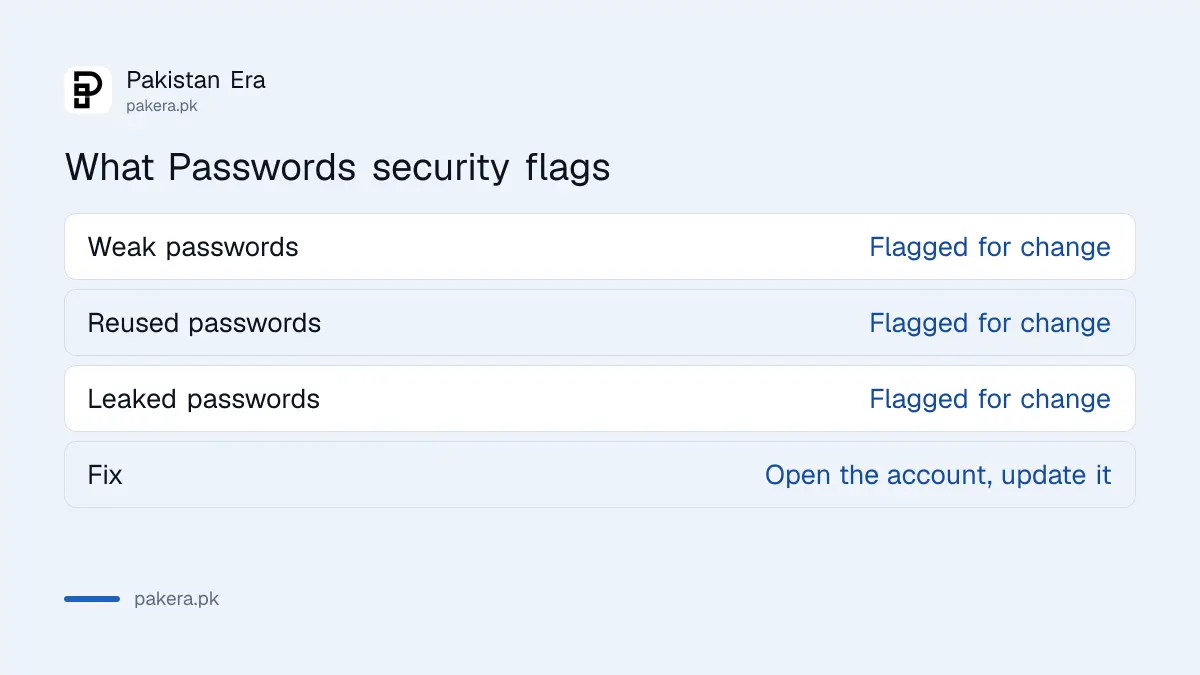
This is the part most people skip, and it is the most useful. Passwords flags weak and reused passwords and those found in known data leaks. Apple says to open Passwords, choose Security, then select the flagged account to update its password.
Start with your email, because an email login can reset everything else. Then do your Apple Account, your banking and wallet apps, and social media. Change the reused ones first. Ten minutes here does more than any amount of worrying.
If you also use Google, set up a passkey on your Google Account and Google Authenticator for 2-step verification. The Passwords app handles Apple and many websites, but it does not replace a second step on your key accounts. The guide to two-step verification on WhatsApp, Facebook and Gmail covers the rest.
Verification codes and shared groups cut down on SMS and screenshots
Passwords can generate verification codes, so you do not need SMS or a separate authenticator app for sites that support it. Apple says to open Passwords, select All, choose a site or app, and under Security select Set Up Verification Code.
It can also share. Apple describes a Shared Group for passwords, passkeys and Sign in with Apple credentials with family or trusted contacts. You can send a single login with AirDrop, and share a Wi-Fi password without showing the password itself. That beats a screenshot in a WhatsApp group.
Apple says a passkey is generated by your device for each account and is designed to resist phishing. It can replace the password when you sign in. Importing logins from another password manager is not covered on the page we read, so check Apple's other help pages for that. Android users moving the other way can read how to move passwords and passkeys to a new manager.
Lock down your Apple Account before you trust it with everything
Everything in Passwords depends on your Apple Account and your iPhone passcode. A thief who knows your passcode is a risk, so turn on Stolen Device Protection too. And if you lose the phone, you want a way back, which is where a legacy contact and a spare recovery method help.
Keep one rule: never read out a verification code to anyone who calls you. Banks and couriers do not ask for it. A fake courier is a common trick, and the steps to stop the parcel OTP scam explain what to say.
Common questions about the Apple Passwords app
Which iPhones have the Passwords app?
Apple names iOS 18 as the version that includes it. Update your iPhone in Settings, General, Software Update.
Is the Passwords app free?
Apple's page lists no fee for the app itself. It uses iCloud Keychain, which you turn on in your Apple Account settings.
Can I use it on Windows?
Partly. Apple says iCloud for Windows lets you access iCloud Passwords in Google Chrome or Microsoft Edge.
Does it replace an authenticator app?
For sites that support it, yes. Apple says you can set up a verification code inside Passwords instead of using SMS or another app.
Can family see all my passwords?
No. Apple says sharing happens through a Shared Group you set up, or one login at a time with AirDrop.
How we verified this
What we checked, where we read it, and what we could not confirm.
Last checked 14 October 2026. Software versions, setup steps, verification codes, sharing and security recommendations come from Apple's Passwords app support page, which we read. Apple's page does not cover importing from other managers, so we do not describe it. We did not test the app on a Pakistani Apple Account.
About the author

Technology Journalist & Multimedia Producer
Ahmad Ali is a technology journalist and multimedia producer at Pakistan Era, joining the team in October 2026. He covers consumer technology and digital life for Pakistani readers, combining research with hands-on product testing.