Android 17 Beta 4: The Final Testing Phase Before Release
Android 17 Beta 4 is here. Check required changes for apps, security updates, and what to fix before final release.
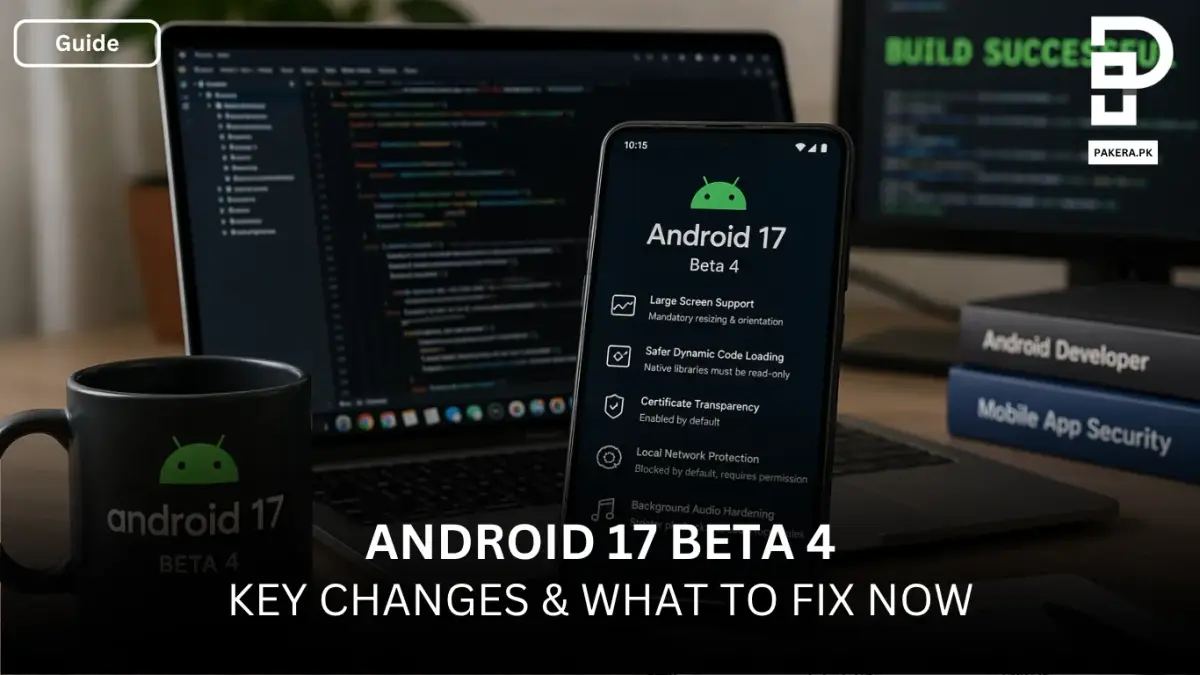
Android 17 has now reached Beta 4, and this is not just another update in the cycle, it’s the last scheduled beta before the official release. At this stage, things are no longer experimental. This is where the platform stabilizes, and what you see now is very close to what users will experience in the final version.
If you're working on an app, this is the moment to stop delaying and start polishing. Whether it's refining the user experience, fixing layout issues, or making sure your app works smoothly with the latest APIs, Beta 4 gives you a near-final environment to test everything properly.
Why Android 17 Beta 4 Actually Matters
By the time a platform reaches its fourth beta, most major changes are already locked in. That means fewer surprises later and a much clearer direction for developers.
This release is mainly about:
- Platform stability
- App compatibility
- Final behavior changes
In simple terms, if your app breaks here, it will likely break in the final release too.
Large Screen Behavior Is No Longer Optional
One of the biggest changes in Android 17 is how it handles large screens.
Apps Must Support Resizing
Once your app targets Android 17, you can no longer opt out of:
- Screen resizing
- Orientation changes
- Aspect ratio adjustments
This is a big shift. Previously, developers could lock orientation or restrict resizing, but that flexibility is now gone. Apps are expected to adapt properly across tablets, foldables, and larger displays.
If your layout isn’t responsive yet, this is where you’ll feel it.
Stronger Security With Safer Dynamic Code Loading
Security continues to get tighter, and Android 17 pushes it further.
Native Libraries Now Under DCL Protection
The Safer Dynamic Code Loading (DCL) protection, which was introduced in Android 14 for DEX and JAR files, now extends to native libraries as well.
If your app targets Android 17 or higher:
- Any native library loaded using System.load must be marked as read-only
This change is designed to prevent runtime code manipulation and improve overall app security. If your app dynamically loads native code, this is something you need to check immediately.
Certificate Transparency Is Now Enabled by Default
Android 17 removes the need to manually enable Certificate Transparency (CT).
Previously, in Android 16:
- CT was available, but apps had to opt in
Now:
- CT is enabled by default for all apps targeting Android 17
This improves trust and security in network communications without requiring extra effort from developers. It’s one of those changes that works quietly in the background but has a meaningful impact.
Local Network Access Gets Locked Down
Privacy is clearly a priority in Android 17, and local network access is now more restricted.
New Permission Requirements
For apps targeting Android 17:
- Local network access is blocked by default
- You must request the ACCESS_LOCAL_NETWORK permission for broader access
Whenever possible, developers are encouraged to:
- Use privacy-preserving pickers instead of direct access
This change forces apps to be more transparent about what they’re accessing and why.
Background Audio Is More Restricted
Another important update comes in how Android handles audio in the background.
Stricter Audio Framework Rules
Starting in Android 17, the system enforces tighter control over:
- Audio playback in the background
- Audio focus requests
- Volume change APIs
This means apps can no longer freely interact with audio when running in the background. If your app relies on background audio behavior, you’ll need to test it carefully under these new restrictions.
What You Should Be Doing Right Now
Beta 4 is not the time for experimentation, it’s the time for validation.
You should be:
- Testing your app on Android 17 Beta 4 devices
- Checking UI behavior on large screens
- Verifying dynamic code loading compliance
- Reviewing permissions, especially for local network access
- Testing audio behavior under real-world conditions
Any issues you find now are far easier to fix than after the final release.
Frequently Asked Questions
Is Android 17 Beta 4 stable enough for testing?
Do I have to support large screens now?
What happens if I don’t update dynamic code loading behavior?
Is Certificate Transparency mandatory now?
Do all apps need the ACCESS_LOCAL_NETWORK permission?
Will background audio stop working completely?
Conclusion
Android 17 Beta 4 marks the final checkpoint before release, and it’s clear that the focus is on stability, security, and consistency across devices. The changes may not feel flashy, but they are significant, especially for developers who haven’t yet adapted to newer platform expectations.
At this point, it’s less about building new features and more about making sure everything works exactly as it should. If your app runs smoothly on Beta 4, you’re in a strong position for the official launch.
About the author

Author
Shahid joined us in 2024 as an author. He is a senior contributor to Pakistan's leading technology websites. He writes detailed articles, mostly covering his expertise in the latest tech, mobiles, apps, gadgets, and step-by-step guides. His ideology is to help people understand the latest trends and explain complex methods through very easy-to-understand guides.